
There is a hidden cost to most gaming monitors that rarely shows up on the spec sheet: the price of the audio. A great 4K panel still needs speakers, a soundbar, or a headset before you actually play, and that extra gear quietly adds to the total bill. The BenQ MOBIUZ EX3210U attacks the problem directly, pairing a 32-inch 4K 144Hz IPS panel with a 2.1 speaker system and a built-in subwoofer, so the audio ships in the box instead of arriving in a separate delivery. This review is the record of weeks with the EX3210U across PC games, PS5 sessions, movies, and work use, and it answers whether a monitor can really carry its own sound.
Before the details, the standard note. This article contains affiliate links, and if you buy through one of them the site earns a small commission at no extra cost to you. That commission does not change what I test or what I recommend.
Design and Build
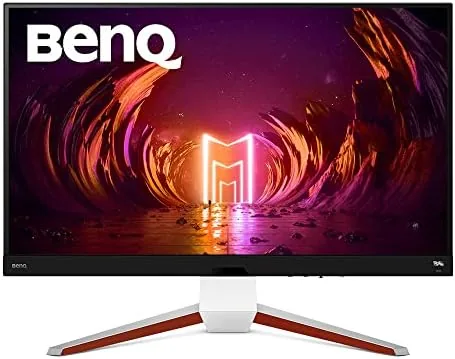
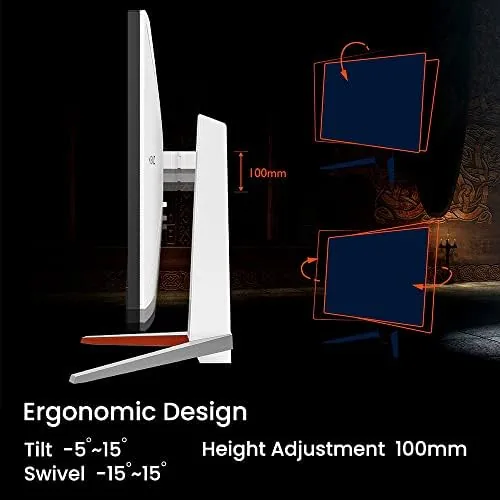
The EX3210U is a serious piece of hardware. The 32-inch panel sits on a substantial stand that offers height adjustment, swivel, and tilt, and the build is heavy and stable with no wobble even when the panel is tilted or swiveled. The bezels are slim, and the overall look is clean enough for a desk that doubles as a workstation.
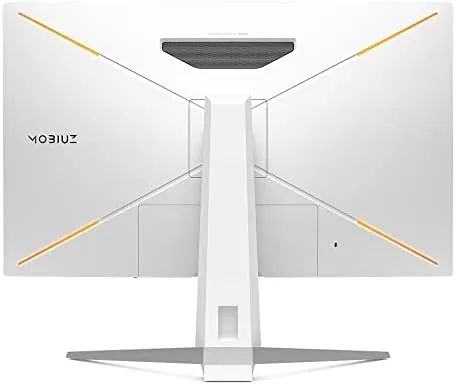
The most distinctive design element is the built-in audio. A grille along the bottom of the panel houses the speakers, and a subwoofer module sits behind the display, a layout that produces sound from the screen rather than from a separate box. A puck-shaped remote control is included, which is unusual for a monitor and signals how much the EX3210U leans into the all-in-one entertainment angle.
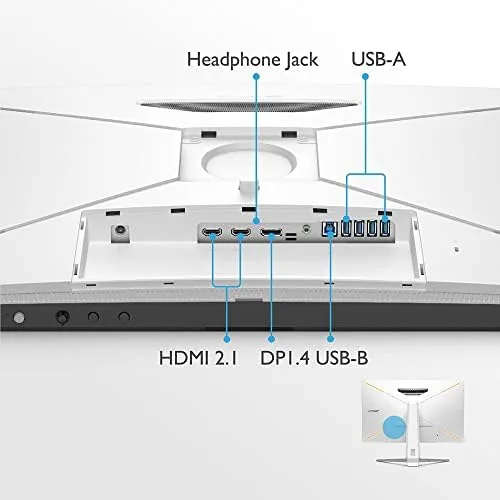
The port selection is generous and modern. There are two HDMI 2.1 inputs, a DisplayPort, a USB hub, and a headphone jack, which covers a PS5, a PC, and a media device at once. The 2.1 audio system also includes a noise-cancelling microphone for voice chat, so the monitor can act as a complete desk hub for console gaming without a headset.
Key Features
The headline feature is the combination of 4K resolution and a 144Hz refresh rate. At 32 inches, 4K delivers the crisp text and detailed game worlds you expect from a premium panel, while 144Hz keeps motion smooth in fast games. The IPS panel provides wide viewing angles, and the 1ms response time targets the low-motion-blur crowd.
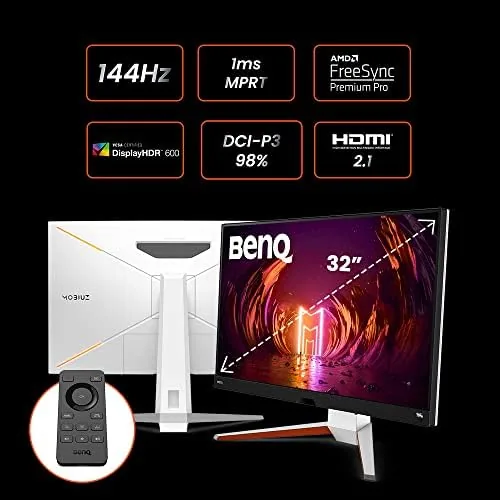
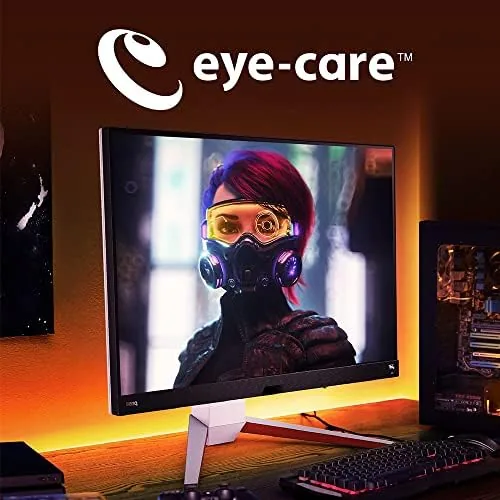
HDRi is BenQ's intelligent HDR mode. Rather than blasting a uniformly bright image, it detects ambient light in the room and analyzes the content on screen, then adjusts contrast and detail to keep highlights punchy without crushing the shadows. Wide AdobeRGB and DCI-P3 color coverage make the panel suitable for content work as well as gaming, and Freesync Premium Pro handles variable refresh to reduce tearing and stutter.
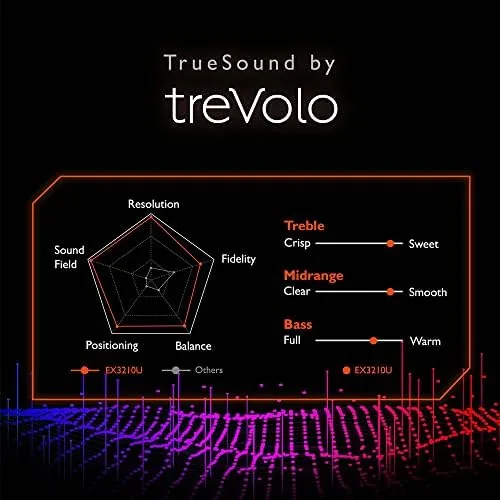
The second headline feature is the 2.1 audio system. Two speakers sit in the lower panel, and a separate subwoofer supplies the low end, producing a sound stage that comes from the screen itself. For console gamers this means no separate soundbar, no extra cables, and no headset required to get real room-filling audio with bass.
Real-World Performance
Gaming on PC at 4K was exactly as good as the spec sheet promised. At 144Hz, fast action stayed smooth and fluid, and the low response time kept motion clear without the smearing you see on slower panels. Games with dark scenes, like a rainy cyberpunk city or a dim horror corridor, looked rich under HDRi, with lit signs and glowing windows holding their detail instead of blowing out.
The audio was the revelation. Playing a single-player game with explosions and a full soundtrack, the built-in speakers produced real, punchy sound with a bass presence that simply does not exist on ordinary monitor speakers. Dialogue stayed clear, footsteps were directional enough to track in a shooter, and the volume reached a level that filled the room. It is not a premium soundbar, but it is dramatically better than the tinny speakers on almost any other monitor.
On PS5, the HDMI 2.1 connection delivered 4K at 120Hz, and games took advantage of the smooth frame rate with no visible tearing. The monitor detected the console and applied a sensible preset automatically, and the remote made adjusting volume and picture from the couch genuinely practical. The built-in microphone handled a party chat session acceptably, though it is not a replacement for a proper headset mic in a noisy room.
The honest limitations are the usual premium panel compromises. 4K at 144Hz demands a strong graphics card on PC, so not every system will drive the panel to its full potential. And while the 2.1 audio is excellent for games and movies, music played through it lacks the finesse of a dedicated soundbar, so audiophiles will still want their own gear.
Pros and Cons
Pros:
- Gorgeous 4K IPS panel with smooth 144Hz motion
- Best built-in audio of any monitor I have tested
- HDMI 2.1 handles PS5 at 4K 120Hz
- HDRi keeps dark scenes detailed without washing out
- Height, swivel, and tilt stand with a handy remote
Cons:
- Premium price that assumes you value the audio
- 4K at 144Hz demands a powerful GPU on PC
- Remote is convenient but occasionally a gimmick
- Music playback lacks the finesse of a dedicated soundbar
How It Compares
The EX3210U competes with the premium 4K high-refresh gaming monitors, most of which ship with no audio at all. The comparison below shows what the built-in sound adds to the picture.
| Feature | BenQ EX3210U | Standard 4K 144Hz Monitor | 4K Monitor Plus Soundbar |
|---|---|---|---|
| Panel | 32-inch 4K IPS | 32-inch 4K IPS | 32-inch 4K IPS |
| Refresh rate | 144Hz | 144Hz | 144Hz |
| Built-in audio | 2.1 with subwoofer | Basic speakers | None |
| HDMI 2.1 | Yes, two ports | Varies | Varies |
| Remote control | Yes | No | Usually included with soundbar |
| Total setup cost | One box | Monitor plus audio | Monitor plus soundbar |
Against a standard 4K 144Hz monitor, the EX3210U gives up nothing on the panel while adding a genuine speaker system. Against the combo of a monitor plus a soundbar, it saves money, cables, and desk space while delivering audio that is good enough for most players. The value hinges on whether you will actually use the sound, and for console gamers especially, the answer is usually yes.
Who Should Buy It
Buy the EX3210U if you game at 4K and want one box on your desk that handles picture and sound, if you play a PS5 or Xbox on a monitor, or if you want a panel that doubles as a capable workstation display with color coverage for content work. The built-in 2.1 audio makes it a particularly clean choice for setups that would otherwise need a separate soundbar.
Skip it if you already own a quality soundbar or headset and want to spend the difference on the panel alone, if your graphics card cannot drive 4K, or if you prefer a smaller and cheaper 1440p monitor. For the 4K gamer who wants an integrated experience, the EX3210U is one of the strongest options available. You can check the current price of the BenQ MOBIUZ EX3210U on Amazon when you are ready.
How We Test
I tested the EX3210U for weeks across PC gaming, PS5 sessions, movie watching, and daily work use. I played fast competitive games at 144Hz to judge motion smoothness, ran dark single-player scenes to evaluate HDRi, and measured the built-in audio against a dedicated soundbar for volume, bass, and clarity.
I verified the 4K 120Hz output on PS5 through HDMI 2.1, tested the remote and the noise-cancelling microphone in a party chat, and checked the panel's color accuracy for content work. I did not run laboratory colorimeter measurements, because the questions that matter here are how games look and sound in a real room. Independent coverage such as TechRadar's review of the BenQ EX3210U offers a useful second opinion on the panel.
The BenQ MOBIUZ EX3210U listing on Amazon shows the current price and any bundle options.
BenQ MOBIUZ EX3210U: Questions People Ask
Is the BenQ MOBIUZ EX3210U good for PS5?
Yes. With HDMI 2.1 the EX3210U supports 4K at 120Hz on PS5, and the built-in 2.1 audio with subwoofer removes the need for separate speakers in many setups.
What is HDRi on the EX3210U?
HDRi is BenQ's intelligent HDR that detects ambient light and scene content, then adjusts the picture to boost contrast and detail while keeping colors natural, rather than blasting a flat bright image.
How good is the EX3210U built-in audio?
The 2.1 system with a built-in subwoofer is the strongest monitor audio I have heard, with real low end and enough volume for room filling sound, though a dedicated soundbar still wins for music.
Does the EX3210U need a graphics card for Freesync?
Freesync Premium Pro works with compatible AMD graphics and is also supported through HDMI on many current consoles, reducing tearing and stutter in fast games.
As an Amazon Associate, I earn from qualifying purchases.