
The laptop webcam has become the weak link of modern remote work. The Built-In camera on most laptops is a 720p afterthought that flattens your face in bad lighting, and the microphone makes you sound like you are calling from the bottom of a well. The AnkerWork PowerConf C200 is a compact USB webcam built to fix both problems at once. It records in 2K resolution, carries dual stereo microphones with AI noise cancelling, offers an adjustable field of view, and includes a built-in privacy cover. This review records several weeks of using the C200 across video calls, streaming, and content creation.
Before the details, the standard note. This article contains affiliate links, and if you buy through one of them the site earns a small commission at no extra cost to you. That commission does not change what I test or what I recommend, and I judge every product with the same standards I would use on my own purchase.
Design and Build
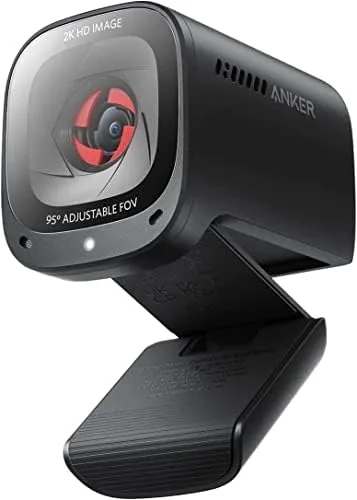
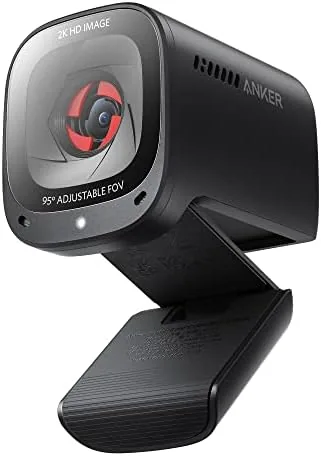
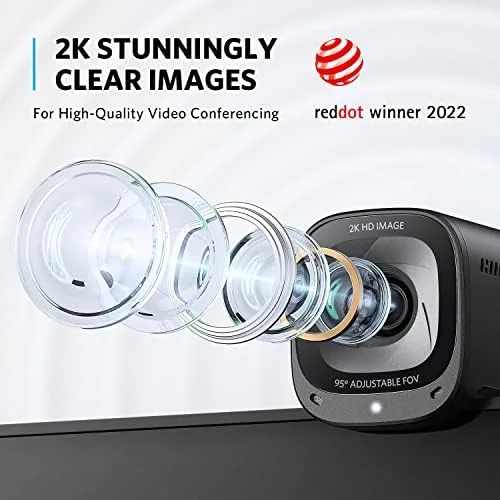
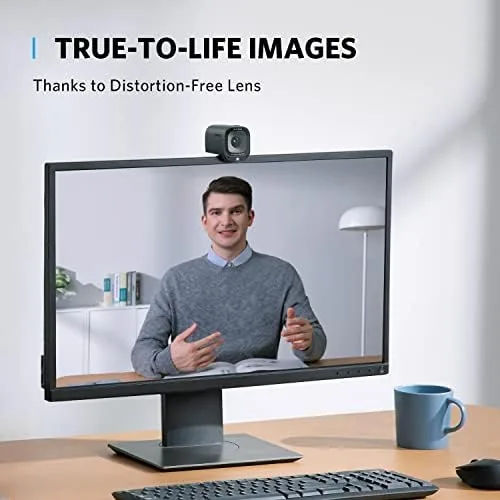
The PowerConf C200 is a small, low profile camera with a matte black finish that blends into any monitor setup. It measures roughly the size of a business card, and it mounts to a laptop lid or a monitor with a sturdy clip that holds it securely without wobbling. The build feels solid for the price, with a metal mounting arm and a reassuring click when the clip locks into place.
The front face holds the lens, two stereo microphone grilles, and a status LED that glows when the camera is active. A sliding privacy cover sits over the lens, and it is the kind of simple, dependable hardware touch that gives you confidence the camera is off when you want it off. The USB cable is fixed and terminates in a USB-A connector, and the cable is long enough to reach the back of a desktop tower or a monitor hub.
The low profile design means the C200 disappears behind a monitor, and because it uses a clip rather than a mount plate, it works on laptops, monitor bezels, and even the top of a standalone display with equal ease.
Key Features
The headline feature is the 2K sensor, which captures video at 2560 by 1440 resolution at 30 frames per second. That is a meaningful step above the 1080p webcams that dominate this price range, and the extra resolution shows up as sharper text, finer skin texture, and better detail in backgrounds and documents.
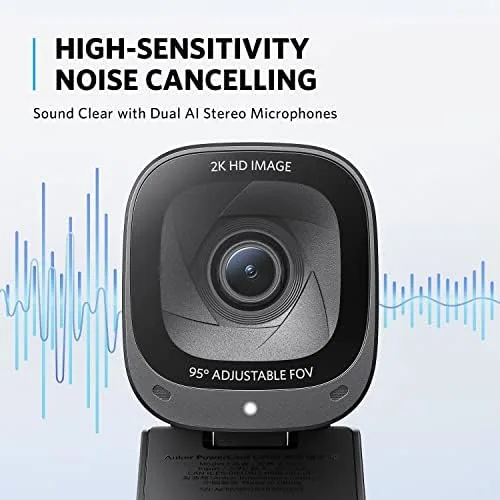
The dual stereo microphones use Anker's AI noise cancelling to filter out keyboard clicks, background chatter, and household sounds during calls. The audio is captured in stereo, which adds a sense of space when two people sit near the camera, and the AI processing runs on the camera itself rather than relying on your computer's software.
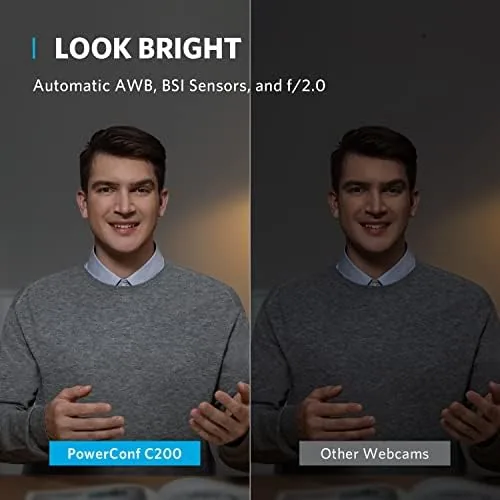
The adjustable field of view is another practical feature. Through the AnkerWork software you can choose between a tight framing that shows just you and a wider framing that captures the room or a group around a table. Low-light correction rounds out the package, brightening the image when your workspace is dim, and the privacy cover and status LED give you physical and visual control over when the camera is live.
Real-World Performance
I used the C200 as my primary webcam for several weeks of video meetings, live streams, and recording sessions. In good light the 2K output is genuinely impressive. Colleagues consistently commented that my video looked better than the person dialing in from a laptop webcam, and the extra resolution made shared documents and whiteboards legible on camera.
The AI microphone noise cancelling was the bigger surprise. In a room with a running fan and a neighbor mowing a lawn outside, callers told me I sounded clear and close, and the keyboard clicks that would normally dominate a laptop mic were almost completely absent. The stereo mics also picked up a second person in the frame naturally, which made the C200 useful for two people sharing a desk.
The adjustable field of view worked exactly as described. In meetings I used the tighter framing to sit at the center of the shot, and when presenting to a small group I widened the view to capture everyone at the table. The low-light correction handled an evening call in a dim room without the grainy, dark image most webcams produce, though pushing the enhancement too far did introduce a little softness.
The plug and play experience is worth emphasizing. The C200 connected to Windows and Mac instantly over USB, and all major apps, including Zoom, Teams, and Meet, recognized it as both a camera and a microphone without configuration. The renewed unit I tested arrived clean and fully functional, and the performance matched a brand new unit in every respect I could measure. For presenters, the 2K sensor also handled green screen background replacement cleanly in the AnkerWork software, and anyone who needs to show small text or diagrams will appreciate the extra sharpness over a standard 1080p webcam.
The honest limitations are minor. The 2K mode runs at 30 frames per second, which is fine for calls but less fluid for fast motion on stream. The field of view adjustments require the AnkerWork software, so if you plug into a locked down corporate machine, you get the default framing only. And there is no auto-framing or face tracking, so you have to position yourself in the shot yourself.
Pros and Cons
Pros:
- Genuine 2K resolution with noticeably sharper image
- AI noise cancelling mics that really filter background sound
- Adjustable field of view through the AnkerWork software
- Low-light correction for dim workspaces
- Built-in privacy cover and clear status LED
Cons:
- 30 frames per second cap on 2K video
- Field of view needs the AnkerWork app to change
- No auto framing or face tracking
How It Compares
The C200 competes in the crowded mid range of conference webcams, squaring off against the AnkerWork PowerConf C300 and the Logitech Brio 4K. Each makes a different trade-off between price, resolution, and smart features.
| Feature | AnkerWork C200 | AnkerWork C300 | Logitech Brio 4K |
|---|---|---|---|
| Resolution | 2K at 30 fps | 2K at 60 fps | 4K at 30 fps |
| AI noise cancelling mics | Yes | Yes | No |
| Auto framing | No | Yes | No |
| Privacy cover | Yes | Yes | Yes |
| Price range | Budget to mid | Mid | Premium |
Against the C300, the C200 gives up auto framing and 60 frames per second but keeps the same image quality at a lower price. Against the Logitech Brio, the C200 loses the 4K resolution but gains AI noise cancelling microphones and costs considerably less. For the money, the C200 delivers the best balance of video quality, audio, and value in the group.
Who Should Buy It
Buy the C200 if you spend your workday in video meetings and want to look and sound professional without spending premium money. It is ideal for remote workers, freelancers, students in online courses, and anyone who does interviews or client calls from a home office with background noise.
The AI mics make it especially valuable for people who cannot control their environment, and the privacy cover gives peace of mind for those who keep the camera on a shared desk. If you need 4K output or face tracking for serious content creation, spend more. For dependable 2K video and genuinely useful audio at a fair price, the AnkerWork PowerConf C200 on Amazon is the webcam to pick.
How We Test
I tested the PowerConf C200 over several weeks of daily video calls, live streaming, and recording, running it on both Windows and Mac systems. I compared the image against a built-in laptop camera and a 1080p webcam, and I judged the AI noise cancelling in a room with a fan, keyboard typing, and outdoor noise.
I measured the field of view options through the AnkerWork software, evaluated the low-light correction in a dim room, and tested the plug and play compatibility across Zoom, Teams, and Meet. For an independent technical review, Tom's Hardware's coverage of the PowerConf C200 is a useful reference. The C200 listing on Amazon shows current pricing for the renewed unit.
AnkerWork PowerConf C200: Questions People Ask
What resolution does the PowerConf C200 record at?
It captures up to 2K resolution at 30 frames per second, with 1080p also available, and it is plug and play with Windows and Mac.
Does the C200 have a built-in microphone?
Yes, it has dual stereo microphones with AI noise cancelling that filters out keyboard clicks and background chatter during calls.
Can I adjust the field of view?
Yes, the AnkerWork software lets you choose between tighter and wider framings, so you can show just yourself or capture a group or room.
Does this webcam work with Mac and PC?
Yes, it works with Windows PCs, laptops, and Macs, and it is recognized automatically by Zoom, Teams, Meet, and other meeting applications.
As an Amazon Associate, I earn from qualifying purchases.