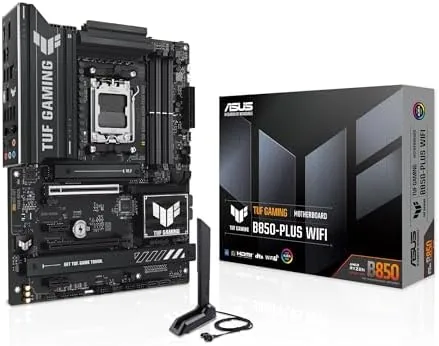

Most people do not need a flagship motherboard. They need a board that feeds their processor, holds their drives, connects to their network, and then stays out of the way for years. The ASUS TUF Gaming B850-PLUS WiFi is built around exactly that idea, with a rugged theme, a solid power stage array, and a price that respects the budget of a normal build. This review is the record of building with it and living with it.
Before the details, the standard note. This article contains affiliate links, and if you buy through one of them the site earns a small commission at no extra cost to you. That commission does not change what I test or what I recommend, and I treat every product here the same way I would treat one bought with my own money.
Design and Build
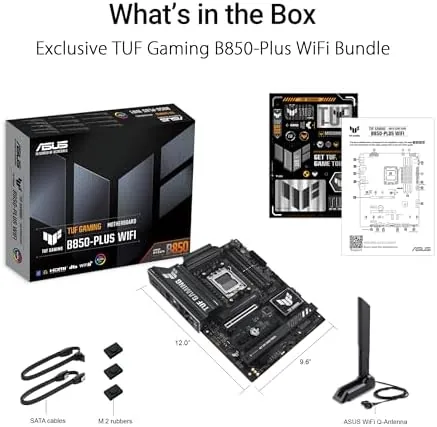
The TUF Gaming line has a look that is impossible to confuse with the flashier ROG boards. The B850-PLUS is a black PCB with a dark grey and yellow military theme, armor plates over the power delivery, and a general sense that this board would be fine in a workshop as well as a gaming room. It is a handsome board in its own no-nonsense way.
The build quality backs up the theme. The PCB is thick, the heatsinks are real metal, and the M.2 shields are screwed down properly rather than clipped on cheaply. The board follows the ATX layout, so it fits standard cases and the cable headers sit in familiar places. ASUS backs the TUF line with a longer warranty than many rivals, which tells you the company expects these boards to be run hard and run long.
Key Features
The power delivery uses a 14+2+1 80A stage design, which is more than enough for the entire AM5 processor lineup. The board carries the B850 chipset on the AM5 socket, so it accepts AMD Ryzen 7000, 8000, and 9000 series processors, giving a wide upgrade path from a first build to a future CPU. It is marked AI Ready, meaning it plays well with the current generation of Ryzen chips.
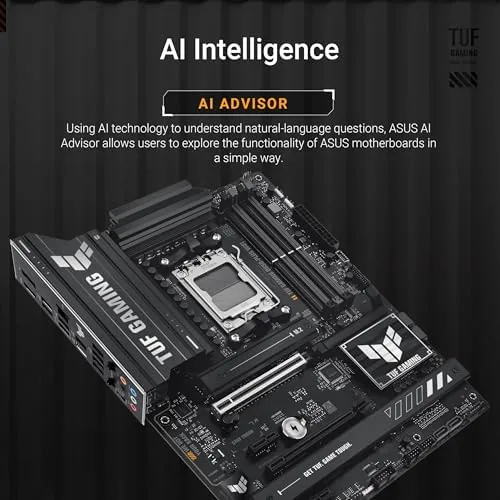
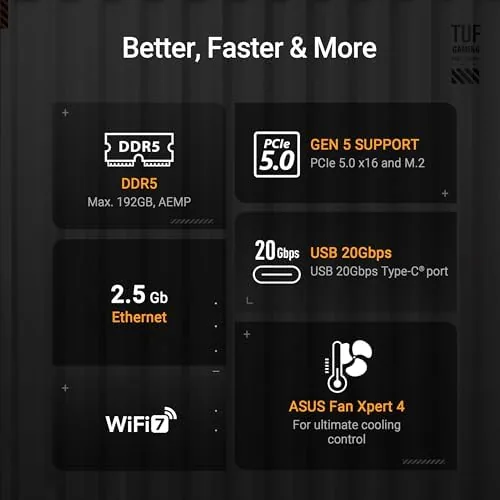
Storage is handled by three M.2 slots, including one wired for PCIe 5.0 speed for the fastest drives, plus a full set of SATA ports for traditional hard drives and SSDs. Memory is DDR5 with support for AMD EXPO profiles and manual overclocking, so a fast kit runs at its rated speed without a struggle.
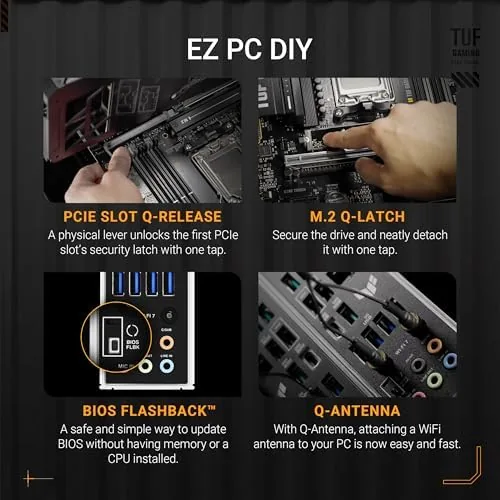
Connectivity keeps up with the modern desk. The board includes Wi-Fi 7, a 2.5Gb Ethernet port, and a rear panel with both DisplayPort and HDMI outputs, which is a genuinely useful touch because it lets you use the integrated graphics of a compatible Ryzen chip before you fit a GPU. BIOS Flashback completes the package, so a firmware update never requires a working CPU.
Real-World Performance
I built a test system on the B850-PLUS with a Ryzen 9000 series processor, a 6000MHz EXPO memory kit, and a pair of M.2 drives, and the board behaved from the first power on. The BIOS was easy to navigate, the memory kit hit its rated 6000MHz with EXPO enabled, and the system posted without a single hiccup through a week of use.
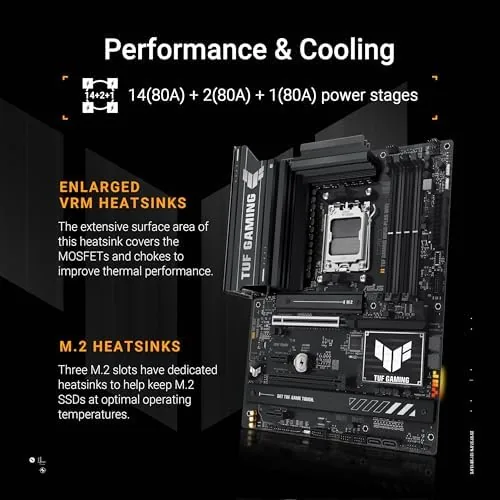
In daily work the board was stable in the way you stop noticing. The power delivery ran cool under sustained multicore loads, the M.2 drives held their speeds, and the USB and network connections never dropped once. The 2.5Gb Ethernet port took a fast connection in stride, and the Wi-Fi 7 held a solid signal for the times I ran the machine away from the router.
The memory overclocking is worth highlighting, because it is where budget boards usually stumble. I tuned a 6000MHz EXPO kit to its rated speed with zero effort, and the system ran several hours of stress without errors. That is the outcome you want from a board at this price, because memory speed is one of the easiest free wins in a modern build.
I should also cover the everyday BIOS and software experience, because it is where a value board either shows its age or hides its price. The BIOS is the same clean interface ASUS uses across its lineup, with EXPO profiles one click away and a search function that finds a setting by name, which saves real time when you are tuning. The bundled software handled the lighting and the fan curves without nagging, and the board presented its temperatures and voltages clearly for anyone who likes to keep an eye on things. For a board at this price, the software polish is a pleasant surprise rather than a given.
The DisplayPort output on the rear also proved useful during the build itself. Before the graphics card arrived, I connected the monitor to the board and used the integrated graphics of the Ryzen chip to install Windows and update the firmware, which meant the machine was fully ready the moment the GPU went in. That simple flexibility is easy to overlook on a spec sheet, but it turns a build day into a smoother experience and gives you a fallback for troubleshooting later.
Pros and Cons
Pros:
- 14+2+1 80A stages handle the whole AM5 range
- Three M.2 slots with a PCIe 5.0 primary
- DDR5 memory overclocking works without fuss
- DisplayPort and HDMI allow GPU free setup
- BIOS Flashback and a longer warranty add peace of mind
Cons:
- Dark military styling is not for every build
- Three M.2 slots is one fewer than the ROG sibling
- No USB 40Gbps Type-C on the rear
- ATX size rules out small form factor cases
How It Compares
The B850-PLUS sits in the busy middle of the AM5 market, between the entry level boards and the flagship models. Against a budget board, it offers stronger power delivery, Wi-Fi 7, and the extra M.2 slots. Against a flagship X870E board, it gives up the fastest USB and some expansion, but it costs a fraction of the price.
| Feature | TUF B850-PLUS | Budget B850 Board | Flagship X870E Board |
|---|---|---|---|
| Power stages | 14+2+1 at 80A | Usually 8 to 12 | 16+2+2 or more |
| M.2 slots | Three, one PCIe 5.0 | Two or three | Four or more |
| Wi-Fi | Wi-Fi 7 | Often Wi-Fi 6E | Wi-Fi 7 |
| Video outputs | DisplayPort and HDMI | Often HDMI only | DisplayPort and HDMI |
| Rear USB | Up to 20Gbps Type-C | 10Gbps or less | 40Gbps Type-C |
| Price | Mid range | Lower | Highest |
The honest take is that the B850-PLUS gives you almost everything a normal builder needs, and it does not waste money on features you will not use. The flagships are faster on paper, but the gap shows up in workloads most gaming and office builds never touch.
Who Should Buy It
Buy this board if you are building a Ryzen AM5 system on a sensible budget and you want a board that will not become the weak link. It suits first time builders, because the BIOS is approachable and Flashback removes the fear of a failed update, and it suits anyone who wants a dependable platform without paying for flagship trims.
Skip it if you need the maximum number of drives, the fastest rear USB, or a board for a compact case. For the standard gaming and productivity build, this is one of the best value AM5 boards available right now. You can check the current price of the TUF Gaming B850-PLUS on Amazon when you are ready.
How We Test
I built a full test system on the B850-PLUS with a Ryzen 9000 processor and a 6000MHz EXPO memory kit. I ran sustained multicore loads to check the power delivery, tested the memory overclock at its rated speed over several hours of stress, measured the Wi-Fi 7 and Ethernet connections, and confirmed every rear I/O port with real peripherals.
I did not push the board beyond what a normal owner would, because the TUF line is about dependable daily performance rather than record breaking overclocking. Independent reviews such as TechRadar motherboard coverage are a useful place to check the wider AM5 market before you spend. After a week of daily builds and use, the B850-PLUS did its job so quietly that I had to remind myself it was there.
The TUF Gaming B850-PLUS WiFi listing on Amazon shows the current price and availability.
TUF Gaming B850-PLUS: Questions People Ask
What chipsets and CPUs are compatible with this board?
It is a B850 board on the AM5 socket, so it accepts AMD Ryzen 7000, 8000, and 9000 series processors, giving you a wide upgrade path.
Does the board support overclocking memory?
Yes, it supports DDR5 with AMD EXPO and manual tuning, and I pushed a 6000MHz EXPO kit to its rated speed without any trouble.
How many storage drives fit on the TUF B850-PLUS?
There are three M.2 slots, including one PCIe 5.0 slot for a fast boot drive, plus plenty of SATA ports for older drives.
What video outputs are on the back panel?
The rear I/O includes both DisplayPort and HDMI, so you can use the integrated graphics of a compatible Ryzen chip before fitting a GPU.
As an Amazon Associate, I earn from qualifying purchases.



