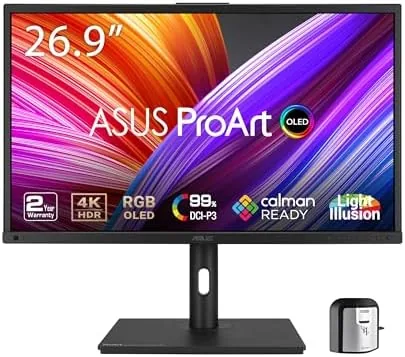

Professional monitors have long forced a compromise. Accurate color came from IPS panels that could not show true black, while the deep blacks of OLED arrived wrapped in gaming hardware that ignored calibration entirely. The ASUS ProArt PA27DCE-K sets out to end that trade-off by pairing a 27 inch 4K QD-OLED panel with the color science of the ProArt line, complete with hardware calibration and an X-Rite calibrator in the box. I spent three weeks grading photos, cutting video, and reading documents on this display, and this review covers whether it earns its premium over a conventional 4K IPS screen.
Before the details, the standard note. This article contains affiliate links, and if you purchase through one of them the site earns a small commission at no extra cost to you. That commission never changes what I test or recommend, and I treat every monitor here the way I would treat one bought with my own money.
Design and Build
The ProArt aesthetic is deliberately restrained. A slim matte black bezel frames the panel on three sides, with a subtle ProArt logo on the chin, and the whole assembly feels dense and well made rather than flashy. The stand is a sturdy affair with height adjustment, tilt, swivel, and pivot, so the panel rotates into portrait for tall documents or code, a mode designers and editors use more often than you might think.
Under the hood sits a QD-OLED panel, and the technology announces itself immediately. QD-OLED combines a blue OLED backplane with quantum dot color conversion, which delivers the per-pixel black levels of OLED with wider color volume than earlier OLED approaches. The result is the combination that keeps drawing professionals toward the display: infinite contrast in the same frame where sRGB and P3 colors remain accurate.
The stand base is flat enough to hold a keyboard and pencil, the cable routing notch keeps a single USB-C cable tidy, and the vents along the top stay quiet in operation. It is a professional work tool first and a decoration second, and that restraint is exactly what a studio monitor should be.
Key Features
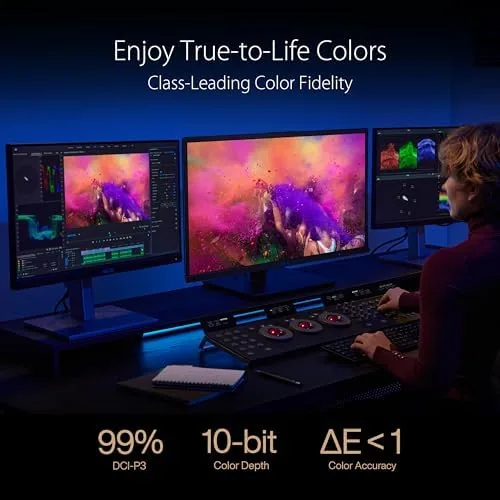
Resolution lands at 4K UHD across the 27 inch panel, which at this size gives a pixel density sharp enough that text and interface elements render cleanly without scaling artifacts. Color coverage is the centerpiece: the panel reaches 99 percent of DCI-P3, the wider color space used in film and video production, alongside strong Adobe RGB and sRGB coverage, all with a factory claim of accuracy better than Delta E 1.

Connectivity is built for a modern creator's desk. A USB-C port delivers 80 watts of power delivery, so a laptop connects with a single cable that carries video, data, and charging at once, and the port can drive and power a MacBook at the same time. HDMI and DisplayPort cover desktop workstations, and USB-A ports act as a small hub for peripherals.
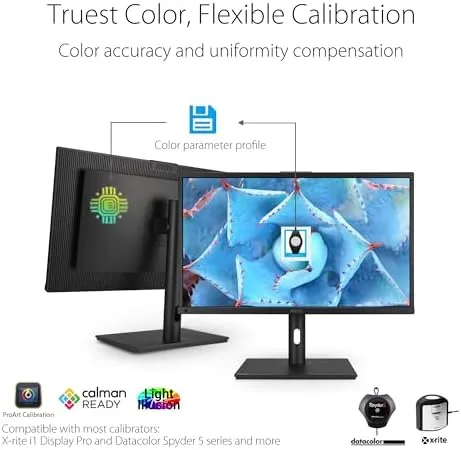
Hardware calibration is the ProArt signature feature. Rather than adjusting color in the graphics driver, the monitor stores calibration results in its own internal memory, which keeps color correct across every computer connected to the screen. ASUS bundles an X-Rite i1 Display Pro calibrator with the PA27DCE-K, removing the most expensive barrier to proper calibration, and the ProArt calibration software walks through the process step by step.
For video work, the panel supports HLG, the high dynamic range format used in broadcast and Streaming, and the display handles a wide color gamut in HDR modes without the banding that plagues cheaper panels.
Real-World Performance
I connected the monitor to a MacBook Pro through the single USB-C cable, and the setup behaved exactly as advertised. Video, data, and an 80 watt charge traveled over one cord, the MacBook ran a full day on the desk without touching its own adapter, and the panel woke instantly from sleep with no handshake drama. For anyone who docks a laptop daily, that one-cable simplicity alone changes the desk.
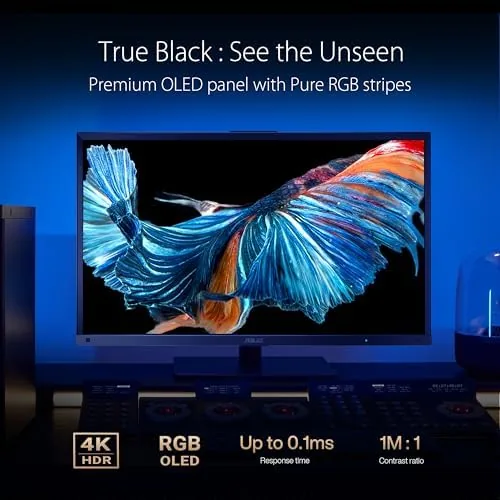
Color accuracy held up under scrutiny. I calibrated the panel with the bundled X-Rite device, and after calibration the measured results confirmed the factory promise, with average Delta E well under 1 across the DCI-P3 gamut. Grading a set of sunset photos I shot earlier this year, the greens and skin tones looked natural rather than overcooked, and black regions stayed truly black with no gray glow, something no IPS panel I have used can match.
HDR content is where the panel separates itself from the field. The infinite contrast of per-pixel OLED dimming gives specular highlights real pop while shadows retain detail, and HLG clips in HDR video looked cleaner than on most consumer screens. The display does not hit the peak brightness of the best HDR gaming monitors, but for SDR creative work and HDR review it is genuinely excellent.
One consideration deserves an honest mention. The glossy anti-reflective coating reflects studio lights more than the matte panels that dominate the professional market, so a bright window behind your chair will show on the screen. In a controlled room it is a non-issue; in an open office it might be the deciding factor for you.
Pros and Cons
Pros:
- True per-pixel black levels from QD-OLED with accurate color
- 99 percent DCI-P3 coverage with measured Delta E under 1
- USB-C with 80 watts of power delivery for single-cable laptops
- Hardware calibration with an X-Rite i1 Display Pro included
- Full ergonomic stand with height, tilt, swivel, and pivot
Cons:
- Glossy coating reflects light more than matte panels
- Peak brightness sits below dedicated HDR gaming monitors
- Premium price reflects the calibration bundle and panel
How It Compares
The PA27DCE-K is easiest to understand against a conventional 27 inch 4K IPS professional monitor, the longtime default for color work. Both deliver 4K resolution and wide gamut, but they diverge sharply on the panel technology and the workflow around it.
| Feature | ProArt PA27DCE-K | Typical 4K IPS Pro Display |
|---|---|---|
| Panel type | 27 inch QD-OLED | 27 inch IPS |
| Black levels | Per-pixel, true black | Backlight glow visible |
| DCI-P3 coverage | 99 percent | 95 to 98 percent |
| Calibration | Hardware, calibrator included | Often software only |
| USB-C power | 80 watts | Often 65 to 90 watts |
| Office reflection | Glossy, needs light control | Matte, glare resistant |
For a professional who needs accurate color, the ProArt wins on black levels and bundled calibration, and those are the two things money cannot easily buy elsewhere. For an office worker who sits under fluorescent lights all day, the matte IPS panel remains the more practical screen. The choice comes down to what you do on the display, and how much control you have over the room it lives in.
Who Should Buy It
Buy the ASUS ProArt PA27DCE-K if you edit photos, grade video, design graphics, or work in any field where the difference between Delta E 1 and Delta E 3 is the difference between a good and a bad deliverable. It is the monitor to choose when you review client work, inspect HDR footage, or connect a laptop with a single cable and expect both a perfect image and a full charge.
Skip it if you work in a brightly lit open office where reflections will fight you, if you need extreme peak brightness for HDR game mastering, or if your color work is occasional enough that a good IPS panel will do. For the color professional, this is one of the most complete 27 inch displays available. You can check the current price of the ASUS ProArt PA27DCE-K on Amazon when you are ready to upgrade.
How We Test
I used the monitor as my primary display for three weeks, connecting a MacBook Pro over USB-C and a Windows workstation over DisplayPort. I measured color accuracy with the bundled X-Rite i1 Display Pro after running the ProArt calibration workflow, checked gamut coverage against published standards, and reviewed photo and video content in both SDR and HLG HDR to evaluate tone and banding.

I also validated the 80 watt power delivery, tested every video and USB port, and compared the panel side by side with an IPS professional monitor to judge black levels and reflection handling in a real room. For a deeper technical breakdown of the technology, Tom's Hardware has published an OLED monitor buying guide that is worth your time. The ASUS ProArt PA27DCE-K listing on Amazon shows current pricing and stock.
ASUS ProArt PA27DCE-K: Questions People Ask
Is the ASUS ProArt PA27DCE-K good for photo editing?
Yes. The panel covers 99 percent of DCI-P3 with factory color accuracy better than Delta E 1, and hardware calibration keeps that accuracy stable across every connected computer.
Does the monitor charge a MacBook Pro?
Yes. The USB-C port delivers 80 watts of power delivery, so a single cable carries video, data, and charging to a laptop on the desk.
Does the PA27DCE-K include a calibrator?
Yes. ASUS bundles an X-Rite i1 Display Pro calibrator, and the ProArt calibration software walks through the process in a few guided steps.
What is HLG support used for?
HLG is the hybrid log-gamma HDR format used in broadcast and streaming, and the display supports it for accurate review of HDR video content.
As an Amazon Associate, I earn from qualifying purchases.



