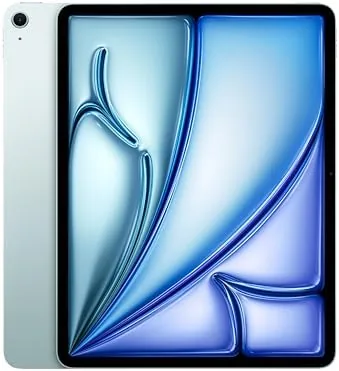

Screen size is the fastest way to change how a tablet feels. The 11-inch iPad Air is a perfect travel companion, but the 13-inch model is a different kind of device entirely. More display area means room for editing timelines, side by side documents, and drawing at a scale that makes the whole thing feel like a portable creative desk. I spent a week with the Blue 13-inch iPad Air with the M3 chip, and this review is about whether the bigger screen is worth the extra weight and money.
Before the details, the standard note. This article contains affiliate links, and if you buy through one of them the site earns a small commission at no extra cost to you. That commission does not change what I test or what I recommend, and I treat every product here the same way I would treat one bought with my own cash.
Design and Build
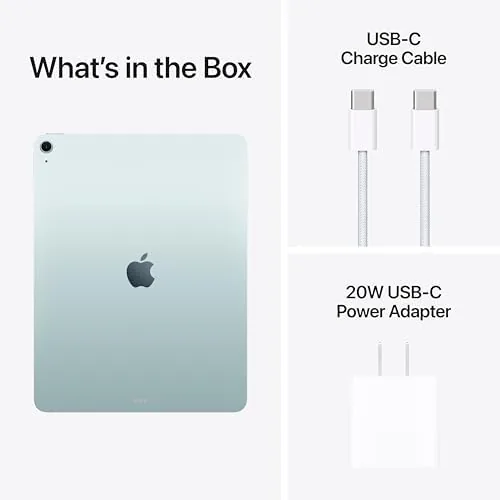
The 13-inch iPad Air keeps the same slim aluminum body as its smaller sibling, just stretched. It is still remarkably thin and light for the screen it carries, and it slips into a bag without complaint. The Blue finish is a soft, quiet color that looks more expensive than the name suggests, and the flat edges give it a modern, tool-like feel.
The front camera sits on the long edge, so landscape video calls frame you correctly, which matters on a screen this size. Touch ID is in the top button, fast and reliable, and the USB-C port handles charging, displays, and accessories. The body is rigid and solid, with no flex, and the extra size makes it a genuine work surface rather than just a bigger screen.
The display is a Liquid Retina panel with True Tone and wide color, and at 13 inches it transforms how you use the tablet. Reading a full page is comfortable, editing photos shows real detail, and watching video is genuinely cinematic. The 60Hz refresh rate is still there, which the Pro model avoids, but the sheer size makes most people forget about smoothness fairly quickly.
Key Features
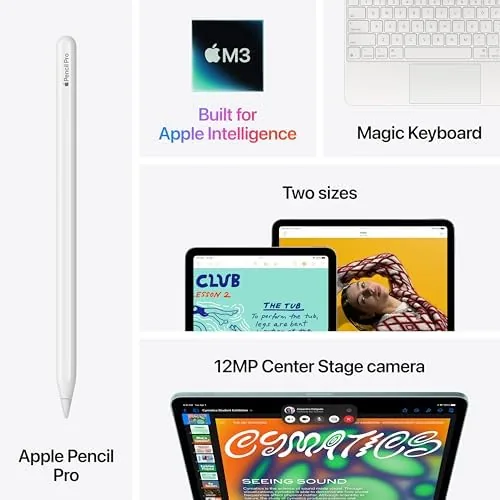
The M3 chip is the same engine found in the 11-inch model, and here it has more screen to show off. It runs Apple Intelligence on device, handles demanding creative apps, and keeps the interface smooth no matter how much work you throw at it. For a large tablet, that horsepower matters more, because there is more room to do several things at once.
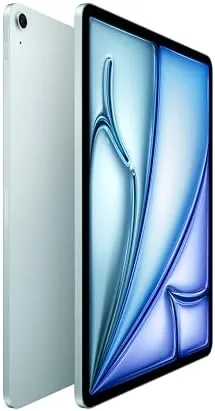
Apple Intelligence runs the same suite as the smaller model: Writing Tools, Image Playground, live captions, and an improved Siri. On the 13-inch screen these tools have room to breathe, and multi window work makes the AI features more useful, since you can keep the AI panel open while working in another app. Everything runs on device, which keeps your data private.
Camera and connectivity round out the package. There is a 12 megapixel rear camera and a 12 megapixel front camera with Center Stage, plus Wi-Fi 6E and USB-C. Apple Pencil Pro support brings the squeeze gesture, barrel roll, and haptic feedback, and the larger display turns the Pencil into a genuinely natural drawing surface.
Real-World Performance
I used the 13-inch iPad Air as my main machine for a week of photo editing, writing, video calls, and reading. The M3 chip handled everything with ease, and the larger screen made tasks that felt cramped on smaller tablets feel comfortable. Editing RAW photos at full resolution on a 13-inch display is a genuinely different experience from doing it on a phone-sized screen.
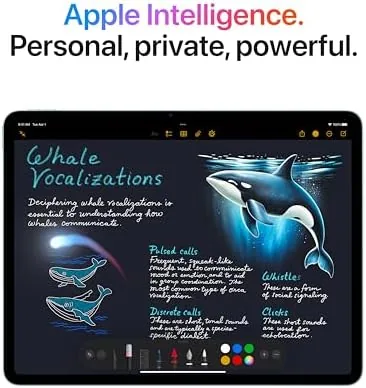
The extra screen area transformed multitasking. I ran a video call beside a document editor, with a notes app tucked into the corner, and everything stayed readable and responsive. On an 11-inch tablet that arrangement feels cluttered; here it feels like a real desktop setup, which is exactly what the 13-inch model promises.
Battery life is excellent, as you would hope from a larger chassis with more room for the battery. Across a full day of editing, streaming, and calls I finished at around a third of a charge remaining, and lighter days stretched well into a second day. The tablet charges over USB-C and accepts most power bricks, which makes travel straightforward.
The trade off is size and weight. The 13-inch model is noticeably heavier than the 11-inch version, and holding it one handed for long reading sessions is tiring. It is a lap-and-desk tablet, not a one handed reader, and buyers who mostly want a device to hold in bed should think carefully about that before choosing the bigger screen.
What the larger body buys is room for a bigger battery and better thermals. The 13-inch Air stays cool even during long editing sessions, and the extra internal space lets the M3 run at full speed for longer before the heat builds, which shows in extended video exports. The speakers also benefit from the larger frame, delivering fuller sound that fills a room more convincingly than the smaller model. For work that keeps the tablet running hard, the bigger size is not just about the screen, it is about sustained performance.
Reading and document work are transformed by the display size in ways that are easy to underestimate. A full page of an article or a textbook fits on screen without zooming, a two page spread of a magazine becomes usable, and split screen work finally feels natural rather than cramped. For long sessions the extra size also reduces eye strain, because text renders larger at comfortable viewing distances. It is the kind of difference you notice within an hour and can never give back, which is exactly why the 13-inch model deserves a look even when the 11-inch seems sufficient on paper.
Pros and Cons
Pros:
- Large 13-inch display transforms creative work
- M3 chip handles demanding tasks with ease
- Apple Intelligence runs fully on device
- Long battery life from the bigger chassis
- Thin and light despite the screen size
Cons:
- Heavier and less comfortable for one handed reading
- 60Hz display rather than ProMotion
- Accessories increase the total cost quickly
How It Compares
The 13-inch iPad Air occupies a specific corner of the tablet market, and its closest rivals are the smaller iPad Air and the 13-inch iPad Pro. The comparison that matters most is Air versus Pro at this size.
| Feature | iPad Air 13-inch M3 | iPad Pro 13-inch M4 |
|---|---|---|
| Chip | M3 | M4 |
| Display | Liquid Retina, 60Hz | OLED ProMotion, 120Hz |
| Face ID | No, Touch ID | Yes |
| Apple Pencil Pro | Yes | Yes |
| Battery life | Excellent | Excellent |
| Price | Lower | Higher |

The Pro brings a brighter OLED display with 120Hz refresh and Face ID, which professional visual artists will notice. The Air brings the same size and most of the same experience at a lower price. For photo editing, drawing, and everyday creative work, the Air M3 delivers nearly everything people actually need, and only those who work with color-critical content should pay the Pro premium.
Who Should Buy It
Buy the 13-inch iPad Air if you do visual work, if you want a large display for reading, editing, and multitasking, or if you prefer drawing at scale with the Apple Pencil Pro. It suits photographers editing on the go, illustrators who want a big canvas, and professionals who want a second screen that feels like a desk.
Skip it if you mostly want a tablet to hold in bed, if your budget fits the 11-inch model better, or if you need the ProMotion OLED of the Pro for professional color work. For everyone else, the 13-inch Air is the largest, most capable iPad most people will ever need. You can check the current iPad Air 13-inch price on Amazon when you are ready.
How We Test
I used the 13-inch iPad Air as my main device for a week of photo editing, writing, video calls, and multitasking. I judged how the larger screen changed real workflows, pushed the M3 chip with demanding apps, and tracked battery life across full days and light days.
I also compared it directly with the 11-inch Air and the 13-inch Pro to understand where the money goes. For more benchmark data and independent analysis of the M3 chip, Tom's Hardware tablet coverage is a useful place to verify performance numbers before you buy.
The iPad Air 13-inch listing on Amazon shows current pricing and configuration options.
Apple iPad Air 13-inch: Questions People Ask
Is the 13-inch iPad Air too big to carry around?
It is heavier than the 11-inch model, but at well under a kilo with the Wi-Fi configuration it still fits comfortably in a bag, and the larger screen is worth the trade off for creative work.
How does the M3 chip help with photo and video editing?
The M3 chip handles RAW photo edits and multi track video exports quickly, and the larger display gives editing timelines room to breathe without zooming constantly.
Can the 13-inch iPad Air replace a laptop for creative work?
For many creative tasks it can, especially with the Magic Keyboard and Apple Pencil Pro, though it still runs iPadOS rather than a full desktop operating system.
How is the battery life on the larger iPad Air?
The 13-inch model comfortably lasts a full working day on mixed use, and in my testing it handled a long editing session before needing a charge.
As an Amazon Associate, I earn from qualifying purchases.



