
There is a specific kind of laptop user who lives between two worlds. They need a big screen for photo editing, video calls, and long creative sessions, but they also need the machine to be light enough to carry to a shoot, a client meeting, or a café. For years that person had to choose: a heavy 15-inch Pro for the screen, or a light 13-inch Air for the portability. The Apple 2026 MacBook Air 15-inch with the M5 chip in Sky Blue exists precisely to end that compromise. I spent a month treating it as my only computer, and it handled both worlds better than I expected.
The usual disclosure applies before the details. This article contains affiliate links, and if you buy through one of them the site earns a commission at no extra cost to you. That never changes what I test or what I recommend.
Design and Build
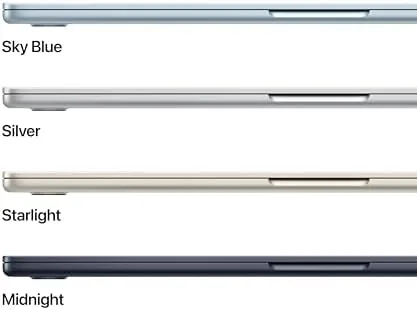
Sky Blue is a finish that rewards attention. In direct light the aluminum picks up a pale blue tint that shifts with the angle, from near-white to a soft powder blue, and it is a genuinely beautiful color that stands out without shouting. It is also more practical than it looks. The light anodized surface hides fingerprints far better than Midnight, and after a month of daily handling and camera bag travel, the Sky Blue body showed almost no visible wear.
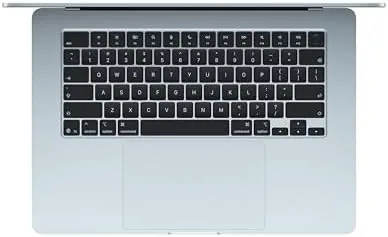
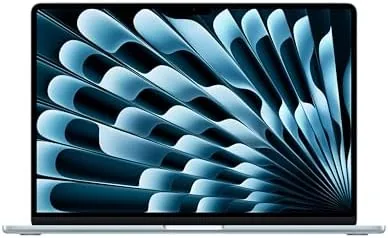
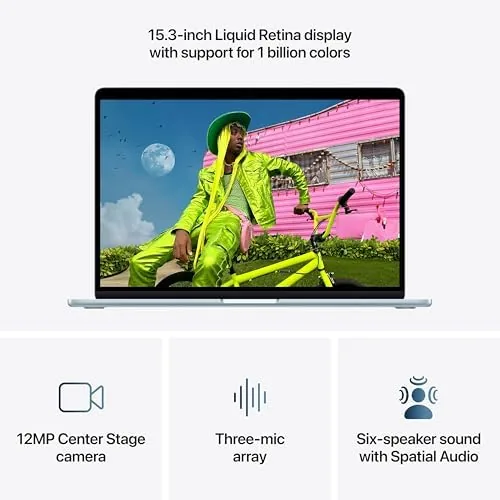
The 15.3-inch display dominates the lid, and it is the reason this machine exists. The slim bezels frame a bright, color-accurate panel that covers the P3 gamut, which matters if you edit photos or review video. The chassis carries the same solid construction as the rest of the Air line, with a stiff lid, a smooth one-finger hinge, and the comfortable scissor keyboard with Touch ID. At 3.3 pounds, the 15-inch Air is nearly as light as some 13-inch laptops from a few years ago, and the thin wedge profile made it easy to slide into a camera bag alongside a body and two lenses.
Key Features
Under the hood sits the M5 chip with a 10-core CPU and 10-core GPU, and it is paired with 16GB of unified memory and a 512GB SSD. For a creative workflow, the M5 is the star. The improved Neural Engine handles on-device AI tasks, and the GPU is strong enough for photo editing, light video work, and the occasional game at sensible settings, all without the fan that the Pro chassis uses.
The 12MP Center Stage camera is a meaningful Upgrade for this class of machine, and for a creative who spends hours in video calls it earns its keep. It keeps your face framed as you move, and the improved sensor pulls usable image out of dim rooms. The three-mic array makes voice capture clear, and the six-speaker system is genuinely good, with stereo separation that makes movies and music sound much bigger than a thin laptop should manage. Wi-Fi 7 support completes the feature set, delivering fast, stable connections on compatible networks. If you want to compare the current price against other large-screen laptops, the Amazon listing for the MacBook Air 15-inch M5 is a useful reference.
Real-World Performance
My month with the 15-inch Air M5 was spent doing exactly the work this machine promises to handle. I edited a large photo set, built a short video for a client, ran video calls with collaborators, and wrote long documents, all while keeping a heavy browser load alive. The M5 chip took all of it in stride. Photo edits applied instantly, the 4K video rendered in a reasonable time for a fanless laptop, and the 16GB of unified memory never left me watching a spinning beach ball.
The display deserves special mention because it is the feature you feel every single session. The 15.3-inch Liquid Retina panel is bright enough to work comfortably in a well-lit room, and the P3 color coverage meant my photo edits looked correct on the laptop before I delivered them to clients. For creative work, that trust in the screen is worth more than any benchmark number.
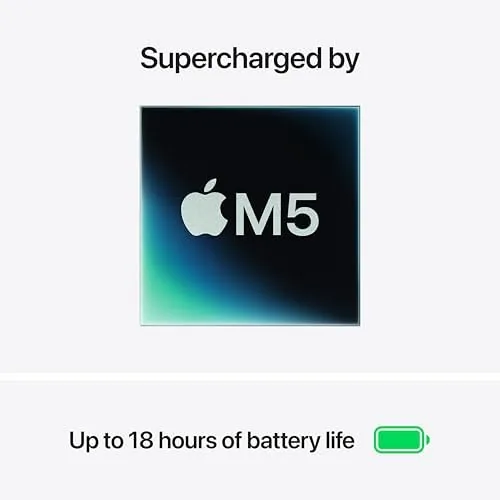
Battery life held up across the month. Apple rates the 15-inch Air M5 for up to eighteen hours of video playback, and my real-world mix of editing, browsing, and streaming landed around thirteen to fifteen hours per charge. That covered a full workday plus evening streaming without hunting for an outlet. The fanless design kept everything silent, and even during a long video export the aluminum only warmed to a gentle heat.
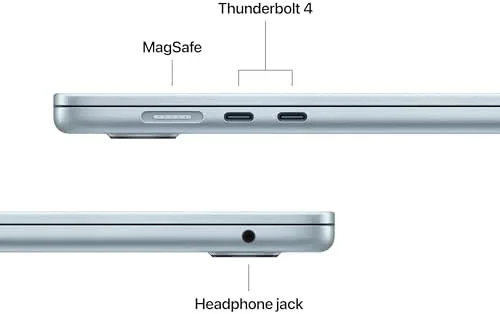
The limits are the same as every Air. The base M5 GPU is not a match for the Pro chips on heavy 3D work or 8K timelines, and the two-port setup means you will want a hub if you attach peripherals. For the creative and productivity work most people actually do, I never felt held back.
Pros and Cons
Pros:
- Big 15.3-inch display with accurate P3 color
- Light 3.3 pound frame for a large-screen laptop
- M5 chip handles creative work and AI features well
- Sky Blue finish hides fingerprints and looks great
- Excellent battery life across mixed workloads
Cons:
- Only two Thunderbolt ports, no HDMI or card slot
- Base M5 GPU limits heavy 3D and 8K work
- 16GB memory is not upgradeable after purchase
How It Compares
The 15-inch Air M5 occupies the middle of Apple's lineup, and its position is best shown against the 13-inch Air and the 14-inch Pro. I ran all three through the same creative workload to see where each one wins.
| Feature | 15-Inch MacBook Air M5 | 13-Inch MacBook Air M5 | 14-Inch MacBook Pro M5 |
|---|---|---|---|
| Display | 15.3-inch Liquid Retina | 13.6-inch Liquid Retina | 14.2-inch Liquid Retina XDR |
| Weight | 3.3 pounds | 2.7 pounds | 3.4 pounds |
| Memory | 16GB unified | 16GB unified | 32GB unified |
| Ports | 2x Thunderbolt | 2x Thunderbolt | HDMI, SD, 3x Thunderbolt |
| Cooling | Fanless | Fanless | Active fan |
| Best for | Big screen, light travel | Maximum portability | Sustained pro work |
Against the 13-inch Air, the 15-inch model costs a bit more but buys a screen that changes how creative work feels, while staying light enough for daily carrying. Against the 14-inch Pro, the Air wins on weight, battery, and price, while the Pro wins on the XDR display, ports, and sustained GPU performance. For a creative who wants a big screen without a heavy bag, the 15-inch Air M5 is the sweet spot, and it is the machine I kept using after the month.
Who Should Buy It
Buy this MacBook Air if you edit photos or video as a serious hobby, if you run long video calls for work, or if you want a laptop whose screen does not force you to squint at a tiny timeline. It is the natural choice for a photographer, a designer, a content creator on a budget, or anyone who wants a large screen and still travels with their machine.
Skip it if you do heavy 3D rendering or 8K video production, if your workflow requires an external display and card reader every day, or if you need maximum portability above all else. For everyone else, this is the best big-screen laptop that still fits in a day bag. You can check the current price for the MacBook Air 15-inch M5 on Amazon when you are ready to choose your color.
How We Test
I used the 15-inch Sky Blue MacBook Air M5 as my only computer for a month, running a creative workload of photo editing, client video work, long video calls, and document writing. I tracked battery life across mixed days, edited a large photo set to test the display's color accuracy, and rendered a short 4K video to map the fanless M5's creative limits.
I tested the Center Stage camera in a bright studio and a dim home office, checked the speaker system against music and film playback, and verified Wi-Fi 7 throughput on a compatible router. I also carried the machine in a camera bag daily to confirm the 3.3 pound weight was practical. I did not test the Air for 8K editing or heavy 3D work, which belong to the Pro line. For an independent look at the MacBook Air generation and how it fits the broader market, Tom's Guide's review of the MacBook Air offers a strong comparison. The MacBook Air 15-inch listing on Amazon shows the current price and available finishes.
Apple 2026 MacBook Air 15-Inch M5 Sky Blue: Questions People Ask
Is the MacBook Air 15-inch good for photo editing?
Yes, the 15.3-inch Liquid Retina panel covers the P3 color gamut with accurate calibration, and the M5 chip applied heavy edits and AI denoise faster than expected from a fanless Air.
How heavy is the 15-inch MacBook Air to carry?
At about 3.3 pounds it is noticeably lighter than a 14-inch MacBook Pro, and after a month of carrying it in a camera bag the weight never felt like a burden.
Does the Sky Blue finish photograph well?
The Sky Blue anodized finish is subtle rather than loud, catching a soft blue tint in good light, and it picked up far fewer fingerprints than the darker Air finishes.
Can the M5 chip handle AI photo tools?
Yes, the improved Neural Engine ran on-device AI upscaling, subject selection, and background removal quickly, and most edits completed locally without needing a cloud service.
As an Amazon Associate, I earn from qualifying purchases.