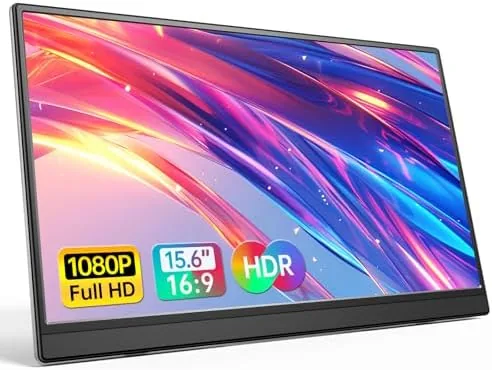

Portable monitors were once a niche gadget for road warriors, but the rise of hybrid work and handheld consoles has turned them into a mainstream purchase. The Anyuse 15.6-inch FHD portable monitor is one of the most popular entries in that crowded field, a slim IPS panel with a kickstand, USB-C and HDMI inputs, and a price that undercuts the big brands. I carried one for three weeks, used it with a laptop, a Mac, a phone, and a Nintendo Switch, and tested whether a sub-$200 second screen can be more than a toy.
This review contains affiliate links. If you buy through them, the site earns a small commission at no extra cost to you, and that never affects my verdict. The panel I tested was a production unit, and everything below reflects how it behaved across the devices I tried.
The premise is simple. A 15.6-inch 1080p IPS screen that weighs about a pound, slides into a laptop bag, and connects with a single USB-C cable. Whether that premise delivers depends on the panel quality, the connections, and the little details like the stand and the speakers. Here is what three weeks of real use revealed.
Design and Build
The Anyuse monitor is genuinely slim. The panel is a few millimeters thick in the middle with a slightly thicker bottom edge that houses the ports and speakers, and the whole thing weighs around 1.6 pounds with the kickstand attached. It has an aluminum back plate that looks more expensive than the price suggests, and the bezels around the screen are thin on the sides and top, which gives the zero-frame look the listing advertises.
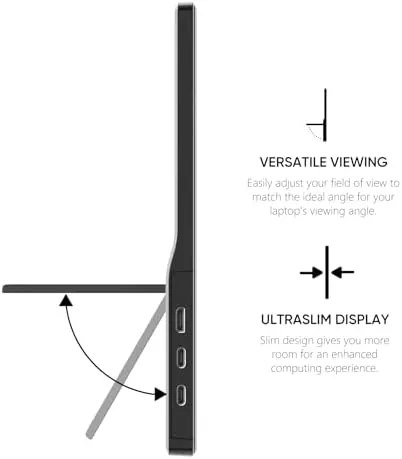
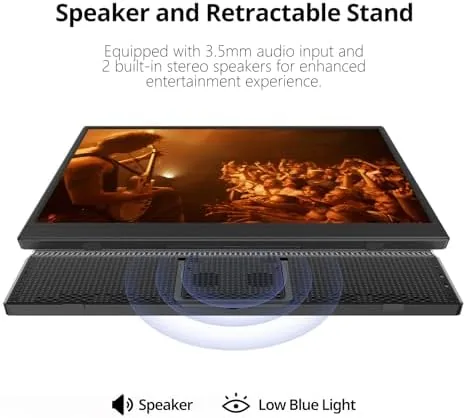
The integrated kickstand is a smart design. It is a fold-out aluminum leg on the back that props the panel at a comfortable viewing angle, and it locks firmly with a satisfying click. The stand sits flush against the back when folded, so the monitor slips into a sleeve easily, and the balance is stable enough that I never knocked it over on a desk. For a portable panel, that stability matters more than it sounds.
The port selection covers every realistic use case. There is a full-size HDMI port, a USB-C port that accepts video and power, a mini USB-C power port, and a headphone jack. The buttons live on the bottom edge and are slightly fiddly to reach, but they control brightness, contrast, and input switching well enough. The monitor has no battery, which keeps it light, and it draws power from the device or a separate adapter.
Key Features
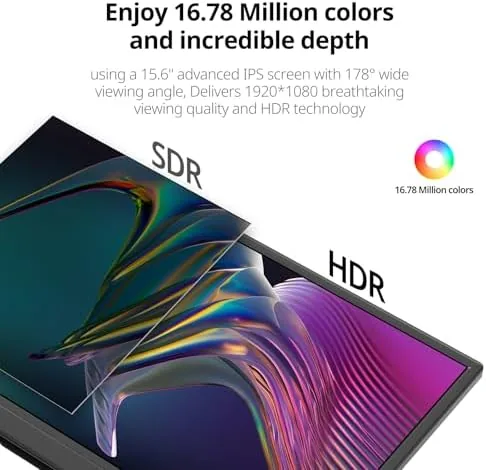
The panel is a 15.6-inch IPS display at 1920 by 1080 pixels. At this size, 1080p is perfectly sharp for text, and the IPS viewing angles are excellent, with no color shift when you look at it from an angle. The rated brightness is around 250 nits, which is typical for a budget portable panel and fine for an office or a dim room, though it struggles slightly next to a bright window.
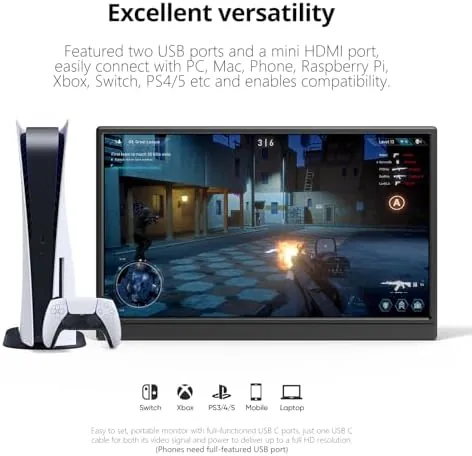
USB-C connectivity is the feature that makes portable monitors practical. With a laptop that supports DisplayPort over USB-C, a single cable carries both the video signal and power, so the monitor works with nothing more than a single wire. With a Mac, an iPad, or a modern phone, the same cable handles everything. The HDMI port covers game consoles and older laptops that do not offer USB-C video.
For gaming, the monitor accepts signals from the Switch, the PlayStation, and the Xbox through HDMI, and it has a game mode that reduces input lag. It is a 60Hz panel with no variable refresh rate, so it is not built for competitive esports, but for docked console play and casual gaming it works exactly as advertised.
Real-World Performance
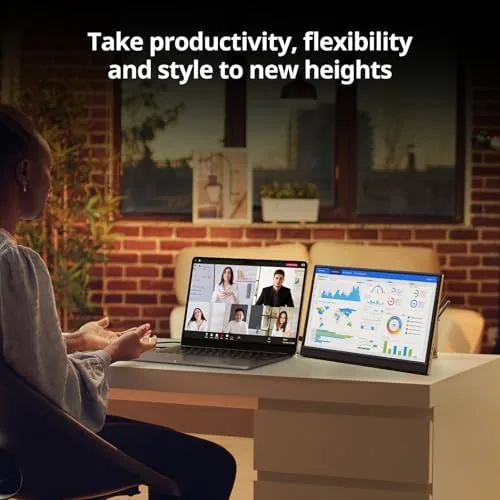
As a laptop second screen, the Anyuse monitor is excellent. I used it beside a 14-inch laptop for writing, spreadsheets, and email, and the 1080p IPS panel rendered text crisply with accurate enough colors for general office work. The single USB-C cable approach worked flawlessly with my laptop, and the monitor powered on and switched inputs automatically when I plugged it in.
With the Mac and the phone, the experience was equally smooth. The MacBook recognized the display immediately, and the phone went into desktop mode over USB-C without any adapter. For a traveler who wants a large screen for presentations or a big canvas for editing photos, this is the whole point, and the Anyuse delivers it at a fraction of the price of the premium portable panels.
The built-in speakers are the weakest part, as they are on nearly every portable monitor. They are quiet, tinny, and have no real low end, which is fine for system sounds and casual video but disappointing for games and movies. You will want headphones or a small Bluetooth speaker, and honestly the monitor is not the product to blame, because the same compromise exists on panels that cost twice as much.
The brightness is adequate rather than impressive. Indoors it looks great, and even under a typical office light it is fine, but against a sunny window the image washes out and you will find yourself cranking the brightness to maximum. Color accuracy is good out of the box for general use, though the panel is not calibrated for photo or video work, so do not rely on it for critical color grading.
Pros and Cons
Pros:
- Genuinely slim and light for a 15.6-inch panel
- Single USB-C cable carries video and power on modern laptops
- HDMI and USB-C inputs cover laptops, Macs, phones, and consoles
- Stable integrated kickstand with a small footprint
- Sharp, color-accurate 1080p IPS panel for the price
- Aluminum back looks far more premium than the cost suggests
Cons:
- Speakers are quiet and tinny, plan for headphones
- 250-nit brightness washes out near bright windows
- Buttons on the bottom edge are awkward to reach
- No battery, so it needs a powered device or adapter
- No variable refresh rate for competitive gaming
How It Compares
The portable monitor market is split between budget panels like the Anyuse and premium brands, so it is worth seeing how the numbers stack up.
| Feature | Anyuse 15.6 | ASUS ZenScreen 15.6 | ViewSonic 16 |
|---|---|---|---|
| Panel | 15.6-inch FHD IPS | 15.6-inch FHD IPS | 15.6-inch FHD IPS |
| Brightness | Around 250 nits | Around 250 nits | Around 250 nits |
| Weight | Around 1.6 lb | Around 1.7 lb | Around 1.8 lb |
| Inputs | USB-C, HDMI | USB-C, mini HDMI | USB-C, mini HDMI |
| Built-in stand | Kickstand | Smart cover | Kickstand |
| Speakers | Built-in | Built-in | Built-in |
| Typical price | Budget | Mid-range | Mid-range |
The ASUS ZenScreen and the ViewSonic are better known names with slightly better build quality and firmware polish, but they cost meaningfully more for the same 1080p IPS experience. The Anyuse wins on price and on the full-size HDMI port, which the premium panels sometimes downgrade to mini HDMI. For most people, the Anyuse is the smarter value.
Who Should Buy It
Buy the Anyuse monitor if you are a hybrid worker who wants a second screen on the road, a student with a single laptop, or a Switch and console player who wants a bigger, sharper screen for docked play. It is also a great option for desk setups where a large monitor will not fit, and the low price makes it easy to add as a dedicated display for a specific machine.
Skip it if you need 4K resolution, high brightness for outdoor work, or calibrated color for professional photo and video editing. For everyone else, the Anyuse is one of the best values in portable monitors, and you can check the current price of the Anyuse 15.6-inch portable monitor on Amazon.
How We Test
I used the Anyuse monitor for three weeks as a daily second screen, connected to a Windows laptop over a single USB-C cable, to a MacBook, and to an Android phone. I ran it through office work, photo editing, web browsing, and video, and I connected a Nintendo Switch over HDMI to test the console side. I measured brightness against ambient light, checked the kickstand stability, and evaluated the speakers with music and video.
I did not run colorimeter calibration, because the target audience is productivity and casual gaming rather than color-critical work. For independent context on portable monitors, the PCMag guide to the best portable monitors is a strong reference, and Anyuse official specifications are listed on the Anyuse 15.6-inch monitor product page.
Anyuse 15.6-Inch Monitor: Questions People Ask
What devices can I connect to the Anyuse portable monitor?
You can connect PCs, Macs, phones, and game consoles including PS5, Xbox, and Switch over USB-C or HDMI, using either a single port or both together.
Does the monitor work with a single USB-C cable?
With laptops and phones that support DisplayPort over USB-C, yes, a single cable carries both the video signal and power to the screen.
Is the kickstand stable enough for daily use?
The built-in kickstand props the panel at a comfortable angle and stays firm on a desk, and the magnetic groove design holds the panel securely.
Does the Anyuse monitor have a built-in battery?
No, it draws power from the connected device or a USB-C power source, which keeps the panel very thin and light.
You can see the current price and connection options for the Anyuse monitor on Amazon if a light second screen fits your setup.
As an Amazon Associate, I earn from qualifying purchases.



