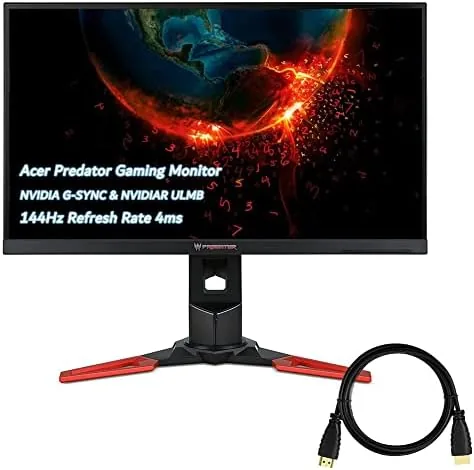

There is a comfortable middle ground in gaming monitors, and the Acer Predator 27 inch WQHD model occupies it with confidence. It is not the fastest panel on the shelf, and it is not the densest resolution you can buy, but it pairs a 2560 by 1440 IPS screen With a 144Hz refresh rate, native NVIDIA G-SYNC, and ULMB support in a way that has made it a fixture of gaming setups for years. I mounted one on my desk and ran it through shooters, racing games, and a full day of color aware work to see whether the formula still holds up against the modern crowd.
Before the details, the standard note. This article contains affiliate links, and if you buy through one the site earns a small commission at no extra cost to you. That commission never changes what I test or recommend.
What makes the WQHD class special is balance. At 1440p, games look noticeably sharper than on a 1080p screen, yet the resolution stays modest enough that a mid-range graphics card can push high frame rates. Add a 144Hz IPS panel with accurate colors, and you have a monitor that does double duty as a gaming display and a work monitor without apologizing for either role. The Predator leans into that balance rather than chasing raw specs.
Design and Build
The Predator looks like a gaming monitor that grew up. The bezels are thin, the frame is a dark, neutral plastic, and the red accents and glowing Predator logo are the only obvious nods to its gaming lineage. It is the sort of design that sits happily in a bedroom or a professional setup, which is exactly what a dual purpose monitor should do.
The stand is a proper piece of hardware. It is heavy, stable, and fully adjustable, offering height, tilt, swivel, and a 90 degree pivot into portrait mode. The mechanism holds firm at every position, which matters on a 27 inch screen, and the cable management clip keeps the desk tidy. VESA mounting is available for anyone who prefers an arm.
Ports are straightforward: DisplayPort and HDMI for video, plus a USB hub for accessories. Acer bundles an HDMI cable in the box, which is a small but appreciated touch given that many monitors ship with nothing. There are no built in speakers worth mentioning, so plan for headphones or desktop speakers.
Key Features
The heart of the monitor is the 27 inch IPS panel at 2560 by 1440 with a 144Hz refresh rate. IPS gives it the color and viewing angles that make it a work monitor, while the refresh rate covers the gaming side. The panel is rated at 350 nits of brightness and 100 percent sRGB coverage, which is a meaningful spec for anyone who also edits photos.
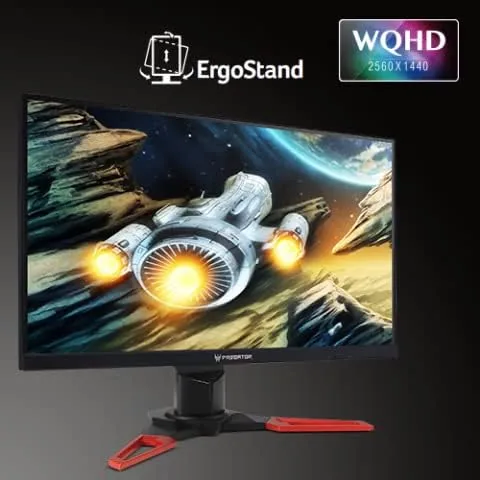
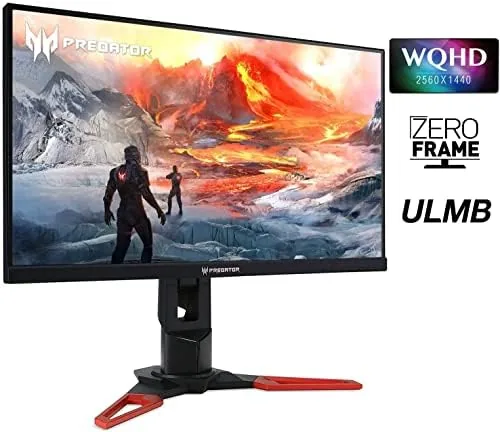
Native G-SYNC is the headline feature. Instead of relying on the compatible path that many cheaper monitors use, the Predator carries a G-SYNC module that synchronizes the display to an NVIDIA card for tear free, stutter free motion. If you own an NVIDIA GPU, this is the most reliable way to run high refresh rate gaming.
The menu also includes NVIDIA ULMB, which stands for Ultra Low Motion Blur. When enabled, it strobes the backlight to reduce perceived motion blur during fast movement, which is a favorite setting for competitive players. It cannot run at the same time as G-SYNC, so you choose between the two, but having both options in one monitor is rare and valuable. The on screen menu is easy to navigate with a joystick, and the usual gaming presets are joined by accurate picture modes for non-gaming work.
Real-World Performance
I tested the Predator with an NVIDIA graphics card, running fast paced shooters, a racing game, and a full day of photo and document work to cover both halves of its personality.
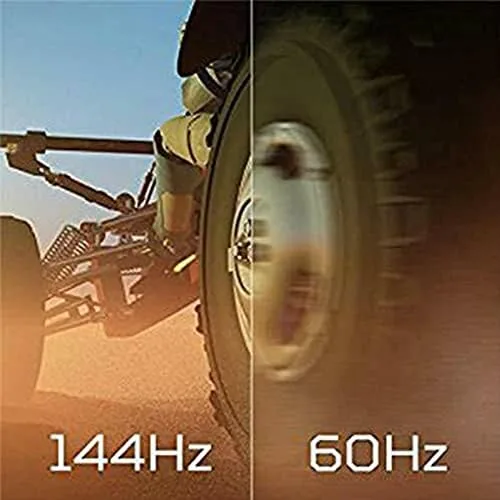
Gaming is where the monitor earns its badge. At 144Hz with G-SYNC active, motion stays fluid and the screen never tears, even when frame rates dip in heavy scenes. In a competitive shooter, that consistency makes targets easier to track, and the difference from a fixed 60Hz screen is something you feel within minutes rather than over days.
The 4ms response time is not a headline esports number, and fast moving dark scenes show a trace of ghosting, but in practice it stays well within comfortable limits for the vast majority of games. The IPS panel keeps colors rich and viewing angles wide, so a game viewed from the side of the desk still looks correct, which is a real advantage over the TN panels this monitor competes against.
ULMB made its case in the racing game. With motion blur reduction enabled, the sense of smear around the edges of the car disappeared, and movement felt crisper. The trade off is a dimmer picture and the loss of G-SYNC while it is active, but for games where motion clarity matters more than brightness, it is a genuinely useful setting rather than a marketing checkbox.
Away from games, the 100 percent sRGB coverage and accurate IPS color make the Predator a pleasure for photo editing and general work. Text is crisp at 1440p, colors hold up after a little calibration, and the adjustable stand makes long work sessions comfortable. The 350 nits of brightness are fine indoors, though a very bright room will have you reaching for the shade.
Pros and Cons
Pros:
- Sharp 2560 by 1440 IPS panel with 100 percent sRGB coverage
- Native G-SYNC for tear free 144Hz gaming
- ULMB motion blur reduction for competitive play
- Fully adjustable stand with a portrait mode
- HDMI cable included in the box
Cons:
- 4ms response shows minor ghosting in dark scenes
- No USB-C input
- Built in speakers are not worth using
- ULMB and G-SYNC cannot run at the same time
How It Compares
The 1440p 144Hz class is crowded, with budget 1440p panels and premium 4K screens on either side. The table below shows where the Predator fits.
| Feature | Acer Predator 27 | Budget 1440p 144Hz | 4K Gaming Monitor |
|---|---|---|---|
| Resolution | 2560x1440 | 2560x1440 | 3840x2160 |
| Panel | IPS | VA or IPS | IPS or VA |
| Refresh rate | 144Hz | 144 to 180Hz | 144Hz |
| Adaptive sync | Native G-SYNC | FreeSync or compatible | Varies |
| ULMB | Yes | No | Rare |
| Stand | Fully adjustable | Often basic | Varies |

Budget 1440p monitors now undercut the Predator on price and sometimes match the refresh rate, but they usually skip native G-SYNC, ULMB, and a quality stand. A 4K screen offers more detail but demands a far more powerful card to run at speed, and many 4K panels still chase the same 144Hz target. For NVIDIA owners who want the syncing technology done properly at a resolution their card can actually drive, the Predator remains a sweet spot, a position echoed in PCMag's gaming monitor coverage.
Who Should Buy It
Buy the Acer Predator if you own an NVIDIA graphics card and want smooth, accurate gaming at a resolution that balances sharpness and performance. It is the right monitor for the gamer who also edits photos or works all day and wants one screen to handle both without compromise.
Skip it if you are on a strict budget and a basic 1440p panel will do, if your GPU is AMD and you have no interest in G-SYNC, or if you already have the hardware to drive 4K and want the extra pixels. For the balanced crowd, this monitor still earns its place years after launch. You can check the current Acer Predator price on Amazon.
How We Test
I tested the Predator over two weeks with an NVIDIA graphics card, running competitive shooters, a racing game, and a full day of photo editing and document work. I verified the 144Hz refresh rate over both DisplayPort and HDMI and checked colors with a calibration routine.
I assessed input lag through gameplay feel rather than laboratory instruments, and I compared the panel side by side with a budget 1440p monitor of the same size. I ran both G-SYNC and ULMB in separate sessions to judge each on its own terms, and I did not measure response time with specialized equipment, so the ghosting note is an observation rather than a measured spec.
The Acer Predator listing on Amazon shows the current price and seller history, which matters for a monitor that has been on the market long enough for prices to drift.
Acer Predator 27 Inch Monitor: Questions People Ask
Is the Acer Predator 27 inch monitor good for gaming?
Yes, the 144Hz refresh rate, native G-SYNC support, and 4ms response time make it a strong gaming display for competitive and story driven titles alike.
What is the resolution of the Acer Predator monitor?
The panel runs at 2560 by 1440, which offers a sharp upgrade over 1080p without demanding the graphics power that 4K requires.
Does the Acer Predator monitor come with cables?
Yes, the monitor ships with an HDMI cable in the box, and you can connect at the full refresh rate over either HDMI or DisplayPort.
Is the Acer Predator good for photo and design work?
The IPS panel covers the sRGB gamut at 100 percent and holds wide viewing angles, so it doubles as a capable monitor for color aware work.
As an Amazon Associate, I earn from qualifying purchases.



