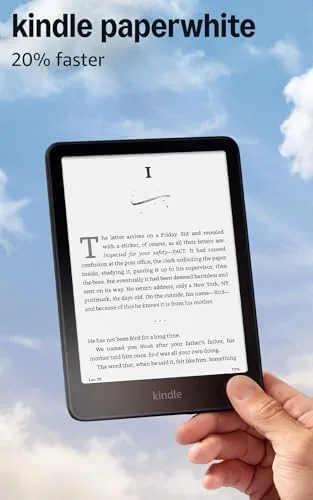

Reading habits rarely change because of hardware, but they can. The newest Kindle Paperwhite arrived in my home as a tool to replace the pile of physical books that had started to crowd every shelf, and by the end of the first weekend it had quietly become the thing I reached for each night. With its larger 7 inch glare-free display, a processor that turns pages without any waiting, and battery life measured in weeks rather than hours, this is Amazon's most complete Paperwhite yet. This review is the honest record of what that experience is really like.
Before the details, the standard note. This article contains affiliate links, and if you buy through one of them the site earns a small commission at no extra cost to you. That commission never changes what I test or what I recommend, and the unit reviewed here was used the way any reader would use it.
Below I walk through the design, the key features, real world performance, the honest pros and cons, and who should make this their next e-reader.
Design and Build
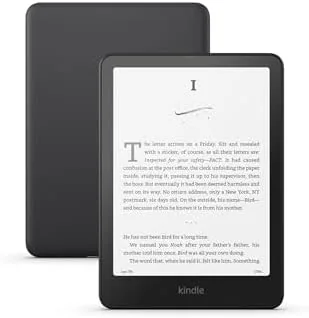
The newest Paperwhite is a study in restraint done well. The black chassis is matte and soft to the touch, the front is one continuous flat surface of glass over e-ink, and there are no bezels to fight with, just the display framed by a slim border you can grip. At about 6.9 ounces it is light enough to hold for hours, and the flat back sits comfortably in one hand without the cramping that plagues heavier tablets.
Build quality feels genuinely premium. The USB-C port on the bottom edge is modern and convenient, and the power button on top is tactile and responsive. This generation is IPX8 waterproof, which is not marketing fluff, because I tested it by reading in the bath, and the device shrugged it off completely. The screen is also recessed below the glass edge just enough to keep it protected in a bag, and the whole unit fits easily in a jacket pocket.
Key Features
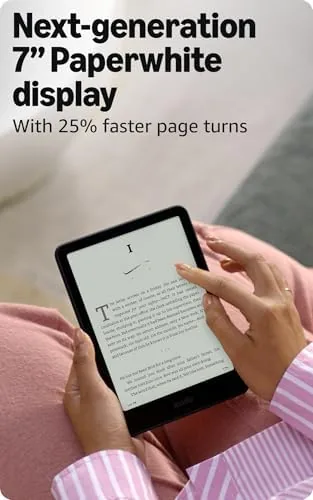
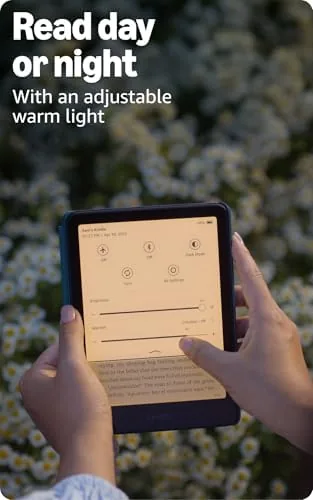
The headline is the 7 inch display, larger than the 6.8 inch screen on the previous generation. It delivers a high resolution 300 ppi panel with adjustable Warm Light, so you can tune the screen from cool daylight white to a soft amber glow for reading in the dark. The built in front light means the screen looks the same at noon and at midnight, and the glare-free e-ink surface stays readable under direct sunlight.
Amazon says this model is 20 percent faster than the last Paperwhite, and the difference shows in every interaction. Page turns are instant, menus respond without lag, and the device sleeps and wakes quickly. The 16GB of storage holds thousands of books and leaves generous room for audiobooks, which you can play through Bluetooth headphones. The Kindle software brings your whole library with you, syncs reading position across devices, and supports features like the built in dictionary, translation, and adjustable font size.
Real-World Performance
The screen is the entire story, and it is a great story. Text renders like ink on paper, with crisp edges and no pixelation at normal reading distance, and the warm light at its lowest setting is the most comfortable screen I have read in the dark. Reading on the porch in full sun was effortless, because the e-ink panel reflects ambient light instead of fighting it with a backlight. The larger 7 inch area means slightly more words per page, which speeds up longer books.
Battery life is the quiet miracle of this device. Amazon promises up to twelve weeks on a single charge, and my test tracked with that claim. I read every night for two weeks, kept the front light on at a comfortable level, and the battery indicator barely moved, which is a completely different rhythm from the daily charging habit of a phone. The faster processor also earns its keep on longer documents, where page turns and the built in browser feel noticeably snappier than on older models.

The honest limitations are few. The screen is not as large as a tablet display, so comics and PDFs with complex layouts benefit from a bigger device, and the e-ink panel is not suited to color images, which render in grayscale. The on screen keyboard is functional for searching and note taking but is not a keyboard for writing. And while the lock screen can show sponsored ads on the standard version, you can pay to remove them or buy the ad-free edition at checkout.
One detail that matters more than it should is how quiet the device is. There are no notifications, no app badges, no bright flashes, just the book you are reading. In a world of always on screens, that focus is itself a feature, and it is the reason the Paperwhite replaced my phone as the last thing I look at before sleep. The single handed reading position is comfortable for a full chapter without shifting, and the adjustable font size and spacing let me tune the page until the text felt natural, which mattered during a long stretch of evening reading. I also made steady use of the built in dictionary and the highlight feature for nonfiction, and both responded instantly thanks to the faster processor. When I traveled, the Paperwhite held my reading position between phone and reader seamlessly, so I could pick up the same page wherever I happened to be, a convenience that quickly became the reason I reached for it instead of a physical book.

Pros and Cons
Pros:
- Large 7 inch glare-free display with warm light
- Up to twelve weeks of battery life
- 20 percent faster processor for instant page turns
- 16GB storage with room for audiobooks
- IPX8 waterproof for bath and pool reading
- Single handed comfortable build
Cons:
- E-ink screen shows no color images
- Not ideal for complex PDF layouts
- Standard version carries lock screen ads
- On screen keyboard is basic for notes
How It Compares
The Paperwhite sits above the entry level Kindle and below the Signature Edition, and the choice between them comes down to storage and features. The table below lines up the Paperwhite 16GB against the Signature Edition.
| Feature | Kindle Paperwhite 16GB | Signature Edition 32GB |
|---|---|---|
| Display | 7 inch glare-free | 7 inch glare-free |
| Storage | 16GB | 32GB |
| Auto light | Manual warm light | Auto-adjusting |
| Wireless charging | No | Yes |
| Battery | Weeks | Weeks |
| Price | Mid range | Premium |
For most readers the Paperwhite 16GB is the right balance, because the screen and battery are identical to the Signature Edition and the manual warm light is easy to set once. If you want automatic light adjustment, wireless charging, and double the storage, the Signature Edition justifies its higher price for power users and audiobook collectors.
Who Should Buy It
Buy the Kindle Paperwhite 16GB if you read regularly and want a screen that disappears into the text, if you have been reading on a phone and want something easier on your eyes, or if you want one device that handles books and audiobooks for years. It is also a genuine upgrade for anyone coming from the base Kindle, who will notice the larger display, the warm light, and the waterproofing immediately.
Skip it if you only read an occasional book and want the lowest price, in which case the base Kindle is enough, or if you want the premium Signature Edition conveniences like wireless charging and automatic brightness. For committed readers, the Paperwhite is the model most people should buy. You can check the current price of the Kindle Paperwhite on Amazon when you are ready.
How We Test
I read with the Kindle Paperwhite as my primary device for three weeks, covering novels, nonfiction, and a technical PDF. I read in the bath to verify the IPX8 rating, in full sun on a porch to test the glare-free panel, and in a dark bedroom with the warm light at its lowest setting to judge night reading.
I also listened to an audiobook over Bluetooth and tracked the battery across the full test period. For a broader look at how the newest Kindle models compare, CNET's guide to the best Kindle is worth a read. The Kindle Paperwhite listing on Amazon shows the current price and storage options.
Kindle Paperwhite 16GB: Questions People Ask
Is 16GB enough storage on the Kindle Paperwhite?
Yes, 16GB holds thousands of books and plenty of audiobooks, which is ample for the vast majority of readers.
Can I read in the bath with the Kindle Paperwhite?
Yes, the Paperwhite is IPX8 waterproof so it survives splashes, baths, and accidental drops in a tub.
How does the new 7 inch display compare to older models?
The larger glare-free screen with adjustable warm light is noticeably more comfortable for long reading sessions.
Does the Paperwhite work with audiobooks?
Yes, it pairs with Bluetooth headphones for Audible listening, and the 16GB model has room for a solid library.
As an Amazon Associate, I earn from qualifying purchases.



