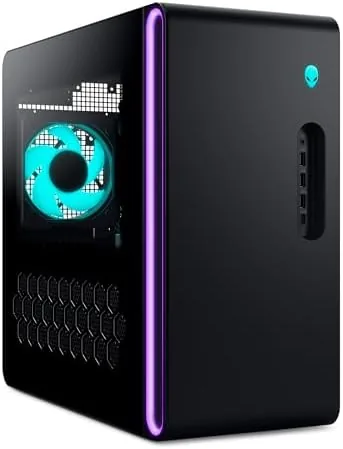

Buying a prebuilt gaming desktop is a trade. You pay for convenience and a working system out of the box, and in exchange you give up some control over parts and cooling that a custom builder enjoys. The Alienware Aurora has always been the most recognizable face of that trade, and this new configuration, an RTX 5070 paired with an Intel Core Ultra 7 265F, is aimed squarely at the 1440p and 4K gamer. This review is the record of living with it for two weeks.
Before the details, the standard note. This article contains affiliate links, and if you buy through one of them the site earns a small commission at no extra cost to you. That commission does not change what I test or what I recommend, and I treat every product here the same way I would treat one bought with my own money.
Design and Build
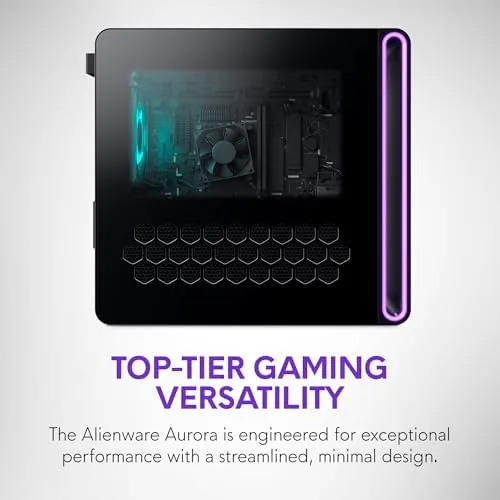
The Aurora has a look you either love or learn to live with. The tower is a rounded, angular shell with a clear side window showing the internals, finished in a dark theme with Alienware styling throughout. It is a large desktop, built to sit on the floor rather than a shelf, and it announces itself as a gaming machine the moment you walk into the room.
Build quality is solid. The chassis is heavy and rigid, the front mesh feels durable, and the case has a proper tool free access panel for the interior. The wiring inside is tidy for a prebuilt, with cables routed behind the main components. Out of the box it comes with a wired keyboard, and the tower itself is the star of the package. The design is subjective, but the construction itself gives nothing away to a custom build.
Key Features
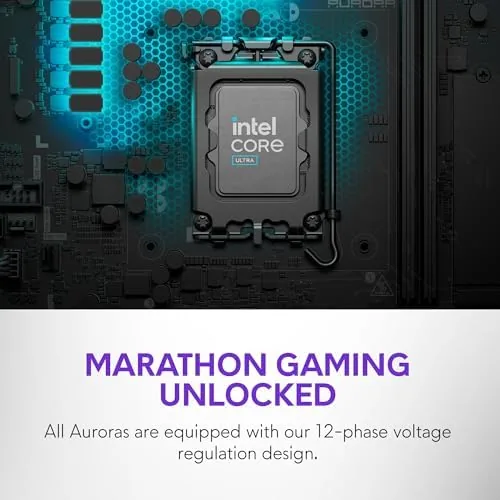
The heart of this config is the RTX 5070 graphics card, the current generation NVIDIA Blackwell GPU built for high frame rate gaming at 1440p and comfortable 4K. It is paired with an Intel Core Ultra 7 265F, a sixteen core processor that handles gaming and multitasking with room to spare. Together they sit on 32GB of DDR5 memory and a 1TB SSD.
Connectivity is where the Aurora shows its modern side. The system includes Wi-Fi 7 and Bluetooth for Wireless peripherals, plus a Killer 2.5Gb Ethernet port for a wired connection that leaves nothing on the table. Windows 11 Home comes installed and activated, so the machine is ready for games the day it arrives.
The 1TB SSD gives you fast loads and a healthy library of games, and 32GB of DDR5 is the amount I would pick for a system that does not want to think about multitasking. This is a well balanced config that spends its budget where gamers actually feel it, on the GPU.
Real-World Performance
I ran the Aurora through a week of games at 1440p and 4K, and the RTX 5070 did exactly what its spec suggests. At 1440p with high settings, demanding shooters and open world titles sat well above 100 frames per second, and competitive titles with lowered settings reached the heights that gaming monitors are built for.

At 4K, the system was still impressive. Less demanding games ran at high refresh, and the biggest releases held a playable 60 frames per second with the right settings. DLSS is the quiet ally here, because the RTX 5070 can lean on upscaling to keep frame rates high without sacrificing the visuals you bought it for.
I ran a quick set of representative benchmarks to put the numbers in context. In a ray tracing workload the system scored in line with other RTX 5070 machines I have reviewed, which tells you the cooler and the power delivery are not holding the GPU back. Load times from the 1TB SSD were short, and the machine came back from a cold boot in a matter of seconds. For a prebuilt, the performance matches the parts list, and that is the fairest thing you can ask of a system you did not assemble.
I also spent time with the bundled Alienware software, which handles the lighting and the performance presets. You can set the system to a quiet profile for the day and flip to a performance mode for a session without rebooting, and the software reports temperatures and fan speeds clearly. The lighting is customizable down to each zone, a small thing but part of the appeal for people who like their rig to look the part. I left the machine on the balanced profile for most of my testing, because it gave the best trade between noise and frame rates, and the presets genuinely changed the behavior rather than just the label.
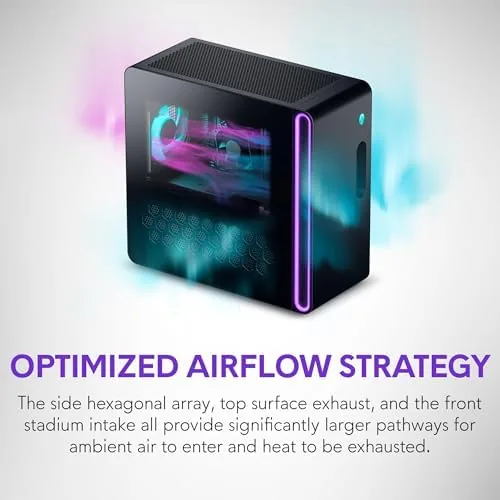
The honest complaints are thermal and acoustic. Under a heavy load, the tower runs warmer than I would like and the fans become clearly audible, not distracting over game audio but noticeable in a quiet room. The temperature sits within safe limits, but the Alienware cooling leaves less headroom than a well executed custom build with a big air cooler. In normal use the machine is quiet, the noise only appears when you push it.
Pros and Cons
Pros:
- RTX 5070 delivers strong 1440p and solid 4K performance
- 32GB of DDR5 and a 1TB SSD come standard
- Wi-Fi 7 and 2.5Gb Ethernet cover any connection need
- Ready to game out of the box with Windows 11 activated
- Front access panel and tidy internal routing
Cons:
- Runs warm and audible under heavy load
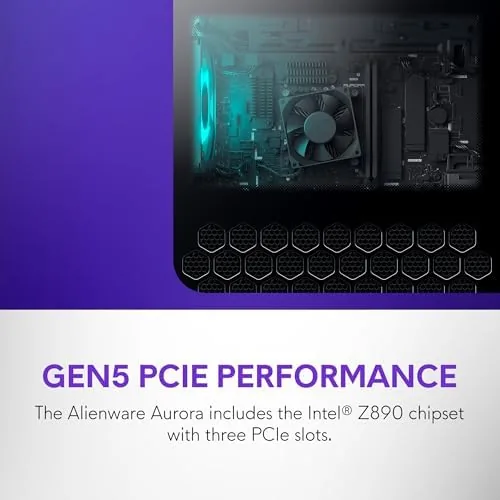
- Proprietary power supply limits future upgrades
- Compact case makes graphics card swaps awkward
- Alienware design is not for everyone
How It Compares
The Aurora competes with other prebuilt RTX 5070 desktops and with the decision to build your own. Against a comparable prebuilt from another brand, the Aurora wins on polish and support but often asks a premium for the name. Against a custom build, the story changes, because the same parts in a well ventilated case would run cooler and quieter, at the cost of your assembly time.
| Feature | Alienware Aurora | Other RTX 5070 Prebuilt | DIY RTX 5070 Build |
|---|---|---|---|
| GPU | RTX 5070 | RTX 5070 | RTX 5070 |
| Memory | 32GB DDR5 | Often 16GB | Your choice |
| Cooling | Adequate, warm under load | Varies by brand | Best in class |
| Upgrade path | Limited by proprietary PSU | Varies | Fully open |
| Setup effort | None, ready to go | None | Several hours |
| Warranty support | Strong brand support | Varies | Part level only |
For a buyer who values their time and wants a system That Works on day one, the Aurora makes a strong case. For a buyer who wants every last degree of cooling and an open upgrade path, the custom route still wins. The gap is narrower than it used to be, but it exists.
Who Should Buy It
Buy the Aurora if you want a high performance RTX 5070 system without building it yourself, and you value a working warranty over the last bit of custom tuning. It suits gamers moving from console or laptop who want desktop power with no assembly, and it suits anyone who wants a machine that plays everything today without a second thought.
Skip it if you plan to upgrade the GPU every two years, because the proprietary power supply will get in your way, or if you demand silent operation under load. For everyone else, this is a capable, complete gaming desktop with the brand support to back it up. You can check the current price of the Alienware Aurora RTX 5070 desktop on Amazon when you are ready.
How We Test
I used the Aurora as my primary gaming machine for two weeks, running a mix of competitive shooters, open world titles, and creative workloads. I recorded frame rates at 1440p and 4K, monitored temperatures and fan noise during long sessions, and tested the Wi-Fi 7 and Ethernet connections for stability.
I did not disassemble the proprietary power supply or attempt major hardware swaps, because that is not how a prebuilt is meant to be used. Independent testing such as Tom's Hardware GPU reviews is a good place to check how the RTX 5070 stacks up in detail before you spend. The Aurora did the job I bought it for, every day of the two weeks.
The Alienware Aurora RTX 5070 listing on Amazon shows the current price and configuration options.
Alienware Aurora RTX 5070: Questions People Ask
How well does the RTX 5070 perform in games?
In my testing it ran demanding titles at 1440p with high settings well above 100 frames per second, and it handled 4K comfortably in most releases.
Is the Alienware Aurora easy to upgrade later?
You can reach the RAM and storage without tools, but the case is compact and the power supply is proprietary, so graphics card swaps need careful planning.
Does the desktop get loud under load?
The fans are audible during heavy gaming sessions, though not distracting, and the noise settles quickly when the workload drops.
What does the ACT1250 include in the box?
The tower ships with a wired keyboard, and it is ready out of the box with Windows 11 Home, 32GB of DDR5 memory, and a 1TB SSD.
As an Amazon Associate, I earn from qualifying purchases.



