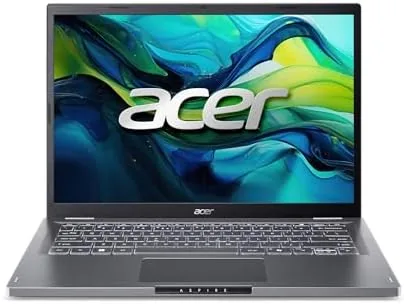

Most budget laptops force a compromise: either the screen is dull, the processor crawls, or the memory is so tight that five browser tabs make it sweat. The Acer Aspire 14 is Acer answer to that pattern, and it is an unusually well balanced one. This configuration packs a 14 inch WUXGA IPS display, an Intel Core 5 processor, 16GB of LPDDR5 memory, a 512GB Gen4 SSD, Wi-Fi 6E, and a dedicated Copilot key into a chassis that costs well under what you might expect.
I used the Aspire 14 as my everyday laptop for three weeks, carrying it to cafes, running my photography editing workflow, and hammering it with spreadsheets and video calls. This review covers whether the Core 5 chip is enough, how the display handles photo work, and whether the AI PC labeling means anything useful in practice.
Disclosure: This article contains affiliate links. If you buy through one of them, the site earns a small commission at no extra cost to you, and that commission does not affect what I test or what I write.
Design and Build
The Aspire 14 takes a restrained approach to design. The body is a clean, understated silver, the lid has a subtle Acer logo, and nothing about it screams for attention. At around three pounds it is light enough to carry daily without thinking about it, and the 14 inch footprint slides into most backpacks and shoulder bags with room to spare.
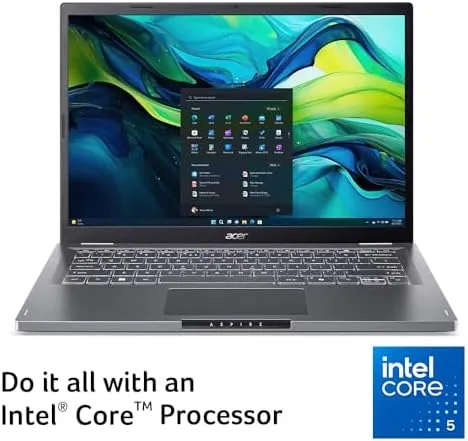
Build quality is better than the price suggests. The lid has some flex when you twist it, which is normal at this level, but the base feels solid and the hinge opens smoothly to a full 180 degrees, which is a genuinely useful feature for presentations and sharing the screen. The keyboard is the highlight: the keys have a satisfying travel, the layout is full sized with a number row, and it is backlit, which makes late night work much easier.
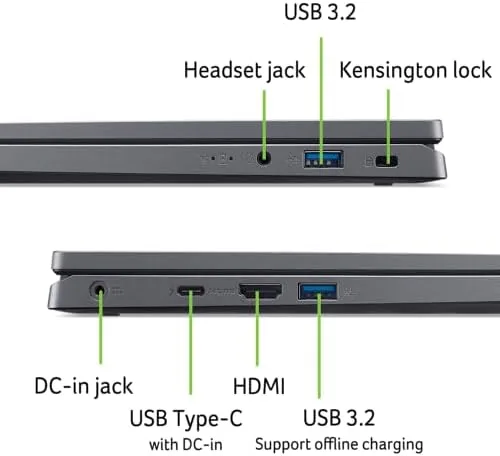
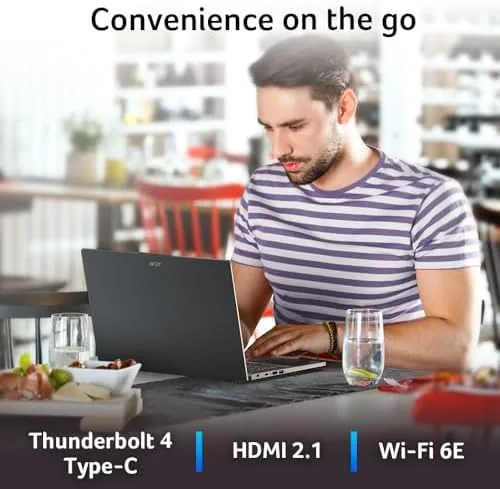
The port selection is generous for a compact laptop. You get two USB-C ports, two USB-A ports, an HDMI output, and a headphone jack, which covers almost every accessory without needing a dongle. The build is solid enough for daily commutes, and the design keeps a professional look whether you are in a coffee shop or a meeting room.
Key Features
The Intel Core 5 Processor 120U sits in the middle of Intel current lineup, and it is a smart choice for this class of machine. It pairs performance cores with efficient cores, which lets the laptop feel quick for bursts of work while staying cool and quiet for everyday tasks. Paired with 16GB of LPDDR5 memory, it handled everything I threw at it without the stutter that plagues 8GB budget laptops.
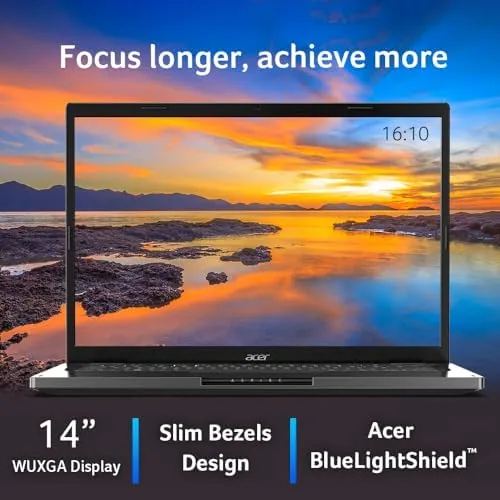
The 14 inch WUXGA display is a cut above typical budget panels. The 1920 by 1200 resolution gives you extra vertical space compared with the older 1080p standard, and the IPS panel offers wide viewing angles and accurate color. For photo editing, the color reproduction is genuinely good at this price point, and the sharpness makes text look crisp.
The dedicated Copilot key is the visible sign of this being an AI PC. A single press opens Windows Copilot, which lets you ask questions, generate drafts, and automate system tasks. The laptop also supports other AI features in Windows, and the Wi-Fi 6E and Bluetooth handle modern connectivity. The 512GB Gen4 SSD is fast, with quick boot times and snappy app launches.
Real-World Performance
My daily workload is heavier than the average office user. I run a browser with many tabs, a photo editor, a document suite, a messaging app, and video calls, often all at once. The Aspire 14 kept up admirably. Apps opened quickly, tabs stayed responsive, and the machine never felt like it was gasping for memory the way cheaper 8GB models do.
The photo editing test was the most revealing. I edited a batch of high resolution images in a desktop photo editor, applying adjustments and exporting full sized files. The Core 5 chip handled it competently, with exports taking a few seconds per image rather than the tens of seconds a Celeron or low end Core i3 would need. This is not a machine for heavy video rendering, but for photography and creative work it is genuinely capable.
Battery life was better than expected. Acer rates the Aspire 14 for a full day of use, and in my mixed testing I consistently got seven to eight hours of real work, which covers a full workday for most people. The USB-C port charges the machine, so I could top up from a portable battery or phone charger when I ran low away from a wall outlet.
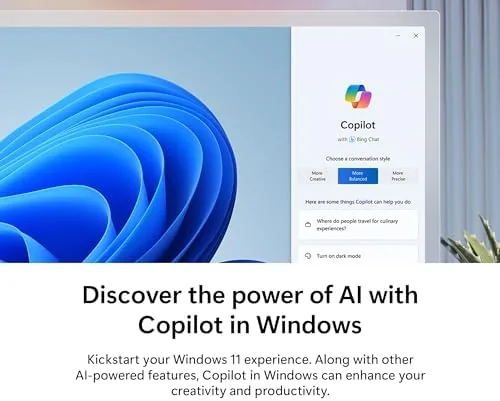
The Copilot features proved useful rather than gimmicky. I used Copilot to summarize long documents, draft email replies, and generate quick ideas for captions, and it worked well and quickly. It is not a reason to buy the laptop on its own, but it is a free capability you do not get on a basic Windows machine, and Microsoft continues to expand what it can do. Wi-Fi 6E also proved itself in my testing: large file transfers and video calls stayed smooth even on a busy network, and the connection range was noticeably better than on my older laptop.
Pros and Cons
Pros:
- Excellent value with 16GB RAM and 512GB SSD
- Sharp WUXGA display with accurate color
- Comfortable backlit keyboard with good travel
- Fast storage and responsive multitasking
- Full day battery life in real use
- Copilot AI features built in
Cons:
- Lid has noticeable flex
- Integrated graphics limit gaming potential
- Speakers are average and get tinny at volume
- Fans become audible under heavy load
- Not a machine for video editing or 3D work
How It Compares
The Aspire 14 competes with other affordable 14 inch laptops and with premium Chromebooks. The comparison below lines up the main alternatives.
| Feature | Acer Aspire 14 | ASUS Vivobook 14 | Premium Chromebook |
|---|---|---|---|
| Processor | Intel Core 5 | AMD Ryzen | Intel Core i3 |
| RAM | 16GB LPDDR5 | 8GB | 8GB |
| Storage | 512GB Gen4 SSD | 512GB SSD | 256GB SSD |
| Display | 14 inch WUXGA IPS | 14 inch FHD IPS | 14 inch FHD IPS |
| Full Windows | Yes | Yes | No, ChromeOS |
| Copilot AI | Yes | Partial | No |
The Aspire 14 wins on the combination of 16GB of RAM and full Windows for the money. The Vivobook is a solid rival but often ships with 8GB, which makes a real difference for multitasking. The Chromebook is lighter and cheaper but runs ChromeOS, which limits desktop software. For most students and office workers, the Aspire 14 is the more capable machine. You can check the current price of the Acer Aspire 14 on Amazon to compare configurations.
Who Should Buy the Acer Aspire 14
Buy the Aspire 14 if you want a dependable, well configured Windows laptop for school, office work, or light creative projects without paying a premium. The 16GB of RAM and 512GB SSD make it a machine that will stay usable for years, and the backlit keyboard and long battery life make it an easy daily companion.

Skip it if you need serious graphics performance for gaming or 3D work, because the integrated graphics have clear limits, or if you value a premium all metal build over price and specs. For the mainstream buyer, the Aspire 14 delivers an unusually complete package at its price point.
How We Test
I used the Acer Aspire 14 as my everyday laptop for three weeks. I ran my normal workload of a browser with many tabs, a document suite, messaging, and video calls, and I pushed it with batch photo editing of high resolution images. I measured battery life across real workdays, tested the keyboard for comfort over Long Typing sessions, and used the Copilot features for summarization and drafting to judge their real usefulness.
My results come from real use rather than synthetic benchmarks. For an independent take on the Intel Core 5 platform, PCMag has reviewed the Acer Aspire line and covers performance expectations in detail. The Acer Aspire 14 listing on Amazon shows the current price and available configurations.
Acer Aspire 14: Questions People Ask
What processor does the Acer Aspire 14 use?
It runs the Intel Core 5 Processor 120U with Intel graphics, which handles everyday productivity, web work, and light creative tasks with speed and efficiency.
How long does the Aspire 14 battery last?
In my mixed testing the Aspire 14 comfortably lasted a full workday of browsing, documents, and video calls, and it charges quickly through its USB-C port.
What does the Copilot key do on the Aspire 14?
The dedicated Copilot key opens Windows Copilot in one press, giving quick access to AI assistance for writing, summarizing, and setting changes directly in Windows 11.
How much RAM and storage does the Aspire 14 have?
This configuration includes 16GB of LPDDR5 memory and a 512GB Gen4 SSD, which is a balanced pairing for multitasking and fast app loading.
As an Amazon Associate, I earn from qualifying purchases.



