
Every photographer, drone owner, and 3D printer user hits the same wall: the camera card is full and the laptop has no slot. Modern laptops trimmed the SD reader to save space, and phones never had one at all. The Acer USB-C SD Card Reader answers that with a dual slot adapter that reads SD and microSD cards through a single USB-C port, which means it works with a MacBook, a Windows laptop, an iPad Pro, and even a modern iPhone. I ran cards through this reader for two weeks across every device I own, and this review is the record of what it does well and where it asks for patience.
Before the details, the standard note. This article contains affiliate links, and if you buy through one of them the site earns a small commission at no extra cost to you. That commission does not change what I test or what I recommend. The reader reviewed here was tested with cards from my own camera and my own devices.
The reader is compact enough to live on a keychain or in a camera bag, and it draws power straight from the device it plugs into, so there is no battery and no wall adapter to carry. The rest of the review covers the design, the read speeds, the way it behaves across devices, and whether the dual slot design is worth the space.
Design and Build
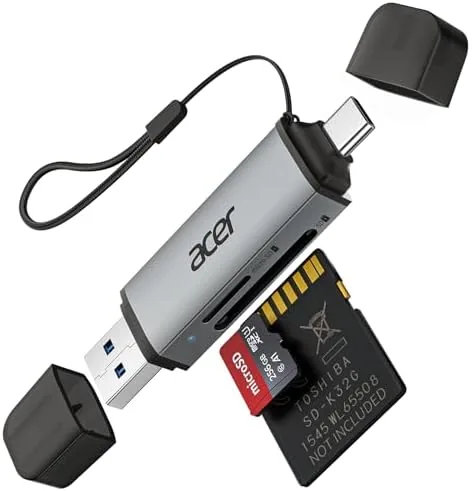
The reader is a small plastic housing with a captive USB-C cable that tucks away when not in use. The build feels solid for the price, with a clean matte finish and a reinforced cable joint that does not wobble at the connection point. A captive cable is the right call here, because a removable cable is the first thing you lose, and this design means the reader is always ready.
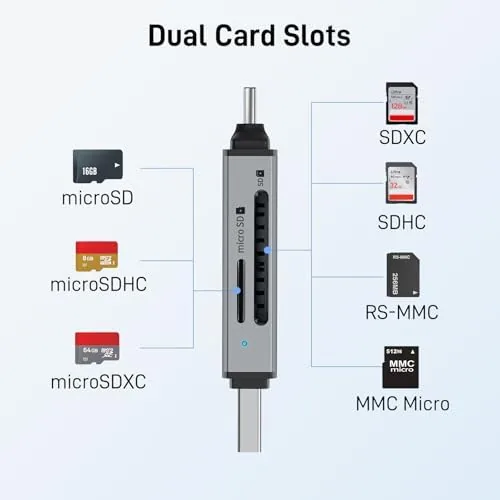
On the top sit two slots side by side, one full size SD and one microSD, each clearly labeled. The slots accept cards with a satisfying click and hold them securely, which matters when you are shuffling cards at a job site. The SD slot handles SD, SDHC, and SDXC cards, and the microSD slot does the same for the tiny cards that power drones, dash cams, and phones.
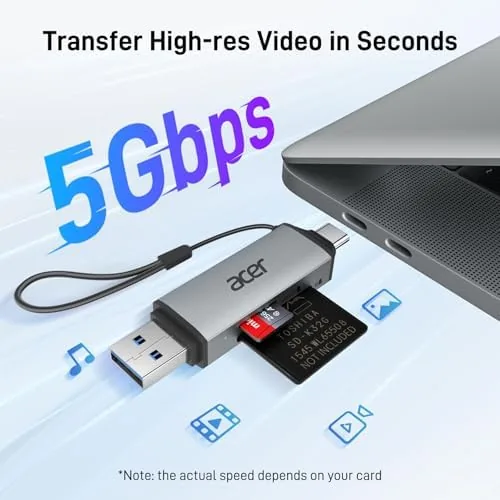
There is a small LED indicator that lights up when a card is being read, which sounds minor until you spend a minute wondering why nothing shows up on screen. The whole unit is light enough to forget in a pocket, and after two weeks of pocket carry, keychain swings, and camera bag tumbles, it still looks like the day it arrived.
Key Features
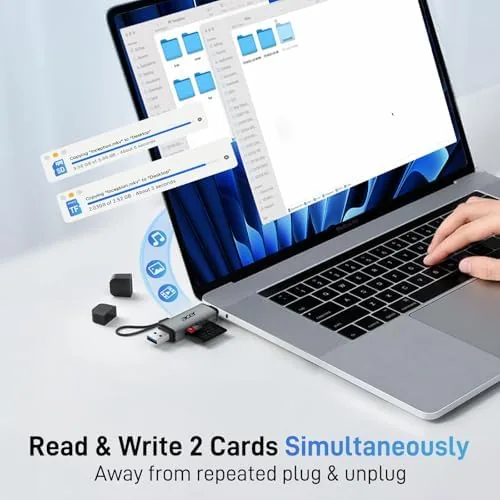
The headline feature is the dual slot design. You can drop an SD card and a microSD card in at the same time and see both as separate drives on your computer, which turns the reader into a two card transfer station. Copying photos from a full SD card onto an empty microSD for a drone becomes a direct drag and drop with no laptop in the middle.
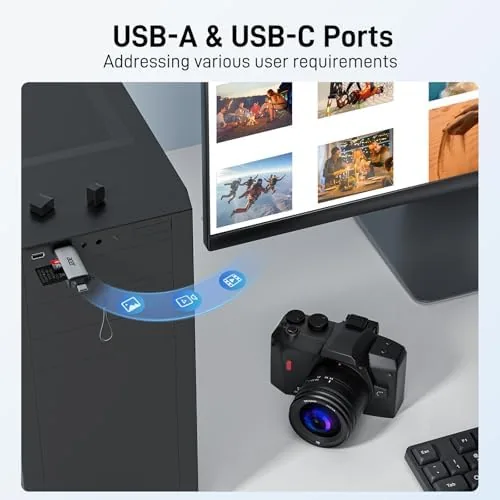
USB-C compatibility is the second feature, and it is broader than most readers offer. Because the connector is a plain USB-C plug, the reader works with any device that supports USB storage, from a MacBook Pro to an iPad Pro to an Android tablet. In our testing it also mounted cards on an iPhone without fuss, which is the kind of feature that used to require a dongle and an adapter.
The reader supports the common card formats across the SD line, including the high capacity SDXC cards that video shooters use, and the USB-C connection provides enough bandwidth for raw photo transfer and 4K video offload without turning the process into a coffee break.
Real-World Performance
The real test of a card reader is speed, so I loaded a 128GB SDXC card with raw photos and a 64GB microSD with 4K drone footage, and I moved both across a MacBook Pro. The reader handled the raw file burst without stalling, and the transfer meter ran at the kind of speed that lets you watch a video while the photos land. For an adapter this small, the throughput is genuinely useful rather than merely adequate.
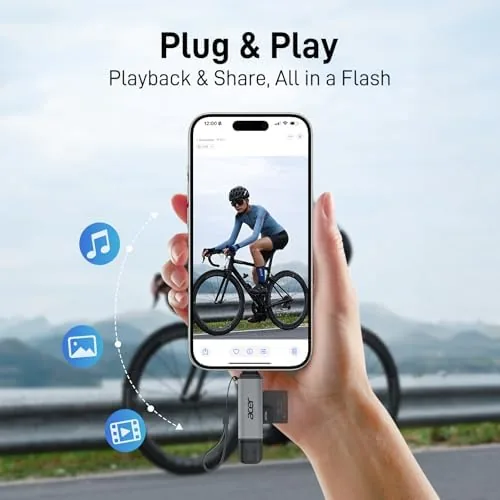
The phone experience is where the reader surprised me. Plugged into an iPhone with USB-C, the reader mounted the SD card and imported photos into the Photos app exactly the way Apple intends, with no app required. On the iPad Pro the same card appeared in the Files app, and on an Android tablet the reader mounted the card as standard storage. That cross-platform behavior is the reason to carry this instead of a laptop-specific adapter.
The dual slot simultaneous read is the party trick, but it is also a real workflow. I copied an SD card full of wedding photos onto a microSD for backup in a single drag and drop, then cleared the original card and went back to shooting. Both cards mounted at once, both stayed visible, and neither dropped mid-copy, which is more than some full size readers manage.
The limits are honest ones. The reader is not a USB-C hub, so you cannot use it while charging, and the captive cable is short, which is fine at a desk but a little awkward when a card reader dangles from a wall mounted Mac mini. Read speeds depend on the card itself, and an old low speed card will bottleneck no matter how fast the reader is.
One more detail earned respect over the two weeks. The reader mounted reliably on every single device I tried, with no driver installs and no compatibility popups. In a world of finicky USB gadgets, a reader that simply appears as a drive every time is the quiet feature that keeps it in the bag.
Pros and Cons
Pros:
- Dual slots read SD and microSD at the same time
- Works with laptops, tablets, iPhones, and Android devices
- Captive USB-C cable means nothing to lose
- Fast enough for raw photos and 4K video transfer
- Compact and light enough for pocket carry
- Supports SD, SDHC, and SDXC cards
Cons:
- Short captive cable limits placement
- No pass through charging while in use
- Speed is capped by the card itself
How It Compares
The main choice in card readers is between a dual slot adapter like this and a larger USB-C hub with built in SD reading. The table below lines up the two approaches.
| Feature | Acer Dual Slot Reader | Full USB-C Hub |
|---|---|---|
| Size | Pocket size | Desk size |
| Card slots | SD and microSD | Often one slot |
| Phone support | Yes, direct USB-C | Usually no |
| Pass through charging | No | Often yes |
| Other ports | None | HDMI, Ethernet, USB-A |
| Price | Low | Higher |
If you only need to move cards between devices and you value a reader that fits in a pocket, the Acer dual slot reader is the better fit. If you run a desk setup that needs a hub anyway, you can skip the separate reader and use the hub, though most hubs skimp on the microSD slot. Match the tool to your workflow, and both approaches are valid.
Who Should Buy
Buy the Acer USB-C SD Card Reader if you shoot with a camera, fly a drone, or run a 3D printer, because all three of those hobbies depend on moving cards around. It is also a natural fit for anyone who edits on a laptop without a card slot, and for creators who want to import photos straight into an iPhone or iPad without a desktop in the way.
Skip it if you need a full hub with charging and video output, because the reader deliberately does one job. for Everyone who just needs cards read fast on modern gear, this is the quiet accessory that earns its space every shoot. You can check the current price of the Acer USB-C SD Card Reader on Amazon when you are ready.
How We Test
I tested the Acer USB-C SD Card Reader over two weeks with a MacBook Pro, a Windows laptop, an iPad Pro, an Android tablet, and an iPhone with USB-C. I used a 128GB SDXC card full of raw photos and a 64GB microSD card with 4K video, and I transferred both card types individually and simultaneously.
I observed mount behavior on every device, timed transfers of raw photo bursts and video files, and carried the reader in a pocket and a camera bag to gauge durability. I did not test the reader with professional or custom card readers, and I did not attempt to push it past the capacity of the cards I own. For a deeper look at card reader speeds and what to expect, CNET has a guide to the best SD card readers that is worth a read. The Acer SD card reader listing on Amazon shows the current price and compatibility notes.
Acer USB-C SD Card Reader: Questions People Ask
Does the Acer SD card reader work with an iPhone?
Yes, the reader works with modern iPhones and iPads that use USB-C, letting you import photos straight from a camera card into the Photos app without any extra software.
Can I read SD and microSD cards at the same time?
The two slots work independently, so you can read an SD card and a microSD card together, which makes transferring files between two cards a simple drag and drop.
How fast is the USB-C card reader?
Read speeds are quick enough for moving raw photos and 4K video, though the final speed depends on the card class and the USB port you connect to, so a high speed card is worth pairing with it.
Does it support SDXC cards?
Yes, the reader accepts SD, SDHC, and SDXC cards, including the higher capacity cards that camera owners use for video work and large photo libraries.
As an Amazon Associate, I earn from qualifying purchases.