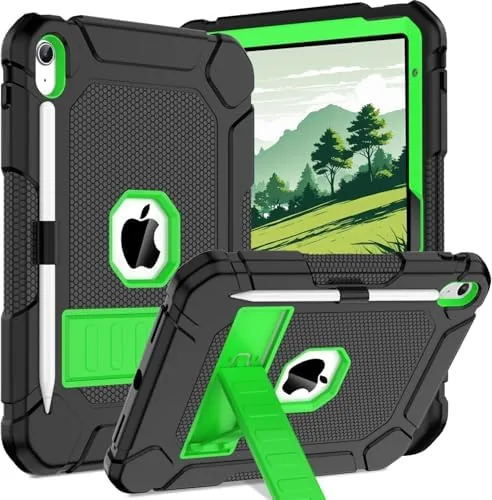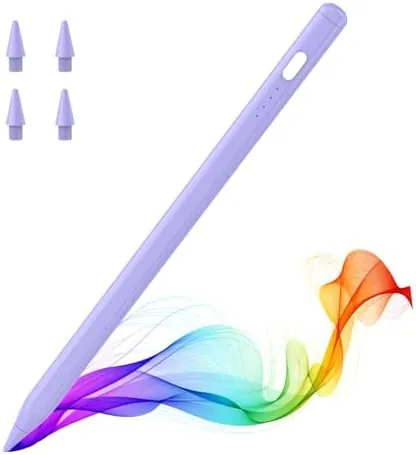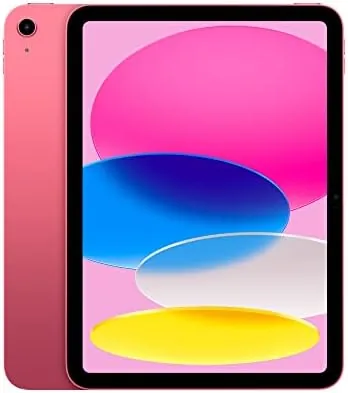

For years the entry iPad was the tablet you bought because it was cheap, and then it was the tablet you bought because it was the iPad. This review of the Apple iPad 10th generation is the record of three weeks spent with the 64GB Wi-Fi model in Pink as my main travel device, my note taker, and my photo screen, and the honest conclusion is that it is the best everyday iPad Apple has made in a while. It is not perfect, and the accessory situation is genuinely odd, but for most people this is the iPad.
Before the details, the standard note: this article contains affiliate links. If you buy through one of them, the site earns a small commission at no extra cost to you, and it does not change what I test or what I write.
Design and Build
The 10th gen iPad moves to the flat-edge design that the rest of the lineup has used for years, and it looks the part. The Pink finish is subtle rather than loud, the aluminum back is cool to the touch, and the whole thing feels far more premium than an entry tablet has any right to. At about a pound it is light enough to hold one-handed for a long reading session.
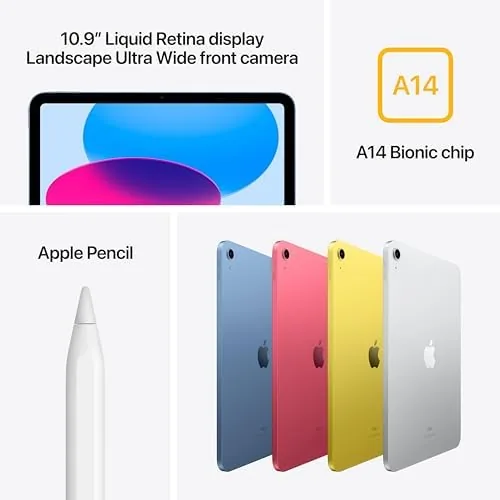
The big change is the screen moving up to 10.9 inches, filling the front far better than the older 10.2 inch model. The bezels are still there, so it does not look like a flagship, but the display is bigger and the body is smaller than before. Touch ID now lives in the power button on the top edge, and it worked quickly and reliably in my testing, waking and unlocking in one press.
It still uses a Lightning-free setup, thankfully; the 10th gen iPad finally moves to USB-C, which makes charging and connecting to cameras and external drives far simpler. It is a small change on paper, but for someone who works with photography it made the iPad far more useful than the older model.
Key Features
Inside is the A14 Bionic chip, the same processor class that powered the iPhone 12, and it is plenty for a tablet. There is Wi-Fi 6 support, up to about ten hours of battery life on a charge, and a 12MP rear camera, though the rear camera is not the headline; the front camera is.
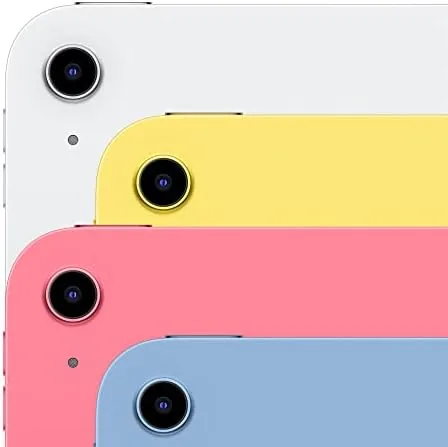
Apple moved the front camera to the long edge of the screen, which means it sits in the correct place for video calls when the iPad is held in landscape. That is a thoughtful change that every tablet should copy, and it makes FaceTime and video meetings look like you are looking at the camera rather than past it.
The screen is a 10.9 inch Liquid Retina LCD at 2360 by 1640, and it is bright and colorful enough for movies, photo editing, and reading. It is not the ProMotion display of the more expensive models, so scrolling is not buttery at 120Hz, but at this price nobody should expect it to be.
Real-World Performance
Here is where the A14 chip shows its strength. The iPad handled a full day of apps without drama: video calls, web work, document editing, drawing, and a few games in the evening, all without noticeable lag. The multitasking of iPadOS took a little getting used to with the split view, but once I learned the gestures it became a genuinely productive little machine.
Battery life matched the claim. Across a typical day of mixed use the iPad came back from classes and work with charge to spare, and I rarely reached for the charger before evening. In three weeks I only once got close to the low battery warning at the end of a long day, which is the kind of honest result that makes a tablet easy to live with.
The camera quality surprised me. The 12MP front camera is a genuine step up, and my video calls looked sharp and well-lit, even in a dim room. It is not a professional camera, but for the purpose it serves, it is exactly right, and for content creators it handles casual recording and green-screen work without complaint.
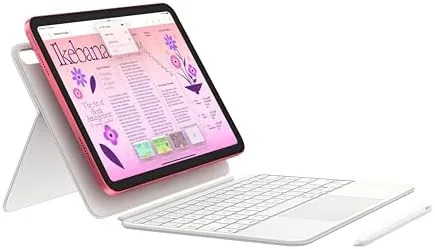
The honest problems sit with accessories. The 10th gen iPad works only with the first generation Apple Pencil, which has to be charged with a dongle that looks absurd, and Apple sells its own Magic Keyboard Folio at a price that is easy to question. None of that stops the tablet itself being good, but it is the kind of thing you should know before you buy.
Pros and Cons
Pros:
- Fast A14 Bionic chip for daily work and study
- Bright, colorful 10.9 inch Liquid Retina display
- The front camera is finally in the right place for video calls
- USB-C makes connecting gear much easier
- All-day battery that actually lasts the day
Cons:
- Only 64GB on the base model, with no expansion
- Works only with the first generation Apple Pencil
- Keyboard and pencil accessories are pricey
- Still has noticeable bezels
How It Compares
The closest rival is Apple's own iPad Air, which has a better display and the newer chip, but costs more. For most people the base iPad does everything the Air does at the level that matters, and the money is better spent on storage or accessories.
| Feature | iPad 10th Gen | iPad Air (M-series) |
|---|---|---|
| Display | 10.9" Liquid Retina | Larger, higher refresh |
| Processor | A14 Bionic | Newer M-series |
| Pencil support | 1st gen, USB-C adapter | Pro Pencil, magnetic |
| Price | Lower | Higher |

Who Should Buy
Buy the 10th gen iPad if you want one device for study, video calls, streaming, and light creative work, if you are buying your first tablet or replacing a very old one, or if you want the best value in the iPad lineup. It is the tablet I recommend to most people, and three weeks with it have not changed that view.
Skip it if you need heavy video editing, if you want the pencil to charge magnetically, or if 64GB will not hold your library. In those cases the Air or a higher storage model is worth the money. You can check the Apple iPad 10th generation price and colors on Amazon when you are ready.
How We Test
I used the 64GB Wi-Fi iPad 10th generation as my main travel and note-taking device for three weeks, and I judged it on performance, battery, display quality, and the everyday experience of living with it.
I compared it with the iPad Air and the older 10.2 inch model, so the verdict comes from real daily use rather than a spec sheet. I did not do heavy 4K video editing on it, because that is not this iPad's job, so treat that part with some care. Independent testing, such as The Verge's iPad 10th generation review, is a useful second opinion.
When you are ready to decide, the Apple iPad 10th generation listing on Amazon shows the current price and color options.
Apple iPad 10th Generation: Questions People Ask
Is the 10th gen iPad good enough for students?
Yes for most courses. The A14 chip handles notes, video, documents, and light editing with ease, and the battery lasts through a day of classes.
Does the 10th gen iPad work with the Apple Pencil?
It works with the first generation Apple Pencil, charged through a USB-C adapter, but it does not support the magnetic charging Pencil Pro used by the Air and Pro.
Is 64GB of storage enough?
For light users it is enough, but photos and games fill it faster than you expect, and the storage cannot be expanded after purchase, so it is worth thinking ahead.
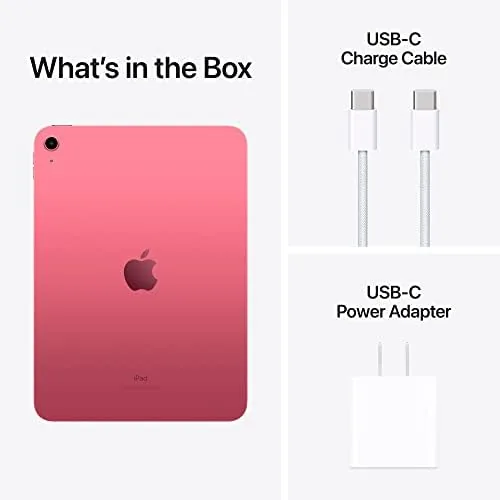
What is in the box with the iPad 10th generation?
The iPad, a USB-C charge cable, and a 20W charger. The keyboard case and the Apple Pencil are sold separately.
As an Amazon Associate, I earn from qualifying purchases.