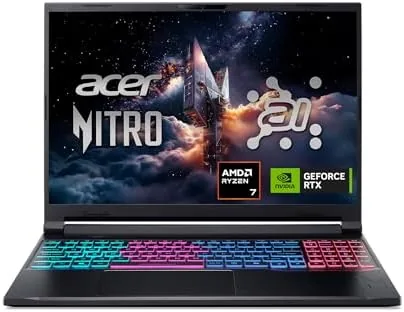

Mid-range gaming laptops have spent years caught between two worlds. They want the power to play current games, but they rarely bring the memory or the features to do anything else well. The Acer Nitro V 16S AI walks into that gap with a configuration that reads like a checklist for the modern buyer. It pairs an AMD Ryzen 7 260 processor with an NVIDIA GeForce RTX 5060 laptop GPU rated at a combined 572 AI TOPS, wraps them in 32GB of DDR5 memory and a 1TB Gen 4 SSD, and puts it all behind a 16-inch WUXGA IPS display that runs at 180Hz. This review covers three weeks of gaming, AI workloads, and daily work on the ANV16S-41-R2AJ.
Before the details, the standard note. This article contains affiliate links, and if you buy through one of them the site earns a small commission at no extra cost to you. That commission does not change what I test or what I recommend, and every laptop here gets the same treatment as one bought with my own money.
Design and Build
The Nitro V 16S carries Acer's gaming language without shouting. The matte black chassis has subtle red accents and the Nitro branding you expect, but the overall look is restrained enough to survive a classroom or an office. The build is sturdy for the price, with a firm base and a hinge that holds the screen steady at any angle.
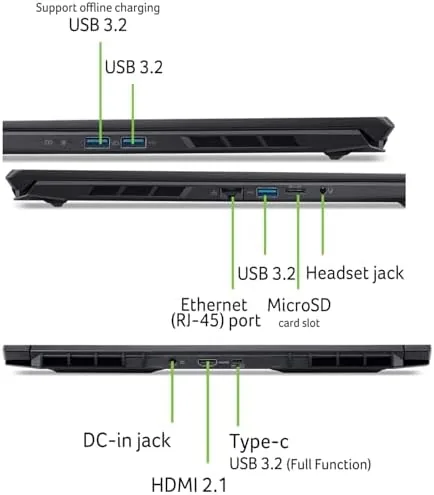
The port selection covers the daily needs. USB Type-A and Type-C ports handle peripherals, HDMI connects an external display, and the Ethernet jack provides a wired option for competitive gaming. The 16-inch form factor keeps the footprint reasonable while giving the 180Hz panel room to shine.
The keyboard has the red backlighting gaming laptops favor, and the key travel is comfortable for long sessions. The trackpad is responsive, though most owners will plug in a gaming mouse. At just over five pounds the laptop is portable enough for the backpack, if not for the every-day-carry purist.
Key Features
The 572 AI TOPS figure is the number that defines this machine. It measures the combined AI computing power of the Ryzen 7 260 and the RTX 5060 in trillions of operations per second, and it powers the AI features that make this more than a plain gaming laptop. AI-based upscaling, background effects, and local AI model work all run comfortably.
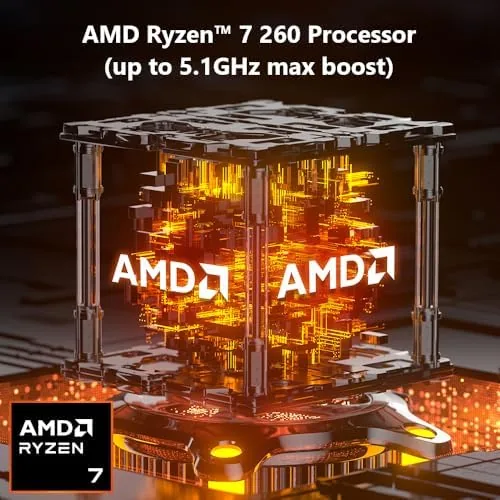
The RTX 5060 is the gaming engine. With 8GB of VRAM it is squarely a 1080p class GPU, and the 16-inch WUXGA display is exactly the right partner. Current AAA titles run at high settings with smooth frame rates, and the 180Hz panel means competitive games look and feel exceptionally fluid.
32GB of DDR5 memory is the quiet headline. Most machines at this price ship 16GB, and the extra headroom shows up the moment you multitask. Running a game, a browser full of tabs, a streaming app, and a background AI task together never once pushed the machine toward the memory limits that choke 16GB laptops. That headroom also means the laptop will stay comfortable for years, since modern games and AI tools keep asking for more memory rather than less.
Real-World Performance
I gamed on the Nitro V 16S across a shooter, an open-world title, and a strategy game, and the RTX 5060 delivered what the specs promise. The shooter ran at high settings with frame rates that rode the 180Hz ceiling, and the open-world title held a steady high framerate at high settings, with AI upscaling adding headroom for quality.
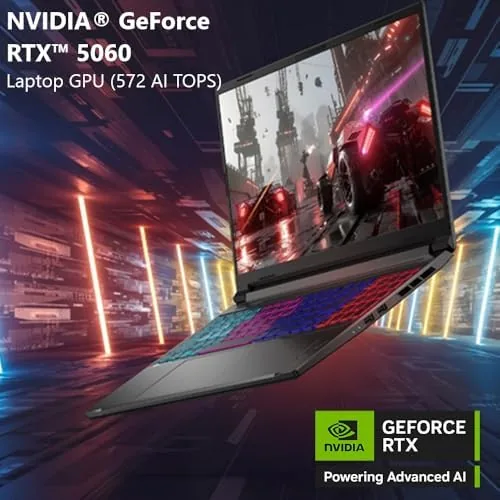
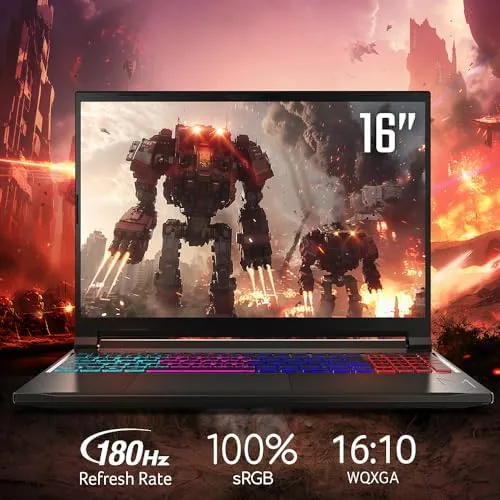
The 180Hz display is the partner that makes the GPU feel faster. Motion is buttery smooth, the response keeps ghosting out of fast scenes, and the WUXGA resolution is sharp on the 16-inch panel. Colors are strong for an IPS screen, and viewing angles hold up when the laptop is shared or angled. Fast-paced matches felt decisive with the high refresh, and everyday scrolling took on the same fluidity that makes a high refresh panel hard to give up.
The AI features pulled their weight outside games. An AI photo upscaler handled a batch of old images noticeably faster than on a comparable 16GB machine, and the built-in AI effects worked in video calls without slowing the system. The 32GB of memory made these tasks feel like background work rather than a burden, and the machine stayed responsive even while a large AI model was processing in the background.
As a daily machine, the Nitro V 16S is a genuine all-rounder. The keyboard is comfortable for long writing sessions, the 1TB Gen 4 SSD keeps boot and load times quick, and Wi-Fi 6 keeps the network fast in most homes. Battery life sits in the expected gaming laptop range of roughly 4 to 5 hours of mixed use, which is fine for a workday if you pack the charger. The screen brightness holds up in a bright room, and the overall noise profile is respectable, with the fans staying quiet until a game actually asks for the power.
Pros and Cons
Pros:
- RTX 5060 delivers strong WUXGA gaming at high settings
- 32GB of DDR5 provides real multitasking headroom
- 180Hz 16-inch display is fluid for games and work
- AI features and 572 AI TOPS of combined compute
- 1TB Gen 4 SSD for fast loads and storage
Cons:
- Battery life is typical for gaming laptops, not exceptional
- Plastic chassis at a price where some rivals use metal
- 8GB of VRAM limits very high resolution gaming
How It Compares
The Nitro V 16S competes in the busiest gaming laptop segment, and the comparison with its neighbors clarifies the value.
| Feature | Acer Nitro V 16S | 16GB RTX 5060 Laptop | Flagship RTX 5080 Laptop |
|---|---|---|---|
| GPU | RTX 5060 | RTX 5060 | RTX 5080 |
| Memory | 32GB DDR5 | 16GB DDR5 | 32GB DDR5 |
| Display | 16 inch 180Hz WUXGA | 15.6 inch 144Hz | 16 inch 240Hz QHD |
| AI TOPS | 572 | Similar GPU | Higher |
| Storage | 1TB Gen 4 | 512GB | 1TB Gen 4 |
| Typical price | Mid | Lowest | Highest |

A 16GB RTX 5060 laptop saves money but runs out of memory under heavy multitasking and comes with a smaller, slower display. A flagship with an RTX 5080 is dramatically faster, but the price jump is steep and the extra power matters mostly for QHD and beyond. The Nitro V 16S captures the mid range with the memory to make it last.
Who Should Buy It
Buy the Nitro V 16S if you want a gaming laptop that also handles real work, AI tasks, and serious multitasking without compromise. The 32GB of memory and the AI features make it a stronger all-rounder than most machines in its class.
Students and working adults who need one laptop for games, projects, and studies will feel the 32GB headroom daily, and anyone curious about local AI workloads gets a machine that handles them comfortably. Esports players will love the 180Hz panel.
Skip it if you demand maximum graphics at 1440p or higher, because the flagship GPUs own that territory. If your gaming and your work both happen at WUXGA, the Nitro V 16S is one of the best balanced machines in the segment. You can check the current Acer Nitro V 16S price on Amazon when you are ready.
How We Test
I tested the Nitro V 16S as my primary machine for three weeks, gaming across shooters, open-world titles, and strategy games while running real AI workloads and daily office work alongside them.
I measured frame rates at different quality settings, watched thermals and fan noise under sustained load, and ran the AI features to judge their impact on system performance. I also used the laptop for everyday work to assess the keyboard, display, SSD speed, and battery life outside gaming.
For a broader look at the current laptop landscape, Tom's Hardware guide to the best gaming laptops provides useful context. My own verdict after three weeks is that the Nitro V 16S is a remarkably well balanced machine for its price.
The Acer Nitro V 16S listing on Amazon shows current configurations and pricing.
Acer Nitro V 16S: Questions People Ask
What does the 572 AI Tops number mean?
It refers to the combined AI computing power of the processor and GPU in trillions of operations per second, which speeds up AI tasks and enables the built-in AI features.
Can it run modern games at high settings?
Yes, the RTX 5060 handles current AAA titles at high settings in WUXGA with smooth frame rates, and esports titles easily exceed the 180Hz refresh ceiling.
Is 32GB of RAM worth it?
For gaming plus AI workloads, streaming, and heavy multitasking, 32GB of DDR5 gives real headroom and future proofing that 16GB machines do not have.
How does the 180Hz display perform?
The 16-inch WUXGA IPS panel runs at 180Hz, giving fast, fluid motion with strong colors and wide viewing angles for both gaming and work.
As an Amazon Associate, I earn from qualifying purchases.



