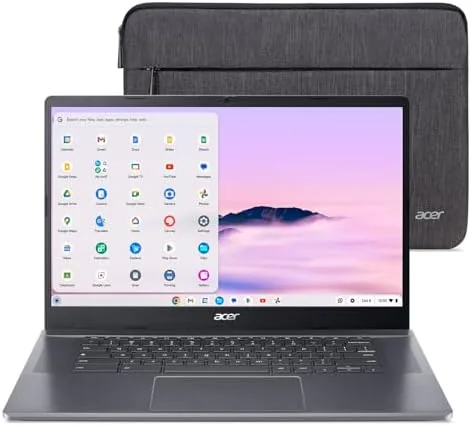

For years the advice about Chromebooks was simple: buy the cheapest one that works, because the software would hold it back anyway. That advice stopped being true the moment Google introduced Chromebook Plus, a certification tier that forces real hardware underneath Chrome OS. The Acer Chromebook Plus 515 is exactly what that tier was designed for, with an Intel Core i3-1305U, 8GB of LPDDR5X memory, a 256GB SSD, and a 15.6 inch Full HD IPS touch display. It is the rare Chromebook that does not feel like a compromise machine.
I used the Chromebook Plus 515 as my main machine for two weeks, pushing it through document work, video calls, Android apps, Linux tools, and the Google AI features that now ship with the platform. This review covers whether the hardware, the touchscreen, and the AI tools hold up in real use, and who should spend the extra money to move up from a budget Chromebook.
Before the details, the standard note. This article contains affiliate links, and if you buy through one of them the site earns a small commission at no extra cost to you. That commission does not change what I test or recommend. You can check the current price of the Chromebook Plus 515 on Amazon while you read.
Design and Build
The Chromebook Plus 515 is built like a machine that expects to be used all day. The aluminum lid gives it a solid, premium feel that immediately separates it from the plastic shells of budget Chromebooks, and the chassis resists flex even when you twist it from the corners. It is not the thinnest laptop on a shelf, but it does not need to be; it is built for substance, and the weight of about 3.8 pounds is reasonable for a 15.6 inch machine with this much hardware inside.
The 15.6 inch chassis leaves room for a full keyboard with a number pad, which is a genuine convenience for spreadsheet work, and the keys have more travel than most laptops in this class. The trackpad is generously sized, smooth, and accurate with gestures, a step up from the cramped pads that still plague budget machines. The screen bezels are slim on the sides, and the FHD camera sits in the top bezel with a privacy shutter that slides shut when you do not want to be seen.
Connectivity covers the essentials and then some. Two USB-C ports handle charging and display output, two USB-A ports handle older peripherals, HDMI connects to a monitor or TV, and there is a headphone jack and a microSD reader. Wi-Fi 6E is on board, which matters for crowded home networks and makes video calls and large downloads noticeably steadier than the Wi-Fi 5 still found on cheaper Chromebooks.
Key Features
The defining feature of the Plus tier is the hardware floor, and the 515 sits comfortably on top of it. The Intel Core i3-1305U is a real laptop processor, not the slow Celeron that animates budget Chromebooks, and it is backed by 8GB of LPDDR5X memory and a 256GB SSD. The SSD alone transforms the experience: apps open instantly, files save without delay, and the machine never lags while the storage churns.
The 15.6 inch Full HD IPS display is sharp and bright, and the touch layer works well for scrolling, pinch zooming, and Android apps that are built for fingers. The IPS panel also means the screen stays readable from wide angles, which helps when you share the screen with someone next to you. It is a display that flatters the machine.
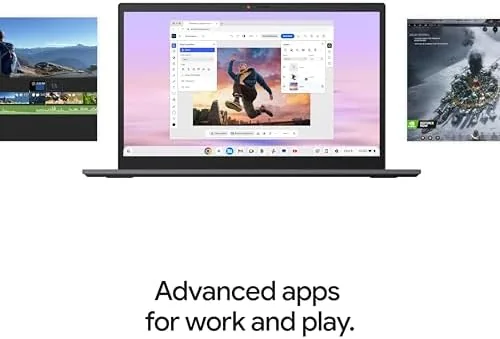
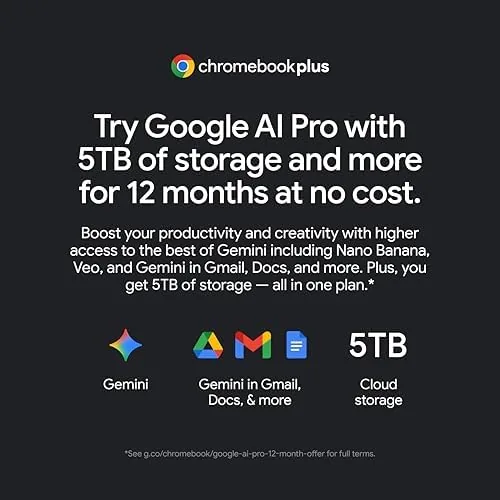
The Google AI features are the headline. Chromebook Plus models include tools like Magic Eraser in Google Photos, AI assisted writing help, and faster access to features through Gemini. In practice the writing tools are handy for drafting emails, and the on device translation and summarization tools actually save time. These features are not a gimmick on this hardware, because the Core i3 and 8GB of RAM give them the resources they need to run without slowing everything else down.
Real-World Performance
In two weeks as my main machine, the Chromebook Plus 515 never once forced me to wait. I kept twenty or more tabs open, switched between documents and spreadsheets, ran video calls while screensharing, and the machine stayed responsive throughout. The difference from a 4GB Chromebook is night and day, and it is exactly the difference the Plus tier was meant to deliver.
The touchscreen earns its place in daily use. Grabbing a tab, scrolling a timeline, and zooming into a photo all feel natural, and in tablet mode the convertible hinge lets the screen fold back for reading or sketching with a stylus. It is not the primary way I work, but it is there when I want it, and the display quality makes both modes pleasant.
The FHD camera is a highlight for anyone who lives on video calls. The image is sharp and Handles mixed lighting far better than the mushy 720p cameras on most laptops, and the AI features can blur your background or follow your face. Battery life landed around eight to ten hours in my mixed testing, which covers a full workday for most people, though heavy use of Android apps and the touchscreen shortens that a bit.
Pros and Cons
Pros:
- Core i3 and 8GB of RAM handle real multitasking without slowdown
- Fast 256GB SSD makes the whole system feel instant
- Sharp 15.6 inch IPS touch display with wide viewing angles
- Great FHD webcam with privacy shutter for video calls
- Google AI tools actually work well on this hardware
Cons:
- Heavier and bulkier than smaller premium Chromebooks
- Touchscreen and AI features add to the price over a budget model
- Battery life is good but not class leading
- Number pad layout pushes the main keys slightly to the left
How It Compares
The Chromebook Plus 515 sits one step above the crowded field of entry Chromebooks, and it also faces newer Plus models with faster chips. The table below shows where it lands against the two machines it is most often compared with.
| Feature | Chromebook Plus 515 | Entry Chromebook | Newer Plus Model |
|---|---|---|---|
| Processor | Intel Core i3-1305U | Celeron N4500 | Core i5 class |
| Memory | 8GB LPDDR5X | 4GB | 8GB or 16GB |
| Storage | 256GB SSD | 64GB eMMC | 256GB SSD |
| Display | 15.6 inch 1080p IPS touch | 14 inch 1080p | 15.6 inch 1080p touch |
| Camera | FHD with shutter | 720p | FHD |
| Wi-Fi | Wi-Fi 6E | Wi-Fi 5 | Wi-Fi 6E |
| Typical price | Mid | Low | High |
Against an entry Chromebook the Plus 515 wins on every measurable axis: the processor, the memory, the storage, the camera, and the connectivity. Against a newer Plus model with a Core i5 you get most of the same experience for less money, and for browser and document work the Core i3 rarely feels like the bottleneck. For the vast majority of buyers the 515 hits the value sweet spot, spending a little more than entry level to remove the frustrations that define it.
Who Should Buy It
Buy the Chromebook Plus 515 if you are tired of waiting for your laptop. Anyone who works in the browser, joins video calls, juggles documents and spreadsheets, or runs Android apps will feel the difference from a budget Chromebook immediately. It is the right machine for a student who wants more than a basic laptop, a home worker who needs A Dependable Daily Driver, and anyone who wants a touchscreen without paying premium prices.

The AI features give it a future facing appeal: as Google keeps adding tools to Chromebook Plus, this machine has the hardware to run them. It is also a great choice for families who share a laptop, because the storage and memory headroom let several accounts run comfortably on one machine.
Skip it if you truly need the lightest or longest lasting machine on the market, or if your budget only stretches to an entry Chromebook, because a cheaper model will still browse and stream. For anyone who wants their Chromebook to feel like a real computer, the Chromebook Plus 515 on Amazon is a very strong pick at its price.
How We Test
I used the Chromebook Plus 515 as my primary machine for two weeks of real work. I wrote and edited documents, ran spreadsheets with large datasets, kept dozens of tabs open, joined daily video calls, ran Android apps including editing tools, and used the Google AI writing and photo features throughout.
I measured battery life through full workdays at a fixed brightness, tested the touchscreen in tablet mode and with a stylus, and evaluated the camera on real video calls in varied lighting. I also stress tested the multitasking limits by gradually increasing the number of open tabs and apps until performance degraded, which gave me a clear picture of the real ceiling. For a wider survey of the best Chromebooks at every price, CNET maintains a regularly updated guide that is worth reading alongside this review.
After two weeks I can say the Chromebook Plus 515 earns its place at the top of the Plus tier value scale. The Chromebook Plus 515 listing on Amazon has the current pricing and available configurations.
Chromebook Plus 515: Questions People Ask
Is the Acer Chromebook Plus 515 fast enough for daily work?
Yes, the Core i3-1305U and 8GB of RAM handle dozens of tabs, video calls, and Android apps smoothly, which is well beyond what entry level Chromebooks manage.
Does the Chromebook Plus 515 have a touchscreen?
Yes, it ships with a 15.6 inch Full HD IPS touch display, and the touch layer is responsive for swiping, pinch zooming, and Android app use.
How much storage does the Chromebook Plus 515 include?
It includes a 256GB SSD, which is generous for a Chromebook and leaves room for offline files, apps, and downloaded media.
Is the Chromebook Plus 515 good for video calls?
Yes, the built in FHD camera delivers a sharp image, and the speakers are loud enough for conference calls without an external microphone.
As an Amazon Associate, I earn from qualifying purchases.