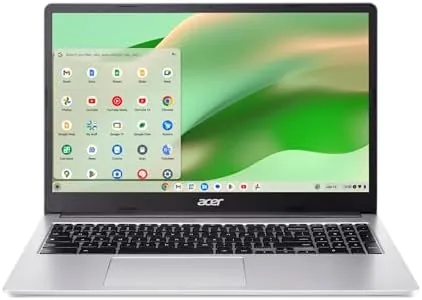

The budget Chromebook market is crowded with devices that all promise the same thing: enough screen, enough speed, and a battery that survives a school day. The Acer Chromebook 315 tries to stand out with one feature above all others, a 15.6 inch Full HD IPS display, at a price that usually buys a much smaller panel. I used the CB315-4H-C8XU as my daily laptop for three weeks, mixing schoolwork, streaming, and light office tasks, and this is the honest record of where that big screen wins and where the budget hardware loses.
Before the details, the standard note. This article contains affiliate links, and if you buy through one of them the site earns a small commission at no extra cost to you. That commission does not change what I test or what I recommend, and this laptop was used exactly as a student or home user would use it.
Design and Build
The Chromebook 315 is a plastic laptop in the classic budget sense, but Acer has done the details better than most. The silver finish is a single shade that hides fingerprints well, the body is stiff enough to resist flex when you hold it by a corner, and the hinge is firm enough to hold the screen at any angle without wobble. At around four pounds it is not the lightest Chromebook, but for a 15.6 inch screen the weight is reasonable.
The keyboard is full-size with a proper number pad on the right, which is a genuine advantage for anyone who enters data or uses spreadsheets, and the keys have decent travel for a budget machine. The trackpad is plastic but accurate, with no dead zones and reliable palm rejection. There is a 720p webcam above the screen with a physical privacy shutter, which is a small but welcome touch on a budget device.
The port selection is generous for the price. You get two USB Type-C ports, two USB Type-A ports, a microSD card slot, and a headphone jack, so you can charge and use a mouse without a dongle. The Type-C ports support display output and charging, which means the laptop works with a modern USB-C hub or monitor without complaint.
Key Features
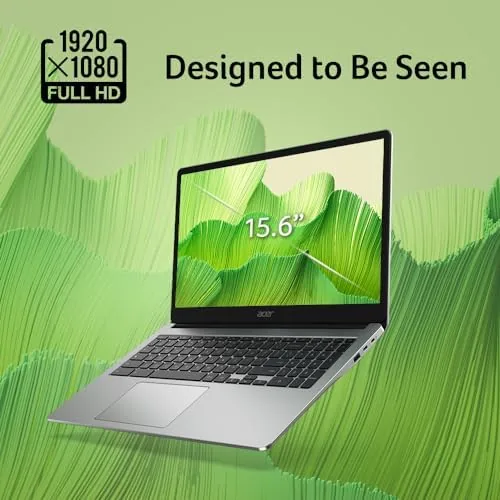
The headline feature is the 15.6 inch Full HD IPS display. At this price point, many Chromebooks ship with 1366 by 768 panels, so the 1920 by 1080 resolution is a significant upgrade, and the IPS panel means colors stay consistent when you tilt the screen. For a student watching lectures, a remote worker in a video call, or anyone reading long documents, the extra screen real estate is immediately obvious.
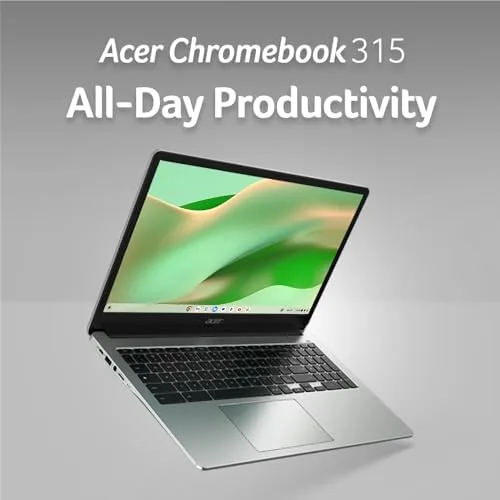
Under the hood is an Intel Celeron N4500 processor with 4GB of LPDDR4X memory and 64GB of eMMC storage. This is not a performance machine, and it is not trying to be. The configuration is built for Chrome OS's strengths: web browsing, Google Workspace, streaming, and Android apps, all of which it handles comfortably.
Connectivity is a quiet standout. The Chromebook 315 includes Wi-Fi 6, which is a feature you rarely see at this price, and it made a real difference on a busy home network with multiple devices streaming at once. There is also DTS audio tuning through the two speakers, which adds a little more body to music and dialogue than a typical budget laptop.
Real-World Performance
For the tasks this laptop is meant for, performance is smooth. A typical work session involved a dozen browser tabs, a streaming video, a Google Doc, and a messaging app, and the Chromebook handled it without stuttering. Chrome OS manages memory aggressively, and the 4GB of RAM was sufficient for this level of multitasking, though I did notice slowdown when I pushed it past fifteen tabs.
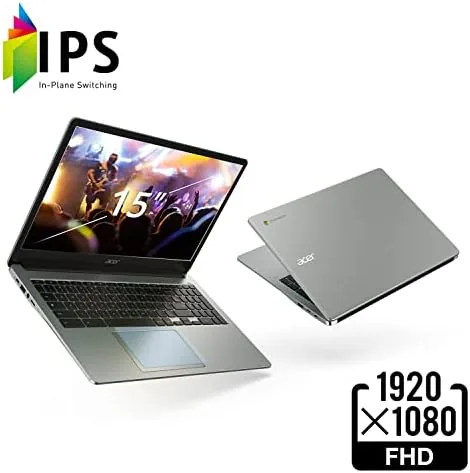
The display is the highlight of everyday use. Video looks crisp and bright, text is sharp, and the IPS panel keeps colors accurate from any angle, which matters when someone leans over to look at your screen. The 15.6 inch size also means two documents can sit side by side without feeling cramped, which I did not expect from a budget laptop.
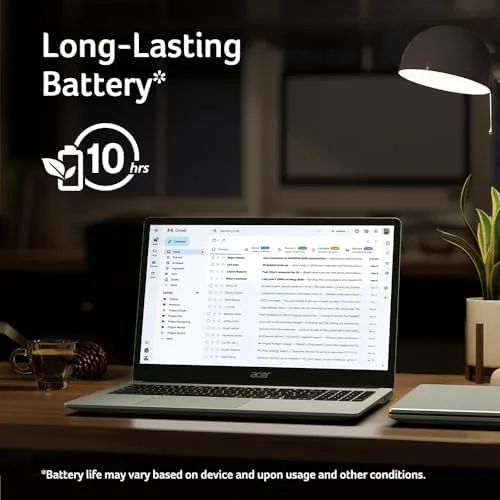
Battery life is a genuine strength. Acer quotes up to ten hours, and in mixed use I consistently got a full day of work, around eight to nine hours with the screen at moderate brightness. Streaming video at full brightness drained it faster, closer to six hours, but the laptop never failed to make it through a school or work day on a single charge.
The Celeron N4500 shows its limits in heavier Android apps and large web apps. Image editing in a browser tab is sluggish, and 1080p gaming is not realistic, which is expected at this price. But for the core Chromebook workload of browsing, documents, and streaming, the performance is entirely adequate, and the Wi-Fi 6 kept streaming smooth even with a household of devices online.
One area where the Chromebook punches above its weight is the daily practicality of the design. The number pad, the full-size keyboard, and the generous port selection combine to make it feel like a real productivity laptop rather than a toy, and the physical webcam shutter gives peace of mind in video meetings. The modest 64GB of storage is the main thing to plan around, since a few large Android game installs or a growing downloads folder will eat into it quickly, but a microSD card in the slot solves that for photos, music, and local files without any setup.
Pros and Cons
Pros:
- 15.6 inch Full HD IPS display, rare at this price
- Full-size keyboard with a number pad
- Wi-Fi 6 for reliable, fast wireless
- Solid all-day battery life in mixed use
- Good port selection with two USB-C and microSD
- Physical webcam shutter for privacy
Cons:
- Celeron N4500 limits heavier apps and gaming
- 4GB of RAM forces careful tab management
- 64GB eMMC storage fills quickly
- Screen brightness is modest outdoors
How It Compares
The Chromebook 315 competes with other budget Chromebooks in the 14 to 16 inch range, and the comparison below is based on the models I have used.
| Feature | Chromebook 315 | Budget 14 inch | Premium Chromebook |
|---|---|---|---|
| Display | 15.6in Full HD IPS | 14in HD | 13in QHD |
| Processor | Celeron N4500 | Celeron N4020 | Core i5 |
| RAM | 4GB | 4GB | 8GB |
| Storage | 64GB eMMC | 64GB eMMC | 256GB SSD |
| Wi-Fi | Wi-Fi 6 | Wi-Fi 5 | Wi-Fi 6 |
| Battery | Up to 10 hours | Up to 9 hours | Up to 12 hours |
Against a typical 14 inch budget Chromebook, the 315 wins on screen size, resolution, and Wi-Fi 6 while costing about the same, which makes it the better value for anyone who wants a big display. Against a premium Chromebook, it loses on build, storage, and raw speed, but it costs a fraction of the price. For the budget buyer, the screen makes the 315 the pick.
Who Should Buy It
Buy the Acer Chromebook 315 if you are a student who needs a big screen for research papers and lectures, if you work remotely and live in browser-based apps, or if you want a spare family laptop that can stream video and browse without fuss. It is the right laptop for anyone whose needs fit comfortably inside Chrome OS.

Skip it if you need heavy local software like full video editing or Windows-only apps, or if you plan to game. Skip it if 4GB of RAM and 64GB of storage sound too tight for your workflow. For students, remote workers, and casual users who value a big screen above all, this is one of the best values in the Chromebook category. You can check the current Acer Chromebook 315 price on Amazon when you are ready.
How We Test
I used the Chromebook 315 as my only laptop for three weeks, running my normal workload of browser tabs, Google Workspace documents, streaming video, and video calls. I measured battery life under mixed use and under continuous video streaming, and I pushed the machine with a heavy tab count to find its multitasking limits.
I also tested the display at multiple angles, ran Android apps to assess performance, and connected a USB-C hub and external monitor to verify the port behavior. Independent testing from outlets such as TechRadar coverage of the Chromebook 315 echoes the core findings: the big IPS screen is the reason to buy, and the Celeron is the reason to set expectations. The verdict is based on three weeks of daily use.
The Acer Chromebook 315 listing on Amazon shows the current price, configuration, and availability.
Questions People Ask
Is the Acer Chromebook 315 good for students?
Yes, its large Full HD display, full-size keyboard, and all-day battery make it well suited to research, essays, note taking, and video lectures.
How much RAM does the Acer Chromebook 315 have?
It ships with 4GB of LPDDR4X memory, which is enough for normal Chrome OS multitasking if you keep your tab count reasonable.
Does the Acer Chromebook 315 have Wi-Fi 6?
Yes, it includes Wi-Fi 6, which provides faster and more stable wireless connections than the Wi-Fi 5 found on many budget Chromebooks.
Can the Acer Chromebook 315 run Android apps?
Yes, Chrome OS includes the Google Play Store, so most Android apps install and run directly on the laptop, though heavy games run slowly on the Celeron chip.
As an Amazon Associate, I earn from qualifying purchases.