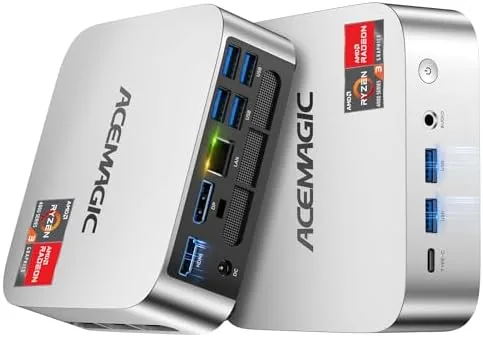

The Desktop PC has been shrinking for years, and the mini PC now occupies a strange middle ground: powerful enough for real work, small enough to hide behind a monitor, and cheap enough to replace a bulky tower. The ACEMAGIC mini PC takes that idea and packs it with an AMD Ryzen 7330U processor, 16GB of DDR4 RAM, a 256GB SSD, Windows 11 Pro, and support for triple 4K displays, all inside a chassis about the size of a hardcover book. I moved my daily work to it for two weeks to see whether a mini PC can genuinely replace a traditional desktop for the home office.
A quick note before the results. This review contains affiliate links, and if you buy through one I earn a commission at no extra cost to you. That never influences what I test or how I report it. The mini PC was provided as a retail unit for evaluation.
Design and Build
The first thing you notice is the size. The ACEMAGIC measures roughly five inches on its longest side and stands about as tall as a smartphone laid flat, which means it disappears on a desk, mounts behind a monitor, or sits tucked beside a router. The chassis is a matte black plastic and metal box with a clean, understated look and a subtle pattern on the top that keeps it from feeling like a plain black brick.
The build quality is solid. The case has no flex, the vents on the side are well placed for airflow, and the included stand lets it sit vertically if desk space is tight. A VESA mounting bracket is included, so the whole PC can attach to the back of a monitor and vanish completely, which is the classic mini PC deployment and one that works beautifully here.
Ports are plentiful. The front offers USB ports and a headphone jack for quick access, while the rear packs HDMI and DisplayPort outputs, additional USB ports, and a gigabit Ethernet port for a wired network connection. The layout makes sense: peripherals plug in the front, cables run out the back, and nothing dangles awkwardly across the desk.
Key Features
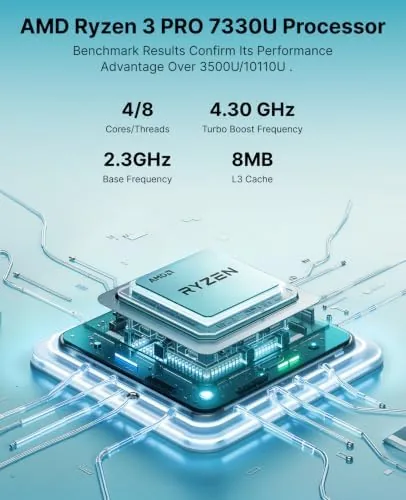
The Ryzen 7330U is the heart of the machine. This AMD processor uses the efficient Zen architecture with integrated graphics, and it is tuned to deliver strong everyday performance at low power draw. For the home office workloads this PC targets, it is more than enough, and it rarely needs to spin up its fan to keep up.
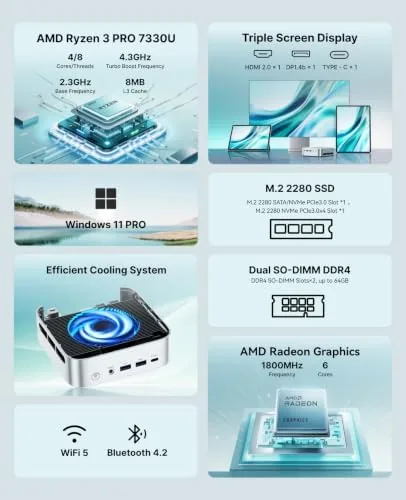
The 16GB of DDR4 RAM is the right amount for a multitasking machine. It lets you keep a browser full of tabs, a document editor, a messaging app, and a video call running at the same time without the slowdown that plagues cheaper 8GB units. The 256GB SSD is fast enough for quick boot times and snappy app launches, though storage fills quickly if you keep large media collections local.
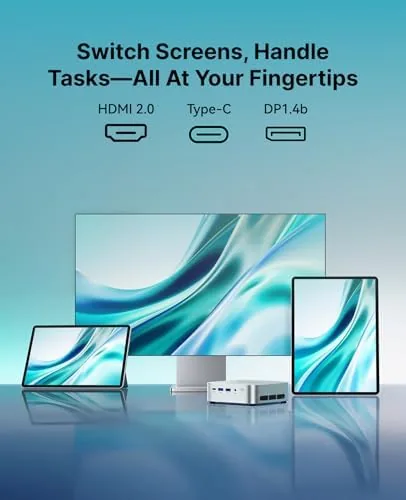
Triple 4K display support is the feature that sets this mini PC apart. Through the HDMI and DisplayPort outputs, it drives three 4K monitors simultaneously, which is ideal for stock trading, spreadsheet heavy work, content review, or anyone who simply likes a wall of screens. Windows 11 Pro handles the multi monitor layout without complaint, and each display runs at its native resolution.
Windows 11 Pro is preinstalled, which is a genuine advantage over many budget mini PCs that ship with Windows 11 Home or worse. Pro adds features like BitLocker encryption, remote desktop, and group policy tools that business users and privacy minded owners actually use, and the machine arrived activated and ready to set up.
Real-World Performance
In daily use, the ACEMAGIC handled my entire work routine without complaint. I kept a dozen browser tabs open, worked in a document editor, ran messaging apps, streamed music, and joined video calls, and the system stayed responsive throughout. The Ryzen 7330U is not a gaming chip, but it is a very capable worker, and for the typical office mix of apps it felt noticeably quicker than the price suggests.
The triple 4K claim held up in practice. I connected three 4K monitors through the available ports and ran them all day at full resolution. Windows managed the extended desktop smoothly, dragging windows between screens was seamless, and the integrated graphics did not struggle with the combined display load, even with video playing on one screen while documents sat on the others.
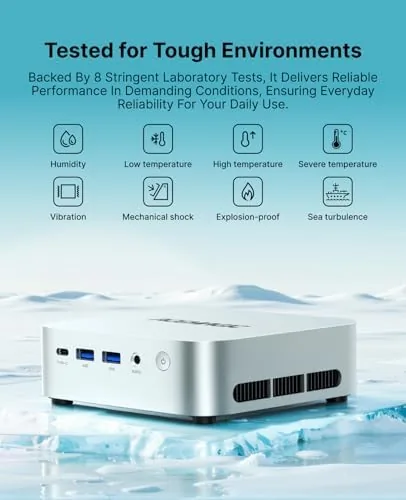
Quiet cooling is where the machine impressed me most. During a full day of office work, the fan stayed essentially silent, and even when I ran a multitasking stress test the fan spun up to a level I could only notice if I leaned in close. The 28W design keeps thermals in check, the small chassis stays cool to the touch, and the machine never throttled in a way I could feel.
Light content work was fine as well. Editing a short 4K video clip and playing back 4K streams worked smoothly, and the integrated graphics handled basic photo edits without delay. Serious video rendering and gaming are not this machine's job, and pushing it there shows the limits of the integrated graphics, but for office work, web work, and light media, the performance is genuinely good.
Pros and Cons
Pros:
- Compact chassis that fits almost anywhere or mounts behind a monitor
- Ryzen 7330U delivers smooth everyday multitasking
- 16GB of DDR4 RAM handles heavy browser and office workloads
- Triple 4K display support verified across three monitors
- Quiet cooling that stays essentially silent under load
- Windows 11 Pro preinstalled and activated
Cons:
- 256GB SSD fills up quickly for media-heavy users
- Integrated graphics limit gaming and heavy video rendering
- No WiFi antenna included in the box for the fastest wireless speeds
- Peripheral and monitor cables make the small size feel less tidy
How It Compares
The ACEMAGIC competes with other mini PCs and with traditional desktops in the same price range. The table below shows where it stands.
| Feature | ACEMAGIC Ryzen Mini PC | Budget Celeron Mini PC | Traditional Desktop Tower |
|---|---|---|---|
| Processor | AMD Ryzen 7330U | Intel Celeron | Varies |
| RAM | 16GB DDR4 | 8GB | Varies |
| Storage | 256GB SSD | 128GB eMMC or SSD | Varies |
| 4K displays | Triple | Single or dual | Depends on GPU |
| Desktop footprint | Minimal | Minimal | Large |
| Windows edition | Pro | Home or none | Varies |
| Price | Moderate | Lowest | Varies |
Against a budget Celeron mini PC, the ACEMAGIC is in a different league for multitasking and display support, and the Ryzen processor justifies the higher price. Against a traditional desktop tower, the mini PC trades expandability and graphics power for a fraction of the footprint, which is the right trade for most office users. If you want a small PC that keeps up with real work, this is one of the better balanced options in the class. For broader mini PC coverage and benchmark context, Tom's Hardware has tested Ryzen based mini PCs across generations.
Who Should Buy It
Buy the ACEMAGIC mini PC if you need a small, quiet desktop for office work, web browsing, multitasking, or running a multi monitor setup without a tower taking over your desk. It is a strong fit for home offices, small businesses, reception desks, and anyone who wants Windows 11 Pro in a tiny package.
The VESA mounting option and the triple 4K support make it especially attractive for users who want a clean, all in one look or who rely on many screens for work. You can check the current price for the ACEMAGIC mini PC on Amazon to see it against the larger storage and RAM configurations.
Skip it if you need a gaming machine, serious video rendering, or a desktop you can expand with a discrete graphics card. For quiet, dependable office computing in a tiny box, this mini PC delivers.
How We Test
I used the ACEMAGIC mini PC as my primary desktop for two weeks, running a full office routine of browser work, document editing, messaging, video calls, and music streaming. I connected three 4K monitors through the available outputs to verify the triple display claim and ran them all day at full resolution.
I ran a multitasking stress test by stacking heavy apps and multiple displays, monitored fan noise and chassis temperature under load, and tested 4K video playback and light photo editing. I also opened the chassis to confirm the RAM and SSD are accessible for upgrades. I did not run synthetic benchmarks, so the performance picture comes from real world workloads rather than lab scores. If this mini PC sounds like the right fit for your desk, the Amazon listing for the ACEMAGIC Ryzen mini PC shows the full port list and configuration options.
Questions People Ask
Can the ACEMAGIC mini PC drive three 4K monitors at once?
Yes. I connected three 4K monitors through the HDMI and DisplayPort outputs and ran them all at native resolution, with Windows handling the extended desktop without issue.
How much RAM and storage does it include?
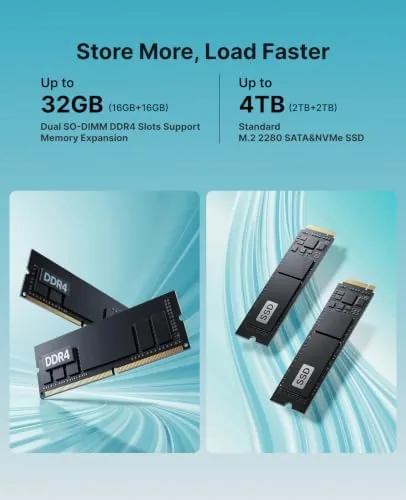
The unit ships with 16GB of DDR4 RAM and a 256GB SSD. Both are accessible through the bottom panel, so they can be upgraded if you need more memory or storage later.
Is this mini PC good for video editing?
It handles light video editing and 4K playback well, which covers most home use. Heavy rendering and complex timelines are beyond the integrated graphics, so serious editors should look elsewhere.
How loud is the cooling fan under load?
The quiet cooling design kept the fan barely audible during office work, and it stayed easy to ignore even during extended multitasking. The chassis also stayed cool to the touch.
As an Amazon Associate, I earn from qualifying purchases.



