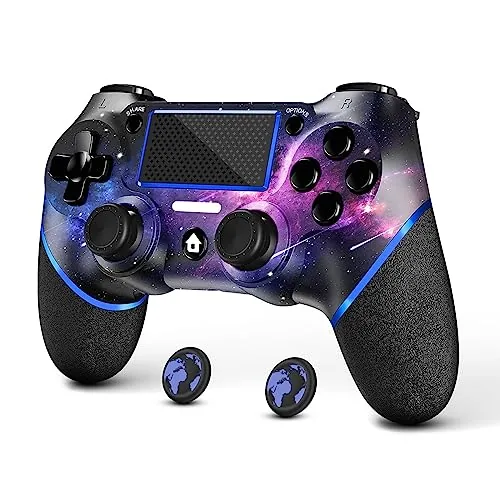
 AceGamer PS4 Controller with its galaxy design held in front of a TV" width="1200" height="800" loading="lazy" style="height:auto">
A second controller is the accessory every PlayStation 4 owner eventually buys, and the official one is rarely the smartest choice for the money. The AceGamer Wireless Controller for PS4 takes a familiar blueprint, adds a custom galaxy finish and non-slip grips on both sides, and undercuts the Sony pad by a wide margin. The question is whether a budget gamepad can match the feel of the original when the score is on the line, so I spent two weeks playing across several genres to find out.
This review covers the design, the key features, the real-world performance in actual games, and the honest trade-offs of going with a third party controller.
This article contains affiliate links. If you buy through one, the site earns a small commission at no extra cost to you, and it does not change what I test or what I write.
Design and Build
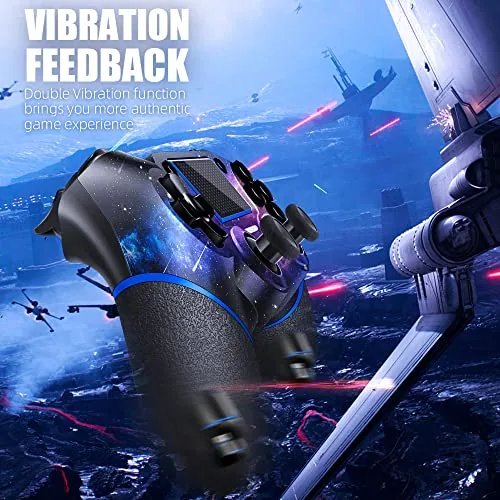
The AceGamer controller follows the classic dual stick layout, but the Galaxy finish sets it apart. The shell is a deep space pattern with blues, purples, and a star field that catches the light as it moves, and the face buttons and triggers are finished to match. It is a look that turns a utilitarian accessory into something you actually want to pick up, and the paint held up well through two weeks of sessions.
Build quality is good for the price. The plastic is smooth but not cheap feeling, the sticks are textured, and the grips carry a rubberized non-slip texture on both sides that makes a real difference during long sessions. The triggers have a slight matte finish that resists fingerprints, and the controller is a touch lighter than the official DualShock 4, which some players will prefer over an evening of gaming.
Key Features
The custom design is the obvious feature, but the practical ones matter more. The non-slip grip on both sides keeps the controller planted in your palms, which matters in racing games where you hold the triggers for an entire lap. The 3.5 mm audio jack on the bottom passes both game audio and voice chat to a wired headset, so you can talk to teammates without a separate adapter.
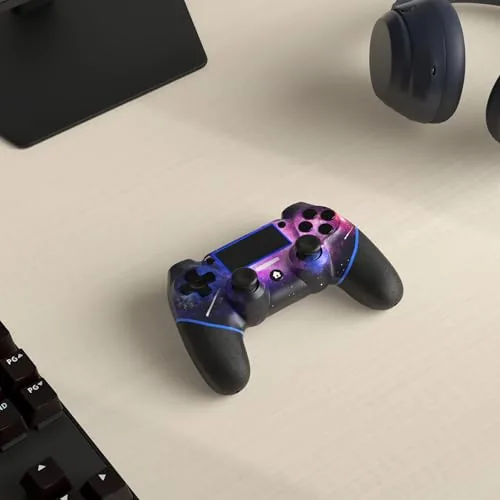
The controller is wireless through the same Bluetooth connection the PS4 uses, and it includes a set of thumb caps in the box so you can add height or grip to the sticks. Dual vibration motors provide feedback in supported games, and the motion sensors let you tilt the pad for steering or puzzle mechanics. A share button, a touchpad, and the full array of buttons mirror the official layout, so there is nothing missing when a game expects a specific input.
Battery life is respectable for the class. The built-in rechargeable battery delivered roughly eight to ten hours per charge in my testing, and it refills through the included USB cable, which also works as a wired play cable when the charge runs low.
Real-World Performance
I tested the AceGamer controller across a racing game, a first person shooter, and a platformer to cover the full range of inputs. In the racer, the trigger travel felt smooth and the vibration gave a convincing rumble over curbs, while the non-slip grips meant my hands did not slide during the long held trigger sections. The thumb caps stayed on the sticks through heavy use, which is the quiet detail that cheap Controllers usually get wrong.
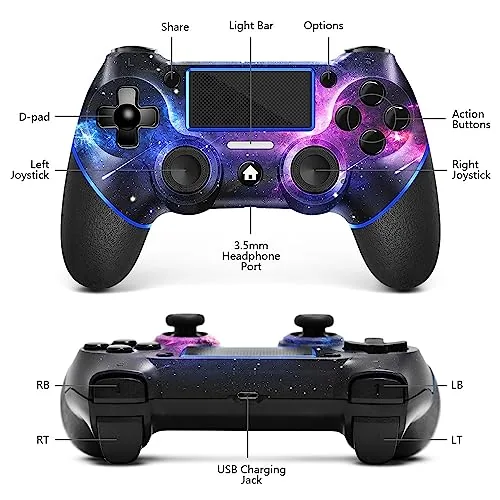
In the shooter, the sticks had a good balance of tension, with no dead zone issues at the center, and quick flicks registered reliably. The buttons felt responsive with a clean click, and the D-pad handled weapon switching without misfires. Wireless connection stayed solid for the whole session, with no dropped inputs or reconnects, which is the failure mode that plagues cheap third party pads and simply did not appear here.
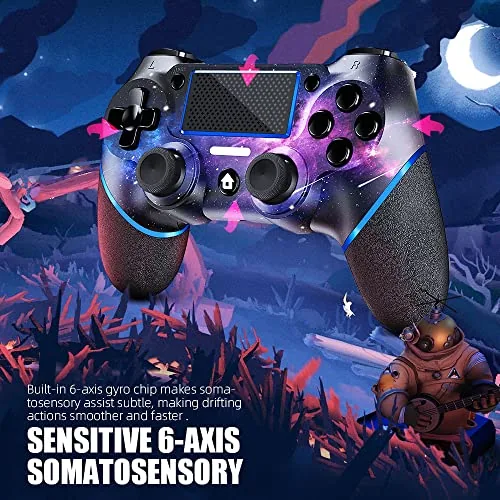
The platformer tested the motion controls, and the six axis tilt worked correctly for the sequences that required it. The audio jack passed headset chat clearly when I checked it with a wired headset, and the vibration in supported games felt balanced rather than buzzy. The honest caveats are that the touchpad is a bit less precise than the official one, and the controller is rated for the PS4 rather than native PS5 titles, so it is a second pad for couch co-op rather than a replacement for the DualSense.
One session I also used the controller as the second pad in a couch co-op game, which is the scenario most people buy a spare controller for. Two controllers connected to the console at once with no pairing issues, and the vibration on the AceGamer stayed distinct from the official pad during a boss fight. The share button captured clips the same way the stock pad does, and the touchpad gestures in the menu system worked well enough that I did not miss the official hardware during the whole evening. I also left the controller connected in wireless mode overnight, and it reconnected cleanly the next day without re-pairing, which is the small reliability detail that separates a controller you keep from one you send back. For a pad that costs a fraction of the Sony original, that is the outcome that matters most.
Pros and Cons
Pros:
- Striking galaxy finish that is genuinely unique
- Non-slip grips on both sides for long sessions
- 3.5 mm audio jack for game audio and chat
- Responsive sticks and buttons with reliable wireless
- Dual vibration and motion control support
- Thumb caps included, plus USB charging
Cons:
- Touchpad is less precise than the official pad
- No native PS5 game support
- Battery life is average at eight to ten hours
- Custom paint may scratch over years of use
How It Compares
The AceGamer controller competes directly with the official DualShock 4 and with cheap wired alternatives. The table below lines up the three options that most PS4 owners consider.
| Feature | AceGamer Wireless | DualShock 4 | Cheap Wired Pad |
|---|---|---|---|
| Connection | Wireless Bluetooth | Wireless Bluetooth | USB cable only |
| Design | Custom galaxy finish | Solid colors | Basic |
| Grips | Non-slip both sides | Standard texture | Varies |
| Audio jack | 3.5 mm with chat | 3.5 mm with chat | Usually none |
| Vibration | Dual motor | Dual motor | Often none |
| Motion control | Yes | Yes | No |
| Typical price | Low | High | Lowest |
Against the DualShock 4, the AceGamer saves a meaningful amount of money while matching the core features most players use, at the cost of a less precise touchpad and a lower brand name. Against a cheap wired pad it is the clear winner, because the wireless freedom and the full feature set are worth the extra money. If you want to see the current price, you can check the AceGamer PS4 controller on Amazon.
Who Should Buy It
Buy the AceGamer Wireless Controller if you want a second PS4 pad for couch co-op, a backup controller that will not break the budget, or a custom looking controller that stands out on a shelf. It is also a sensible gift for a PS4 owner who already has the official pad and wants a wireless option for a friend to use.
Skip it if you mainly game on a PS5 and need a controller for native PS5 games, or if you depend on the touchpad for the games you play. For everyone else, the AceGamer wireless controller on Amazon delivers the essentials at a fraction of the official price.
How We Test
I used the AceGamer controller for two weeks across a racing game, a first person shooter, and a platformer on a PS4, testing the sticks, triggers, buttons, D-pad, vibration, and motion controls in actual gameplay rather than in a menu.
I measured battery life over multiple sessions, checked the 3.5 mm audio jack with a wired Headset For game audio and chat, and deliberately used the touchpad and tilt controls to catch any weak points. For a broader view of controller options, the gaming hardware coverage at PCMag is a useful reference for how third party pads compare to the originals.
The AceGamer PS4 controller listing on Amazon has the current price and the full list of design options.
AceGamer PS4 Controller: Questions People Ask
Is the AceGamer controller compatible with the PS5?
It is designed for the PS4, Pro, and Slim. It can work as a second controller on a PS5 through the remote play feature, but it will not run native PS5 games.
How long does the battery last on a charge?
The built-in rechargeable battery provides roughly eight to ten hours of play per charge in my testing, and it refills through the included USB cable.
Does the 3.5mm audio jack work for game chat?
Yes. The jack passes both game audio and voice chat to a wired headset, so you can talk to teammates without a separate adapter.
Does the controller have vibration and motion control?
Yes. It supports dual vibration feedback and motion sensors, so racing, shooting, and tilt puzzles all respond the way the games expect.
As an Amazon Associate, I earn from qualifying purchases.



