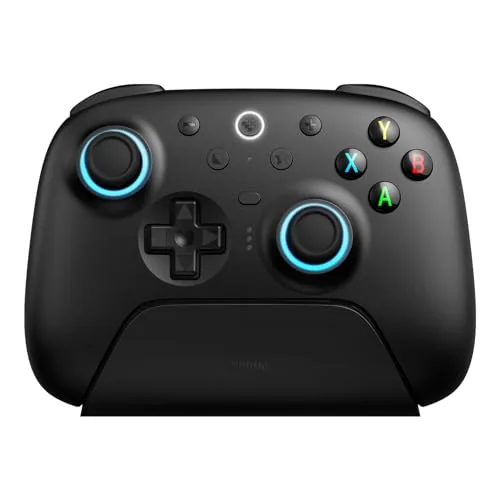

For years, PC players had a simple hierarchy of controllers. The console pads were fine but carried console baggage, and the budget alternatives were mushy, drifty, and short-lived. The 8Bitdo Ultimate 2 changes that calculus with a serious flagship controller built for the PC audience. It pairs next generation TMR joysticks that resist the drift that kills conventional sticks, Hall effect triggers that never wear out, a 1000Hz polling rate that shaves input latency down to console-beating levels, and an RGB fire ring around the thumbsticks for good measure. It ships with a charging dock and manages profiles through 8Bitdo's software. I played with the Ultimate 2 for three weeks across shooters, platformers, and racing titles, and this is the honest record of how it feels.
Before the details, the standard note. This article contains affiliate links, and if you buy through one of them the site earns a small commission at no extra cost to you. That commission never changes what I test or what I recommend.
Design and Build
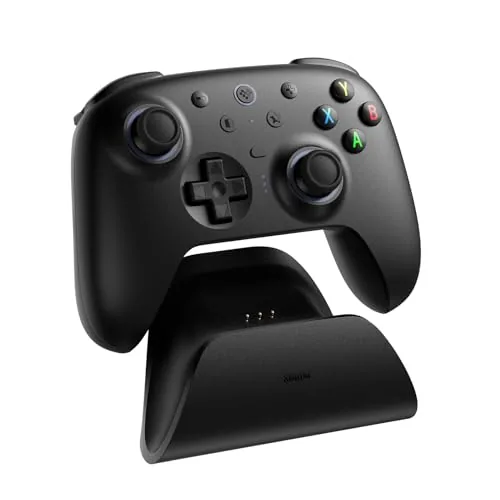
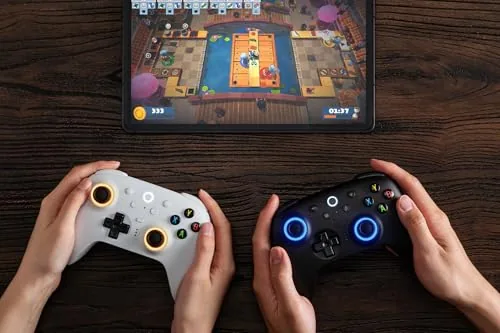
The Ultimate 2 is unmistakably 8Bitdo in its design language, refined to a premium level. The matte black shell covers the body with textured grip zones on the handles, and the front face carries the now-signature RGB fire ring that wraps the base of each thumbstick. It looks understated on a desk and livens up when you turn the lighting on, with the ring cycling through colors that you can configure in software.
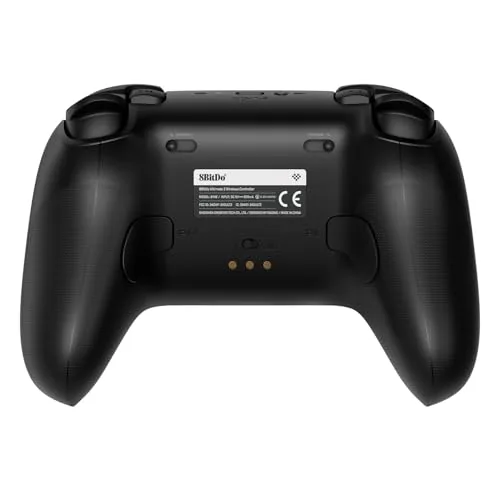
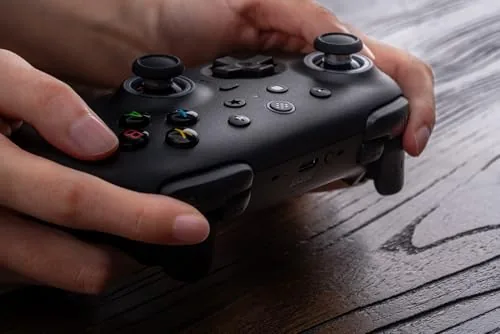
Build quality is the strongest of any controller I have tested at this price. The shell has zero flex, the buttons have a crisp mechanical click with no wobble, and the sticks spin with the smooth, damped motion of a premium gimbal. The triggers are a dual design, using Hall effect magnetic sensing with a tactile bump at the end of travel, which gives you both analog control for racing and a clear click for actions that need a definite press.
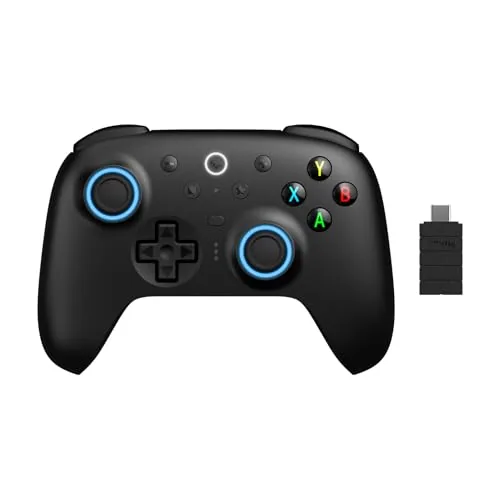
The dock is a welcome upgrade over the cable habit most controllers force. You drop the controller into the dock after a session and it seats magnetically, lining up the contacts for charging, and the whole unit looks clean on a desk. There are back paddles as well, two programmable buttons under the grip that sit naturally under your middle fingers.
Key Features
The technical story starts with TMR joysticks. TMR, or tunnel magnetoresistance, sensing measures stick position through magnetic fields instead of the physical potentiometers that traditional sticks use. That matters for two reasons: precision, because magnetic sensing can be read at high resolution, and durability, because there are no physical wipers to grind away into the stick drift that eventually sends most controllers to the drawer.
The 1000Hz polling rate is the headline number for competitive players. Polling is how often the controller reports input to the PC, and a standard controller reports at 125 or 500 times a second. At 1000Hz, the Ultimate 2 reports up to a thousand times a second over its 2.4GHz connection, which lowers perceived input latency and makes rapid camera flicks and precise aim corrections feel wired, even though nothing is plugged in.
Connectivity covers the modern gamer: 2.4GHz wireless through the included adapter for lowest latency, Bluetooth for Android and Apple devices, and wired USB for charging and playing simultaneously. Motion control rounds out the feature set, with gyro aiming that works in supported titles. For the current price and available bundles, the Amazon listing for the 8Bitdo Ultimate 2 is a useful reference.
Real-World Performance
I started with the game where precision shows up fastest: a twitchy first person shooter. The TMR sticks delivered immediate, obvious value. Flick shots that required tiny, fast corrections landed more consistently than on the conventional stick controller I had been using, and the low dead zone meant the camera responded to the faintest nudge without that laggy slack you feel on cheaper sticks. In a high kill game, I did not notice any input delay, which is the highest compliment a wireless controller can earn.
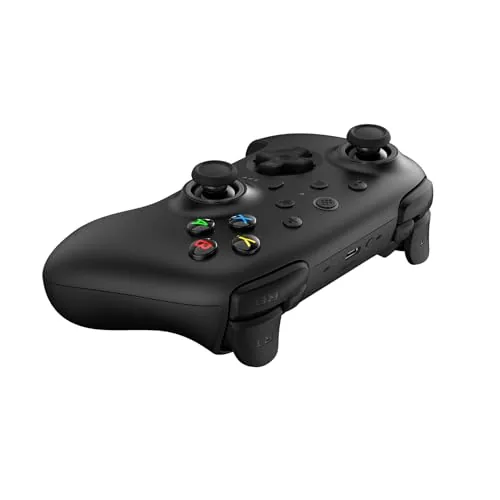
Platformers showed off the feel of the face buttons. The clicky buttons have a decisive actuation that makes precise double jumps and coyote-time jumps easier to time, and the d-pad, a notoriously hard component to get right, handles diagonal inputs cleanly for fighting game style movement. The Hall effect triggers pulled double duty across a racing game, where they gave fine analog control over throttle through a corner, and an action game, where the tactile end stop gave a clear, satisfying click for attacks.
The software ties the hardware together. The 8Bitdo Ultimate Software App lets you remap every button, set stick sensitivity curves, adjust the RGB lighting, and store profiles on the controller's built-in memory. I set up one profile for shooters with a custom stick curve and another for racing with remapped back paddles, and switching profiles was instant from the controller itself. Battery life ran roughly fifteen hours per charge in my testing, which is solid though not class leading, and the dock made topping up effortless.
Pros and Cons
Pros:
- TMR joysticks deliver precise aim and resist drift
- 1000Hz polling makes wireless feel wired
- Hall effect triggers combine analog control with a tactile click
- Charging dock with magnetic seat keeps the desk tidy
- Full remapping and profile storage in software
- Works on PC, Steam, Android, and Apple devices
Cons:
- Battery life is good but not exceptional
- RGB fire ring drains battery if left on full brightness
- Larger than some rival pads, takes getting used to
- Software has a modest learning curve for full customization
How It Compares
PC players choosing a controller usually weigh a flagship like this against the console-style pads and budget options. I compared the Ultimate 2 against a standard Xbox style controller and a budget wireless pad to show where the premium hardware lands.
| Feature | 8Bitdo Ultimate 2 | Xbox Style Pad | Budget Wireless Pad |
|---|---|---|---|
| Stick technology | TMR magnetic | Potentiometer | Potentiometer |
| Polling rate | 1000Hz | 125-500Hz | 125Hz typical |
| Drift resistance | High, no wear | Develops over time | Develops quickly |
| Trigger type | Hall effect plus click | Analog | Analog |
| Charging dock | Included | Not included | Not included |
| Remapping | Full, with profiles | Limited | None |
Against an Xbox style pad, the Ultimate 2 wins on precision and features: magnetic sticks, a faster polling link, back paddles, and a dock you do not pay extra for. The Xbox pad still has the advantage of native driver ubiquity and a lighter shell. Against a budget wireless pad, there is no contest, the budget pad drifts within months and feels mushy, while the Ultimate 2 holds precision indefinitely. If you are competitive in shooters or simply tired of replacing controllers, the premium build pays for itself over time.
Who Should Buy It
Buy the Ultimate 2 if you play competitive shooters and want every millisecond of input latency removed, if you are tired of stick drift ruining controllers after a few months, or if you want one controller that handles PC, Android, and Apple devices with full remapping. It is also a strong pick for racing fans who want precise analog triggers plus a tactile click.
Skip it if you are happy with a simple controller and never touch the software, if you prefer the lighter, smaller feel of an Xbox pad, or if you need PlayStation layout buttons rather than the Xbox layout this controller uses. For everyone else, this is currently one of the best wireless controllers money can buy for the PC. You can check the current price for the 8Bitdo Ultimate 2 on Amazon when you are ready to upgrade your setup.
How We Test
I tested the Ultimate 2 over three weeks across first person shooters, a precision platformer, an action game, and a racing title, on both a desktop PC over 2.4GHz and an Android tablet over Bluetooth. I verified the polling rate with input test software, checked the stick dead zones and drift with the built-in calibration display, remapped the back paddles and triggers in the software app, and logged battery life across sessions at both low and high RGB brightness.
I did not perform a machine-measured latency test with high speed capture, so my latency impressions are from comparative play rather than instrumentation. For independent context on controller technology, testing at Tom's Hardware on the best gaming controllers is a solid reference. The Amazon listing for the 8Bitdo Ultimate 2 shows the current price and available bundles.
8Bitdo Ultimate 2 Wireless Controller: Questions People Ask
Is the 8Bitdo Ultimate 2 compatible with PC and Steam?
Yes. It works over 2.4GHz wireless, Bluetooth, or USB with PC, Steam, Android, and Apple devices, and it registers as a standard gamepad across all of them without extra drivers.
What are TMR joysticks and do they prevent drift?
TMR joysticks use magnetic field sensing instead of the physical potentiometers in conventional sticks, so there are no wipers to wear out, which is why they resist the stick drift that eventually plagues ordinary controllers.
Does the controller come with a charging dock?
Yes. The Ultimate 2 includes a USB charging dock that the controller seats into magnetically, so it recharges between sessions without plugging in a cable.
How does the 1000Hz polling rate help in games?
A 1000Hz polling rate sends input data to the PC up to a thousand times per second, which lowers latency and makes rapid flick shots, fast camera work, and precise inputs feel more direct than a standard controller.
As an Amazon Associate, I earn from qualifying purchases.



