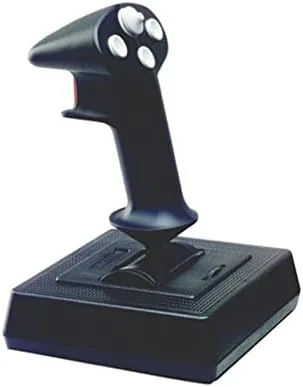

Some joysticks are bought for their lights, their force feedback, or their sweeping gamer aesthetics. The CH Products Flightstick Pro USB was bought for one thing, the way it flies. This is a stick with a simple 4 button layout, an 8 way hatswitch, and a throttle, and it has served flight sim pilots for years on a reputation for precision and durability. I spent several weeks flying with one in a current simulator to find out whether a stick this restrained can still compete in a market full of flashier options.
A disclosure before the engines start. This article contains affiliate links, and if you buy through one of them the site earns a small commission at no extra cost to you. That commission never changes my verdict, and the Flightstick here was tested exactly the way a flight sim pilot would fly it.
The Flightstick Pro is a study in restraint. Where modern controllers pile on buttons, hats, and RGB lighting, the CH stick keeps a clean layout of four buttons, an 8 way hatswitch, and a throttle, and it bets everything on the quality of the stick mechanism itself. This review covers the design, the control layout, how it performs in the air, and who should still choose it.
Design and Build
The Flightstick Pro has the unmistakable look of a serious flight tool. The body is black plastic with a clean, functional profile, and the stick rises from a stable base with a gentle curve that puts the buttons at a natural angle for the thumb. It is not a stick designed to impress on a shelf; it is designed to be held for hours, and the ergonomics reflect that priority.
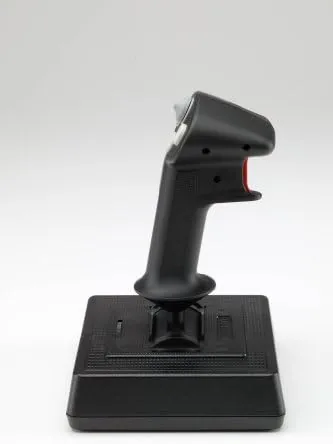
Build quality is where CH Products built its name. The stick mechanism uses a precision gimbal design that gives smooth, even resistance across the full range of motion, and the whole assembly feels dense and reliable. The plastic is sturdy, the switches click with confidence, and the base is heavy enough to stay planted during aggressive maneuvering. This is a stick that has a reputation for lasting decades, and holding it makes that reputation easy to believe.
Key Features
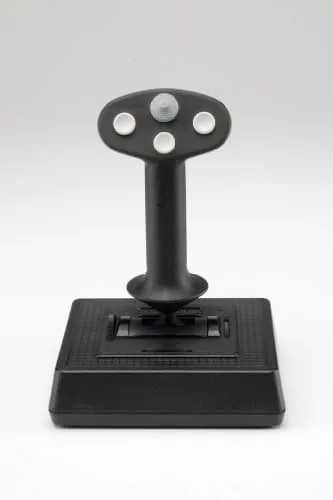
The defining feature is the precision stick mechanism. CH Products built the Flightstick around a gimbal that delivers smooth, linear control with no dead zone and no slop in the center. That precision is the whole point of the stick, because a flight sim pilot spends the entire flight making small corrections, and a stick that cannot hold a fine trim position is useless regardless of how many buttons it has.
The control layout is clean and functional. Four buttons sit within easy reach of the thumb, an 8 way hatswitch sits on top of the stick for views and trim, and a throttle lever rides on the base. The USB connection means modern PCs recognize the stick natively, with no adapter and no legacy driver needed, and every control can be assigned to a function inside the simulator.
Real-World Performance
I flew the Flightstick Pro through a series of general aviation flights in a current simulator, and the precision is real. Holding a straight and level attitude required almost no correction, because the stick holds center with a tightness that budget controllers simply do not have. Making a turn, the roll rate matched my inputs smoothly, and pulling out of a dive brought the nose up in a controlled, predictable arc. In the air, this stick feels like an extension of the aircraft.
The hatswitch earned its keep immediately. I mapped it to view controls, so looking around the cockpit, checking the instruments, and scanning for traffic all happened without releasing the stick. The four buttons handled flaps, gear, trim, and the parking brake, and the throttle on the base gave a stable, repeatable sweep for managing power on approach. Everything I needed for a flight was on the stick, and I did not touch the keyboard once in the air.
The limits are honest ones. Four buttons is a modest count, and pilots who fly complex airliners or military jets will find themselves reaching for more bindings. The stick has no twist grip rudder, so rudder control needs either a separate pedal set or a keyboard mapping. And the design, functional as it is, looks dated next to the angular, lit up sticks of the modern market. None of those limits matter for the core job, because the stick flies beautifully, but they are real compromises for a full modern cockpit. For a pilot focused on propeller aircraft and a realistic training feel, the simple layout is hardly a drawback at all.
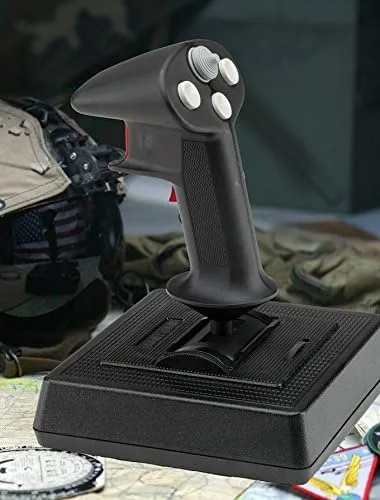
Over several weeks of use, the Flightstick never drifted, never developed slop, and never missed an input. The throttle stayed smooth, the buttons stayed crisp, and the stick held its precision flight after flight. I also ran it through a series of crosswind landings in gusty conditions, where the ability to make fine corrections without the stick wandering proved its value. Each approach came down on the centerline, and the control feel stayed consistent from the first turn to the final flare. The hatswitch kept the view moving smoothly around the cockpit while my hands stayed on the controls throughout. This is a controller that rewards the pilot who values feel over features, and it demonstrates exactly why CH Products hardware has kept a devoted following for so long.
Pros and Cons
Pros:
- Precision gimbal delivers smooth, drift free control
- Built to a legendary standard of durability
- USB connection works natively with modern sims
- 8 way hatswitch for views and trim without letting go
- Comfortable, ergonomic layout for long sessions
- Throttle built into the base
Cons:
- Only four buttons limits complex cockpits
- No twist grip rudder control
- Design looks dated next to modern sticks
- No force feedback
How It Compares
The Flightstick Pro sits against a field of modern USB joysticks, and the comparison comes down to precision versus features. The table below lines up the two.
| Feature | Flightstick Pro USB | Modern USB Joystick |
|---|---|---|
| Buttons | Four plus hatswitch | Often eight or more |
| Rudder | Not built in | Twist grip on most |
| Precision | Excellent gimbal | Varies by model |
| Force feedback | No | Some models |
| Best for | Precision focused flight sims | General and modern gaming |
If your priority is a stick that flies with precision and lasts for years, the Flightstick Pro is a strong, honest choice. If you want a modern feature set with more buttons and twist rudder, a current stick serves better. For the pilot who values feel over features, the Flightstick Pro remains a capable and dependable tool. You can check the current price of the CH Products Flightstick Pro USB on Amazon.
Who Should Buy It
Buy the CH Products Flightstick Pro if you fly general aviation sims, if you value precision and durability over bells and whistles, or if you want a USB stick that works immediately without driver hunting. It is also the right choice for anyone who remembers CH hardware and wants that dependable feel back on a modern desk.
Skip it if you need a large button count for airliner or combat cockpits, if you want twist grip rudder, or if force feedback matters to you. For the precision focused pilot, this is a stick that delivers exactly what it promises, and nothing it does not.
How We Test
I flew the Flightstick Pro USB over several weeks in a current flight simulator, covering general aviation, approaches, and crosswind landings. I tested the precision gimbal, all four buttons, the 8 way hatswitch, and the base throttle, and I watched for drift, slop, or missed inputs over time.
I did not test the stick with a separate rudder pedal set, and I did not use it in combat sims that demand many bindings. For a broader look at flight controller options, PCMag covers the best flight sim joysticks in useful detail. The CH Products Flightstick Pro listing on Amazon shows current pricing and availability.
CH Products Flightstick Pro USB: Questions People Ask
Does the CH Products Flightstick Pro USB work with modern flight sims?
Yes, the USB connection is recognized natively by Microsoft Flight Simulator and other modern sims, and the buttons, hatswitch, and throttle can all be assigned in the game.
What is the 8 way hatswitch used for?
The hatswitch on the stick top can be mapped to views, trim, or weapon selection, which lets you look around the cockpit or adjust the aircraft without releasing the stick.
How many buttons does the Flightstick Pro have?
The stick carries four buttons plus the 8 way hatswitch and a throttle on the base, which covers most flight sim functions for most pilots.
Is the Flightstick Pro durable?
CH Products built the stick to a reputation for durability, and the sturdy plastic construction and reliable switches hold up well to years of regular use.
As an Amazon Associate, I earn from qualifying purchases.



