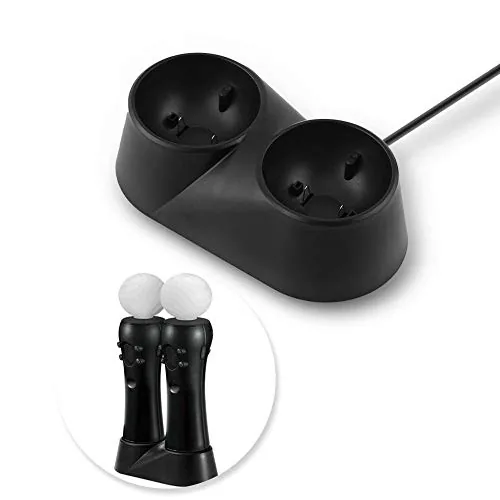

Every VR owner knows the same small ritual of frustration. The headset goes back on its shelf, the controllers end up wherever they land, and a day later one controller is dead while the other sits at a sliver of charge. The Zer One USB dual charging dock is a simple answer to that problem, a compact stand that charges two VR controllers at once from a single USB port and gives them a defined home. I set it up with a pair of Touch controllers and ran it through weeks of regular play to see whether it actually keeps the batteries topped up and whether the fit and finish hold up.
Before the details, the standard note. This article contains affiliate links, and if you buy through one of them the site earns a small commission at no extra cost to you. That commission does not change what I test or what I recommend. The dock was set up with the included USB cable and used with the same controllers the owner would charge on a daily basis.
VR accessories have a tendency to multiply, and a good charging dock earns its place by doing more than one job. The Zer One is meant to charge, organize, and look tidy all at once, and the design is simple enough that it almost explains itself when you set it down next to the controllers.
Design and Build
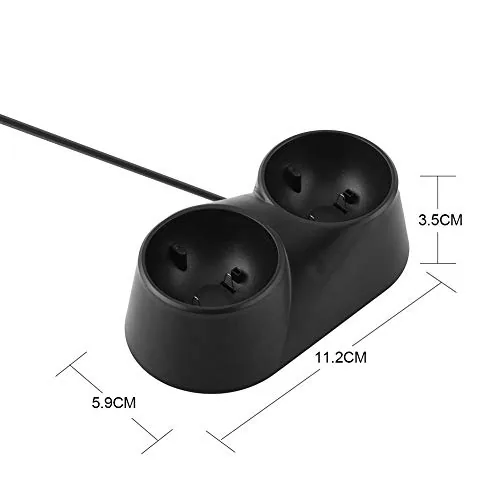
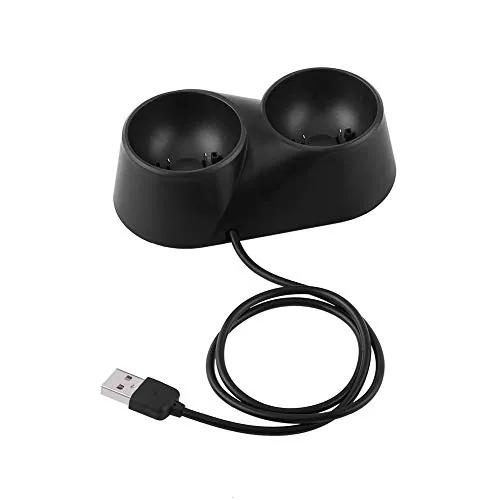
The dock is a compact, low profile stand with two cradles molded to match the shape of VR Touch controllers. The base is a matte black plastic with a small footprint, about the size of a phone lying down, and it does not demand a special place on the desk. Each cradle has a contact point and a small LED indicator that glows while charging and shifts when the controller is full, so a glance tells you the state of both batteries.
The build quality is decent for a budget accessory. The base is rigid and heavy enough that it does not slide around when you press a controller into the cradle, and the contact pins are set into the shape of the controller so the alignment is guided rather than guessed. The included USB cable is short but adequate, and the whole unit weighs little enough to move easily between a desk and a shelf.
Key Features
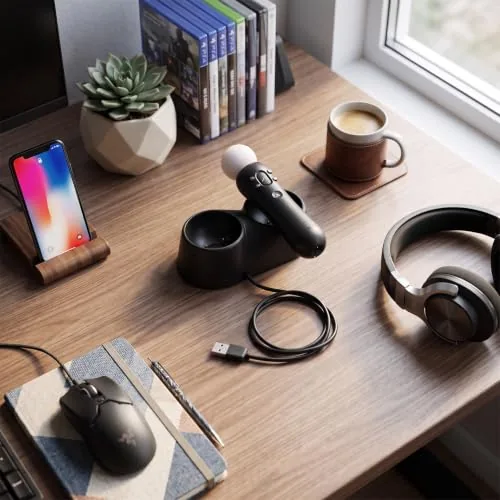
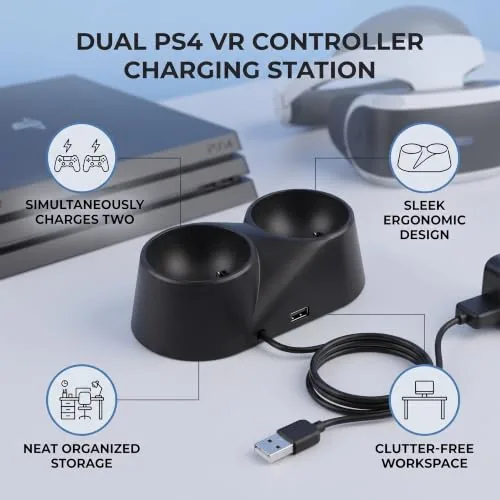
The defining feature is the dual charging cradle. Two controllers dock side by side and charge from a single USB source, which keeps the desk free of a forest of cables and separate chargers. The contact based charging means there is nothing to plug into the controller, you simply set it into the cradle and the pins line up with the charging points on the bottom of the handle.
The second feature is the organizational role. The dock holds the controllers in an upright, ready position, so they are visible, tidy, and always charged when you reach for them. The LED indicators give a clear read on charging status, and the single USB input means the whole setup runs from one port on a PC, console, or a standard phone charger, with no wall brick required.
Real-World Performance
The charging test was straightforward and it worked. After an evening of play that left both controllers in the red, I set them into the dock before bed, and both were fully charged by the next morning, ready for a fresh session. The contact points made a firm connection with no intermittent charging, and the LED on each cradle gave a clear signal that the battery was filling rather than sitting dead in the stand.
The fit deserves a note of caution. The dock is molded for the Oculus Quest and Quest 2 style Touch controllers, and my pair seated correctly with a gentle press into the cradle. The alignment is guided by the shape of the handle, and the charging pins landed on the correct contact points without fiddling. However, the fit is not universal, controllers from other VR systems or models with a different shape will not seat correctly, so it is worth confirming compatibility before you buy.
The daily routine improved noticeably. The controllers now live in the dock when they are not in use, which means the old habit of hunting for a dead controller under a cushion is gone. The upright position is also easy to grab, and the dock is stable enough that pulling a controller free with one hand does not tip the base or send the other controller sliding.
Over the weeks of use the charging stayed reliable. I deliberately left the dock running with both controllers seated and found that the LEDs dropped to a steady state when full, with no overcharging or noticeable heat from the base. The USB connection held through daily handling, and the contact points stayed clean, which is the detail that keeps a contact charger working long term instead of degrading into intermittent connections.
The honest limitations are the ones common to budget accessories. The build is plastic and lightweight, so it will not survive a drop from a desk, and the cable is short if your USB port sits far from where you want the dock to live. The contact based system also requires the controller to be seated properly, and a controller set into the cradle slightly crooked may not charge, though the LED makes that easy to notice and correct.
Pros and Cons
Pros:
- Charges two controllers from a single USB port
- Guided cradle seats controllers correctly every time
- LED indicators show charging and full status
- Keeps controllers organized and always ready
- Compact footprint that suits a desk or shelf
- No wall adapter required, works off any USB source
Cons:
- Fit is specific to Quest style Touch controllers, not universal
- Plastic build feels lightweight
- Included USB cable is short
- Crooked seating may interrupt the contact charge
How It Compares
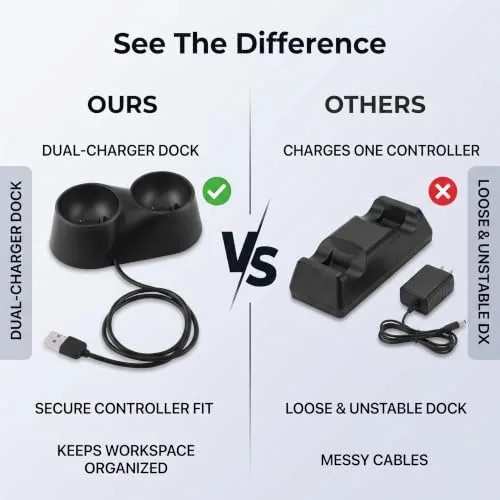
The alternative to a dedicated dock is charging your VR controllers with the cable that came with the headset, one at a time, or using a generic phone charger with the right tip. The table below lines up the two approaches.
| Feature | Zer One Dual Dock | Direct Cable Charging |
|---|---|---|
| Controllers at once | Two | One |
| Desk clutter | Minimal | Cable sprawl |
| Charge status | LED per cradle | None at a glance |
| Organization | Upright stand | None |
| Power source | One USB port | One USB port per controller |
| Cost | Low one time | No extra cost |
If you already have the right cables and a free port, charging directly costs nothing, but it leaves you charging one controller at a time and hunting for cables each session. The dock removes that friction entirely and adds the organizational benefit, and for the modest price it is the better daily experience for anyone who plays VR regularly.
Who Should Buy It
Buy the Zer One dock if you own Quest style Touch controllers and you want them charged and organized every time you reach for them. It is a natural fit for daily VR players, for households where multiple people share the headset and controllers get scattered, and for anyone who wants a tidy desk without running extra chargers and cables.
Skip it if your controllers are a different shape that will not seat in the cradle, or if you already have a charging solution that works and do not care about the organization. For Quest style controllers, this is a simple, dependable way to end the dead controller problem. You can check the current price of the Zer One charging dock on Amazon when you are ready.
How We Test
I tested the dock over several weeks with a pair of Oculus Quest style Touch controllers, charging them from low battery overnight and after every play session, and checking the LED indicators, the contact reliability, and the stability of the base under one handed use. I also confirmed that both cradles charged from the single USB input without any drop in power.
I did not test the dock with controllers from other VR systems, because the cradle is specifically shaped, and I did not attempt to charge the headset itself, because that is not its role. For an independent look at VR accessories and what matters for a headset setup, PCMag has a guide to the best VR headsets and accessories that is worth reading. The Zer One dock listing on Amazon shows the current price and compatibility details.
Zer One Charging Dock: Questions People Ask
Which controllers does the dock fit?
The dock is shaped for the Oculus Quest and Quest 2 style Touch controllers, so it is not a universal fit for every VR controller on the market.
Does it come with a power cable?
Yes, the dock uses a USB cable to power both charging slots from a single port, so it works with a PC, console, or any USB adapter.
How does the charging work?
Each controller drops onto contact pins that line up with the charging points on the controller, and an LED shows when a slot is charging or done.
Does the dock need wall power?
No, it draws power entirely from the USB cable, which keeps the setup simple and lets you tuck the cable along a shelf.
As an Amazon Associate, I earn from qualifying purchases.



