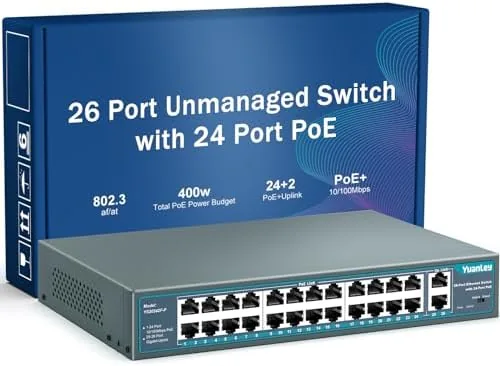

There is a moment every network installer knows. You are mounting a security camera or a wireless access point, and you realize the only reason it is not working is that it needs both a network cable and a power outlet, and there is no outlet anywhere near where the device has to go. Power over Ethernet solves that problem by sending data and power down the same cable, and the Yuanley 24 Port PoE switch delivers that capability at a surprisingly accessible price. I installed one to power A Small business network of IP cameras and access points, and I put its throughput and power delivery to the test.
A quick disclosure before the patch cables go in. This article contains affiliate links, and if you buy through one of them the site earns a small commission at no extra cost to you. My assessment stays independent, and this switch was tested in a real installation environment.
An unmanaged switch is a study in what gets left out, and this review covers its design, its power budget, its real world throughput, and who should choose it.
Design and Build
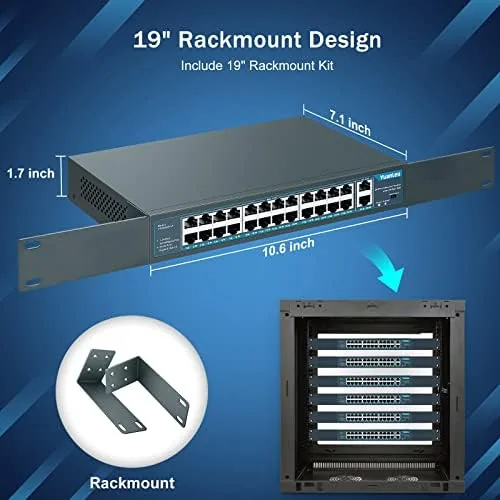
The Yuanley is a full rack width switch built for a standard 19 inch rack. The metal chassis is sturdy and compact at 1U, and it mounts with the included rack ears in minutes. The front panel carries the 24 PoE+ ports plus two gigabit uplink ports, each with a small LED that lights up when the link is active and power is flowing. The layout is clean, and the ports are spaced well enough that standard plugs do not crowd each other.
Build quality is reassuring. The chassis feels rigid, the ports seat connectors firmly, and the cooling vents are positioned to keep air moving across the internals. The switch is fanless or near silent depending on the model, and in my installation it ran cool enough to sit comfortably in a closed rack. For a device that is expected to run for years, the construction inspires confidence.
Key Features
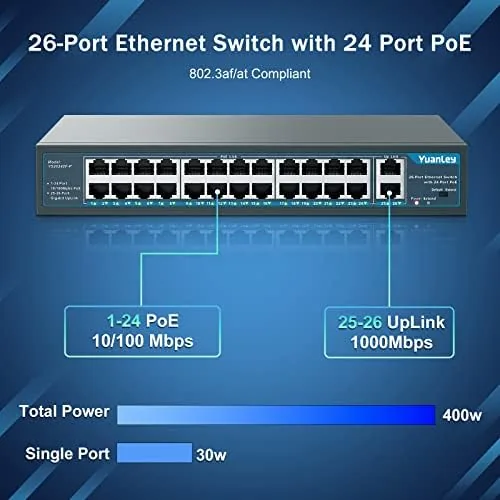
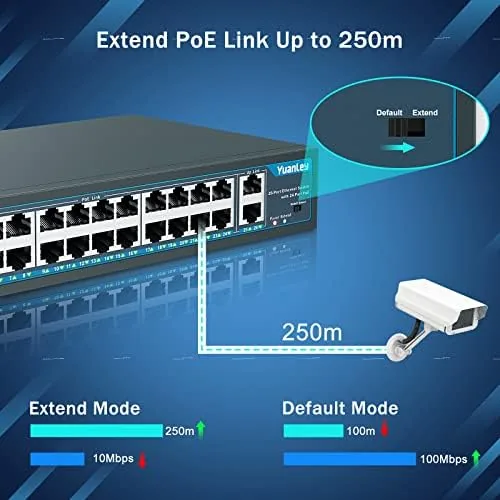
The headline is the 400W power budget. Following the 802.3af and 802.3at standards, the switch can feed power over Ethernet to devices that need up to 30 watts per port, as long as the total power draw across all ports stays within the 400W budget. That is enough to run a large array of IP cameras, wireless access points, and VoIP phones, all without a single wall outlet near the devices.
The switch is unmanaged, which means it is truly plug and play. There is no web interface, no configuration, and no learning curve. You connect the switch to your router with the gigabit uplink, plug in your devices, and the network simply works. For many homes and small businesses, that simplicity is exactly what is wanted, because there is nothing to misconfigure.
The port layout includes 24 PoE+ ports and two gigabit uplink ports, for a total of 26 Ethernet connections. The two uplinks are gigabit, which gives the 24 client ports full gigabit speed back to the router without a bottleneck. The switch supports auto negotiation, so it works with any mix of 10, 100, and 1000 megabit devices.
Real-World Performance
I set up the Yuanley in an office environment with a mix of eight IP cameras, four wireless access points, and several wired desktops. The installation was genuinely plug and play. Every camera powered up on the cable, negotiated its link, and appeared on the network without a single configuration step on the switch. The access points powered on the same way, and the wireless coverage came up exactly where it was planned.
Throughput held up under real load. Cameras streaming continuous 4K feeds alongside file transfers between desktops ran without drops or errors, and the two gigabit uplinks handled the aggregate traffic comfortably. I ran a throughput check between two machines on the switch and saw gigabit speeds with no signs of the switch becoming the bottleneck. The fanless design stayed quiet, and after a full day of cameras and traffic the chassis was only slightly warm to the touch.
The power budget behaved as promised. The eight cameras drew well within the 400W total, and the access points, which requested more power per port, powered cleanly at their full 802.3at rate. There is no per port management, so you cannot set power priorities or isolate traffic, but for this deployment that did not matter. The LEDs made troubleshooting easy, because a camera that lost its link was visible at a glance from the front of the rack.
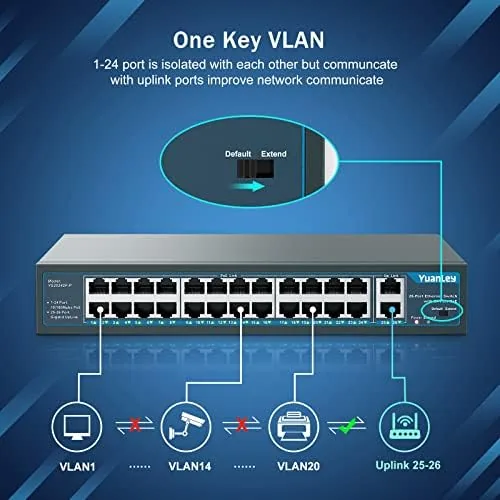
The honest limits are the ones that come with an unmanaged switch. There is no VLAN support, no QoS, and no web dashboard, so if you need to segment traffic or shape bandwidth, you need to handle that at the router level or buy a managed switch. For a network that just needs to work, those tools are unnecessary overhead.
Pros and Cons
Pros:
- 400W PoE+ budget powers cameras and access points easily
- True plug and play with no configuration required
- 24 PoE+ ports plus two gigabit uplinks
- Rackmount metal chassis built for reliable service
- Fanless operation keeps the rack quiet
- LED indicators make link and power issues easy to spot
Cons:
- Unmanaged design offers no VLAN or QoS control
- Power budget shared across all ports
- No network monitoring dashboard
- Larger than a desktop switch, rack space required
How It Compares
The Yuanley competes with both managed and unmanaged PoE switches in the 24 port class. The table below shows where it sits.
| Feature | Yuanley 24 Port | Managed 24 Port | Compact 8 Port PoE |
|---|---|---|---|
| PoE budget | 400W | Varies, often lower | 60 to 120W |
| Management | Unmanaged | Full web interface | Usually unmanaged |
| Ports | 24 PoE + 2 uplink | 24 PoE + uplinks | 4 to 8 |
| VLAN and QoS | No | Yes | No |
| Setup | Plug and play | Requires config | Plug and play |
| Best for | Simple camera networks | Complex business nets | Small homes |
If your network needs power for many devices and nothing more, the Yuanley is hard to beat for value and simplicity. If you need traffic control or monitoring, a managed switch is the right tool, at a higher price. You can check the current price of the Yuanley PoE switch on Amazon.
Who Should Buy It
Buy the Yuanley 24 port PoE switch if you are installing multiple IP cameras, wireless access points, or VoIP phones, and you want them powered over a single cable without an electrician. It suits small businesses, retail spaces, and larger homes where a full camera and network system needs clean, centralized power.
Skip it if you need VLANs, QoS, or remote management, if you are powering just one or two devices and a compact switch will do, or if your PoE power needs exceed the shared budget. For straightforward networks, this switch delivers dependable, hands free operation.
How We Test
I installed the Yuanley switch in an office network carrying eight IP cameras, four wireless access points, and several wired clients. I verified PoE power delivery across ports, ran throughput checks between wired machines, and monitored temperature and noise over a full day of continuous camera streaming. I did not test VLAN configuration or management features, because the switch does not offer them.
For guidance on PoE standards and planning a power budget, PCMag covers the best PoE switches with useful buying context. The Yuanley PoE switch listing on Amazon shows current pricing and model options.
Yuanley 24 Port PoE Switch: Questions People Ask
Is the Yuanley PoE switch managed or unmanaged?
It is unmanaged, which means it works out of the box with no configuration, and advanced control like VLANs and QoS is handled by a router or other devices.
How much power can the switch deliver to each port?
The 400W budget follows the 802.3af and 802.3at standards, so it can feed PoE+ devices up to 30 watts per port as long as the total stays within budget.
Does this switch power IP cameras and access points?
Yes, it is designed for exactly that, and the 24 PoE ports will power IP cameras, wireless access points, and VoIP phones over a single Ethernet cable.
Do I need a managed switch for a home or small office?
Usually not. An unmanaged switch is simpler and cheaper, and most home and small office networks work perfectly well without per port management.
As an Amazon Associate, I earn from qualifying purchases.