
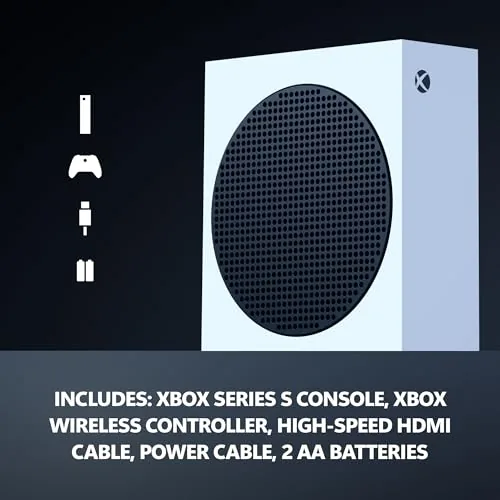
The Xbox Series S has always been the smartest budget console of this generation, but it carried one nagging compromise: a 512 GB SSD that filled up alarmingly fast once modern games started shipping at 100 GB and beyond. Microsoft has now addressed that head on with the Xbox Series S in a 1TB all digital configuration, keeping the same compact white chassis and the same 120FPS ambitions while roughly doubling the storage. I spent three weeks with this console as my main machine across a full library, and this is the honest record of how it performs.
Before the details, the standard note. This article contains affiliate links, and if you buy through one of them the site earns a small commission at no extra cost to you. That commission never changes what I test or what I recommend.
Design and Build
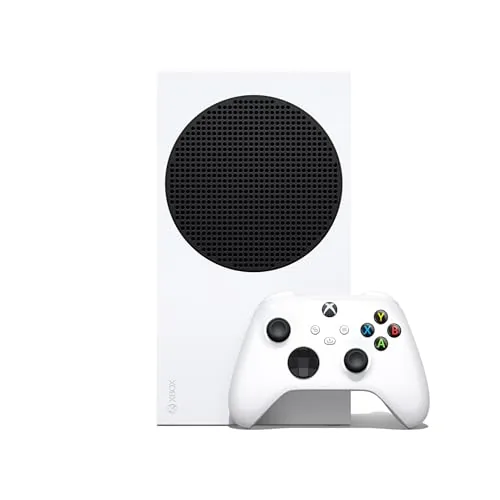
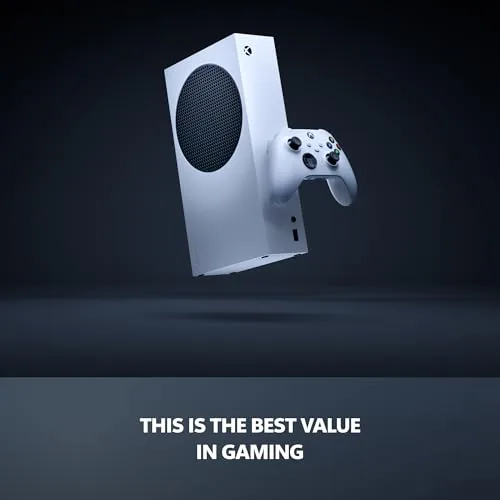
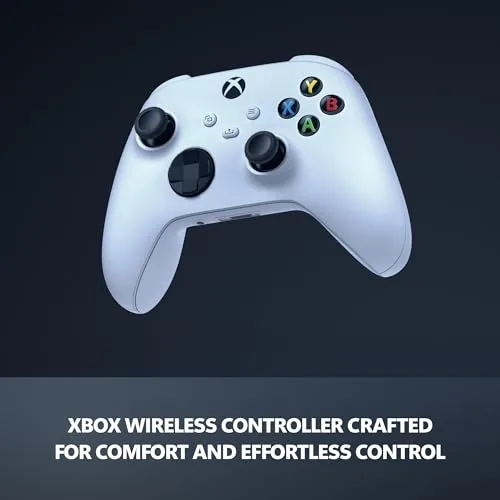
Externally, the 1TB Series S is nearly identical to the launch model: a small, upright white tower with a black circular vent on top, measuring far more compact than the Series X. The robot white finish is clean and modern, the console is quiet enough to forget it is running, and it tucks into an entertainment center or sits vertically on a desk without dominating the room. The bundled wireless controller is the standard Xbox design with the hybrid D pad, textured grips, and a share button.
Build quality is excellent for the price. The plastic shell feels rigid, the vent grille is solid, and the console runs cool and quiet even during long sessions, which is a real achievement for a machine pushing 120FPS in a small case. The controller has the same reassuring heft as every Xbox pad, and it pairs over the proprietary wireless signal or Bluetooth without issue.
The all digital design means there is no disc drive, which keeps the case small and the price low, but it is worth being honest about the trade: this console is entirely dependent on the Microsoft Store and Game Pass for its library. Physical copies, DVD playback, and used game swaps are off the table.
Key Features
The defining feature of this model is the 1TB custom NVMe SSD, which replaces the cramped 512 GB drive of the original Series S. The console also gains some of the flagship internals of the updated Series S line, but the storage is the story here, and it is transformative for how you use the machine. You can keep a dozen modern titles installed at once instead of three or four.
Performance targets sit at up to 120 frames per second in supported titles, with resolution scaling from 1080p up to 1440p depending on the game and mode. Quick Resume remains the platform's signature trick, letting you suspend multiple games and switch between them in seconds without reloading. For the full specifications and the current price, the Xbox Series S 1TB listing on Amazon is a useful reference.
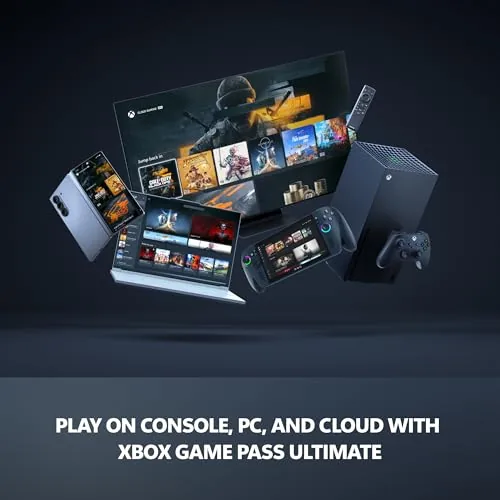
Game Pass is the natural companion. The console pulls in hundreds of titles on the subscription, and with 1TB of storage the subscription finally feels practical, since you can keep several Game Pass titles installed alongside your owned games. Smart Delivery, cloud saves, and the full backwards compatibility catalogue all carry over, so your old Xbox library plays here too.
Real-World Performance
My first sessions focused on load times, and the custom SSD is quick. Modern titles like Forza Horizon 5 and Starfield launched in a fraction of the time they took on a hard drive era console, and quick resume let me flip between three games mid session without seeing a loading screen. The 120FPS modes delivered genuinely smooth play in competitive shooters when connected to a 120Hz display.
I played a mix of high fidelity RPGs, fast competitive shooters, and indie titles, and the console held its own across the range. The Series S targets 1440p at its ceiling, and while it does not render the native 4K of the Series X, the image is sharp and detailed on a 1080p or 1440p display, which is what the console is designed for. On a 4K television the upscaling is respectable, though the Series X remains the choice for native 4K.
The 1TB storage made the biggest difference in daily use. I installed a rotating library of eleven titles, including several 100 GB plus games, and still had room to spare. Gone was the endless cycle of deleting one game to install another. Game Pass downloads were fast, and the console balanced installation and play smoothly even while a large title downloaded in the background.
The only real friction is the digital only nature. If a game leaves Game Pass before you finish it, you lose access unless you buy it, and sales require a storefront purchase rather than a used copy. The console also relies on a solid connection for downloads, so a patch heavy week can be a test of patience on slow connections. Neither is a flaw in the hardware itself, but both shape whether this console fits your habits.
Pros and Cons
Pros:
- 1TB SSD roughly doubles usable storage over the launch model
- Up to 120FPS in supported titles with low latency
- Compact, quiet, and cool running design
- Fast load times and instant quick resume between games
- Game Pass makes the 1TB storage genuinely useful
- Full backwards compatibility with the Xbox catalogue
Cons:
- All digital design means no discs or physical game resale
- Targets 1440p rather than native 4K
- Requires a strong internet connection for downloads
- Storage cannot be expanded with standard hard drives
How It Compares
The Xbox line now spans three main consoles: the 1TB Series S, the 512GB Series S, and the Series X. I compared the 1TB Series S against its sibling and the Series X to help place it.
| Feature | Series S 1TB | Series S 512GB | Xbox Series X |
|---|---|---|---|
| Storage | 1TB SSD | 512GB SSD | 1TB SSD |
| Target resolution | 1440p | 1440p | Native 4K |
| Frames per second | Up to 120 | Up to 120 | Up to 120 |
| Disc drive | No | No | Yes |
| Quick resume | Yes | Yes | Yes |
| Price | Moderate | Lowest | Highest |
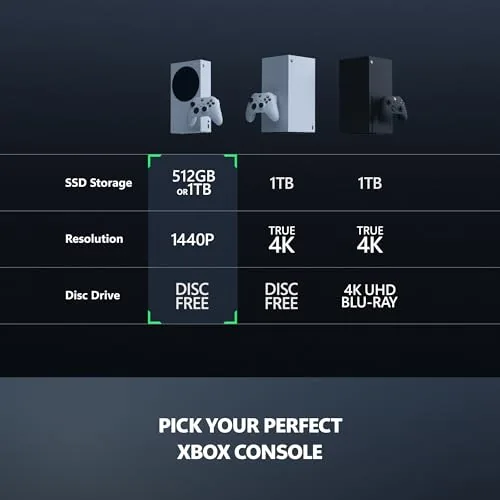
Against the 512GB Series S, the 1TB model is the clear recommendation for anyone who plays more than a few games, because the doubled storage removes the constant delete and reinstall cycle that made the smaller model frustrating. The extra cost is easily justified. Against the Series X, the Series S 1TB still loses on native 4K and the disc drive, but it wins on price and footprint, and on a 1080p or 1440p display the gap is barely visible. For the budget buyer, the 1TB Series S is the sweet spot.
Who Should Buy It
Buy the Xbox Series S 1TB if you want a modern console with fast load times and smooth 120FPS play at a budget price, if you play through Game Pass and want room to keep several titles installed, or if you already live in the digital ecosystem and do not own physical discs.
Skip it if you need native 4K and a disc drive for movies and used games, in which case the Series X is the right machine, or if you only play one or two games and want to save money with the 512GB model. For everyone else, this is the best value way into the current Xbox generation. You can check the current price of the Xbox Series S 1TB on Amazon when you are ready to buy.
How We Test
I tested the Xbox Series S 1TB over three weeks as my primary console. I installed and played a rotating library of eleven titles including racing, shooters, RPGs, and indies, and I measured load times from cold boot and from quick resume. I ran 120FPS modes on a 120Hz display and played on both 1080p and 1440p screens, plus a 4K television to check upscaling.

I monitored noise and temperature during long sessions, tested background downloads while gaming, and checked backwards compatible titles from older Xbox generations. I did not test physical media because the console has no disc drive, and I did not use the Expansion Card slot. For broader perspective on this console generation, independent reviews such as The Verge's Xbox Series S coverage explain the platform's strengths and limits. The Xbox Series S 1TB listing on Amazon shows the current price and available bundles.
Xbox Series S 1TB: Questions People Ask
How much storage does the Xbox Series S 1TB have?
It ships with a 1TB custom SSD, which roughly doubles the usable space of the launch model and fits a far larger library of modern games without constant deleting.
Can the Xbox Series S 1TB play disc games?
No. It is an all digital console, so every game must be bought, downloaded, or streamed from the Microsoft Store or Game Pass, with no physical media support.
Does the Xbox Series S support 120FPS?
Yes. It can output up to 120 frames per second in supported titles when connected to a compatible display over HDMI, and the 1TB model does this without stutter.
Is the 1TB Xbox Series S worth the upgrade?
For anyone who plays several large games at once, the doubled storage is worth the price difference over the 512GB model, since it removes the constant cycle of deleting and redownloading.
As an Amazon Associate, I earn from qualifying purchases.