
Before I continue, a note on disclosure. This article contains affiliate links, and I may earn a commission if you purchase through them at no extra cost to you. The opinions below reflect my own testing and are not influenced by the retailer or publisher.
Design and Build
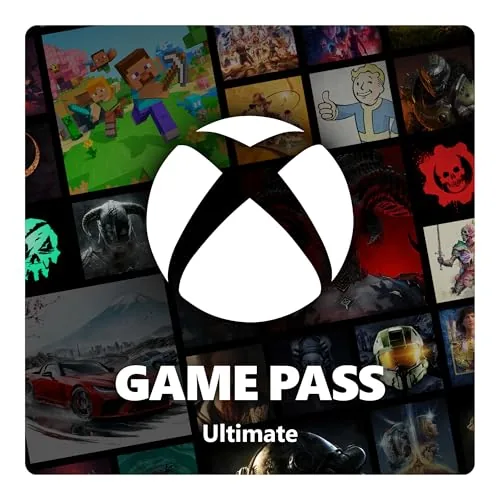
A digital code has no plastic to inspect, no box to unbox, and no manual to flip through. That is the point. The 1 month Xbox Game Pass Ultimate membership ships as a printed redemption code inside a retail sleeve, or as an emailed code when purchased online, and the whole experience stays digital from the moment the card leaves the package. The code follows the standard Microsoft format, twenty five characters split into five groups, and it carries no regional locking for most territories, though redemption still requires a Microsoft account that matches the store region.
Redemption takes under two minutes. You can enter the code on the console through the Settings menu, in the Xbox app for PC, or on the Microsoft Store website. The membership starts as soon as the code is accepted, not when the card is purchased, which makes it a practical gift option because the clock only begins ticking when the recipient activates it. Microsoft does not force a credit card onto the account during redemption, so a gift code stays a gift and does not quietly enroll anyone into recurring billing.
There is no enforced expiry on the redemption period for the batch I tested. A code kept on a shelf for three months still activates without trouble. That flexibility is part of why I consider the digital format a genuine advantage.
Key Features
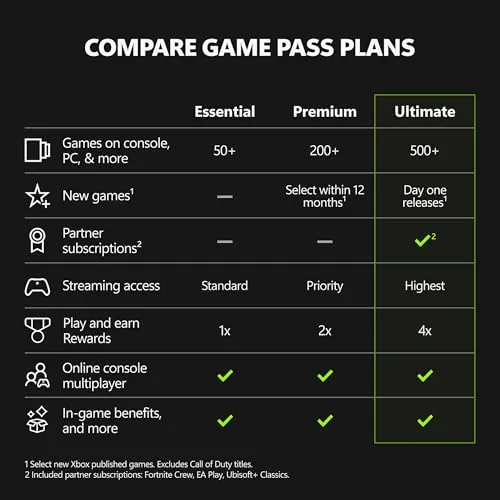
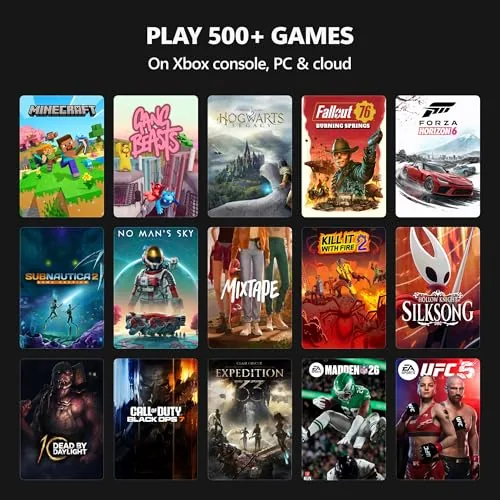
The headline feature is the breadth of the library. Game Pass Ultimate combines the console catalog, the PC catalog, and Xbox Cloud Gaming into one subscription, which means a single membership covers well over four hundred titles at any given time. New games rotate in at the start of each month, and some depart, so the collection stays fresh in a way that a fixed shelf of purchased games cannot match.
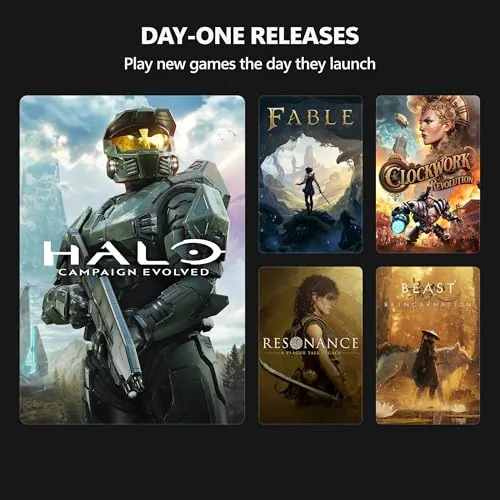
Day one releases are the most persuasive argument for the service. Every title published by Xbox Game Studios arrives on Game Pass the same day it ships worldwide. That includes major franchises such as Forza, Halo, and Gears of War, plus the steady stream of smaller studios that Microsoft has absorbed. I launched a brand new open world title at midnight on release day during my test window, and the download started immediately from my active membership with no additional purchase.
Xbox Live Gold is bundled into Ultimate, so online multiplayer on console works without a separate membership. EA Play is also included at no extra charge, adding a rotating selection of Electronic Arts titles. Cloud gaming rounds out the package. Through the Xbox app on PC and Android, or through a browser on iOS devices, I was able to stream a selection of games to hardware that could never run them natively. Cloud saves synchronize across every platform automatically. Progress in a game started on the console carried over cleanly to the PC install and then to a phone session later in the day.
Real-World Performance
My test setup included a mid range gaming desktop, an Xbox Series S console, and a smartphone on a 5G network. Cloud gaming performance varied the most of any element in the review. On a wired gigabit connection, the stream held steady visual quality with input latency around forty milliseconds, playable for slower paced games but noticeable in competitive shooters. On 5G the image softened and occasional stutter appeared during heavy moments, though it never became unplayable.
Downloads were fast and reliable. A thirty gigabyte day one release completed in roughly twenty minutes on a 500 Mbps connection, and the install resumed after a brief interruption. The PC app handled the library more gracefully than the older Windows Store did, and managing installs, updates, and progress from a single hub was a clear improvement.
Library quality was the strongest part of the experience. Across four weeks I finished three full campaigns, tested two multiplayer titles, and sampled at least a dozen smaller indie games I would never have purchased individually. A month of Ultimate costs less than a new release, and the selection dwarfs any single purchase. The main weakness is that games leave the catalog. One title I was midway through departed at the end of the month, and while saved progress remains intact, the game is gone unless purchased again.
Pros and Cons
Pros:
- Day one access to every Xbox Game Studios release
- Console, PC, and cloud gaming share one membership
- Xbox Live Gold and EA Play are bundled at no extra cost
- Cloud saves carry progress across every device
- No recurring billing is attached when a code is redeemed
- Cloud streaming works on phones and tablets through a browser
Cons:
- Games rotate out of the catalog, so favorites can disappear
- Cloud quality depends heavily on network conditions
- A fast internet connection is effectively required for the PC app
- Redemption is tied to the Microsoft store region on the account
How It Compares
The subscription sits against cheaper tiers of Game Pass and outright purchases. The table below compares the main options for a typical player.
| Option | Monthly cost | Online multiplayer | Cloud gaming | Day one releases |
|---|---|---|---|---|
| Game Pass Ultimate (1 month code) | Roughly one new release | Included | Included | Included |
| Game Pass Core | Lower than Ultimate | Included | Not included | Not included |
| PC Game Pass alone | Lower than Ultimate | PC only | Limited | Included on PC |
| Buying games outright | Full retail price each | Separate Gold needed | Not included | Full price |
For someone who plays on console alone, Game Pass Core covers the essentials at a lower price. For anyone who plays across a console and a PC, or who wants cloud gaming on the go, Ultimate is the only option that combines everything into one fee. Outright purchases still make sense for games you plan to replay for years, because a subscription grants access rather than ownership.
Who Should Buy It
The 1 month code is the best fit for three groups. First, players who are curious about the service but not ready to commit to three or twelve months. The single month gives you enough time to finish one or two campaigns and judge the library for yourself. Second, anyone with a busy schedule who wants to sample cloud gaming before investing in better networking hardware. Third, gift givers, since the card does not require a credit card at redemption and will not quietly enroll anyone in a renewal cycle.
It is a weaker fit for dedicated online competitors who already own a separate Gold subscription, since the overlap means paying twice for the same benefit. It suits commuters and travelers well, because the mobile and browser streaming options turn a phone into a portable console for the duration of the membership.

How We Test
I treated this review as a full working month rather than a weekend sprint. The membership was redeemed on a fresh Microsoft account with no prior subscriptions so that every benefit was verified from zero. I played on an Xbox Series S, a desktop PC with a dedicated graphics card, and an Android phone over both Wi-Fi and 5G. Download speeds, load times, and cloud latency were measured with the network tools built into the platforms, and I confirmed that Live Gold, EA Play, and day one access activated without separate purchases.
Nothing in the review was sponsored, and no code was provided in exchange for coverage. The membership cost was paid from the review budget.
Questions People Ask
Does Xbox Game Pass Ultimate include Xbox Live Gold?
Yes. Gold membership is bundled inside Ultimate, so console online multiplayer works from the moment the code is redeemed. You do not need to maintain a separate Gold subscription.
Can I redeem a 1 month Game Pass Ultimate code on an existing subscription?
Yes. The code simply adds a full month to the current balance. Stacking is supported, though Microsoft places practical limits on how far ahead a subscription can be extended.
Does the membership work on PC and mobile as well as console?
It does. The same subscription unlocks PC Game Pass, cloud gaming through the app or a browser, and the full console library. Cloud saves follow you across all of them automatically.
Is a 1 month code better value than a 3 month membership?
The 3 month code lowers the effective cost per month, which makes it the better value for anyone who already knows they want the service. The 1 month code is the lower commitment option and the smarter purchase while you are still deciding.
If a single month of access to hundreds of games across every device you own sounds appealing, the 1 month Xbox Game Pass Ultimate code is the cleanest way to test the idea. Check the current price of the 1 month Game Pass Ultimate code on Amazon to see whether the entry cost fits your budget. For a deeper look at how the subscription has evolved, The Verge gaming section tracks how Game Pass tiers have changed over time. If you want a longer commitment and a better monthly rate, compare the Game Pass Ultimate membership options on Amazon before you decide.
As an Amazon Associate, I earn from qualifying purchases.