
Coaching a youth soccer team is a learning exercise for the coach every bit as much as the players. You watch the match, you make notes, and afterwards you try to remember which run created the goal and which off ball movement opened the space. The XbotGo Falcon All-in-One AI Action Camera is built around a simple promise: set it on the sideline, let it film the whole field, and it will track the action automatically and edit it down for you. Priced as an alternative to hiring a videographer or paying a subscription service, it has to earn its place in the kit bag. I filmed several training sessions and two full matches with the Edge Green unit, and this is the honest picture of what it does well and where it frustrates.
Before the details, the standard disclosure. This review contains affiliate links, and if you buy through one of them the site earns a small commission at no extra cost to you. That never changes what I test or what I recommend.
Design and Build
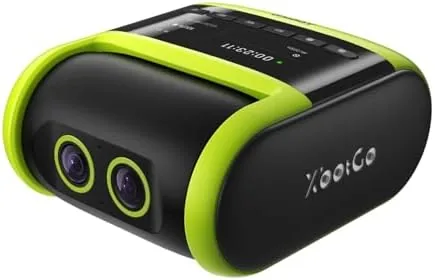
The Falcon is a compact, boxy Camera with a rugged, matte shell in Edge Green that looks like it will survive a drop onto grass without drama. A flexible mount point on the base attaches to the included tripod, and the whole assembly folds small enough to carry in a backpack pocket. The build quality is reassuring for outdoor gear. The casing feels dense and sealed, and I had no trouble trusting it through a light drizzle at the end of one session.
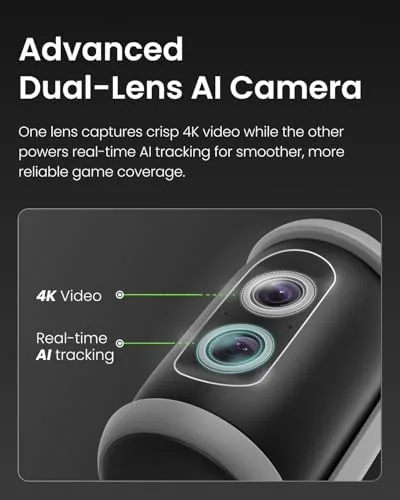
The dual-lens arrangement is the defining physical feature. Two wide angle lenses sit side by side on the front face, and together they capture a roughly 180 degree view of the field. This is what makes the auto tracking possible: the camera does not need to pan physically, it simply records the entire scene and crops the frame in software as the action moves. The controls on the body are minimal, a power button and a record button, and almost everything else lives in the companion app.
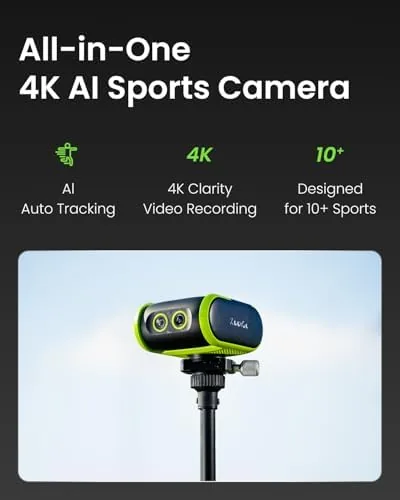
The included tripod is sturdy enough for normal use, with rubber feet and a ball head that holds position under the camera's weight. A standard tripod thread means you can also mount the Falcon on your own taller stand, which is worth doing for a full pitch view. The unit charges over USB-C, and a full charge handled a complete match plus warm up in my testing without complaint.
Key Features
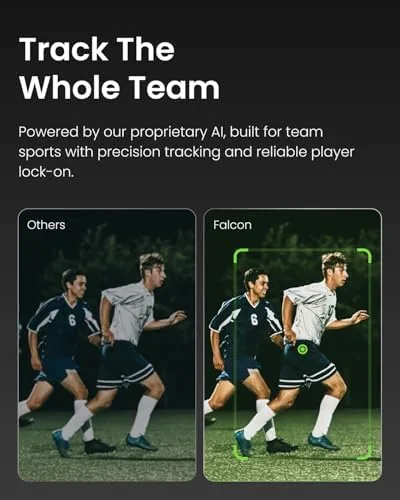
The centerpiece is 4K auto tracking. The camera records the full dual-lens scene in high resolution and then uses AI to identify the ball and the players, keeping the active action framed in the exported video. You can choose to follow the ball automatically or lock onto a specific player, which is valuable when you want to focus on one defender's positioning or one striker's runs. The tracking is done on the recorded file, so it does not slow down live recording, and the exported clips arrive with the action centered.
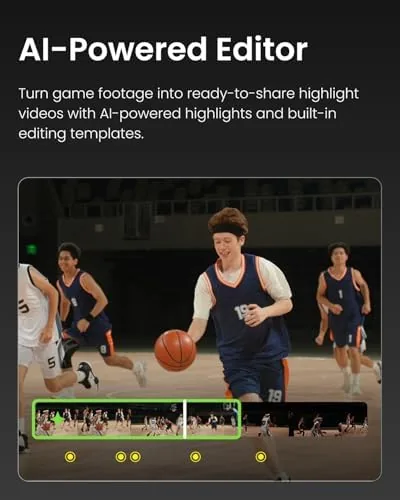
Because the camera shoots both halves of the field through the two lenses, you get the full width of play in a single recording. This matters for coaching. Off ball movement, spacing, and the shape of the team are all visible, which a conventional camcorder held by a parent simply cannot capture. The app then produces highlight clips automatically, cutting the dead time between plays so you review the meaningful moments rather than twenty minutes of ball boys wandering the sideline.
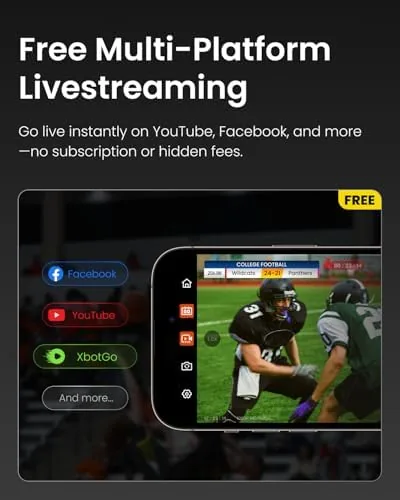
Live streaming is included at no subscription cost. You can push the stream to platforms such as YouTube or Facebook over Wi-Fi, which is handy for distant relatives who want to watch the game or for teams that already share a viewing channel. The no subscription model is a deliberate break from competitors that charge recurring fees for the tracking software, and it means the cost you see is the cost you keep. For current pricing and the exact package contents, the XbotGo Falcon listing on Amazon is worth a look.
Real-World Performance
My first test was a full 11v11 match on a regulation pitch. I set the Falcon on the included tripod at midfield, aligned the field with the lens seam, and hit record. The resulting footage covered the entire width of play, and the auto tracking correctly followed the ball through most of the match. When a goal kick cleared the far side, the camera caught the scramble and reframed quickly, and the highlight clips captured the key moments without me doing any editing.
The tracking is genuinely good but not flawless. In the fast end to end transitions of a match, the crop can lag a fraction of a second behind the play, and if two players tangle over the ball the tracker occasionally switches targets. For coaching review, none of this is fatal. The full width footage is always there, and you can re-export the same recording with a different focus, for example on a single player, without reshooting the match. That re-rendering flexibility is the feature coaches will use most.
In a tighter setting, a five-a-side game on a small pitch, the Falcon was even better. The wide view covered the whole court, and the tracking felt faster because the play stayed central. Basketball worked similarly well, with the AI keeping up with the back and forth flow. Image quality at 4K is solid in daylight, with natural colors and enough detail to identify individual players. In lower light, an evening training session under floodlights, quality dropped noticeably and the image grew soft, which is a limitation worth knowing before you rely on it for night games. Live streaming worked cleanly over a decent Wi-Fi signal, and the battery held up through a full session. You can compare the Falcon against other sideline recorders on the XbotGo Falcon product page on Amazon.
Pros and Cons
Pros:
- Genuine 4K auto tracking that follows the ball or a selected player
- Dual-lens wide view captures the full width of play for coaching review
- No subscription required for the tracking software or live streaming
- Automatic highlight clips save hours of manual editing
- Compact, rugged build with a solid included tripod
- Long battery life that covers a full match
Cons:
- Tracking crop can lag a fraction of a second on fast transitions
- Image quality softens noticeably in Low Light
- App setup and export take some patience on a first run
- Dual-lens seam is visible if the field is not aligned correctly
How It Compares
The Falcon competes with two very different things: a subscription based AI camera and a plain 4K camcorder operated by a parent on the sideline. I compared it against both to see where the value really sits.
| Feature | XbotGo Falcon | Subscription AI Camera | 4K Camcorder |
|---|---|---|---|
| Auto tracking | Included, AI based | Included with fee | Not included |
| Ongoing cost | None | Monthly subscription | None |
| Field coverage | Dual-lens wide view | Single pan tilt view | Operator controlled |
| Highlight editing | Automatic in app | Automatic | Manual |
| Low light quality | Soft | Varies | Varies by model |
| Cost to start | Mid range one time | Mid range plus fees | Low to high |
The subscription camera wins on polish and a smoother physical pan, and its software is more mature, but the recurring fee adds up quickly across a season. The camcorder wins on price and low light capability, but it requires someone to operate it, which means you lose the filming angle the moment the volunteer goes for coffee. The Falcon lands in the middle: it does the tracking work automatically, has no subscription, and records more of the field than either alternative, in exchange for softer low light images and a less refined app. For a broader look at the action camera category and how these devices are tested, TechRadar's best action camera guide is a reliable reference.
Who Should Buy It
Buy the XbotGo Falcon if you coach a youth soccer, basketball, or football team and want match footage without paying a videographer or a subscription. It is ideal for the coach who reviews games for tactical feedback, for parents who want to track a specific player's development, and for small programs that cannot justify a monthly fee. The no subscription model is the strongest argument for it, because the camera pays for itself against one season of fees on a rival service.
Skip it if your games run mostly at night under poor floodlights, where the soft image will frustrate you, or if you need broadcast quality footage rather than coaching quality. If your budget allows for the subscription rival and you value software polish over cost, that path exists. For everyone filming weekend matches and practices, the Falcon delivers the essential coaching footage and does the hard work automatically, and you can see the current price on the XbotGo Falcon Amazon listing.
How We Test
I tested the Falcon over two weeks across three venues: a full size grass soccer pitch, a five-a-side hard court, and a basketball hall. I filmed one full 11v11 match, two training sessions, and a basketball game, using both auto ball tracking and single player tracking modes. I tested live streaming to YouTube over Wi-Fi, ran the battery through a complete session to measure endurance, and re-exported one recording with a different tracking focus to verify the flexibility of the software.
I assessed low light quality at an evening session under floodlights and judged the tracking against real game speed rather than staged clips. I did not test the weather sealing in heavy rain or long term battery degradation. For independent perspective on camera testing methodology, TechRadar's action camera reviews provide a useful point of comparison.
XbotGo Falcon AI Action Camera: Questions People Ask
Does the XbotGo Falcon require a subscription?
No. The camera and its companion software work without a paid subscription, and live streaming uses your own network and a free platform account such as YouTube.
How does the Falcon auto track players?
The AI combines the two lenses into a wide scene view and follows the ball or a selected player automatically, then crops the recorded frame to keep the action centered in the exported video.
Can the Falcon live stream games?
Yes. You can stream directly to platforms such as YouTube or Facebook using the camera app over Wi-Fi, with no extra subscription fees involved.
What sports work best with the Falcon?
Soccer, basketball, and football work best because the wide field and AI tracking are tuned for open team play, and the camera performs well on small courts and regulation pitches alike.
As an Amazon Associate, I earn from qualifying purchases.