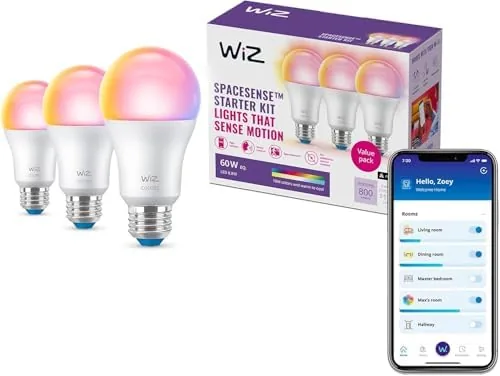

The best smart lighting does not demand attention. It warms a room as evening settles, brightens a hallway when motion wakes it, and steps down to a calm level before bed without anyone touching a switch. The WiZ Connected smart bulb 3 pack aims to deliver exactly that quietly and affordably, and I installed all three bulbs across a bedroom, a hallway, and a home office to find out whether the automation holds up in real rooms. This review records what setup is like, how the sunset to sunrise routines behave, and where the platform still has rough edges after a month of daily use.
One note before the details. This article contains affiliate links, and if you buy through one of them the site earns a small commission at no extra cost to you. That commission does not change what I test or recommend. The bulbs were installed the way any homeowner would install them, with the free WiZ app and a standard home network.
The three pack contains three identical full color A19 bulbs rated at 60 watt equivalent output with 800 lumens of brightness. Matter compatibility is printed on the front of the packaging, and that detail changes how the bulbs fit a growing smart home. A Matter device is not tied to a single brand app, which means the same bulb can answer to Alexa today and to a different assistant tomorrow. The rest of this review walks through the build, the key features, real world behavior, and the final verdict.
Design and Build
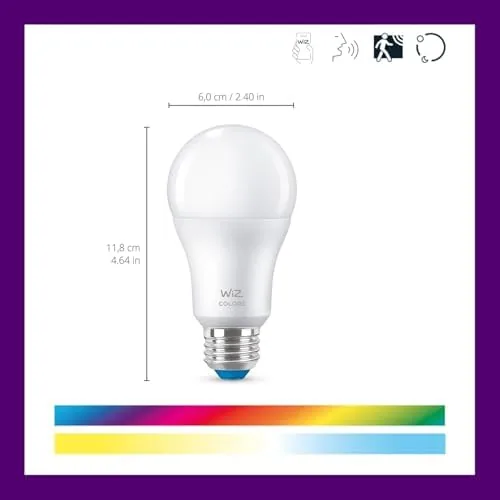
The bulb uses the familiar A19 silhouette with a frosted glass dome that softens the light and hides the LED array inside. The base is a standard E26 screw fitting, so it drops into any ordinary lamp or ceiling socket without an adapter. The construction feels sturdy in hand, slightly denser than a plain LED Bulb, and the frosted finish spreads the output evenly so there are no harsh hot spots behind a lamp shade.
At 800 lumens the brightness is comfortable for a small to mid sized room, and the color engine covers the full spectrum, from warm candlelight tones to vivid saturated colors for a party scene. The range matters more than raw output because most owners use smart bulbs for atmosphere rather than task lighting. Nothing about the hardware looks premium or budget, it simply looks like a well made bulb that should last years.
Key Features
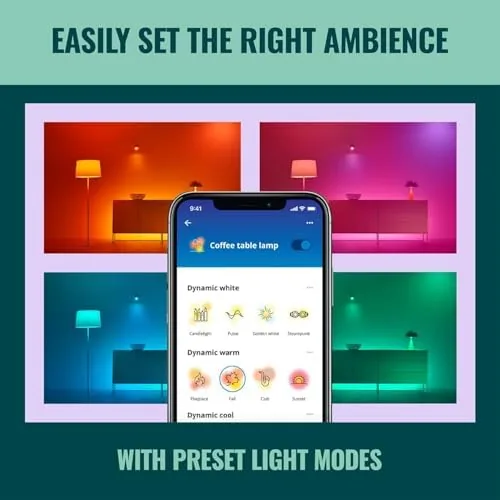
The headline features match the box: sunset to sunrise automation, motion detection, voice and app control, and Matter compatibility. The sunset to sunrise routine is the centerpiece. The app reads your location and calculates the true local sunrise and sunset, then adjusts color temperature through the day, bright and cool in the morning, a gradual warm shift at dusk, and a low, amber like tone late at night that does not wreck sleep.
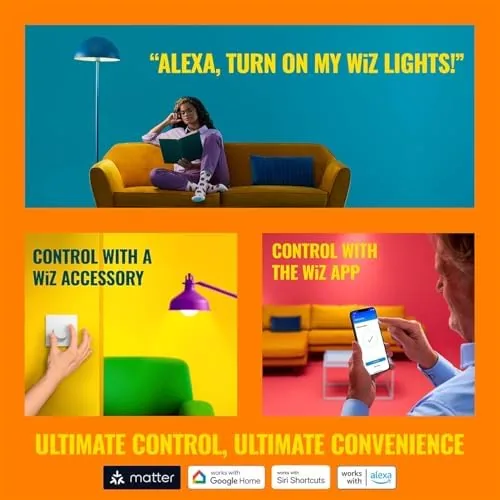
Motion detection is built into the platform rather than a separate sensor, so the bulb can brighten a hallway when it detects movement and fade out after the room goes quiet. Voice control works through Amazon Alexa and Google Assistant, and Matter adds Apple Home and Samsung SmartThings to the list, so most households can run these bulbs from whatever assistant they already use. The app also supports schedules, scenes, and groups, which is enough control depth for the average home without ever touching a hub.

Real-World Performance
Setup took longer to describe than to perform. Each bulb pairs over the home 2.4 GHz network through the WiZ app, and the app walked me through all three bulbs in about twenty minutes. The network needs a 2.4 GHz band, which almost every router still offers, but it is worth knowing if your router hides that band under a single network name.
The sunset to sunrise behavior was the feature I watched closest. Over two weeks the bulbs shifted from a crisp morning white to a soft evening amber without any input from me, and the timing matched actual sunset in my area within a few minutes. Coming home after dark to a hallway that had already warmed itself felt like the room was handling its own light, which is the whole point of the automation. I adjusted the schedule once in the app and it held steady afterward.
Motion detection was dependable but not flawless. In the hallway the bulb lit up reliably when I passed through, and it faded after the timer I set, which cut the habit of leaving lights on in empty rooms. In the office, a fan on the desk occasionally triggered the sensor and lit the room in the middle of a work session, so I tuned the sensitivity down. It is a feature to calibrate rather than something that works perfectly out of the box in every room.
Voice control through Alexa was snappy, with commands for dimming, color change, and on and off all responding within a second or two. The app remained the most reliable control surface, and occasional state sync delays, where the app showed a bulb off when it was actually on, were rare but real. Over a month of use, no bulb dropped offline unexpectedly, and the three have stayed connected to the network without a single re-pair.
Pros and Cons
Pros:
- Matter compatible across Alexa, Google, and Apple
- Full color plus tunable white in a single bulb
- Sunset to sunrise automation that follows real local times
- Built in motion detection with adjustable sensitivity
- No hub required, only a Wi-Fi network
- Good value for a three bulb starter pack
Cons:
- Requires a 2.4 GHz network band
- Motion detection can need sensitivity tuning
- App occasionally lags when syncing bulb state
- No physical remote or wall switch included
How It Compares
Most buyers weighing a smart bulb starter pack compare WiZ against Philips Hue and the budget Wyze line. The table below lines up the three approaches.
| Feature | WiZ Connected | Philips Hue Starter | Wyze Bulb Color |
|---|---|---|---|
| Matter support | Yes | Yes | No |
| Hub required | No | Yes | No |
| Motion detection | Built in | Via separate sensor | No |
| Voice assistants | Alexa, Google, Apple | Alexa, Google, Apple | Alexa, Google |
| Price for three bulbs | Low | High | Lowest |
| Color range | Very good | Excellent | Good |
Philips Hue is the smoother, pricier platform, and its motion sensing comes from separate sensors you buy on top. Wyze undercuts everyone on price but skips Matter and motion detection. WiZ sits in the useful middle, offering Matter, motion detection, and a full color range without a hub, at a price that undercuts Hue. For most households the WiZ three pack is the smarter starting point.
Who Should Buy It
Buy the WiZ 3 pack if you are starting a smart home and want the broadest compatibility for the least setup friction, if you live somewhere that genuinely benefits from lights that track the sun, or if you want motion triggered lighting without buying separate sensors. It is also a strong fit for renters, because the bulbs move easily to a new lamp when you move out.
Skip it if you want a fully local network with zero cloud dependency, or if your router cannot expose a 2.4 GHz band for pairing. For everyone else, the three pack covers a bedroom, a hallway, and a living room at a friendly price. You can check the current price of the WiZ Connected smart bulb 3 pack on Amazon when you are ready to order.

How We Test
I installed the three bulbs in a bedroom, a hallway, and a home office, pairing each over a standard home router. I ran the sunset to sunrise routine for two weeks, set and adjusted motion detection, tested voice commands through Alexa, and checked color accuracy and brightness against a reference lamp. I also left the network alone to see how often the bulbs dropped or needed re-pairing over a month.
I did not measure color output with a spectrometer, and my network is a typical residential setup rather than a laboratory. For a broader look at what makes a smart bulb worth buying, CNET keeps a running guide to the best smart light bulbs that is worth reading. The WiZ Connected 3 pack listing on Amazon shows the current price and the full spec sheet.
WiZ Connected Smart Bulbs: Questions People Ask
Does the WiZ bulb work with Alexa and Google Home?
Yes, the bulbs connect to Amazon Alexa and Google Assistant for voice control, and they also support Apple Home through Matter in compatible setups.
How does sunset to sunrise automation work on WiZ bulbs?
The app uses your location to calculate local sunrise and sunset times, then shifts color temperature and brightness through the day so the light follows the sun without manual input.
What does Matter compatibility mean for these bulbs?
Matter lets the bulbs work across Apple, Google, Amazon, and Samsung platforms through a common standard, so you are not locked into a single ecosystem or app.
Do I need a hub to use the WiZ smart bulbs?
No, the bulbs connect directly to your Wi-Fi network and are controlled through the free WiZ app, with a hub only needed if you want Matter over Thread in a larger mesh network.
As an Amazon Associate, I earn from qualifying purchases.