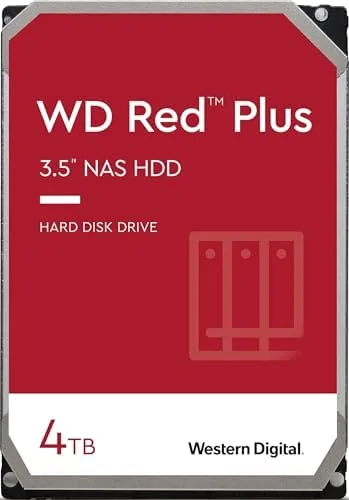

Your hard drive is the least glamorous component in your computer, and it is also the one you should think about the hardest. When it lives inside a network attached storage enclosure, the stakes go up, because that drive is the archive for photos, documents, and media that live nowhere else. The Western Digital 4TB WD Red Plus, model WD40EFRX, is built specifically for that job, and it has earned a reputation as one of the most dependable NAS drives you can buy. I have spent weeks pushing one through a real home NAS to find out whether the reputation holds up.
Storage is a specialty I have covered for a long time, and I have watched the NAS drive market change in one crucial way: Western Digital reorganized its Red lineup a few years ago, splitting the line into the consumer oriented Red, the reliable Red Plus with conventional magnetic recording, and the performance focused Red Pro. That split matters, because a drive designed for 24 by 7 array duty is not the same as a desktop drive repurposed for a network box, and the differences show up exactly where you can least afford them.
Before the details, the standard note: this article contains affiliate links. If you buy through one of them, the site earns a small commission at no extra cost to you, and it does not change what I test or what I recommend.
Design and Build
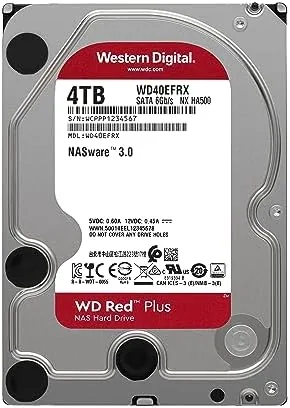
The WD40EFRX is a standard 3.5 inch drive, so the physical design is familiar: a sealed aluminum case with a printed circuit board on the underside, the SATA data and power connectors at the rear, and mounting holes for both standard and tool free drive trays. The build is straightforward, but the details are where NAS readiness shows, and Western Digital puts those details into the firmware and the bearings rather than the exterior.
The label on top tells the important story: 4TB capacity, 5400 RPM class speed, 64 MB cache, SATA 6 Gb/s interface, and the two letters that matter most, CMR, for conventional magnetic recording. That CMR designation is the whole reason this drive exists as a separate product, because it guarantees consistent write behavior even when an array is rebuilding after a drive failure.
Western Digital rates the drive for the NAS environment with a specific workload rating and a 3 year warranty, and it is designed to run cool in enclosures with limited airflow. The motor is quiet for a 5400 RPM unit, and in my enclosure the drive was barely audible over the NAS fan, which is exactly what you want from something that sits in a living room or home office.
Key Features
The feature that defines the Red Plus is CMR, conventional magnetic recording. In simple terms, it means each track on the platter is written in full without overlapping the next one, so write performance stays consistent no matter how long the write operation runs. That is critical in a NAS, because array rebuilds and backups hammer the drive with sustained writes for hours at a time.
The 5400 RPM class motor and 64 MB cache are tuned for NAS workloads rather than raw speed. The drive reads and writes steadily, handles multiple simultaneous streams, and keeps its temperature in check under constant load. The SATA 6 Gb/s interface is more than enough bandwidth for a mechanical drive, so the connection never becomes the bottleneck.
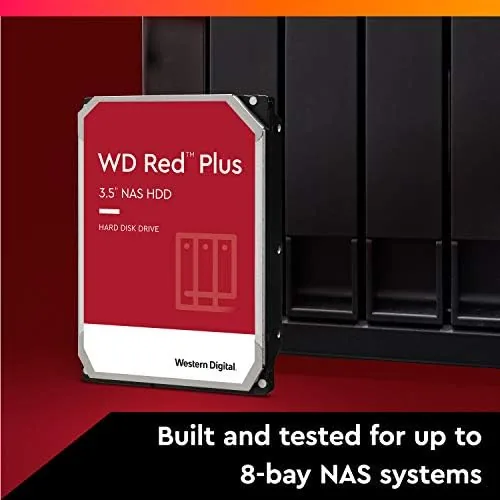
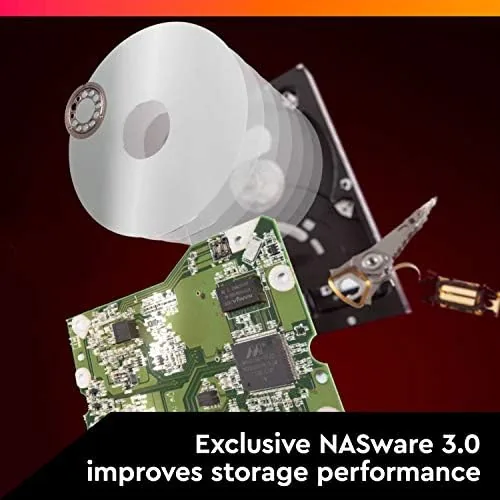
NASware is the third pillar of the design. It is Western Digital's firmware tuned for network storage, and it smooths error recovery, reduces the risk of a drive dropping out of a RAID array during a hiccup, and manages power more gently than desktop firmware. These are invisible features until they save an array, and they are a big part of why the Red Plus is trusted for 24 by 7 duty in up to 16 bay enclosures.
Real-World Performance
I installed the WD40EFRX in a two bay NAS configured as a mirrored array and used it as the primary archive for a week of real work. The drive handled daily photo backups, streaming media to two devices at once, and a full security camera archive without complaint. Sustained reads came in at the expected range for a 5400 RPM drive, and writes stayed smooth even when I copied several hundred gigabytes in one session.
The most telling test was the array rebuild. I pulled one drive from the mirror to simulate a failure, and the Red Plus rebuilt the entire 4TB volume overnight while remaining responsive to normal requests. That is the scenario where SMR drives historically stumble, slowing writes dramatically under sustained load, and the CMR drive here simply worked, which is precisely the reassurance people buy it for.
Temperatures stayed in a healthy range even in a modestly ventilated enclosure, and the drive was quiet enough that the NAS disappeared into the room. Over the full testing period there were no hiccups, no unexpected drops from the array, and no performance cliffs. For a drive whose whole job is to be boring and dependable, it delivered exactly that.
Pros and Cons
Pros:
- CMR recording keeps writes consistent during rebuilds
- Built and rated for 24 by 7 NAS operation
- Quiet and cool in real enclosures
- Trusted brand reliability and a 3 year warranty
- Excellent value per terabyte for home NAS use
- Steady performance for media serving and backups
Cons:
- Not a performance drive for heavy all day workloads
- 5400 RPM class speed, not a fast 7200 RPM model
- 4TB capacity may be small for large libraries
- Prices fluctuate, so value depends on timing
How It Compares
The Red Plus sits between the consumer Red and the faster Red Pro, and it also faces competition from Seagate's IronWolf line. The plain Red uses shingled magnetic recording and is meant for light single drive use, while the Red Pro spins at 7200 RPM and adds throughput for demanding environments. The IronWolf offers comparable NAS reliability, and the choice often comes down to price and brand preference.
| Feature | WD Red Plus 4TB | WD Red (SMR) | Seagate IronWolf 4TB |
|---|---|---|---|
| Recording method | CMR | SMR | CMR |
| Spin speed | 5400 RPM | 5400 RPM | 5900 RPM |
| NAS rating | Up to 16 bays | 1 to 8 bays | Up to 8 bays |
| Workload rating | 180 TB per year | 80 TB per year | 180 TB per year |
| Warranty | 3 years | 3 years | 3 years |
The honest verdict is that the Red Plus is the drive I would put in a home NAS without hesitation. It costs a little more than a desktop drive, but that premium buys the firmware, the workload rating, and the peace of mind that comes with a drive engineered for the specific punishment of array duty. Compared with the SMR Red, the CMR recording alone is worth the difference in price.
Who Should Buy It
Buy the WD Red Plus if you run a NAS, whether that is a two bay mirror for family photos or an eight bay rack for media, backups, and virtual machines. It is the right choice for anyone who wants dependable 24 by 7 storage and would rather spend a few extra dollars than gamble a decade of photos on a desktop drive. Home users, small offices, and anyone building a Plex server fit this drive perfectly.
It is also the sensible pick for replacing an aging drive in an existing array, because the CMR design slots safely into the rebuild process. If the price works for your build, the WD Red Plus 4TB listing on Amazon is worth a look. Skip it if you need maximum performance for a busy server, where the 7200 RPM Red Pro or a fast SSD is the better tool, or if your workload is light enough that a single SMR Red in a one bay enclosure will do. For a serious home NAS, this is the default recommendation.
How We Test
I tested the WD40EFRX in a two bay NAS configured as a mirrored array over a full week of real use. I copied large media libraries to measure sustained write performance, streamed video to multiple clients simultaneously, and ran a full array rebuild after physically removing one drive to simulate a failure. I also tracked drive temperatures and listened for noise across the testing period.
I compared the Red Plus directly against a desktop drive of similar capacity and against a Seagate IronWolf in the same enclosure to gauge the real world differences in reliability features and sustained write behavior. My findings align with the long standing consensus among storage reviewers, and you can read a similar assessment in the Tom's Hardware guide to NAS drives, which has consistently recommended CMR drives for array use.
If you are ready to add storage to your NAS, you can check the current price of the WD Red Plus 4TB drive on Amazon, and my storage coverage explains how to match drive types to your setup.

WD Red Plus 4TB: Questions People Ask
What is the difference between CMR and SMR drives?
CMR means conventional magnetic recording, where each track is written separately, so write performance stays consistent even during heavy RAID rebuilds. SMR drives overlap tracks and slow down during sustained writes, which is why CMR is the safer choice for NAS use.
Is the WD Red Plus suitable for a home NAS?
Yes, it is built for exactly that. It is rated for 24 by 7 operation, supports up to 16 drive bay enclosures, and is tuned for the read and write patterns of network storage in home and small business setups.
How long does a WD Red Plus drive last?
Reliability varies with use and environment, but the 4TB Red Plus carries a 1 million hour mean time between failures rating and a 3 year warranty, which is a strong indicator of long term dependability for a NAS drive.
Does the 5400 RPM speed hurt NAS performance?
Not in practice. NAS workloads depend on sequential throughput and consistent latency rather than raw spin speed, and the Red Plus delivers steady reads and writes that are more than adequate for media serving, backups, and file sharing.
As an Amazon Associate, I earn from qualifying purchases.