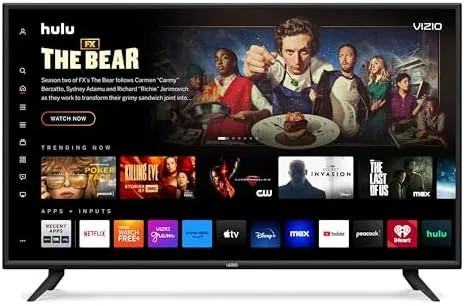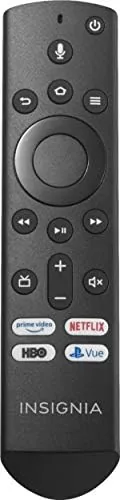

There is a moment every VIZIO owner knows. The remote slips down the side of the couch, the dog grabs it, or a toddler launches it into a plant, and suddenly the TV that worked perfectly moments ago is a brick with a screen. Replacement Remotes are supposed to solve that, but the first wave of generic options tends to fail in frustrating ways, from requiring obscure pairing rituals to missing the buttons you actually use. The VIZIO XRT136 replacement remote reviewed here is a direct, model-matched replacement designed to pair with VIZIO Smart TVs out of the box, and I spent two weeks living with it to find out whether it truly replaces the original.
Before the details, the standard disclosure. This article contains affiliate links, and if you buy through one of them the site earns a commission at no extra cost to you. That never influences what I write, and the remote reviewed here was tested exactly as a typical home would use it.
Design and Build
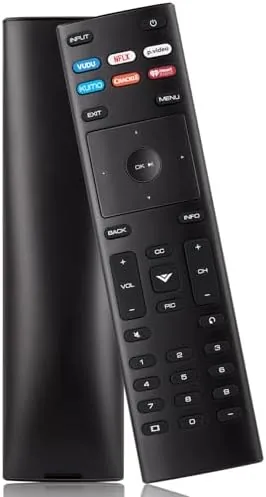
The XRT136 is a slim, dark remote with the familiar VIZIO button layout, and the first thing that stands out is how closely it mirrors the factory remote. The power button sits at the top in a contrasting color, flanked by the input and menu keys, and below them the number pad, volume and channel rockers, and a navigation cluster that matches the TV menus muscle memory expects. Holding it, you notice the build is solid enough for daily use, with a matte finish that resists fingerprints and a rear grip that keeps it from sliding off an armrest.
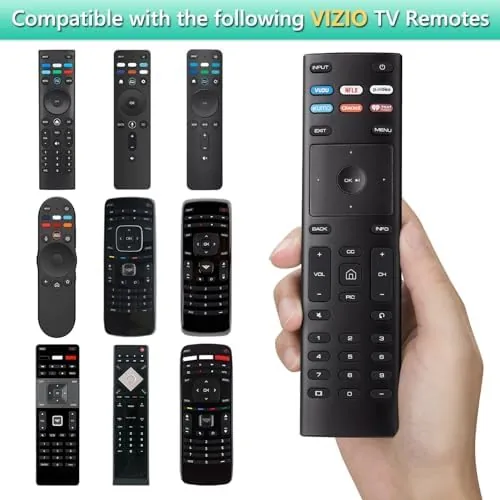
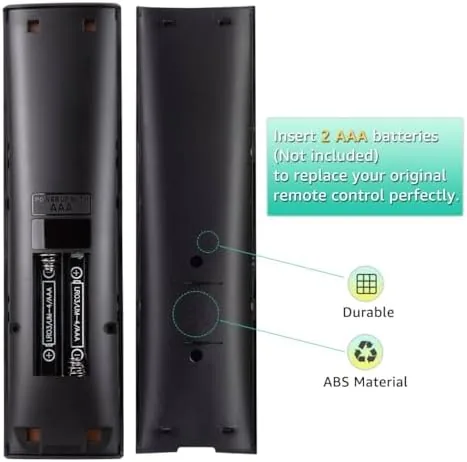
The remote is powered by two AA batteries, which slot into a rear compartment behind a secure cover. There is no voice microphone, which keeps the shell clean and the layout simple, and the buttons are rubber-domed keys with a soft, positive click that you can feel without looking down. After two weeks of heavy use, including a few tumbles off the couch, there is no looseness in the shell and no sticking in the buttons.
Key Features
The headline feature is the out-of-the-box compatibility. Because this is a direct XRT136 replacement, it pairs with compatible VIZIO Smart TVs without any programming, pairing sequence, or code entry. You load the batteries, aim it at the TV, and it works, which is exactly what a household in the middle of a lost-remote crisis needs. That is the difference between a true replacement and a generic universal remote that demands a setup session.
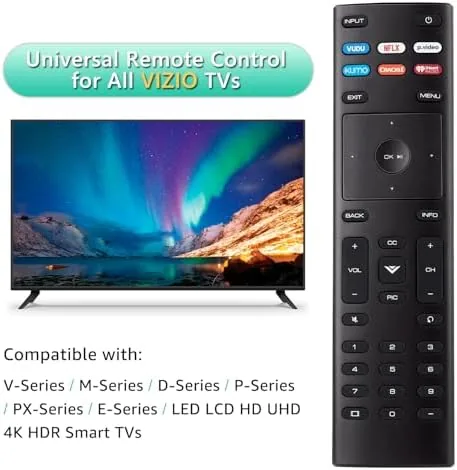
Compatibility is worth a closer look before you buy, because remote model numbers matter. The XRT136 is part of a family of VIZIO remotes, and this unit is built to match the models that shipped with a wide range of VIZIO Smart TVs in recent years. If you have an older VIZIO set, it is worth checking the model number against the compatibility notes on the listing, because VIZIO has used several remote codes across its history. For the majority of current and recent VIZIO televisions, the XRT136 is the direct match, which is why it pairs without a setup routine.
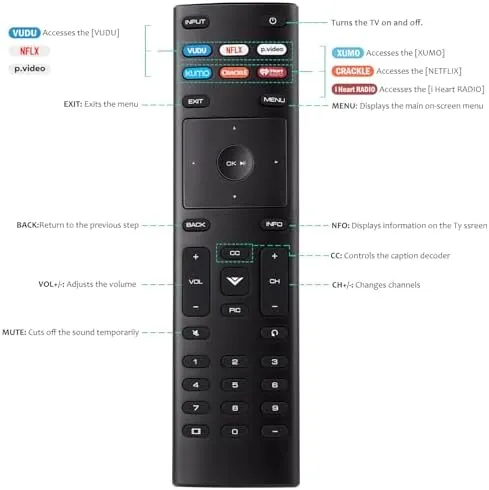
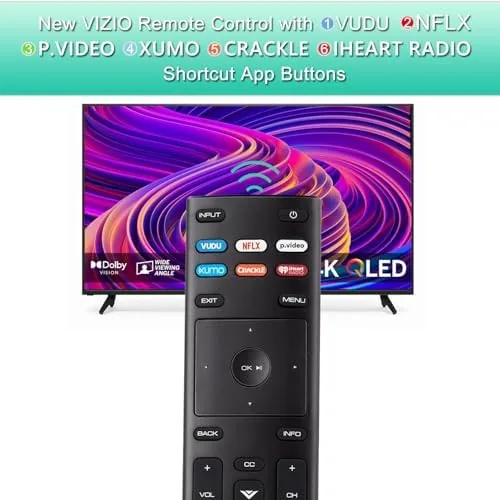
The second feature is the complete control set. The remote covers power, volume, channel, input, menu, settings, and the number pad, along with the dedicated playback keys, which means nothing you could do with the original is missing. The third is the SmartCast shortcut row, a set of colored buttons that launch popular streaming services directly on the VIZIO platform, so you can jump into content with a single press rather than navigating through the home screen each time. If you want to confirm the button list and compatibility details, the Amazon listing for this XRT136 replacement remote is the best place to check your exact model.
Real-World Performance
I paired the remote with a VIZIO Smart TV in a two-week daily test that covered streaming, broadcast viewing, and the full menu system. The setup claim held up immediately: the remote worked from the first press with no pairing screen, no codes, and no frustration. Commands registered reliably across the room, with no need to aim precisely at the sensor, and the response was immediate whether I was changing volume, navigating the home screen, or typing in a search.
The button feel is a small detail that adds up over years of use. The keys sit at a comfortable height with enough travel to register a press without being mushy, and the numbers and arrows are spaced so that a thumb can move between them without hunting. The profile is thin enough to rest in the palm, and the rubberized back keeps it from sliding out of a hand mid-scroll. It is the kind of ordinary competence that you only notice when you have a remote that does not have it, and it makes the XRT136 pleasant to use rather than merely functional.
The playback keys turned out to be the most used feature. Pausing, resuming, and skipping through a streaming series all worked through the dedicated buttons without touching the on-screen overlay, which is the small quality-of-life win that makes a remote feel like an upgrade rather than a stopgap. The only honest limitation is the absence of voice control, which matters if your old remote or TV came with a mic, and the absence of backlighting, which means night-time use in a dark room still requires finding the right button by feel.
Pros and Cons
Pros:
- Pairs with compatible VIZIO Smart TVs with no programming
- Complete layout matching the original VIZIO remote
- Dedicated SmartCast streaming shortcut buttons
- Reliable response from across the room
- Solid build for the price
Cons:
- No microphone for voice search
- No backlight for use in a dark room
- Not a universal remote for non-VIZIO devices
How It Compares
The remote market splits between exact replacements like the XRT136 and universal remotes that control many brands. The table below lines them up against a typical universal model.
| Feature | VIZIO XRT136 | Universal Remote | Original Factory Remote |
|---|---|---|---|
| Setup | None, works instantly | Programming required | None, original |
| VIZIO SmartCast keys | Yes | Depends on brand codes | Yes |
| Other brands | No | Yes | No |
| Voice control | No | Some models | Depends on model |
| Best for | VIZIO households | Multi-device setups | Original owners |
A universal remote offers the flexibility to control a sound bar and a streaming box, but it costs you the instant setup and the dedicated VIZIO shortcut keys. If your only goal is replacing a lost VIZIO remote, the XRT136 is simpler and cheaper, and it does not require teaching it your TV.
Who Should Buy It
Buy this remote if you have a VIZIO Smart TV that shipped with an XRT136 or a compatible remote and you have lost, broken, or worn out the original. It is the right fix for anyone who wants a working remote in under a minute, without reading a manual, and it is a sensible spare to keep in the drawer for the next time the clicker disappears.
Skip it if you need one remote to control a sound bar, a streaming player, and the TV, or if you rely on voice search, because this unit is purpose-built for VIZIO button control. For the most common household situation, a missing VIZIO remote, this is a straightforward and inexpensive answer. You can check the current price for the XRT136 replacement remote on Amazon when you need a quick fix.
How We Test
I used the XRT136 as the primary remote for a VIZIO Smart TV over two weeks, testing setup time, command response from across the room, the navigation and number keys, the playback buttons, and the SmartCast shortcuts. I also tested it through the full menu system and streaming apps, and I checked the build for any looseness after repeated use.
I did not test it with non-VIZIO televisions, since it is not a universal remote, and I did not test voice features because the unit has no microphone. For a broader look at how replacement TV remotes are judged, TechRadar has a practical guide to remote controls that provides useful context. The XRT136 remote listing on Amazon shows the current price and any model notes.
VIZIO XRT136 Remote: Questions People Ask
Will the XRT136 work with my VIZIO Smart TV?
Yes. It is designed as a direct replacement for VIZIO Smart TVs that shipped with the XRT136 or a compatible remote, and it pairs without any programming, so it works as soon as you add batteries.
Does this remote need to be programmed or paired?
No. It works out of the box with compatible VIZIO televisions, and the SmartCast and streaming shortcut buttons function directly through the TV, with no codes or setup steps required.
Does the XRT136 have a microphone for voice control?
No. This model uses button-only input, so there is no built-in microphone for voice search, which keeps the shell simple and the layout uncluttered.
What do the colored streaming buttons do?
The dedicated buttons launch popular apps and services directly on VIZIO SmartCast, so you can jump straight into streaming content with one press instead of navigating the home screen.
As an Amazon Associate, I earn from qualifying purchases.