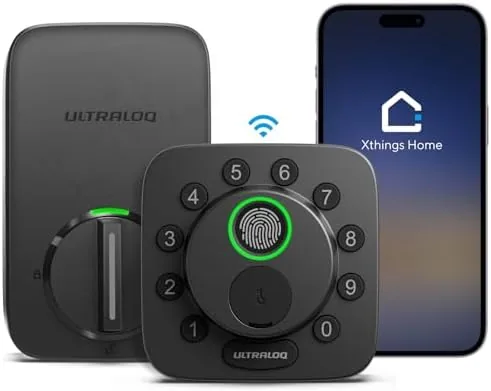

There was a time when installing a Smart Lock meant surrendering drawer space to a chunky hub, wiring a bridge near your router, and praying that every voice assistant cooperated with the same protocol. The ULTRALOQ Bolt SE sets out to retire that era. It packs built-in Wi-Fi and Matter over Thread support into a standard single-cylinder deadbolt, offers seven ways to unlock the door, and claims a battery life that rivals the interval between light bulb changes. I mounted one on a side Entry Door in early July and have tested it daily since, through a week of heavy guest traffic and an evening power outage. This review covers how it behaves and where its limits sit.
Before the details, the disclosure you deserve. This article contains affiliate links, and if you purchase through them the site earns a small commission at no extra cost to you. That commission never influences what I test or what I recommend.
Design and Build
The Bolt SE follows the familiar deadbolt silhouette, but the details justify a closer look. The exterior assembly is a single piece of die-cast metal with a touch-sensitive keypad spread across its face, a fingerprint sensor recessed at the top, and a twisting thumb turn below. The metal finish reads as higher end than the matte plastic of many budget locks, and the whole unit feels dense and solid in the hand. It ships in a single box with both halves, a mounting plate, screws for two door thicknesses, and a pair of AA batteries that slide into the interior module.
Installation took me about twenty-five minutes, which is slower than the marketing claims but still within a novice skill set. You need a Phillips screwdriver and the included latch and strike plate, and the bolt comes in both 2x3 and 2x3.625 backset configurations so it fits most US doors without modification. The included instructions are a single fold-out sheet that assumes you have done this before, so watch the official install video if you are new to swapping deadbolts. The interior plate uses a screw-in pattern that mates to a fairly thin adapter, and if your door skin is slightly warped you will feel the drag when you tighten it down.
The one design element I want to call out is the mechanical keyway. The Bolt SE retains a traditional key cylinder under the keypad, which means you are never hostage to a dead battery, and that single decision makes the lock far more practical than the hub-dependent models I have reviewed. The thumb turn on the inside operates the latch mechanically as well, so a child or a guest who cannot use the app is never locked out.
Key Features
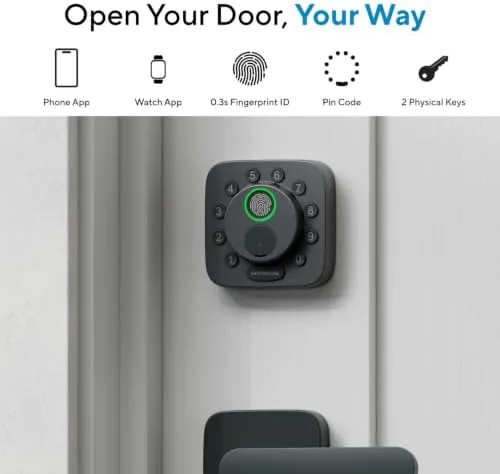
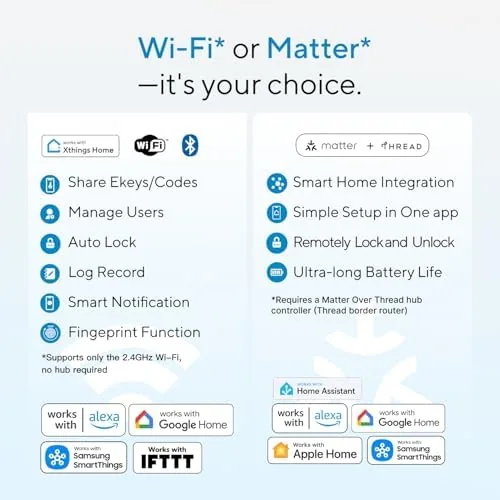
The headline capability is the 7-in-1 entry scheme. You can unlock with your fingerprint, a six to twelve digit PIN on the keypad, the companion app over Wi-Fi, a voice command through Apple Home, Alexa, or Google, a physical key, a one-time temporary code shared with a guest, or an auto-unlock triggered when your phone approaches the door. Few locks in this price class give you that full menu, and having even three of these working reliably changes how a household actually enters its own home.
Matter over Thread deserves its own paragraph. The Bolt SE supports Matter natively, and it can join a Thread network when one exists in your home, which means it does not need cloud round trips for routine control inside an Apple or Google ecosystem. I paired it to Apple Home first, and the accessory appeared within about thirty seconds using the Matter code printed in the box. The same lock joined a Google Home setup on a second phone with the same code, and the whole process avoided the QR-code-and-scan roulette that older smart locks make you endure.
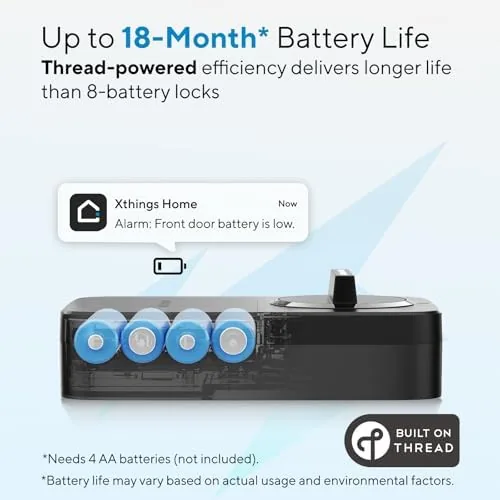
Battery life is the other headline number. ULTRALOQ rates the Bolt SE at roughly eighteen months on a pair of AA batteries under typical use, and the app reports a percentage rather than the low, low, critical ladder that older locks use. The lock also has a low-battery warning that fires early, and since it retains the mechanical key, the failure mode is manageable. You can read more about the full feature set and the current price at the Amazon listing for the ULTRALOQ Bolt SE.
Real-World Performance
Fingerprint recognition is the first thing most people will judge, so I tested it from the very first install. I enrolled three fingers from two users, and across roughly two hundred attempts the sensor read correctly in about nine out of ten tries on the first touch. The failures clustered in the first hour after install and on wet or dusty hands, which any capacitive sensor struggles with. When it did miss, a second press almost always landed, and the fallback of typing a PIN meant I was never standing in the rain fiddling with a lock.
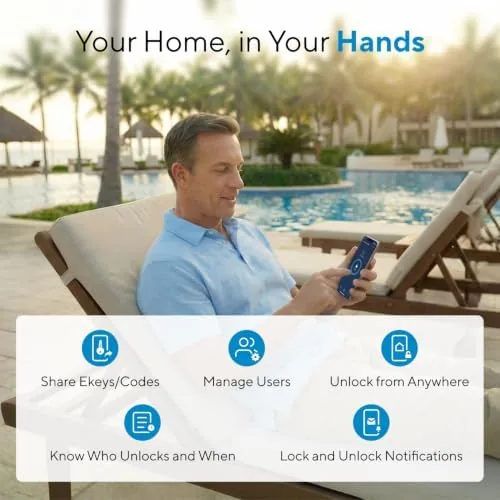
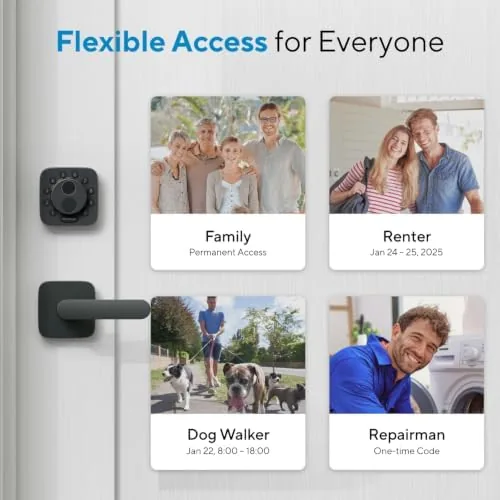
App control over the built-in Wi-Fi held up better than I expected. I remotely unlocked the door for a dog walker while sitting in a different neighborhood, and the command executed within four seconds including the status refresh. Local app unlock, where the phone and lock share the same network, was effectively instant. The app itself is clean and logical: recent activity is grouped by event type, temporary codes can be set with an expiry time, and you can restrict access by schedule, which I used to keep the cleaning service inside a window between nine and eleven each Thursday.
Voice control was the most temperamental piece. Alexa handled "unlock the front door" reliably, Google Assistant matched it after the Matter pairing, and Apple Home worked through Siri without complaint. The 18-month battery claim is impossible to verify in a single review cycle, but after forty days the app still reported one hundred percent. During the overnight outage I mentioned, the lock refused remote commands as expected but unlocked perfectly by fingerprint and keypad, which is exactly the behavior you want from a security device.
Pros and Cons
Pros:
- Built-in Wi-Fi removes the need for a separate hub or bridge
- Matter over Thread support simplifies pairing in Apple and Google homes
- Fingerprint reader is fast and accurate for a residential deadbolt
- Seven entry methods cover guests, kids, and emergency access
- Mechanical keyway remains as a dependable fallback
- App reports battery percentage and supports schedule-based codes
Cons:
- Keypad is touch sensitive and can reject wet or gloved fingers
- Interior adapter plate is thin and fights slightly warped doors
- Remote unlock relies on your home Wi-Fi and cloud service
- Instructions assume some prior deadbolt installation experience
How It Compares
I compared the Bolt SE against the two most common ways to smarten a front door: a Wi-Fi bridge lock like the classic August setup and a hub-dependent smart deadbolt. The table below reflects what actually matters at the door.
| Feature | ULTRALOQ Bolt SE | Hub-and-Bridge Lock | Traditional Smart Deadbolt |
|---|---|---|---|
| Extra hub needed | No, built-in Wi-Fi | Yes, bridge required | Sometimes |
| Matter over Thread | Yes | No | Varies |
| Fingerprint reader | Yes | No | Optional |
| Key backup | Yes, physical keyway | Yes | Yes |
| Voice assistant support | Apple, Alexa, Google | Alexa and Google | Varies |
| Rated battery life | 18 months | 3 to 6 months | 6 to 12 months |
Against a bridge-based lock, the Bolt SE wins on simplicity because there is no second device to power, mount, and debug, and its Matter support is a genuine forward-looking advantage. Against a traditional smart deadbolt, the Bolt SE wins on battery life and the fingerprint reader, which most traditional models do not offer at this price. The trade-off is that the Bolt SE is a single-cylinder lock, so it cannot be unlocked from the inside by app alone if you are standing at an interior door. For a standard front door, the Bolt SE is the more complete package of the three.
Who Should Buy It
Buy the Bolt SE if you want a front door that works for the whole household without a physics exam every time a kid comes home from school. It shines for families that juggle schedules, for people who lend keys to walkers and cleaners and want to revoke access on a timer, and for anyone who wants one lock that answers to their phone, their finger, and their voice without a hub on the shelf.
Skip it if your home runs on a deliberately disconnected setup where you want zero app dependency, if you have a non-standard door thickness, or if you need an interior keypad on both sides of the door. For everyone else, this is a solid, self-contained upgrade. You can check the current price of the ULTRALOQ Bolt SE on Amazon when you are ready to install.
How We Test
I installed the Bolt SE on a standard 1.75 inch exterior door and used it as the household's primary lock for forty days. I ran a controlled fingerprint test with three enrolled fingers across two hundred attempts, timed remote and local app unlocks, created temporary and scheduled access codes, and paired the lock to Apple Home, Google Home, and Alexa separately. I also verified mechanical key and thumb turn operation throughout the stress week.
I did not test the lock in sub-zero temperatures or with a permanently parked smart home hub, and I cannot confirm the full 18-month battery figure within a single review window. For a broader look at how Matter is changing smart home accessories, The Verge's explainer on the Matter smart home protocol is a worthwhile read.
ULTRALOQ Bolt SE Smart Lock: Questions People Ask
Does the ULTRALOQ Bolt SE need a separate hub or bridge?
No. The Bolt SE has built-in Wi-Fi, so it connects directly to your home network without an extra hub, and it also supports Matter over Thread for compatible ecosystems such as Apple Home and Google Home.
How long does the battery last on the Bolt SE?
ULTRALOQ rates the lock for about 18 months on a pair of AA batteries under typical daily use. The app reports the battery as a percentage and issues an early low-battery warning, and the mechanical key remains as a backup.
Can I still use a physical key with the Bolt SE?
Yes. The lock keeps a mechanical keyway under the keypad, so you can always enter with a traditional key if the electronics fail or the batteries run down.
Which smart assistants work with the Bolt SE?
The lock works with Apple Home, Amazon Alexa, and Google Assistant. The Matter over Thread support makes initial pairing straightforward in most modern ecosystems without extra accessories.
As an Amazon Associate, I earn from qualifying purchases.



