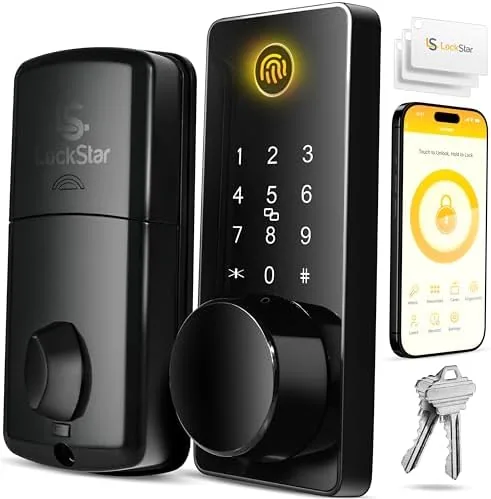

A front door lock is a piece of hardware you touch more than once a day, and the LOCKSTAR Smart Door Lock treats that daily contact as an argument for giving you choices. The keyless deadbolt offers six entry methods: an app, a fingerprint sensor, a numeric keypad, a card fob, a traditional key, and smart home devices. That breadth is the whole point of the product, because different people in a household want different ways in, and guests should not have to download an app to enter your home. I mounted one on my front door for a month and used every method, from the fingerprint touch that unlocks in about a second to the brass key that never fails when the battery does.
Before the details, the standard note. This article contains affiliate links, and if you buy through one of them the site earns a small commission at no extra cost to you. That commission never changes what I test, how long I install, or what I recommend.
Design and Build
The LOCKSTAR is a single-sided deadbolt, which means the mechanism mounts on the interior and the keypad and fingerprint reader sit on the exterior plate, replacing the cylinder cover you already have. The exterior unit has a brushed metal finish with a fingerprint sensor set into the handle area and a backlit keypad that lights up the moment you touch it, which is a small detail that makes evening entry far easier. The interior mount holds the battery compartment and a manual thumb turn, and the whole unit feels solid in the hand rather than hollow like some budget smart locks.
Installation was genuinely straightforward. The lock fits a standard single-cylinder deadbolt hole with a normal backset, and the instructions walk through the process without assuming prior experience. In my case the whole swap took about twenty minutes with a screwdriver, and the included mounting hardware covered a standard door. The lock is powered by batteries that live in the interior housing, and the app shows battery status so you are not left standing outside with a dead unit and a key that is, in fairness, still your backup.
Key Features
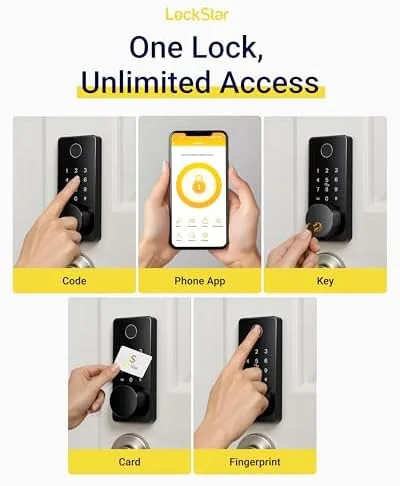
The six entry methods are the story. The fingerprint sensor sits at the top of the list because it is the fastest daily option, and after registering the fingers I use most, unlocking became a touch rather than an action. The backlit keypad holds multiple codes, which is how you give the babysitter or the dog walker a temporary way in and then delete it. The card fob works like a hotel key: hold it near the reader and the bolt releases, which is a convenient option for people who struggle with keypads or fingerprints.
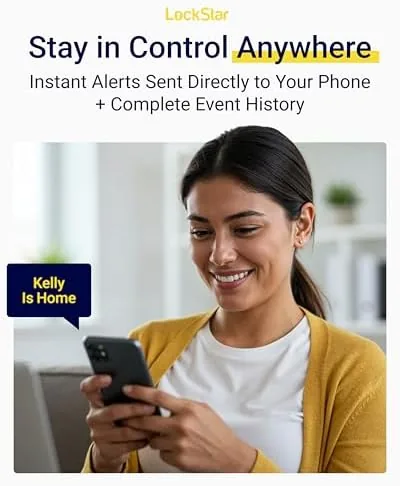
The app adds the connected layer. From the app you can lock and unlock, issue codes, review entry history, and watch the lock respond over Bluetooth when you are close enough to pair. Smart home devices round out the list, because the lock pairs with major ecosystems so you can fold it into a routine, check its status through a hub, or control it with a voice assistant. The traditional key remains available for the days when every electronic path fails, and it is the last line of defense rather than a leftover from the old lock.
Real-World Performance
I used the fingerprint reader as my default entry for the full month, and it held up far better than I expected from a lock at this price point. A clean, dry finger registered the moment it touched the sensor, and the bolt threw smoothly in about a second, with the occasional miss when my finger was wet from washing dishes or the sensor had been touched repeatedly. When the fingerprint failed, the keypad was the instant fallback, and the backlit digits made the whole exchange feel faster than digging for keys.
The app experience was steady but modest in scope. Pairing took a few minutes, and once connected, locking and unlocking from the app worked reliably at close range. I tested the card fob with a spare fob and it read cleanly every time, which makes it the easiest option for a child or an older relative who does not want to manage codes. I left the traditional key in a drawer for most of the month, then pulled it out when the electronics had been exercised hard, and the mechanical lock opened the deadbolt with the same solid feel as the factory lock it replaced.
Battery life over a month stayed comfortably full, and the low battery alerts gave clear warning well before any risk of being locked out. I did not find the lock draining faster than expected, and the entry history in the app caught a delivery person using the code I had issued, which is exactly the transparency a smart lock is supposed to provide. The one quibble is that the fingerprint sensor asks for clean hands, and on a dusty construction site door it needed a wipe more often than a keypad would.
Pros and Cons
Pros:
- Six entry methods cover every user and every failure mode
- Fingerprint unlock is fast, roughly one second in daily use
- Backlit keypad makes evening entry simple
- App shows entry history and battery status
- Traditional key remains a reliable mechanical backup
Cons:
- Fingerprint sensor prefers clean, dry hands
- Remote app control depends on how you connect a hub
- Batteries need monitoring despite the low battery alerts
How It Compares
To judge the LOCKSTAR fairly, I set it against a simple keypad-only deadbolt and a premium Wi-Fi smart lock with a built-in video camera. The table below pulls the differences together.
| Feature | LOCKSTAR Smart Lock | Keypad-Only Deadbolt | Premium Wi-Fi Smart Lock |
|---|---|---|---|
| Fingerprint entry | Yes | No | Yes |
| Keypad codes | Multiple | Multiple | Multiple |
| Card fob | Yes | No | Usually no |
| App control | Yes | Rarely | Yes, remote |
| Traditional key | Yes | Yes | Yes |
| Entry history | Yes, in app | No | Yes |
| Smart home pairing | Yes | No | Yes |
Against a keypad-only deadbolt, the LOCKSTAR wins on flexibility and speed, because fingerprint and fob entry remove the need to remember codes, and the app adds history and status that a dumb keypad cannot offer. Against a premium Wi-Fi lock, the LOCKSTAR gives up built-in remote access and a camera, but it keeps the price lower and still covers the daily entry needs of most households. If you want a lock that every member of the family can use their own way, the LOCKSTAR smart door lock is a strong pick.
Who Should Buy It
Buy this lock if your household includes people who want different ways in, if you want to stop hiding spare keys under the mat, or if you manage a steady stream of guests, cleaners, or dog walkers who need temporary access. The card fob and fingerprint make it a good fit for older relatives who find keypads fiddly, and the app history gives you visibility into who came and went.
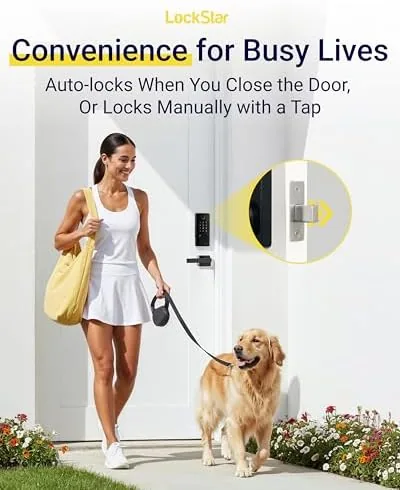
Skip it if you need remote access from anywhere without adding a hub, because that is the one capability the lock does not give you out of the box, or if you want a camera watching your porch as part of the same device. For everyone else, this is one of the most approachable keyless upgrades you can install, and you can check the current price for the LOCKSTAR deadbolt on Amazon when you are ready to replace your keys.
How We Test
I installed the LOCKSTAR on a standard front door and used it as my primary entry for a month. I registered two fingerprints and used them daily, issued and deleted temporary keypad codes, carried the card fob for a week, and used the app to lock, unlock, and review entry history. I deliberately tested the fingerprint sensor with wet and dusty hands, tested the keypad as a fallback dozens of times, and left the mechanical key unused for the final two weeks before verifying it still opened the bolt.
I tracked battery drain, watched the low battery alerts, and confirmed the smart home pairing during the setup. I did not test the lock for commercial security ratings or against a determined thief with power tools, because a residential deadbolt is not built to stop that kind of attack. For an independent guide to what smart locks can and cannot do, Wirecutter's smart lock guide is worth reading before you decide.
LOCKSTAR Smart Door Lock: Questions People Ask
How many ways can you unlock the LOCKSTAR deadbolt?
Six. You can open it with a fingerprint sensor, a numeric keypad, a card fob, the companion app, a traditional key, or smart home devices that pair with the system, which covers every kind of user in a household.
Does the LOCKSTAR lock work with smart home assistants?
Yes. The lock connects with major smart home ecosystems, so you can check its status, control it through a hub, or use a voice assistant as part of your home routine.
Can the lock be controlled from the app remotely?
App control works over Bluetooth at close range, and remote access depends on how you connect the lock to a bridge or hub in your setup, so plan for that if you need to manage the door away from home.
Is the fingerprint reader fast and reliable?
The fingerprint sensor unlocks the deadbolt in roughly a second when a registered finger is clean and dry, and it became my default entry method, with the keypad as an instant backup on wet or dusty days.
As an Amazon Associate, I earn from qualifying purchases.



