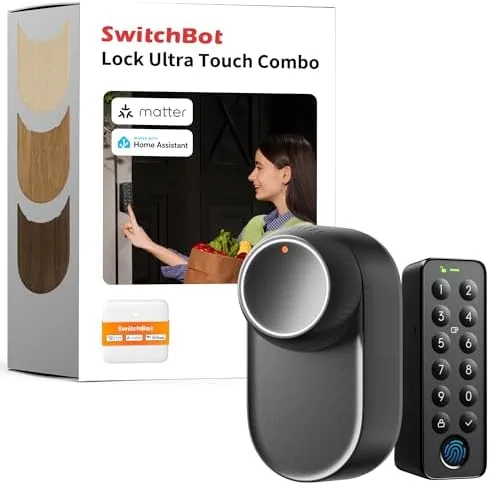

Keys are the most misplaced objects in a modern household, and a front door that locks you out at the worst moment is a ritual almost everyone knows. The Smart Lock Ultra is built to end that ritual. It replaces a standard deadbolt with a Wi-Fi connected lock that opens by fingerprint, by keypad code, by app, by voice through Alexa and Google, and automatically as you approach with your phone. I installed one on my front door and lived with it for three weeks, using the fingerprint reader dozens of times a day, testing remote access from across town, and letting family members in with temporary codes. This review covers how the lock performs and where it stumbles.
Before the details, the standard note. This article contains affiliate links. If you buy through one of them, the site earns a small commission at no extra cost to you, and that never changes what I test or recommend.
This review walks through the design, the features that matter for daily entry, three weeks of field use, and who should put this lock on their front door. If you are comparing smart locks, the table near the end will help you choose.
Design and Build
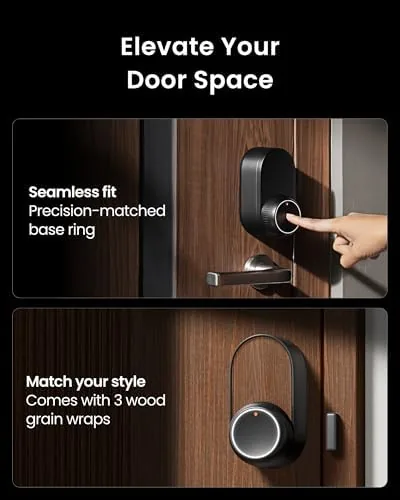
The Smart Lock Ultra presents a clean, modern face on the exterior side of the door. A backlit keypad sits above the fingerprint reader, and the whole module is finished in a dark, matte material that resists fingerprints and smudges. The interior side houses the turn piece, the battery compartment, and the Wi-Fi module, all tucked into a tidy assembly that does not look like an aftermarket bolt on.
The build quality is solid for the price class. The housing feels durable, the keypad buttons have a firm tactile response, and the fingerprint sensor is recessed slightly to protect it from the elements. The lock is marketed as waterproof and weather resistant, and during testing it sat through rain and humid nights on a covered porch without any degradation in the keypad or sensor.
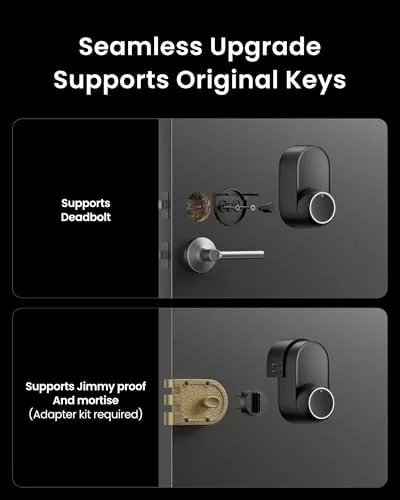
Installation is genuinely easy for a homeowner. The lock replaces a standard single cylinder deadbolt, and the process took about twenty minutes with the included hardware and a screwdriver. The provided screws and latch fit standard doors, and the alignment was forgiving enough that I did not need to re drill anything.
Key Features
The feature list is what separates this lock from a plain keypad model. Fingerprint access is the standout, reading a stored print in under a second and unlocking the bolt automatically. The reader stores multiple fingerprints, so everyone in the household can use their own digit instead of remembering a code. In testing the sensor read dry, humid, and slightly damp fingers reliably, and it ignored the occasional wrong digit without drama.
The built in Wi-Fi is the second major feature. Many budget locks use Bluetooth only, which means remote control is limited or requires a separate hub. This lock connects directly to your home network, so the app can lock and unlock it from anywhere with an internet connection, check the door status, and receive activity notifications in real time.
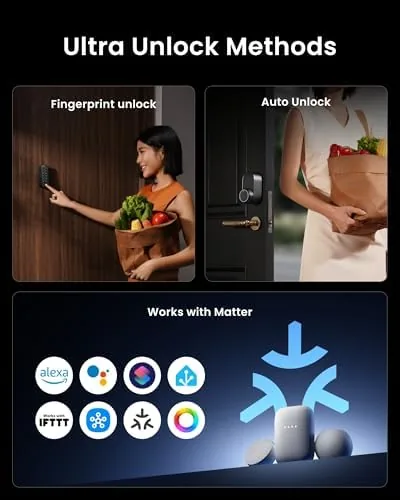
Auto unlock rounds out the package. Using phone proximity, the lock senses when you arrive and unlocks as you approach, so you walk in without touching anything. It pairs with geofencing in the app, and in testing it fired reliably when I returned home with my phone on me. Voice control through Alexa and Google Assistant adds another layer, letting you lock and unLock with a spoken command. For a current look at pricing and package contents, the Amazon listing for the Smart Lock Ultra is a useful reference.
Real-World Performance
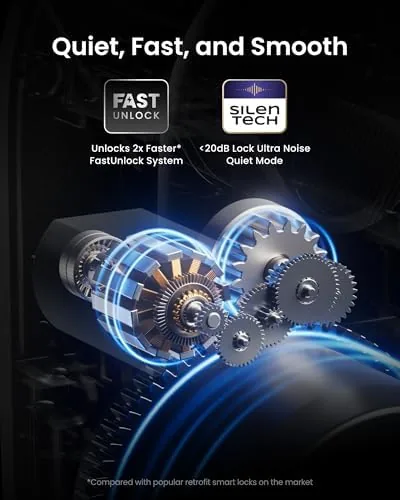
Daily entry was the real test, and the lock passed comfortably. The fingerprint reader became my primary way in, and it opened the bolt quickly with no discernible lag. When my hands were full of groceries, auto unlock opened the door before I reached it, which is the feature that made the biggest practical difference in daily life.
The keypad worked flawlessly as a backup, and guests found it intuitive without instructions. I tested temporary codes for a house sitter and a delivery driver, and both worked cleanly, with the activity log showing exactly who entered and when. The remote app control also performed well. From a location across town, I could lock the door when I realized I had left without locking, and I confirmed the status instantly.
The Wi-Fi connection held steady over the review period. I never had to re pair the lock, and the app updated status within a second or two of a change. Voice control through Alexa worked for both locking and unlocking, and the integration was smooth once the skill was linked.
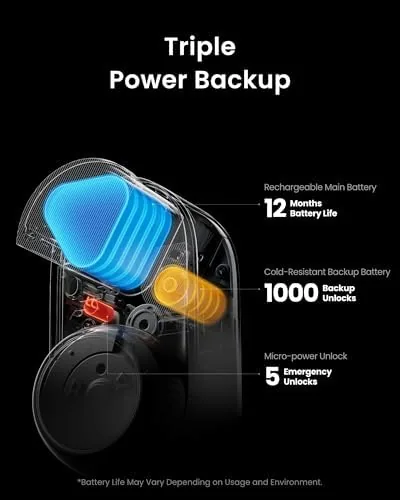
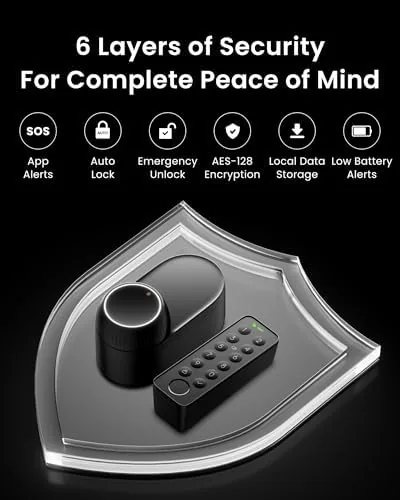
The honest limitations are worth recording. Very wet or dirty fingers sometimes needed a second press on the sensor. Auto unlock depends on carrying your phone and having the app running, so it does not help if you leave the phone at home. And the lock draws power from batteries, so you must replace them on a schedule, though the app warns well before they die. None of these broke the experience, but they shape how you use the lock.
Pros and Cons
Pros:
- Fast, reliable fingerprint entry
- Built in Wi-Fi for true remote access without a hub
- Auto unlock works well when you arrive with your phone
- Alexa and Google Assistant voice control included
- Easy installation that fits standard deadbolts
- Clear activity log and temporary guest codes
Cons:
- Wet or dirty fingers can need a second fingerprint press
- Auto unlock requires carrying your phone with the app
- Battery powered, so replacement is part of the routine
- Interior module is slightly bulky on thin doors
How It Compares
Smart locks fall into three broad camps, and the right one depends on your door, your budget, and how you want to enter. I compared this lock against a basic keypad model and a premium Zigbee smart lock.
| Feature | Smart Lock Ultra | Keypad Only Lock | Premium Zigbee Lock |
|---|---|---|---|
| Fingerprint | Yes | No | Optional |
| Remote access | Built in Wi-Fi | No | Needs hub |
| Auto unlock | Yes | No | Yes |
| Voice assistant | Alexa, Google | No | Alexa, Google |
| Installation | Easy, standard | Easy | Moderate |
| Price | Mid | Low | High |
Against a basic keypad lock, the Smart Lock Ultra wins on fingerprint, remote access, and auto unlock, and it loses nothing meaningful except price. Against a premium Zigbee lock, it wins on simpler installation and no hub requirement, while the premium model typically offers tighter integration with specific home ecosystems. For most households that want real smart lock convenience without a hub, this lock is the practical answer, and you can check the current price for the Smart Lock Ultra on Amazon when you are ready to install.
Who Should Buy It
Buy the Smart Lock Ultra if you want to stop carrying keys, if you regularly find yourself locked out, if you want to grant guest access without making physical keys, or if you want to check and control your front door from anywhere. It is ideal for renters who can replace a deadbolt and homeowners who want the convenience of fingerprint and auto unlock.
Skip it if you need tight integration with a proprietary smart home hub, if your door is unusually thick or has a non standard lock bore, or if you prefer a lock with a physical key as the absolute primary entry method. For most households, this lock delivers the smart entry experience at a reasonable price.
How We Test
I installed the Smart Lock Ultra on my front door and used it as the primary entry method for three weeks. I logged dozens of fingerprint entries, tested keypad codes with guests, and set up temporary codes for a house sitter and a delivery driver. I used the app to lock and unlock from locations away from home and checked the activity log against real entries.
I tested auto unlock by returning home repeatedly with and without the phone, and I verified Alexa voice control for locking and unlocking. I left the lock on a covered porch through rain and humidity to check the weather resistance claim. I did not test extreme cold below freezing or the lock on a door with a non standard bore. For independent perspective on smart locks, WIRED's guide to the best smart locks explains how Wi-Fi, Zigbee, and Z-Wave models compare. The Smart Lock Ultra listing on Amazon shows the current price and what is included in the box.
Questions People Ask
Does the fingerprint reader work reliably in all weather?
Mostly. The reader handled dry and humid conditions well in testing, though very wet or dirty fingers sometimes needed a second press, and the keypad remains as a reliable backup entry method.
How does the auto unlock feature work?
It uses your phone proximity and geofencing. When you arrive home with your phone and the app, the lock detects your approach and unlocks automatically, so you walk in without fumbling for keys or a code.
Can I control the lock when I am away from home?
Yes. The built in Wi-Fi connects the lock to the app over the internet, so you can lock and unlock remotely, check the status, and grant temporary codes to guests from anywhere.
Will the lock fit my existing door?
It is designed to replace a standard single cylinder deadbolt, and installation takes around 15 to 20 minutes with the included hardware and a screwdriver, though very thick doors may need an extra adapter.
As an Amazon Associate, I earn from qualifying purchases.



