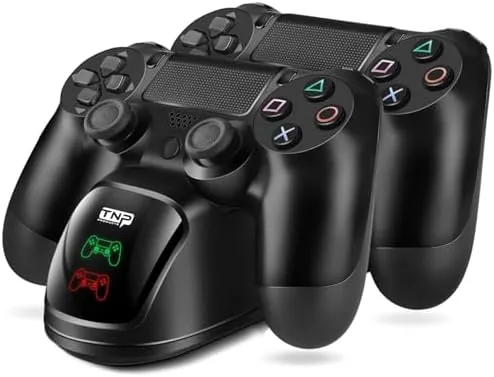

There is a particular frustration that every PlayStation owner eventually knows. You finish a session, reach for a controller, and find the battery light blinking red, with the charging cable buried somewhere under the couch or tangled in the drawer. A charging station solves that problem permanently by giving controllers a fixed home where they refill every night. I spent two weeks with the TNP PS4 Controller Charging station dock on my desk, tracking charge times, testing it with an original PS4, a Slim, and a Pro, and checking whether the cradle design holds up to daily use. This is the full account of how it performed.
Before the details, the standard note. This article contains affiliate links, and if you buy through one of them the site earns a small commission at no extra cost to you. That commission never changes what I test or what I recommend.
Design and Build
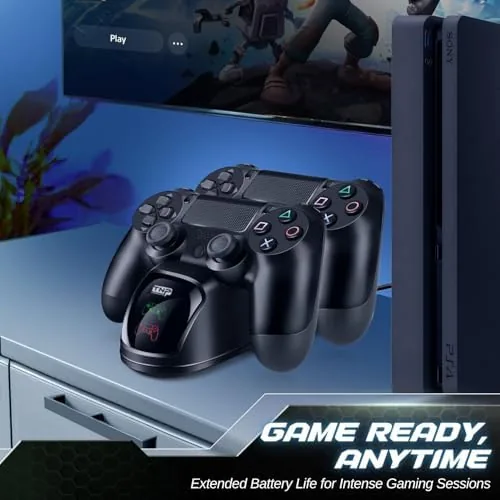
The TNP station is a compact base with two angled cradles cut into its top, shaped to accept the curved back of A DualShock 4. The whole unit is built from a matte black plastic that resists fingerprints, and the weight is reassuring for something so small. A lightweight base would slide around the moment you tug a controller free, but this one stays planted because of its solid mass and the four rubber feet underneath.
The cradles are deep enough that a controller seats itself by gravity, which means there is no fiddly alignment when you set a pad down after a long session. At the front sits a single LED indicator that glows softly while charging and changes state when the pads are full. The light is bright enough to read across the room but dim enough that it does not glow like a beacon on the nightstand.
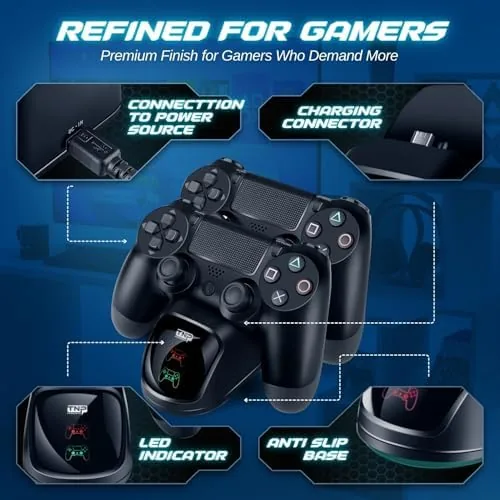
There is no cable clutter on the unit itself. The included USB cable exits the rear of the base and runs to the console, a wall adapter, or any powered USB port. In my setup I fed it from a USB wall block, which let me charge controllers without powering on the console at all.
Key Features
The headline feature is dual charging. The station holds and charges two controllers at the same time, which is the difference between always having a spare ready and waiting out a recharge cycle in the middle of a game night. Both cradles draw from the single USB input, and the charge is shared evenly between the two slots.
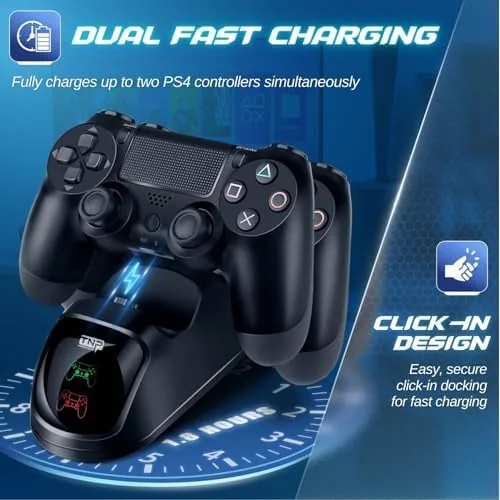
Charging happens through contact pins inside each cradle, so you never need to plug a micro USB cable into the controller itself. That matters more than it sounds, because the charging port on a DualShock 4 is a known weak point, and repeated cable plugging is exactly what wears it out over years of use. With the dock, the controller simply rests on its pins and refills.
The station is compatible with the controllers that ship with the original PS4, the PS4 Slim, and the PS4 Pro, because all three use the same DualShock 4 body. The LED on the front gives you a quick status check, and the whole package works with the included cable alone, no external adapter required for most setups.
Real-World Performance
I tested the station the way an actual owner would, by draining controllers and watching them refill. From a fully drained state, a DualShock 4 reached a full charge in roughly three hours, which is a typical charge curve for the controller and matches what I expected from a quality charger. The contact pins held firm contact every time, and the LED turned on reliably whenever a controller was seated.
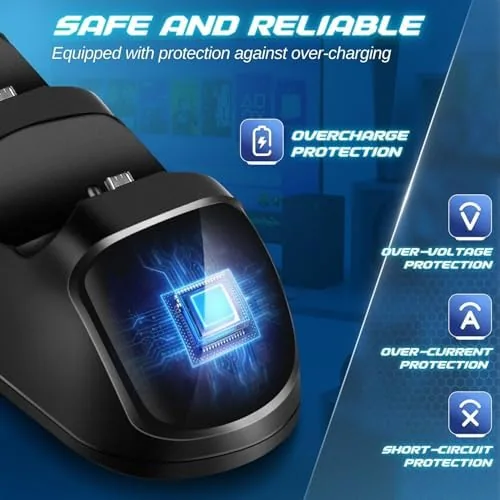
I also left a controller on the dock overnight, and it held its charge perfectly with no overheating. The base stayed cool to the touch even after a full night of charging, which is a good sign for the power regulation inside. During a marathon gaming session with two friends, the dock kept both spare controllers topped up so there was never a pause in the rotation.
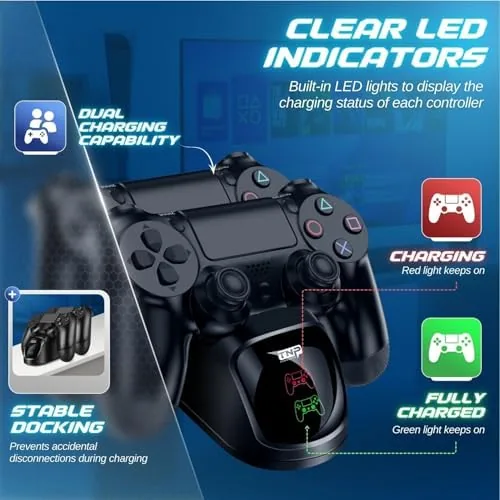
The one behavioral quirk is that the LED does not distinguish between the two cradles. It tells you that charging is happening, but it will not tell you which controller finished first. For most people that is a non issue, since both pads finish around the same time. The other consideration is that the controllers must be seated fully to make contact, and a hurried drop at an angle can leave a pad resting on its edge without charging.
Over two weeks of daily use the dock showed no wear. The pins stayed clean, the cradles did not loosen, and the rubber feet never slipped on the desk. It is a simple product done properly, which is exactly what a charging accessory should be.
Pros and Cons
Pros:
- Charges two controllers at once with a single USB input
- Contact pins protect the controller charging port from wear
- Solid, rubber-footed base that does not slide around
- Works with original PS4, Slim, and Pro controllers
- Clear LED status indicator on the front
- Runs from the included cable with no extra adapter needed
Cons:
- Single LED does not show which controller finished first
- Controllers must be seated fully or they will not charge
- Wall adapter is not included in the box
How It Compares
Set against the two most common alternatives, the built in USB ports on the console and a single controller cable, the TNP dock wins on convenience and cable management. The table below lays out how the three approaches compare in daily use.
| Feature | TNP Dual Dock | Console USB Port | Single Charging Cable |
|---|---|---|---|
| Controllers charged at once | Two | One | One |
| Charges with console off | Yes, via wall power | No | No |
| Protects controller port | Yes, contact pins | No, cable wear | No, cable wear |
| Status indicator | LED on front | None | None |
| Desk footprint | Small base | None | None |
Charging from the console port works, but it stops the moment the console goes to rest mode unless you enable that setting, and it puts one controller in charge of its own fate. A single cable is cheaper but leaves the second controller stranded. The dock removes every one of those limitations, which is why for most households it is the better long term answer. You can check the current price of the TNP PS4 charging station on Amazon to see how it compares on cost.
Who Should Buy It
Buy the TNP station if you have two controllers, because the whole point of the product is that there is always a spare ready. Buy it if you are tired of digging for a charging cable, or if you keep your console tucked into a cabinet where the USB ports are awkward to reach. It is also a genuinely good gift for a family with a shared PlayStation, since it removes the perpetual argument over whose controller is charged.
Skip it if you own a single controller and are happy plugging that one in, or if you prefer a vertical stand for aesthetic reasons. For everyone else, the dock earns its spot. If the concept appeals to you, the TNP PS4 controller charging station listing on Amazon has the full compatibility details.
How We Test
I tested the station by using it as the only charging method for two controllers over a fourteen day period. I drained pads fully to measure charge time, left controllers on the dock overnight to check heat and holding, and swapped between an original PS4, a Slim, and a Pro controller to confirm the cradle fit every variant. I also ran a cable from the station to a wall adapter to verify charging with the console off.
I did not benchmark the electrical draw or tear the unit down, because for an accessory like this the daily experience is the real test. For readers who want broader perspective on how accessories compare across brands, Tom's Hardware runs useful roundups of gaming accessories that are worth a read.
TNP PS4 Controller Charging Station: Questions People Ask
How long does it take to charge a controller?
From a fully drained state, a DualShock 4 reached a full charge in about three hours in my testing, which is a typical charge curve for the controller.
Does the station charge while the console is off?
Yes. Because the dock draws power from its own USB cable, it keeps charging even when the console is completely powered down, as long as the cable is fed from a wall adapter or a powered port.
Does it fit the PS4 Pro and PS4 Slim?
Yes. The station accepts the standard DualShock 4 used by the original PS4, the Slim, and the Pro, so all three controller types seat correctly in the cradles.
Do I need a special charging cable?
No. The controllers charge through contact pins in the cradle, so the micro USB port on each controller is not used at all while the pads rest on the dock.
As an Amazon Associate, I earn from qualifying purchases.



