
Teaching a child to code is easy to promise and hard to deliver, because most coding toys end up as shelf decorations once the novelty fades. The Sphero Bolt+ is built to avoid that trap. It is a durable, waterproof ball that rolls across the floor while a child learns to program it, first with drawing commands, then with blocks, and finally with real text code in Python and JavaScript. I tested one with two kids over a month, one aged nine and one aged eleven, to see whether the learning actually sticks.
This review contains affiliate links. If you purchase through one of them, the site earns a small commission at no extra cost to you, and that does not influence my opinion. The unit I tested was a production Bolt+, and every feature below reflects real use on tile floors, hardwood, and the occasional patch of damp grass.
The Bolt+ is not a new idea. Sphero has sold programmable balls for years, and the Bolt name is well known in classrooms. What makes the plus model interesting is how much it improves on the formula, with a brighter Display, more sensors, and the two text languages that take it beyond a toy into something closer to a real teaching tool.
Design and Build
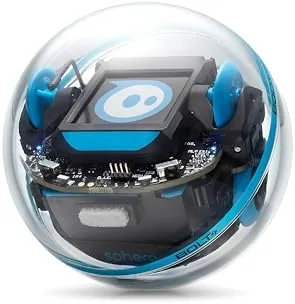
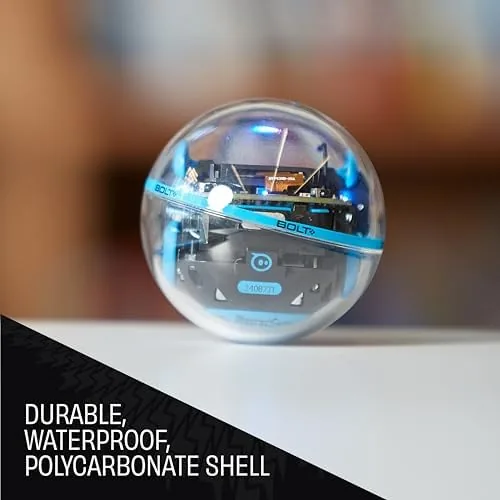
The Bolt+ is a clear polycarbonate sphere about the size of a large apple, with a robot core suspended inside it. The shell is tough in a way that matters, because children will throw, drop, and bounce these things. I watched both kids knock it down a staircase once, and the Bolt+ spun, flipped, and rolled on without a scratch, which is exactly the durability test that matters for a product aimed at ages eight and up.
The robot is IP67 rated, which means it is fully sealed against dust and survives immersion in up to a meter of water for a short time. I ran it through a shallow puddle and let it sit on damp grass, and it kept working without issue. The waterproofing also means a spilled drink or a run-in with a sprinkler is not the end of the device, a genuine concern with cheaper electronics aimed at children.
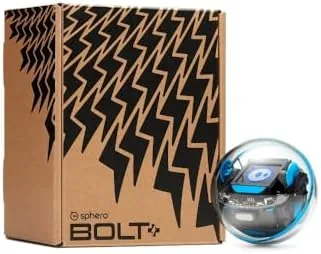
Charging is handled by a Qi wireless cradle, which is a small improvement that removes the fiddly micro-USB port of older models. You sit the ball in the dock and it charges inductively, and the dock doubles as a stand. There is no remote control in the box, which is intentional, because Sphero wants you to learn programming through the app rather than steering by joystick, though the app does include a drive mode for casual play.
Key Features
The animated LED matrix is the face of the robot and the most obvious upgrade. It is an 8 by 8 array of colored LEDs on top of the core, and it can display text, animations, and sensor readouts. You can program it to show your name, a heart, a countdown timer, or even the current battery level, and for kids it turns abstract programming into something visible and rewarding on the device itself.
The sensor suite is genuinely deep for a toy. The Bolt+ includes a gyroscope, accelerometer, compass, light sensor, and infrared sensors that let robots detect each other. The compass and gyroscope open up projects that a drawing-only robot cannot touch, like making the Bolt+ roll in a precise square based on orientation data, or have it stop when the light dims. For a child these sensors turn code into behavior that is easy to observe and debug.
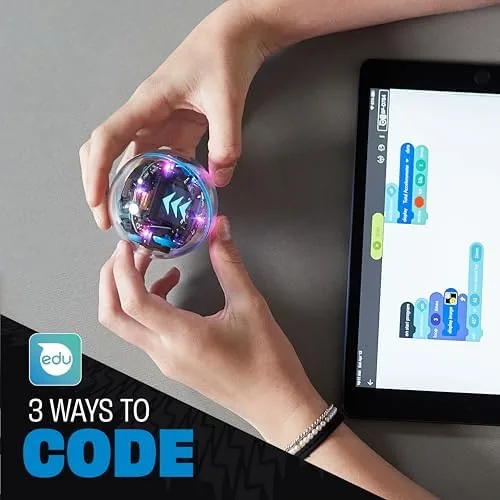
The programming ladder is the real selling point. The Sphero Edu app starts with Draw, where you literally draw a path on the screen and the robot follows it. The next step is Block programs in the style of Scratch, where you drag colored tiles to build logic. The top rung is text programming in Python and JavaScript, and the app includes a full code editor with a live console so kids can see output, errors, and sensor data as they type.
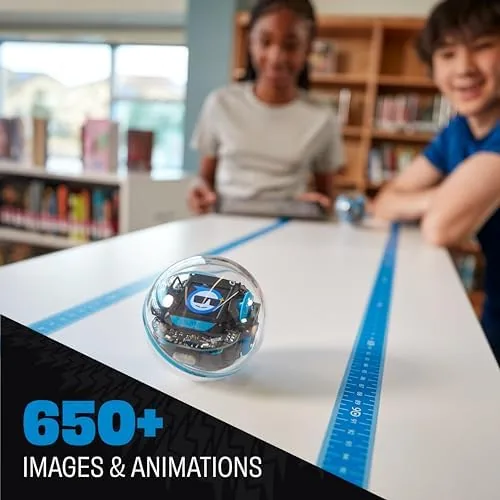
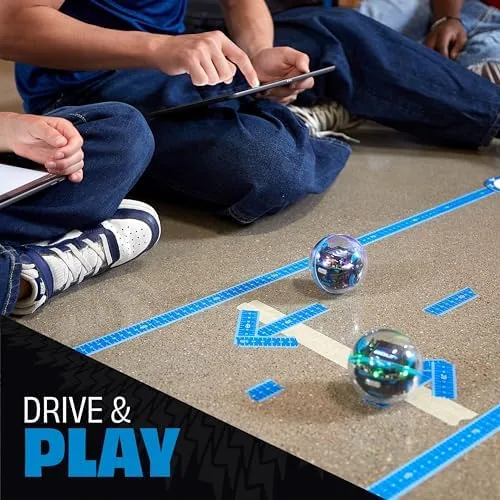
The infrared communication is a standout for classrooms and siblings. Two Bolt+ robots can talk to each other, which lets kids build games where one robot chases another, or where they race and report the winner. It turns the robot from a single-player device into a shared activity, which is exactly what makes a coding toy survive past the first weekend.
Real-World Performance
The driving experience is fast and lively. The Bolt+ rolls at a good clip across smooth floors and responds quickly to commands, and the rubberized rim gives it good grip on tile and wood. On carpet it slows noticeably, so heavy-pile rugs are not ideal, but that is true of every ball-style robot. The kids found the speed exciting rather than unwieldy, and the braking is strong enough that commands feel precise.
Battery life delivered roughly the two hours per charge that Sphero claims, and the Qi dock topped it up in a reasonable time. A full charge covered an afternoon of play and programming sessions without anxiety, and the app shows remaining battery clearly. I did wish the dock were a little more stable on a desk, because the ball wants to roll, but it is fine in practice.
The app experience is where the Bolt+ either wins or loses families, and here it mostly wins. Sphero Edu is well structured, with curriculum-style activities that walk a beginner from the first draw command to real Python loops. Both kids reached the block stage within a few days, and the nine-year-old was writing simple Python within two weeks. The app does require a tablet or phone, and it is a free download, which keeps the total cost of ownership reasonable.
My one persistent complaint is Bluetooth range and connection stability. The Bolt+ dropped its connection a handful of times over the month, usually when the tablet was more than a room away or when two robots were connected to the same device. Reconnecting is quick and the activity auto-saves, so it never lost progress, but it is a small roughness on an otherwise polished product.
Pros and Cons
Pros:
- Waterproof and shockproof shell that survives real kids
- Bright animated LED matrix with text and sensor readouts
- Draw, Blocks, Python, and JavaScript in one app
- Infrared lets two robots interact for games and races
- Qi wireless charging replaces a fiddly port
- Deep sensor suite including compass, gyroscope, and light sensor
Cons:
- Bluetooth connection can drop when the device is far away
- Slow on thick carpet and soft surfaces
- No remote control in the box
- App requires a separate tablet or phone
- Qi dock is not the most stable stand on a desk
How It Compares
The Bolt+ sits in a crowded field of coding robots, so it is worth comparing it to the other main options in the category.
| Feature | Sphero Bolt+ | Sphero BOLT | Wonder Workshop Dash |
|---|---|---|---|
| Languages | Draw, Blocks, Python, JavaScript | Draw, Blocks | Blocks, text via app |
| Display | 8x8 LED matrix | 8x8 LED matrix | LED eyes only |
| Water resistance | IP67 waterproof | IP67 waterproof | Not waterproof |
| Sensors | Gyro, accelerometer, compass, light, IR | Same core sensors | Microphone, light, distance |
| Robot to robot comms | Infrared | Infrared | None |
| Recommended age | 8 and up | 8 and up | 6 and up |
| Battery life | Around 2 hours | Around 2 hours | Around 5 hours |
The Bolt+ pulls ahead on the text programming languages, which the original BOLT did not offer, and on the ability to connect two robots. The Wonder Workshop Dash is better for younger kids, with a gentler entry point and longer battery, but it cannot be submerged and it does not teach Python. For a serious progression from first toy code to real text programming, the Bolt+ is the strongest of the three.
Who Should Buy It
Buy the Sphero Bolt+ for a child who is curious about how things work, who enjoys building and experimenting, and who is ready To Move past toy apps into something that teaches a transferable skill. It is ideal for ages eight to thirteen, and it genuinely grows with the child because the app scales from drawing a line to writing real Python. It is also a strong classroom pick, and the infrared pairing and sensor projects work well for group activities.
Skip it if your child is under seven, if you want a toy that works out of the box with no tablet involved, or if carpeted rooms are your main play surface, because the ball is slow on soft flooring. For everyone else, the Bolt+ is one of the best educational robots you can buy, and you can check the current price of the Sphero Bolt+ on Amazon.
How We Test
I ran the Bolt+ for a full month with two children aged nine and eleven, on tile, hardwood, laminate, and carpet. We worked through the app curriculum from Draw through Blocks and into Python, built projects using the LED matrix and sensors, and ran the infrared robot-to-robot features. I submerged the robot in a shallow puddle, dropped it down a flight of stairs, and let it sit on damp grass to verify the durability and water claims.
I tracked battery life across charge cycles and noted every Bluetooth drop during real sessions. For independent perspective on the wider category, the Wirecutter guide to coding toys and kits is a helpful reference, and Sphero own education materials are worth reviewing on the Sphero Edu page if you plan to use the robot in a classroom.
Sphero Bolt+: Questions People Ask
What programming languages does the Sphero Bolt+ support?
The Bolt+ supports the Draw canvas, the block-based Scratch-style interface, and full text coding in both Python and JavaScript.
Is the Bolt+ really waterproof and durable?
Yes, the shell carries an IP67 rating, so the robot can roll through puddles and over damp grass, and the polycarbonate shell shrugs off drops that would damage cheaper robots.
How does the animated LED matrix work?
The 8 by 8 color matrix can display text, custom graphics, and the sensor readouts, which opens up creative programming projects beyond simple movement.
How long does the battery last and how do you charge it?
A full charge lasts around two hours of active use, and the Bolt+ charges wirelessly through Qi, including on many standard phone chargers.
You can see the current price and bundles for the Sphero Bolt+ on Amazon if the learning curve sounds right for your family.
As an Amazon Associate, I earn from qualifying purchases.