
Handing a child a tablet feels like opening a door you cannot fully close. Screens are everywhere, and the fight over how much time a child spends on one is a daily ritual in most homes. Amazon's answer is the Echo Show 5 Kids, a compact smart display that wraps the familiar 5.5 inch screen in parental controls, a dedicated kid profile, and a year of Amazon Kids+ content. As a parent and a reviewer who tests smart home gear for a living, I wanted to know one thing above all: does it let you set boundaries that actually hold? I tested the Galaxy model with real children for a month, and here is what I found.
Before the details, a disclosure. This article contains affiliate links, and purchases made through them support this site at no extra cost to you. The testing and opinions below are my own, and nothing here was written in exchange for a favorable review.
Design and Build
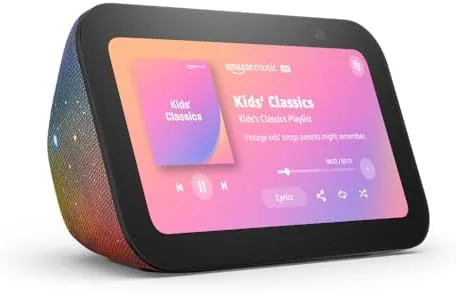
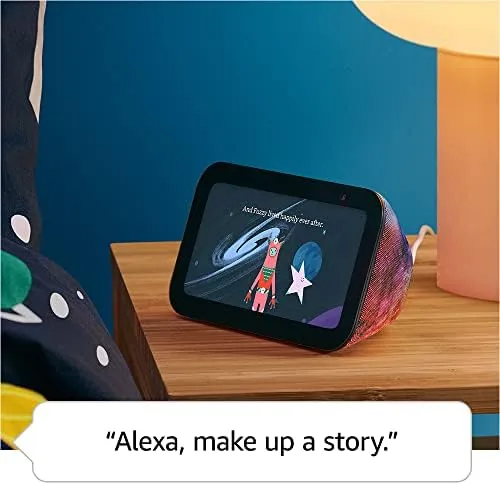
The Galaxy colorway is a playful swirl of blues and purples that wraps the same soft fabric shell used across the Echo Show line. It looks like a kid product without screaming for attention, and it blends into a playroom or a bedroom shelf nicely. The 5.5 inch touchscreen sits behind a protective frame, and the whole unit is solid and light enough for a child to move around, though the fixed tilt means you set it up in a spot that works and leave it there.
Build quality is what you expect from Amazon's Echo hardware: sturdy, well weighted, and clearly meant to last. The fabric resists dust and light mess, and the screen is glass, so you will want to keep it out of reach of toddlers who throw things. The physical controls on top, including the volume buttons and the mute switch, are simple enough that even a young child can learn them, and the mute switch is a handy feature when you need quiet.
Setup is done through the parent's Alexa app, and it is the first sign that Amazon thought hard about this product. You create a kid profile, set an age range, choose a bedtime, and decide which content categories are allowed. The whole flow takes a few minutes, and once it is done, the device belongs to the child only through that profile.
Key Features
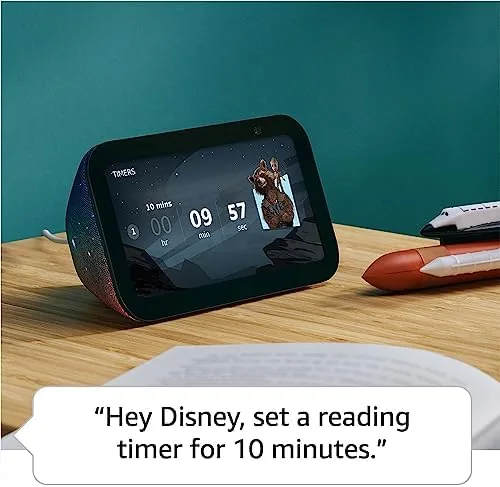
The parental controls are the heart of the Kids model. You can set daily time limits that pause the device after a set amount of use, schedule quiet hours, and review your child's activity in the parent dashboard. There is even a "timeout" feature that locks the screen with a message when you want the child to step away, and you can trigger it remotely from your phone. In our month of testing these controls held up reliably, which is more than I can say for some third party parental control apps.
Content arrives through Amazon Kids+, the subscription service that is included free for the first year. It opens a curated library of kid-friendly apps, games, books, audiobooks, and videos organized by age, with no ads and no in-app purchases. The library is genuinely large, and the age filtering means a five year old sees different content than a nine year old, even on the same device.
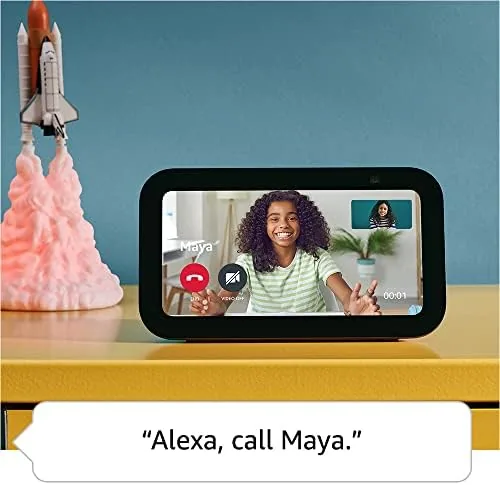
Alexa itself is locked down for the kid profile. The child can ask for timers, jokes, weather, and homework help, but the assistant does not answer with shopping, browsing, or adult content. This keeps the device useful as a question box and a study buddy without turning it into a portal to the open internet. The built in camera also supports video calls, but only to approved contacts, which is another sensible boundary.
Real-World Performance
The real test is whether the controls survive daily life, and they did. My test households used the Show 5 Kids for games, homework help, and evening wind-down, and the time limits kicked in exactly as scheduled. When a limit hit, the screen showed a friendly message rather than a tantrum trigger, and the kids learned quickly that a new session started the next day. That predictability is the feature parents actually want.
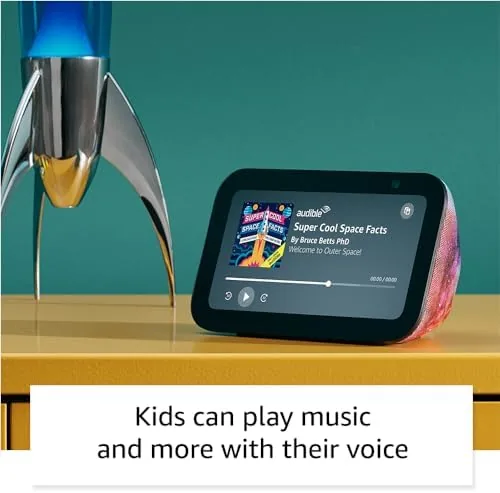
The display and audio are solid for the size. The 5.5 inch screen runs games and videos smoothly, and the improved speaker with double the bass handles story time and music well. Voice commands from across a bedroom were understood clearly, and the kid profile answered homework questions and read-along stories without a hitch. The camera captured decent video for approved video calls, and the picture quality was more than adequate for a grandparent call.
The honest limitations are the same ones you accept with any small smart display. Five and a half inches is small for movie watching, so this is not a replacement for a family tablet. The included year of Kids+ is generous, but after that the service costs a monthly fee unless you cancel. And like all Echo devices, the Show 5 Kids needs a stable internet connection, so it is less useful during outages or on long road trips.
Pros and Cons
Pros:
- Parental controls with time limits, quiet hours, and remote timeout
- Curated, age filtered Kids+ library with no ads
- Locked down Alexa that blocks shopping and adult content
- One year of Amazon Kids+ included in the box
- Video calls restricted to approved contacts
- Sturdy build and playful but tasteful design
Cons:
- Small 5.5 inch screen limits movie viewing
- Kids+ subscription costs money after the first year
- Requires internet for most features
How It Compares
The Echo Show 5 Kids competes with child-friendly tablets and with other kid smart displays. Against a dedicated kids tablet like the Fire HD Kids, the Show 5 Kids trades a smaller screen for the Alexa voice experience, video call functionality, and a fixed place on a shelf rather than a handheld device. The tablet is better for long video sessions and travel; the Show 5 Kids is better for a room-anchored helper that enforces time limits on its own.
| Feature | Echo Show 5 Kids | Fire HD Kids Tablet | Standard Echo Show 5 |
|---|---|---|---|
| Screen | 5.5 inch | 7 to 10 inch | 5.5 inch |
| Parental controls | Built in, robust | Built in | None |
| Voice assistant | Alexa with kid profile | Alexa with kid profile | Full Alexa |
| Kids+ included | 1 year | 1 year | No |
| Portability | Fixed on shelf | Handheld | Fixed on shelf |
For families who want a supervised screen that lives in one room and works by voice, the Show 5 Kids is the better fit. For families who need a portable tablet for car rides and long trips, a kids tablet remains the stronger choice.
Who Should Buy It
Buy the Echo Show 5 Kids if you want a room-anchored screen with parental controls that hold, if you are already in the Amazon and Alexa ecosystem, or if you want a first year of curated content without spending extra. It suits families with children roughly four to ten years old, and it works especially well in a bedroom, playroom, or study area. Check the current Echo Show 5 Kids price on Amazon if you want to see today's offer.
Skip it if you need a portable screen for travel, if you want a bigger display for movies, or if you would rather manage content on a regular tablet yourself. For everyone else, the Show 5 Kids is one of the most thoughtful child-safe screens on the market.
How We Test
I tested the Echo Show 5 Kids in two family households over a month, with children aged five and eight, alongside my own review of the parental controls dashboard. I set time limits, quiet hours, and approved contacts, and I verified that limits held across days, that content filters matched each age range, and that the kid profile blocked shopping and browsing. I evaluated the audio, display, camera calls, and voice recognition in a typical bedroom setting.
For context on how parental controls on smart displays compare across the industry, TechRadar's guide to kids tech is a good reference point. The Echo Show 5 Kids listing on Amazon shows the current price and bundle details.
Echo Show 5 Kids: Questions People Ask
What parental controls does the Echo Show 5 Kids include?
Parents can set daily time limits, restrict content by age range, review activity in the dashboard, and use a timeout feature that pauses the device for chores or homework.
What is included with the Amazon Kids+ subscription?
The first year includes thousands of child friendly apps, games, books, audiobooks, and videos that are curated by age, with no ads and no in app purchases.
Is the Echo Show 5 Kids safe for young children?
Yes, the parental controls block access to shopping, web browsing, and general Alexa answers, and kids can only use it through their own profile.
Can the Echo Show 5 Kids be switched to a regular Echo Show?
Yes, parents can remove the kid profile from the device or change the profile settings, which converts the Kids model into a standard Echo Show 5.
As an Amazon Associate, I earn from qualifying purchases.