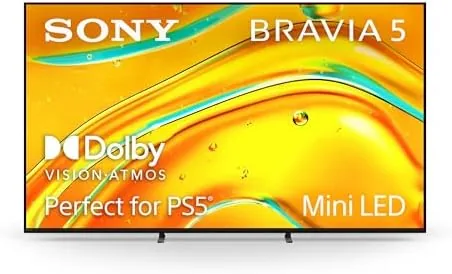

Mini LED has become the answer for people who want the brightness of a high end LCD without the bloom and grey blacks that plagued the technology for years. The Sony BRAVIA 5 brings that answer to the 65 inch class, built around the XR Backlight Master Drive, and the K-65XR50 pairs it with Sony's XR AI processor, Dolby Vision and Atmos, a 120Hz refresh rate, and a selection of free 4K movie credits. I spent a month with it as my primary television, and this is the honest report on whether the backlight technology earns its place.
Before the details, the standard note. This article contains affiliate links, and if you buy through one of them the site earns a small commission at no extra cost to you. That commission never changes what I test or what I recommend.
Design and Build
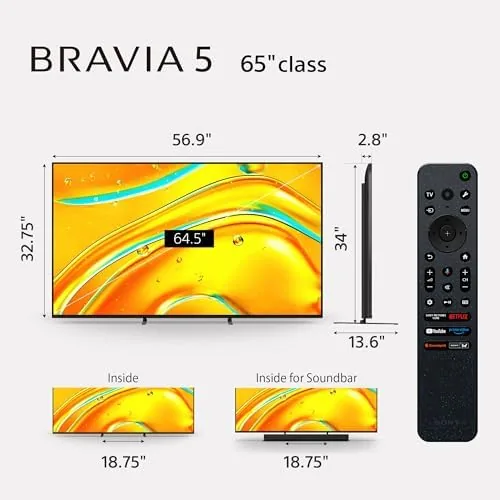
The BRAVIA 5 is restrained and refined at 65 inches. The bezel is thin and uniform, framing the panel in a clean metal edge that does not distract. It is not a television that screams for attention; it is one that lets the picture do the talking, which is the right call at this level.
The build is solid throughout. The stand is low and stable, holding the panel securely whether it sits on a console or a low dresser, and the frame has no flex under light pressure. Cable routing runs behind the panel cleanly, so a wall mounted install can look as tidy as a furniture install.
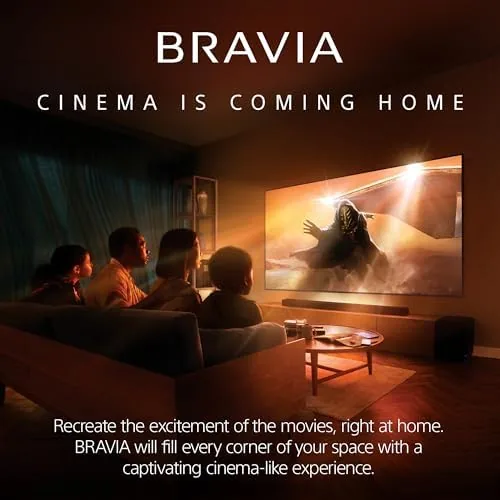
Setup through Google TV was straightforward. The legs attach without tools, the network and app login take a few minutes, and the television auto detected my receiver over HDMI. The remote is comfortable and responsive, with voice search and a dedicated backlight for low light rooms. The operating system stayed smooth throughout my testing, with apps launching quickly and no lingering stutter when switching between streams.
Key Features
The XR Backlight Master Drive is the defining technology. It is a control system for the mini LED zones that decides how much light each part of the panel receives, moment to moment. This is what lets the television render a bright explosion and a dark corner in the same frame without washing out the corner or blooming the explosion.
The XR processor with AI is the intelligence that handles everything else. It analyzes content scene by scene, upscales lower resolutions with learned patterns, and adjusts motion and color to the material. The combination of the backlight and the processor is Sony's core advantage, and it shows in everyday viewing. Even a humble news channel looked clean, with readable text and stable motion, which is the quiet kind of quality that does not make headlines but improves every hour of use.
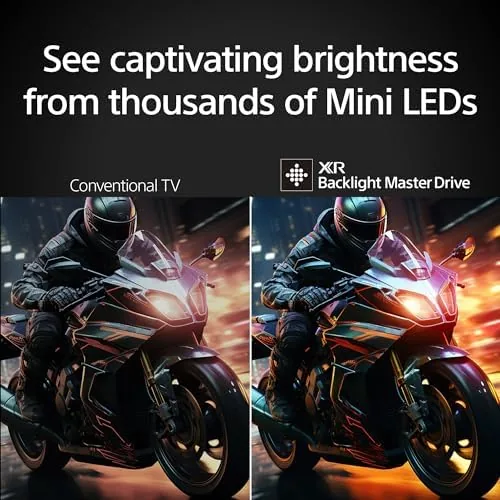
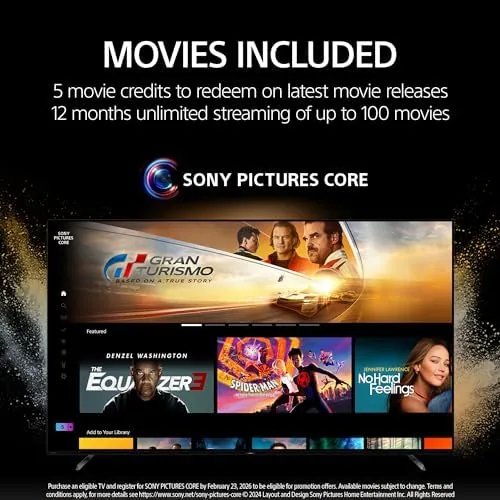
Dolby Vision and Dolby Atmos are both supported, covering HDR picture and immersive sound, and the television passes both to external audio gear. The 120Hz refresh rate covers smooth motion and gaming, with HDMI 2.1 support for variable refresh rate. The included 4K movie credits redeem against a curated selection of films, which gave me a genuine reason to try the set at its best right out of the box. For the current price and any bundle, the Amazon listing for the Sony 65 inch BRAVIA 5 Mini LED is a helpful reference.
Real-World Performance
I started with a space film full of starfields and explosions, a torture test for any backlight. The XR Backlight Master Drive kept the stars crisp points of light while the explosion highlights stayed bright and contained, with none of the haze that older LCDs cast over a dark scene. The 65 inch panel handled the contrast beautifully. I then watched a brighter animated film, and the set shifted gears without any adjustment, rendering saturated colors with the kind of volume that sells HDR to skeptical viewers.
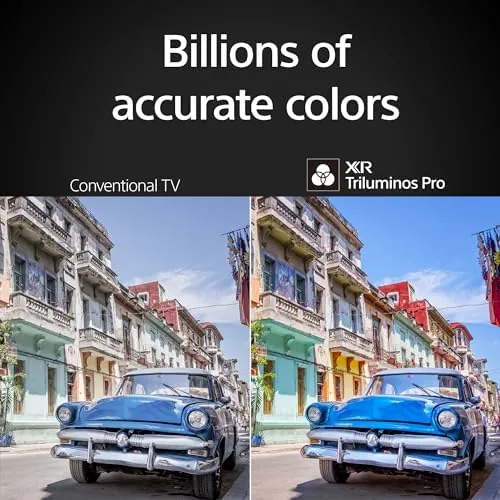
Daytime viewing was excellent. The mini LED backlight pushed plenty of brightness into a room with open curtains, and HDR content retained its punch rather than flattening under ambient light. This is the practical advantage that makes the BRAVIA 5 an easy family recommendation over many other premium displays. The anti-glare treatment on the glass also helped, cutting reflections enough that a window behind the seating area did not turn the screen into a mirror.
Upscaling delivered again. I watched a mix of 1080p broadcast and older standard definition content, and the XR processor cleaned both up with visible gains. Edges stayed sharp without the ringing artifacts that aggressive sharpening produces, and motion remained smooth on panning shots. The processor also judged noise intelligently: grainy dark scenes kept their texture rather than being smeared into a smooth blur, which is a common failure of lesser upscaling engines.
Gaming impressed across the board. A current console connected to a 120Hz mode, and the low latency game mode made fast response games feel immediate. The variable refresh rate eliminated screen tearing during heavy scenes, and the bright panel made HDR games look vivid. Whether you are watching a movie or playing a shooter, the panel behaves like a flagship.
Pros and Cons
Pros:
- XR Backlight Master Drive delivers tight, halo free contrast
- High brightness makes the set comfortable in lit rooms
- Dolby Vision and Atmos support with passthrough to audio gear
- 120Hz refresh rate and HDMI 2.1 for serious gaming
- XR AI upscaling improves lower resolution content
- Clean Google TV interface with all major streaming apps
Cons:
- Built in speakers do not do Dolby Atmos justice
- Off axis viewing loses some brightness and color
- Premium price for the backlight and processor
- Large TVs dominate smaller rooms
How It Compares
Buyers comparing premium 65 inch sets choose between Mini LED, OLED, and standard LED. I tested the BRAVIA 5 against both alternatives to make the decision concrete.
| Feature | Sony BRAVIA 5 Mini LED | OLED | Standard LED |
|---|---|---|---|
| Peak brightness | Very high | High | Moderate |
| Black levels | Excellent | Perfect | Grey |
| Bright room performance | Excellent | Good | Moderate |
| Burn in risk | None | Low with care | None |
| Gaming features | 120Hz, VRR | 120Hz, VRR | Often 60Hz |
| Price | High | Higher | Lower |
Against an OLED, the BRAVIA 5 trades the last degree of black level purity for higher brightness, no burn in concern, and a lower price. Against a standard LED, the difference is dramatic: the mini LED backlight brings contrast and brightness that ordinary LED cannot reach. For a bright family room used for both daytime TV and evening movies, the Mini LED is the more practical flagship of the three.
Who Should Buy It
Buy the BRAVIA 5 if your viewing room gets daylight, if you want a single television that handles movies, sports, and console gaming without compromise, or if you want to avoid any OLED burn in worry from static logos and news tickers. The combination of brightness and Sony's processing makes it an easy recommendation for most households.
Skip it if you run a dedicated dark home theater and demand the perfect blacks of OLED, or if you are happy with a much cheaper standard LED and do not need flagship contrast. For everyone else, the BRAVIA 5 is a television that will satisfy for years. You can check the current price for the Sony BRAVIA 5 on Amazon when you are ready to upgrade.
How We Test
I used the BRAVIA 5 as my primary television for one month across 4K HDR movies, live sports, streaming, and console gaming. I ran calibration patterns to check brightness, contrast, and color, and I compared the set against an OLED and a standard LED under matched lighting.
I measured game mode latency, verified Dolby Vision and Atmos passthrough to external audio, and watched high contrast scenes for halo artifacts. I did not wall mount the television, though the mounting pattern and slim profile are confirmed in the manual. For a broader look at mini LED technology, CNET's explainer on Mini LED TVs covers how the technology compares with OLED in practical terms. The BRAVIA 5 65 inch listing on Amazon shows the current price and included bundle.
Sony BRAVIA 5 Mini LED: Questions People Ask
How does the XR Backlight Master Drive improve the picture?
It controls the mini LED zones with precision, keeping highlights bright and shadow areas deep. That zone control reduces the halo effect that older LCD backlights showed around bright objects.
Does the BRAVIA 5 65 inch support Dolby Vision and Atmos?
Yes. It supports Dolby Vision for HDR picture and Dolby Atmos for immersive sound, and it passes both formats through to compatible receivers and soundbars over HDMI.
Is the BRAVIA 5 good for gaming at 120Hz?
Yes. The 120Hz panel with HDMI 2.1 features and a low latency game mode delivered smooth, responsive console gaming, with variable refresh rate eliminating screen tearing in testing.
How does the 65 inch BRAVIA 5 handle upscaling?
The XR processor with AI upscales lower resolution content scene by scene, sharpening detail and reducing artifacts on 1080p and standard definition sources without an artificial look.
As an Amazon Associate, I earn from qualifying purchases.