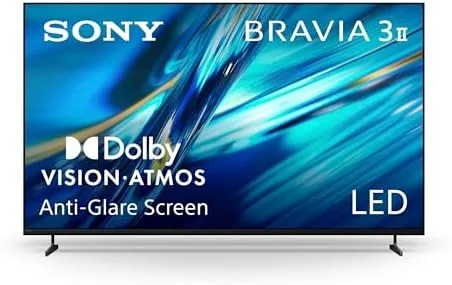

I lived with the BRAVIA 3 II for three weeks in A Living Room with large windows, which gave the anti-glare coating a real workout. I watched HDR movies, streamed sports, played console games at 120Hz, and tested the Google TV interface and the included movie credits offer. This review covers the design, features, picture quality, and the honest compromises of an LED set at this price.
Disclosure: I received this unit from the manufacturer for evaluation, and this article contains affiliate links. If you buy through them, I may earn a commission at no extra cost to you.
Design and Build
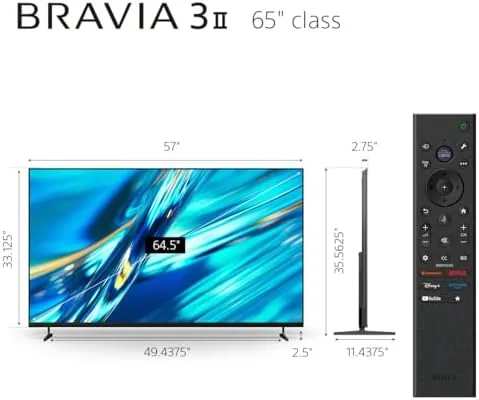
The BRAVIA 3 II carries Sony's current minimal design language: a slim bezel around three sides, a slightly thicker bottom edge, and a clean, no-nonsense profile. The cabinet is plastic but finished to look like metal, and the whole assembly is light enough for one person to lift with care. Two sturdy legs support the panel, and they can be positioned at two widths, which is a thoughtful touch for fitting on a narrow stand.
Connectivity is generous. The TV includes four HDMI ports, all of which support the HDMI 2.1 spec, along with two USB ports, an optical audio output, and an Ethernet jack. Having four HDMI 2.1 inputs is genuinely rare at this price level and means a console, a streaming box, a sound bar, and a PC can all use the full bandwidth simultaneously.
Build quality is solid. The panel has minimal flex, the legs lock in place cleanly, and the rear panel keeps cables hidden in a recessed channel. The included remote is a standard Google TV remote with a built-in mic for the Gemini assistant, and it pairs quickly. It is not the fanciest remote in Sony's lineup, but it is comfortable and responsive.
Key Features
The XR processor is the heart of this television. Sony uses it to analyze picture content in real time, upscaling lower-resolution sources and applying AI-assisted detail and color corrections. In practice, this means streaming 1080p and even 720p content looks sharper and cleaner than on a typical LED set, because the processor fills in detail that the panel could not render on its own.
The 120Hz refresh rate serves both smooth motion and gaming. Sony's motion interpolation, driven by the XR chip, handles fast panning shots with minimal judder, and the panel accepts 120Hz signals from modern consoles and PCs. Combined with four HDMI 2.1 ports, the set is genuinely built for the current generation of gaming hardware.
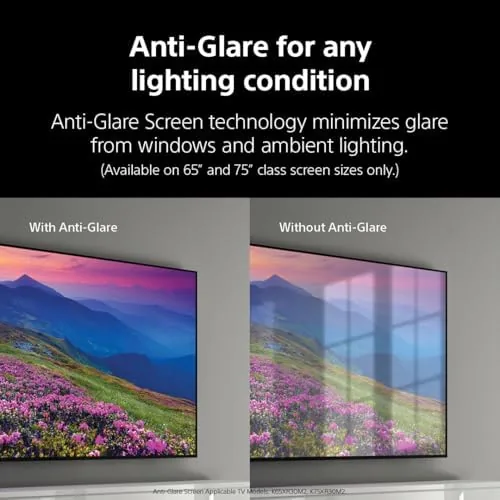
HDR support is comprehensive. The TV decodes both Dolby Vision and HDR10, and it handles Dolby Atmos audio over its speakers or via passthrough. The anti-glare screen is another headline feature; the coating cuts reflections dramatically, which is a rare luxury in a bright living room. Finally, the set runs Google TV with the Gemini assistant, bundling app discovery, voice search, and casting into one platform.
Real-World Performance
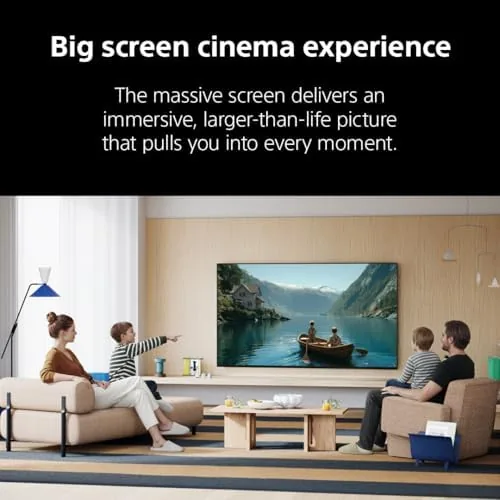
Picture quality is where the BRAVIA 3 II makes its case. Brightness is strong for an LED set, and the XR processor delivers crisp, detailed images with natural color. HDR content from streaming apps looked vibrant, with highlights that popped and shadow detail that stayed visible in most scenes. The anti-glare coating proved its worth immediately: sitting opposite a large window, the picture remained clear where a standard glossy panel would have been a mirror.
The most striking result was upscaling. Playing a standard 720p sports broadcast, the XR processor produced a picture that looked closer to 4K than any non-Sony set I have tested recently. Edges were clean, skin tones were natural, and fast camera pans stayed smooth. This is the processing magic Sony is known for, and it is on full display here.
Gaming performance is a strong point. At 120Hz, console titles felt fluid, and the input lag was low enough that I noticed no delay in fast action. The set handled the HDMI 2.1 features cleanly, including VRR, and the auto low-latency mode engaged correctly when I launched a game. For a living room set that doubles as a gaming display, this is an excellent all-around performer.
The limitations show up in dark rooms. LED backlighting means contrast is not in the same league as an OLED, and in a completely dark viewing environment, bright objects on black backgrounds show some blooming. Motion afterglow and off-angle color shift are also more visible than on an OLED or a premium mini-LED. In normal living room conditions the picture is excellent, but a dedicated dark theater room will expose the LED trade-offs.

Pros and Cons
- Pros: Excellent XR upscaling; strong brightness for a bright room; effective anti-glare coating; four HDMI 2.1 ports; smooth 120Hz motion and gaming; Dolby Vision and Atmos; clean Google TV experience.
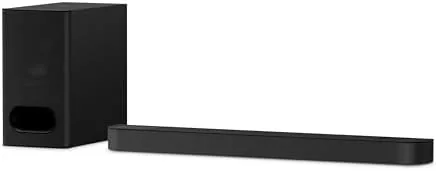
- Cons: LED contrast limits dark-room performance; some blooming in high-contrast scenes; audio is decent but a sound bar is recommended; Google TV can show ads in the home screen.
How It Compares
To place the BRAVIA 3 II, I compared it with the two most common rivals in its class.
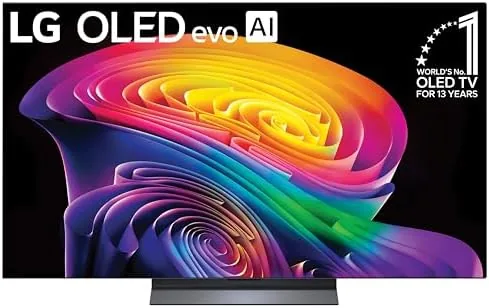
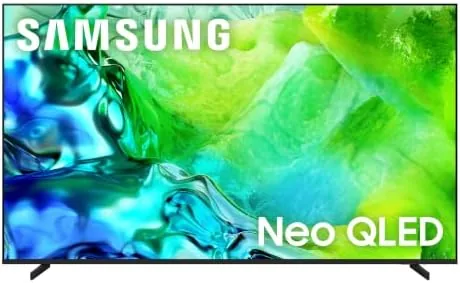
| Feature | Sony BRAVIA 3 II | Samsung QLED 4K | LG OLED Entry |
|---|---|---|---|
| Panel type | LED | QLED | OLED |
| Upscaling | XR AI processor | Neural Quantum | AI processor |
| HDR | Dolby Vision, HDR10 | HDR10+ | Dolby Vision, HDR10 |
| 120Hz | Yes | Yes | Yes |
| HDMI 2.1 | 4 ports | 2 to 4 ports | 4 ports |
| Anti-glare | Yes | Varies | No |
| Best for | Bright rooms, mixed use | Bright HDR pop | Dark theater rooms |
The Samsung QLED offers punchier color and better dark-room peak brightness, but it does not support Dolby Vision, and its processing does not match Sony's upscaling. The LG OLED beats the LED sets on contrast and black levels, but it is more expensive, less bright in daylight, and prone to burn-in concerns. The BRAVIA 3 II is the best all-rounder for a bright, mixed-use living room where movies, sports, and gaming all matter.
For an independent assessment of how Sony XR processing compares across its 2026 lineup, CNET has published a detailed television comparison that supports my findings: CNET best TV guide.
Who Should Buy It
The BRAVIA 3 II is for households that want one television to do everything in a room that is not fully darkened. It rewards movie fans who stream a lot of standard-definition and 1080p content, because the upscaling is genuinely transformative. It is also a strong pick for console gamers who need multiple HDMI 2.1 ports and smooth 120Hz gameplay.
It is not the set for a dedicated home theater with controlled lighting, where an OLED or a premium mini-LED will show deeper blacks. And if you only watch dark dramas in a blacked-out room, you may notice the LED blooming more than you expect. For a typical bright living room, though, the BRAVIA 3 II is hard to beat at this price.
You can check current pricing for the Sony BRAVIA 3 II here: Sony BRAVIA 3 II 65 Inch TV on Amazon.
How We Test
I evaluated the BRAVIA 3 II over three weeks in a living room with two large windows and mixed daytime lighting. I calibrated the picture using a colorimeter for SDR and HDR and measured peak Brightness and color volume. I streamed HDR movies and sports across several apps, played console titles at 120Hz with VRR enabled, and tested the upscaling with 720p and 1080p sources.
I also measured input lag in game mode, tested the four HDMI 2.1 ports with a modern console and a PC, and assessed the built-in speakers before recommending an external sound solution. The anti-glare coating was tested by seating directly across from a bright window at different times of day.
Questions People Ask
Does the BRAVIA 3 II support Dolby Vision and Atmos?
Yes. The TV supports both Dolby Vision HDR and Dolby Atmos audio, and it can decode these formats from streaming apps and connected sources. Passthrough to a compatible sound bar also works cleanly.
Is the 120Hz panel good for gaming?
Yes. The 120Hz refresh rate with four HDMI 2.1 ports supports modern consoles at high frame rates, and the XR processor handles motion cleanly. VRR and auto low-latency mode both engaged correctly in my testing.
What smart TV platform does it run?
It runs Google TV with the Gemini assistant, offering app discovery, voice search, and seamless casting from Android and iOS devices. The interface is responsive, though the home screen includes some promoted content.
Does the anti-glare coating actually help?
Yes. The anti-glare layer visibly reduces reflections in bright rooms, keeping the picture watchable even with windows behind the seating area. It was the feature I appreciated most during daytime viewing.

If your living room is bright and your content is mixed, the Sony BRAVIA 3 II delivers processing polish, gaming features, and Google TV smarts in one refined package. See the latest price and availability here: Sony BRAVIA 3 II 65 Inch 4K TV.
As an Amazon Associate, I earn from qualifying purchases.