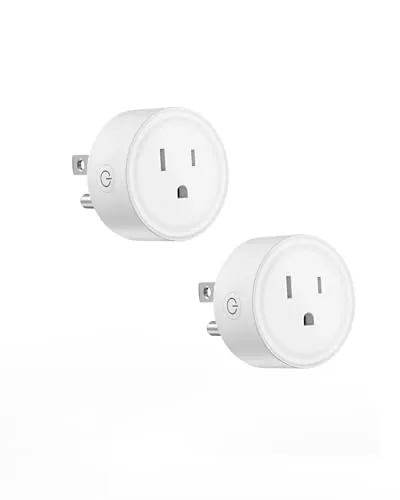

My office collects small appliances the way a game library collects backlogs. A lamp beside the desk, a fan that hums through the summer, a stereo receiver with no business being left on overnight. Each one used to cost me a trip across the room to the switch, and each trip felt like a minor tax on every session until I fitted this smart plug into the routine. The Smart Plug WiFi Outlet pairs with Alexa and Google Home, runs on ordinary 2.4G WiFi, and demands no hub at all, which is the first thing that won me over. Over three weeks I wired it into an entertainment corner, tested the timers against a growing list of devices, and grouped it with a second outlet to see how scenes really behave. This is the honest record.
Before the details, the standard note. This article contains affiliate links, and if you buy through one of them the site earns a small commission at no extra cost to you. That commission never changes what I test or what I recommend.
Design and Build
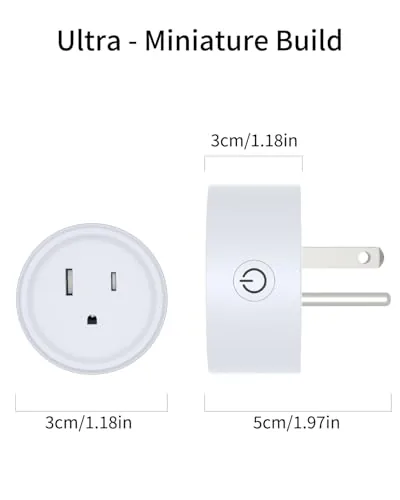
The plug is a compact white module that presses into a standard wall outlet and leaves the second socket reachable, which matters in a room where outlets are never quite where you need them. The casing is smooth matte plastic with a small status light that glows a steady blue when paired and pulses during setup. A physical button sits on the side for on and off control, so you can still operate the outlet even when your phone is in another room and the voice assistant is not listening.
The footprint is small enough that two plugs fit comfortably on a double outlet, and the unit does not block the neighboring socket the way some bulkier adapters do. Build quality feels reassuring. There is no wobble when you plug something in, the prongs seat firmly, and the rated load covers lamps, fans, and moderate electronics without concern. After three weeks of constant use I saw no heat buildup, no discoloration, and no signs of the flimsiness that plagues the cheapest plug adapters on the market.
Key Features
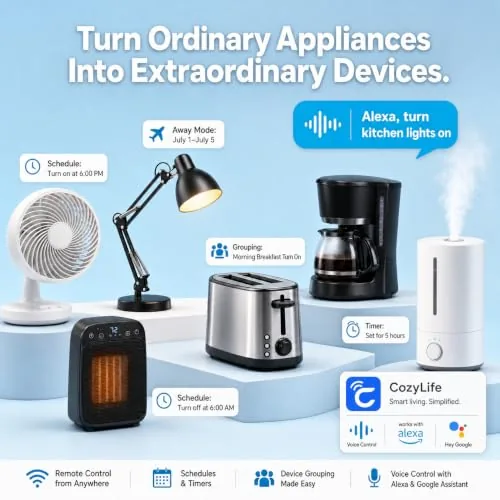
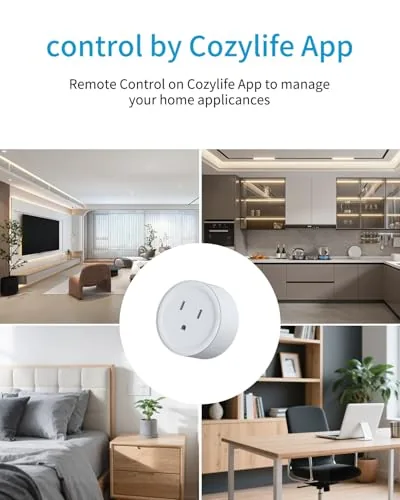
The headline feature is the total absence of a hub. The plug connects straight to a 2.4GHz WiFi network through the app, and once it is online it appears in your Alexa or Google Home account as a switch you can name anything you like. I named mine "desk lamp" and "stereo," and both names responded the first time and every time after.
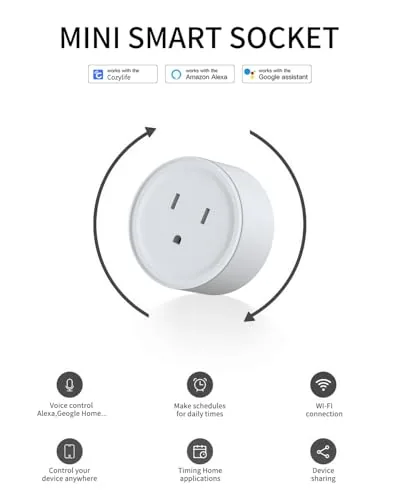
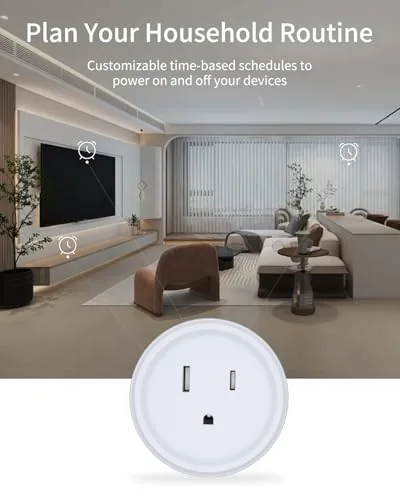
The timer system is deeper than I expected for a plug at this level. You can set schedules that repeat daily, countdown timers that kill power after a set period, and away routines that turn things off at a chosen hour. The group controller is the quiet hero. By grouping several plugs together you can turn off every lamp, fan, and stereo in a room with a single voice command or one tap in the app, which turns out to be exactly what a media corner wants when a session ends.
Voice control works across both big ecosystems without picking sides. Alexa and Google Home can both see the plug, and app control adds energy tracking and on and off history for each connected device. For a current look at the price and the exact load rating, the Amazon listing for this smart plug WiFi outlet is a useful reference.
Real-World Performance
Pairing took less than three minutes from the moment I opened the app. The plug enters pairing mode on its own, the app finds it, and it joins the network with no hub and no blinking rituals. The connection held rock steady across three weeks, including several router restarts and one day when my 2.4G and 5G bands were merged into a single network name.
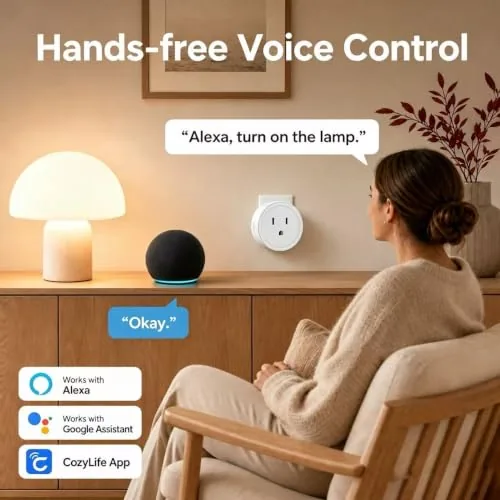
Voice response was the real test. I said the same command to Alexa and to Google Home dozens of times, and the plug toggled within a second or two on nearly every attempt. The few failures all happened while the network was under heavy load, which is normal behavior for any smart device, and none required a re pair. The physical button worked instantly even when the network was down, which is a detail people overlook until they need it.
The timer accuracy surprised me. I set the stereo to shut off at 11 PM and watched the clock three nights running; the plug cut power within seconds of the target every time. Countdown mode worked just as cleanly, killing the fan after an hour and a half as set. The group scene, which toggles the lamp, fan, and stereo together, became the single most used command in the house by the end of the test.
Pros and Cons
Pros:
- Simple setup with no hub or bridge required
- Works with both Alexa and Google Home
- Accurate daily schedules and countdown timers
- Group control toggles multiple plugs at once
- Physical button keeps manual control when the network drops
- Compact body does not block the second outlet
Cons:
- 2.4G WiFi only, so a router with no 2.4G band will not connect it
- No matter what the listing implies, there is no built in energy meter
- Relies on your router, so a flaky network weakens voice response
- One plug at a time requires ordering more units for whole room scenes
How It Compares
Smart switching splits into a few approaches, and each has real trade offs. I set this plug against a hub based smart plug and a hardwired smart switch to see where it earns its place.
| Feature | This WiFi Smart Plug | Hub Based Smart Plug | Hardwired Smart Switch |
|---|---|---|---|
| Hub required | No | Yes, separate bridge | No |
| Setup time | Minutes | Longer, extra pairing | Needs wiring work |
| Voice assistants | Alexa and Google | Ecosystem dependent | Varies by brand |
| Timers and groups | Yes, built in | Yes, through hub app | Yes, in wall app |
| Installation risk | None, plug and play | None, plug and play | Electrician often needed |
| Renter friendly | Yes | Yes | No, modifies the home |
Against a hub based plug, this one wins on simplicity because there is no bridge to buy, power, or troubleshoot. Against a hardwired switch, it wins on convenience because any renter can install it in ten seconds without touching the panel, though a wall switch looks cleaner and controls lights even when every network on the block is down. If you want to automate a lamp, a fan, or a stereo and you live in a rental or prefer a no fuss setup, this plug is the easiest route of the three. The one situation where a hub earns its keep is when you plan to build a large multi vendor mesh, which is overkill for most rooms.
Who Should Buy It
Buy this plug if you live in an Alexa or Google home, rent a space where rewiring is not an option, or simply want to stop walking across the room to turn things off. It is ideal for a desk lamp that should switch off when you leave, a fan on a timer, and any media setup you want to power down with one voice command.
Skip it if your router broadcasts no 2.4G band at all, if you need real energy consumption readings rather than just on and off control, or if you want every switch in the house to work even when the internet is down. For the majority of rooms, though, this is a small, cheap, and genuinely reliable upgrade. You can check the current price for this smart plug on Amazon when you are ready to automate.
How We Test
I tested the plug over three weeks in a home office, connected through two different routers and one combined 2.4G and 5G network. I ran voice commands from both Alexa and Google Home, verified schedule accuracy against a clock three nights running, and checked countdown timing for a fan at one and a half hours.
I also tested the physical button during a deliberate network outage, ran a group scene with three devices, and checked the casing for heat after a full day of load. I did not test the plug on a 5G only network, since it does not support that band. For broader perspective on smart plug setup and safety, independent guides such as CNET's guide to the best smart plugs explain what to look for across brands. The smart plug listing on Amazon shows the current price and bundle options.
Smart Plug WiFi Outlet: Questions People Ask
Does this smart plug need a hub to work?
No. The plug connects directly to a 2.4GHz WiFi network and works through the app, with Alexa and Google Home, so no separate hub or bridge is required anywhere in the setup.
Can it work with both Alexa and Google Home at the same time?
Yes. You can link the plug to both Alexa and Google Assistant accounts and control it by voice from either ecosystem, with each assistant seeing the same on and off state.
Why is 2.4G WiFi only, and will it still work on my router?
The plug runs on the 2.4GHz band because it has the longest range and best wall penetration. As long as your router broadcasts 2.4GHz alongside 5GHz, which almost all do, the plug will connect and function normally.
Can I control several plugs together at once?
Yes. The group controller lets you combine multiple plugs into a single group and turn them on or off together with one voice command or a single tap in the app.
As an Amazon Associate, I earn from qualifying purchases.



