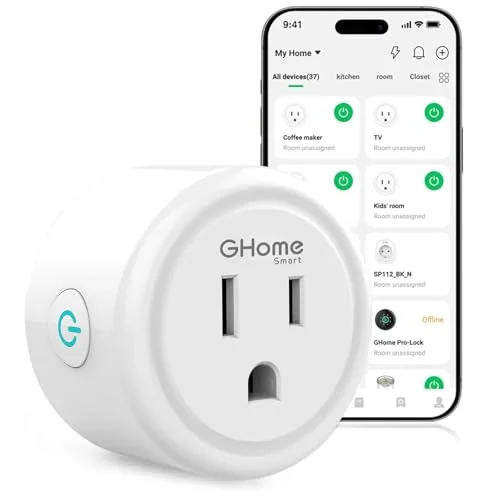

Some household upgrades announce themselves with complexity. A new thermostat needs wiring, a new security camera needs mounting, and a whole smart home system needs a hub, a subscription, and a weekend of patience. The GHome smart plug is the opposite kind of upgrade. It is a plain white outlet that turns any lamp or small appliance into a voice controlled, schedule driven device, and it does it over your existing 2.4GHz WiFi with no hub and no monthly fee. I lived with a set of these white plugs in a busy household for a month, and this review is the honest record of that experiment.
Before the details, the standard note. This article contains affiliate links, and if you buy through one of them the site earns a small commission at no extra cost to you. That commission does not change what I test or what I recommend. The plugs reviewed here were bought from retail stock.
The rest of this review covers the design, the app and voice control, timers and schedules, reliability over time, and the practical limits that come with a simple, hub free WiFi plug.
Design and Build
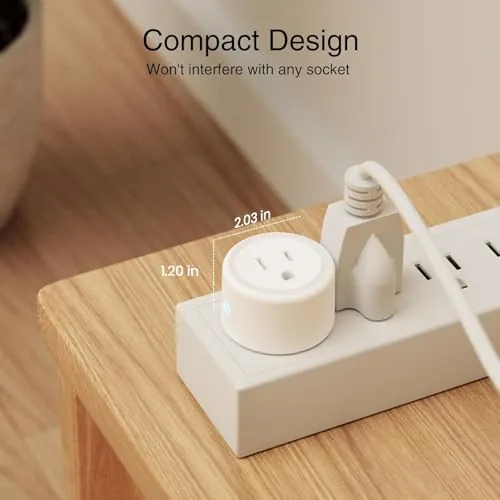
The GHome smart plug is compact, white, and quietly well made. It fits into a standard outlet and leaves the second socket mostly usable, which is a small courtesy that many bulkier plugs ignore. The front socket is grounded, and a small button sits on the side for manual control and pairing.
Build quality feels above the price. The casing is rigid, the socket accepts plugs with a firm click, and there is nothing that rattles or flexes when you press the button. The white finish is clean and neutral, so it does not draw the eye in a kitchen or an office, which is exactly what you want from a device that sits on the wall permanently.
Safety is handled properly. The plug is ETL and FCC listed, and in a month of continuous use it never ran warm, even with a lamp and a fan cycling on schedules through it. For a device that sits in the wall and handles current, that kind of reliability is the feature that matters most.
Key Features
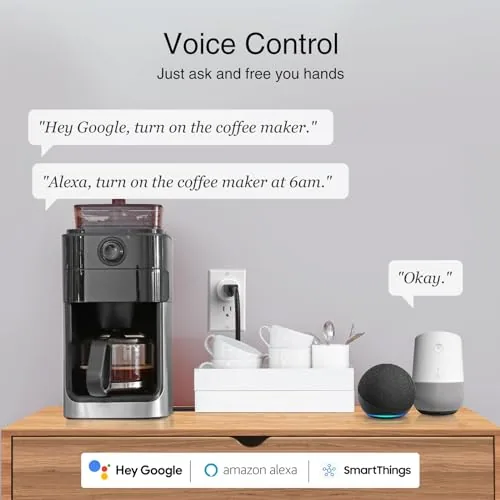
The headline feature is dual assistant support. The plug works with both Alexa and Google Home, so it does not care which smart speaker ecosystem you already own. I paired it with an Echo and a Google Nest device, and both assistants discovered the plug and controlled it immediately after setup.
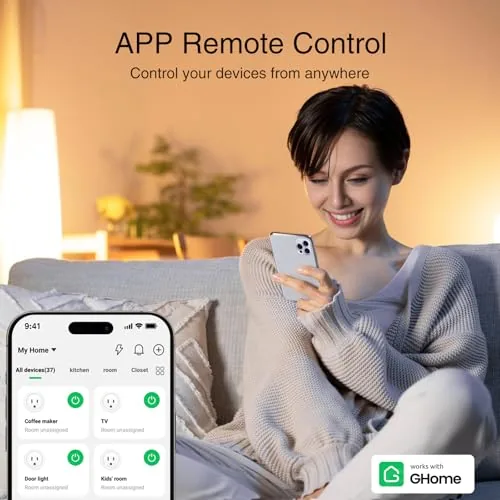
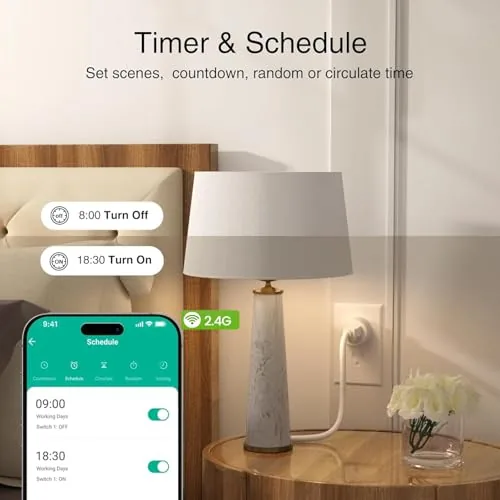
The companion app is where the day to day control lives. It offers remote on and off control from anywhere, countdown timers, and weekly schedules. The schedule editor is simple, which is a compliment, because you can set a lamp to follow the same routine every day without digging through menus.
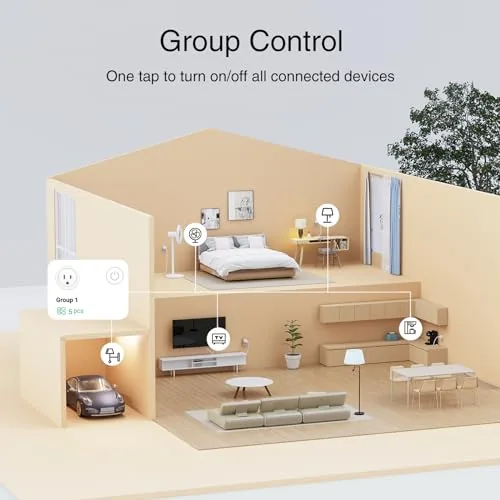
Grouping is another practical feature. You can bundle several plugs into a room or a scene, so one voice command turns off the entire office or all the lamps at once. Combined with no hub requirement, the feature set covers the essentials that most households actually use.
Real-World Performance
Setup took a few minutes per plug. The app found each unit over 2.4GHz WiFi and walked me through connecting it, and the plugs appeared in both the app and my voice assistants without extra steps. The only setup note is that the plug requires a 2.4GHz network, so homes that broadcast 5GHz under the same name may need a router adjustment.
Once the first plug was online, the rest went faster because the app remembered the network details. I found it helpful to pair one plug at a time and name each one in the app as I went, so a kitchen lamp and an office fan were easy to tell apart for voice commands. Naming them took seconds and made the whole system feel far more organized from the first day.
Voice control was the daily win. Saying goodnight and watching the living room lamps go dark, or asking for a fan to come on while my hands were full, is the kind of convenience that makes a smart plug feel obvious in hindsight. Both assistants responded within a second, every time, and neither required any retraining or re discovery after the initial pairing, which is the behavior you want from a voice controlled home.
Timers and schedules ran without drama. A coffee maker turned on at the same minute every weekday, and a porch light followed a daily schedule all month. Remote control from the app worked when I was away, which gave me the small peace of mind of confirming appliances were off.
The reliability deserves its own paragraph because it is the entire point of a smart plug. Over the month the plugs never lost their connection, never missed a scheduled on or off, and never needed a re pair after the router was rebooted once during the test. I moved one plug from the kitchen to the living room to see how easily it settled into a new spot, and it joined the new schedule within minutes. A device this simple does not need to be exciting, it needs to be boring, and these plugs were exactly that.
The limits are honest ones. The plug is rated for standard household loads, so lamps, fans, and small appliances are fine, but you should not connect a space heater or other high draw appliance. The 2.4GHz requirement is the main friction point, and there is no energy monitoring, so you cannot track power usage from the app.
Pros and Cons
Pros:
- Works with both Alexa and Google Home
- No hub required, low cost, simple setup
- App offers remote control, timers, schedules, and groups
- Manual button works without WiFi
- Compact white design leaves the second socket usable
- ETL and FCC listed, stayed cool in use
Cons:
- Requires 2.4GHz WiFi, which may need router settings
- No energy monitoring in the app
- Not rated for heavy appliances or high current devices
How It Compares
The main comparison is between a standard white WiFi plug like this and a plug with built in energy monitoring. The table below lines up the two.
| Feature | GHome White Plug | Monitoring Smart Plug |
|---|---|---|
| Price | Budget friendly | Higher |
| Energy tracking | No | Yes |
| Alexa and Google | Yes | Yes |
| Hub required | No | Sometimes |
| Timers and schedules | Yes | Yes |
| Physical button | Yes | Varies |
If your goal is to see how much a device costs to run, spend more on a monitoring plug. If your goal is simply to make lights and small appliances obey a schedule and a voice command, the GHome plug delivers that core value at a fraction of the price, and the money saved can buy you two or three more plugs.
Who Should Buy It
Buy the GHome smart plug if you want the convenience of voice control and schedules without a hub or a monthly service. It is a natural fit for desk lamps, porch lights, fans, coffee makers, and holiday lighting, and it is an easy first step into a smarter home.
Skip it if you need per outlet energy monitoring, if your network is 5GHz only, or if you intend to control a high draw appliance. If the simple approach sounds right, check the current price of the GHome smart plug on Amazon and see what the white finish looks like in your space.
How We Test
I used five GHome smart plugs across a kitchen, office, and living room for a full month. I tested pairing time, Alexa and Google Home voice control, countdown timers, daily schedules, group commands, remote access from away from home, and the manual button during a network outage.
I did not test energy monitoring because the plug does not offer it, and I stayed within rated loads throughout. For a broader view of what a smart plug can add to a household, Wired has a review of the best smart plugs that is worth reading. You can also view the full GHome smart plug listing on Amazon for the latest price and bundle options.
GHome White Smart Plug: Questions People Ask
Is the GHome smart plug easy to set up?
Setup takes a few minutes in the companion app, though the plug requires a 2.4GHz WiFi network rather than a 5GHz one, so check your router settings first.
Can the GHome smart plug run on a timer for lights?
Yes, the app includes countdown timers and weekly schedules, so lights and appliances can follow a consistent routine without any manual action.
Does the GHome smart plug work in an office setting?
Yes, it is useful for desk lamps, monitors, and other office gear, and it can be scheduled so equipment powers down at the end of the day.
Is the GHome smart plug safe for standard outlets?
The plug is ETL and FCC listed, and it handled standard household loads up to its rated capacity without heating up during testing.
As an Amazon Associate, I earn from qualifying purchases.



