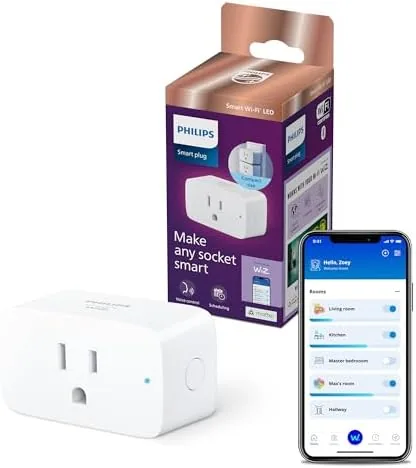
 GHome Smart Plug connected to a floor lamp" width="1200" height="800" loading="lazy" style="height:auto">
There are two ways to make a home feel smarter. You can spend a small fortune on a system of hubs, bridges, and subscriptions, or you can plug a small adapter into the wall and let your existing lights and appliances do the work. The GHome WiFi smart plug belongs firmly in the second camp. It is an ETL and FCC listed outlet that works with Alexa and Google Home, runs entirely over your existing 2.4GHz WiFi, and needs no hub. I spent three weeks wiring a handful of them into a home to find out how much convenience such a simple device can actually buy.
Before the details, the standard note. This article contains affiliate links, and if you buy through one of them the site earns a small commission at no extra cost to you. That commission does not change what I test or what I recommend. The plugs reviewed here were bought at retail and installed the way any owner would install them.
The rest of this review covers the physical build, the pairing experience, voice assistant support, scheduling and remote control, and the real limitations that a hub free WiFi plug brings with it.
Design and Build
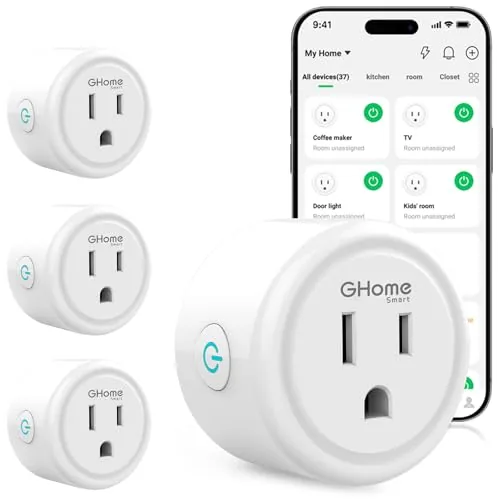
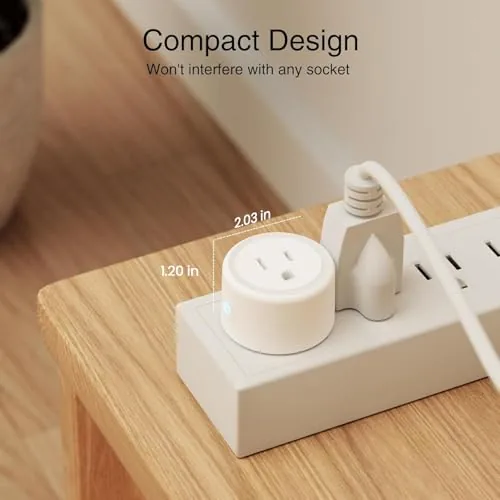
On the outside, the GHome smart plug is about as simple as hardware gets. It is a white adapter that plugs into a wall outlet, with one socket on the front and a small control button on the side. The plastic is smooth, the build is tight with no rattles, and the design does not look out of place in any room.
The side button deserves attention because it is an easy feature to overlook. It gives you manual on and off control that works even when the WiFi is down or the app is closed, and it doubles as a pairing button during setup. In practice I used it constantly, both to test the plug and simply to switch a lamp on without reaching for the phone.
Certification matters for a device that sits in the wall carrying current, and the ETL and FCC listings are printed right on the housing. The plug stayed cool during continuous use with a lamp and a fan, and the case never became warm to the touch, which is the sort of quiet confidence you want from a device you plug in and forget.
Key Features
The defining feature is the absence of a hub. Each plug joins your home WiFi directly, so the whole system is just the plugs plus the free companion app. There is no bridge to buy, no extra gadget to hide on a shelf, and no separate network to maintain. For a small smart home that is the simplest possible architecture.
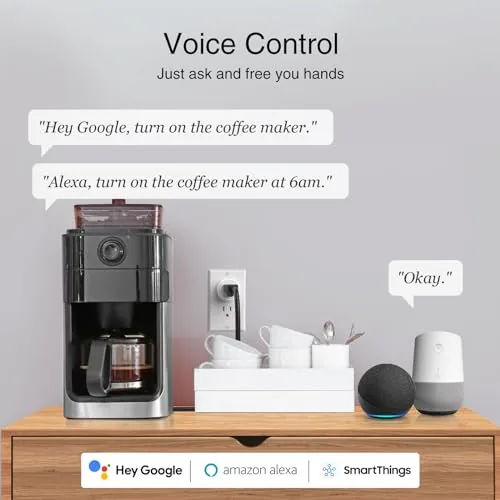
Voice control works through both major assistants. I paired the plug with an Echo device and a Google Nest speaker, and both could toggle connected devices on and off instantly. Being able to say goodnight and have every lamp in the room turn off is the small luxury that makes a smart plug feel worthwhile.
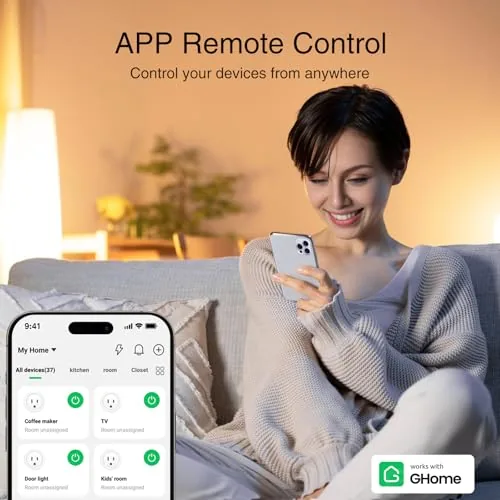
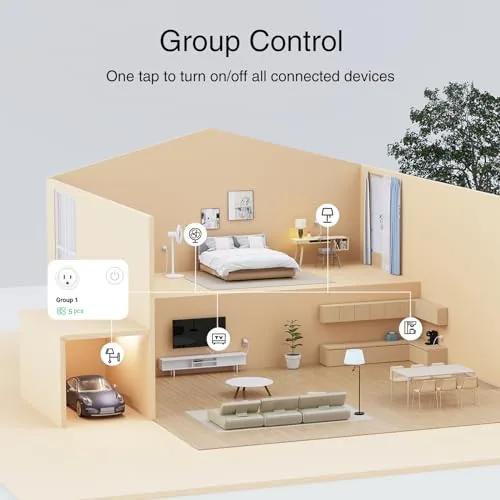
The app adds timers, schedules, groups, and remote access. You can set a lamp to switch on at sunset, schedule a coffee maker for weekday mornings, group several plugs so one command handles them all, and control everything from your phone even when you are miles from home.
Real-World Performance
Pairing was straightforward. The app guided me through connecting the plug to the 2.4GHz WiFi, and each unit came online in a couple of minutes. The one caveat, and it is a real one, is that the plug ignores 5GHz networks entirely, so if your router merges both bands under a single name you may need to adjust a setting to get the plug connected.
Once online, the plugs stayed online. I checked the app at random times over the three weeks and the status always read online, with no phantom disconnects and no need to press the pairing button again after the first day. For a budget smart home device that is the most important reliability metric, because a plug you constantly have to reconnect quickly stops being worth the trouble.
Voice commands were fast and dependable. Alexa turned a floor lamp on and off without delay, and Google Home responded just as cleanly. The same commands worked consistently across the entire test period, and I never had to re pair a plug after a router restart, which is a common failure point for budget smart home gear.
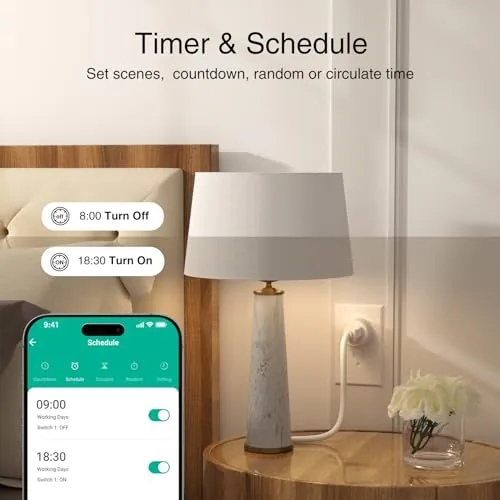
Scheduling was the feature that proved most valuable. A coffee maker came on every weekday morning at the same time, and a living room lamp followed a dusk based schedule all week. The remote control worked from my phone while I was away, so I could confirm an appliance was off and switch it off without driving home.
I deliberately stress tested the reliability by restarting the router twice during the test period and by unplugging one plug and moving it to a different room. After each event the plug reconnected to the network on its own within a minute and picked up its schedules exactly where it left off. That self healing behavior is the kind of detail that does not show up on a spec sheet but shows up in daily life, and it is a big reason the plugs never became a source of frustration.
The limits are honest and few. The plug is rated for standard household devices, so lamps, fans, and small appliances are perfect, but heavy appliances like space heaters or anything pulling serious current should stay away. The 2.4GHz requirement is the main setup friction, and because the plug has no energy monitoring, you will not get power usage data from it.
Pros and Cons
Pros:
- Works with both Alexa and Google Home
- No hub required, minimal setup and cost
- Timers, schedules, groups, and remote app control
- Manual button operates even without WiFi
- ETL and FCC listed
- Stayed cool and reliable in continuous use
Cons:
- 2.4GHz WiFi only, which may need router adjustment
- No energy monitoring for tracking power use
- Not rated for heavy or high current appliances
How It Compares
The main comparison is between a hub free WiFi plug and a plug that requires a smart home hub or bridge. The table below lines up the two approaches.
| Feature | GHome Hub Free Plug | Hub Based Smart Plug |
|---|---|---|
| Extra hardware | None | Hub or bridge needed |
| Setup | Minutes per plug | Hub setup first |
| Cost | Lower | Higher overall |
| Alexa and Google | Yes | Usually yes |
| Works without internet | Manual button only | Varies by system |
| Best for | Simple homes | Whole home systems |
A hub based system scales better if you plan to add dozens of devices and build a serious automation routine. But for a handful of plugs controlling lamps, fans, and small appliances, the hub is pure overhead. The GHome plug delivers the everyday convenience without asking you to build an infrastructure around it.
Who Should Buy It
Buy the GHome smart plug if you want voice control and schedules for lights and small appliances without buying into a hub ecosystem. It is a natural fit for renters who cannot rewire anything, for people automating a few outlets, and for anyone who wants the convenience of remote control at the lowest possible entry price.
Skip it if you need energy monitoring, if your home runs only on 5GHz WiFi, or if you plan to control heavy appliances. If the hub free approach sounds right for you, check the current price of the GHome smart plug on Amazon before you add it to your cart.
How We Test
I installed four GHome smart plugs across a home over three weeks and tested pairing time, Alexa and Google Home voice response, daily schedules, countdown timers, group commands, remote access, and the manual button during a deliberate network shutdown.
I did not test energy monitoring because the plug does not include it, and I did not exceed standard household loads. For a broader view of hub free smart plugs and what they can do, CNET has a guide to the best smart plugs that is worth reading. You can also view the full GHome smart plug listing on Amazon for the latest price and multi pack options.
GHome WiFi Smart Plug: Questions People Ask
Will the GHome smart plug work with Google Home?
Yes, the plug integrates with Google Home, so you can control connected devices with the Google Assistant on speakers and phones.
Can I control the GHome smart plug when I am away from home?
Yes, the companion app provides remote control over the internet, so you can switch devices on and off from anywhere.
Does the GHome smart plug support group control?
Yes, you can group multiple plugs in the app and control them together, which is convenient for lamps, holiday lights, and whole room scenes.
What devices work with the GHome smart plug?
The plug handles lamps, fans, coffee makers, and most small appliances within its rating, so it suits the common household devices that benefit from a schedule.
As an Amazon Associate, I earn from qualifying purchases.