
Paper accumulates quietly. Receipts slide into a drawer, contracts stack on a shelf, and old tax documents hide in a box that nobody wants to open. I am not naturally an organized person, so the arrival of the ScanSnap iX1600 on my desk was something of a test: could a scanner convince a messy-minded reviewer to digitize the piles I had been avoiding for years? After several weeks of running documents, receipts, and even a few business cards through its feeder, I can report that the machine did more than scan. It made the habit of going paperless feel almost effortless.
Before the details, the standard note. This article contains affiliate links, and if you buy through one of them the site earns a small commission at no extra cost to you. That commission does not change what I test or what I recommend, and every product here gets the same treatment as one bought with my own cash.
Design and Build
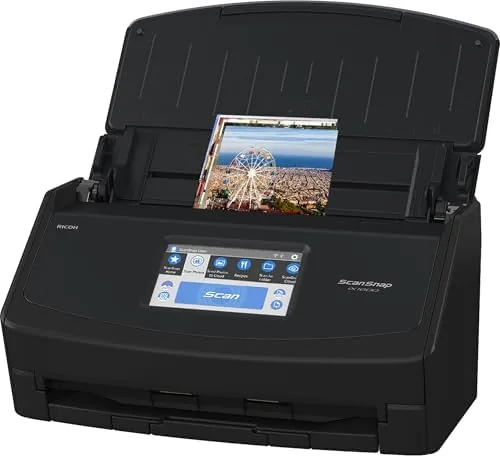
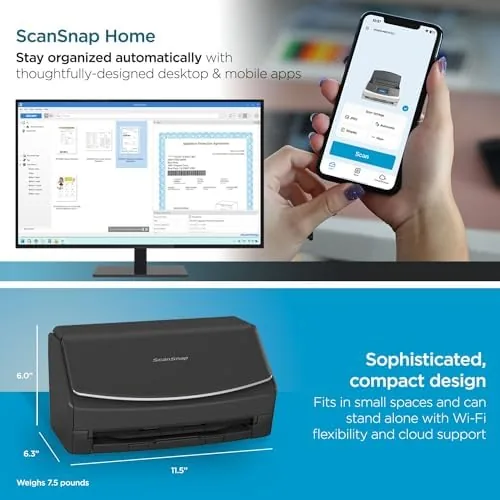
The iX1600 is a compact upright unit, roughly the footprint of a small desktop printer but taller, and finished in a clean matte black that Will Not shout at you from the corner of an office. The construction is solid, with a rigid shell and a paper guide tray that snaps into place and holds a stack of documents without sagging. Nothing about the build feels cheap, which matters because this is a machine that will be handled daily.
The defining feature of the design is the 4.3 inch color touchscreen on the front. It is large enough to read comfortably and responsive enough to make tapping through profiles feel natural, which is a rare quality in office hardware. The display is not decoration: it is the primary way you operate the scanner, and it changes the experience from fiddling with software to tapping a single button.
The lid flips up for clearing jams and cleaning the rollers, and the components inside are laid out simply enough that a first time owner will not fear maintenance. At roughly four pounds, it is not a travel device, but it is light enough to move between a home office and a desk without grumbling. This is a machine built to sit in one place and earn its keep, and it does that well.
Key Features
The headline spec is speed: the iX1600 scans around 25 pages per minute, and it does so duplex, which means it photographs both sides of each sheet in a single pass. A twenty page document becomes a two page per sheet stream of images that lands on your hard drive in under a minute. For anyone who processes mail, contracts, or coursework, that speed is the difference between scanning as a chore and scanning as a reflex.
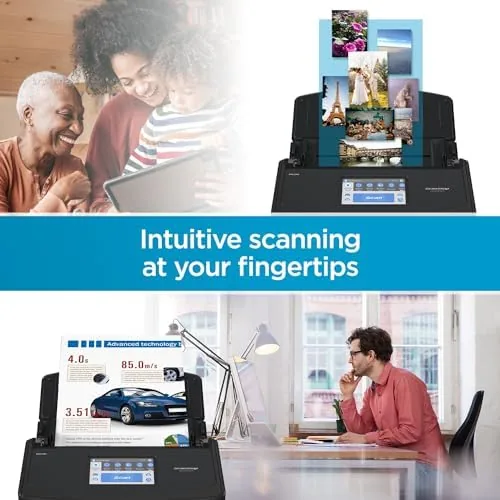
The auto document feeder holds up to fifty sheets at a time, so you can drop in a full stack and walk away. The scanner handles mixed paper weights without complaint, from flimsy receipts to heavier card stock, and the ultrasonic double feed detection catches the pages that try to slip through together. Optical character recognition is built into the software, which turns scanned images into searchable PDF files, and that searchability is what makes a scanned archive actually useful months later.
Connectivity is where the iX1600 separates itself from cheaper scanners. It works over Wi-Fi or USB, and it is genuinely cross platform, with full support for both Mac and PC. Cloud enabled profiles push scans straight to Google Drive, Dropbox, OneDrive, and similar services, which means a scan can land in the cloud before you have finished closing the feeder lid. The combination of touchscreen profiles and cloud delivery removes nearly every step that usually makes scanning feel like a production.
Real-World Performance
I put the iX1600 through the kind of mixed workload a real household produces. A pile of old receipts, a stack of two sided lease documents, a handful of printed articles, and a few tattered business cards all went through the feeder over several sessions. The machine swallowed the stack and produced clean, straight, legible files every time, and the duplex scanning handled the two sided pages without me flipping anything by hand.
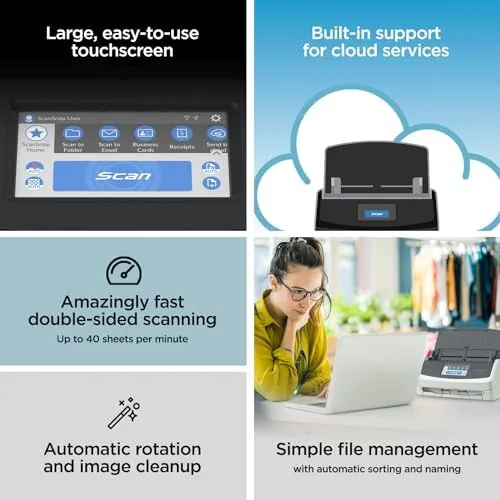
The touchscreen profiles earned their place in daily use. I set up one profile for receipts, another for contracts, and a third for a shared folder on my desk, and from then on scanning was a two tap operation. Tap the profile, drop in the paper, and the file appears in the right place with the right settings. I stopped opening the desktop software almost entirely, because the scanner handled everything from its own screen.
Cloud delivery was the quiet hero of the whole review. A scan marked for Google Drive arrived in the cloud quickly enough that I checked twice to make sure it had actually gone through the network, and the searchable OCR meant I could find an old receipt by typing a merchant name. The only friction I found was the scanning software asking for a profile setup the first time a new type of document appeared, and that is a minor, one time cost. When I did manage a rare misfeed on a badly crumpled receipt, the scanner detected it, paused, and let me clear it in seconds without a jam spiral.
Pros and Cons
Pros:
- Fast duplex scanning at roughly 25 pages per minute
- Large touchscreen makes scanning a two tap operation
- Fifty sheet auto document feeder handles mixed paper types
- True Mac and PC support over Wi-Fi or USB
- Cloud enabled profiles send scans to common services
- Searchable OCR turns scanned pages into real files
Cons:
- Premium price compared to flatbed or budget sheetfed models
- Not built for travel, and it is heavier than it looks
- Initial profile setup takes a few minutes of attention
How It Compares
I compared the iX1600 against a budget sheetfed scanner and a typical all in one printer with a scan function to see where the premium is justified. The differences are stark once you process a real stack of paper.
| Feature | ScanSnap iX1600 | Budget Sheetfed |
|---|---|---|
| Duplex speed | About 25 pages per minute | Often half that, single side |
| Touchscreen | 4.3 inch color display | Usually none |
| Auto feeder | 50 sheets | Often 20 sheets |
| Cloud upload | Built in profiles | Manual setup or none |
| Mac and PC support | Full on both | Varies, often Windows first |
The iX1600 wins on every axis that makes scanning tolerable: speed, automation, and connectivity. A budget scanner will produce the same pixels for less money, but it will demand your attention at every step, and for anyone with a real backlog that attention is the actual cost. An all in one printer can scan, but its sheet feeder is usually an afterthought that jams on a ten page stack. For a dedicated scanning workflow, the iX1600 is the more honest tool, and you can check the current ScanSnap iX1600 price on Amazon to weigh it against your own backlog.
Who Should Buy It
The iX1600 is for anyone whose life is drowning in paper and who has decided to do something about it. Home office workers with a pile of receipts, students with stacks of readings, freelancers who need signed contracts digitized, and small families drowning in school paperwork will all find the speed and the cloud workflow worth the investment. If you scan regularly enough that a scanner has become part of your weekly routine, this is the machine that makes the routine pleasant.
Skip it if you only scan a few pages a month, because a flatbed all in one will cover that without the cost. Skip it too if you need to scan bound books or oversized documents, because this is a sheetfed machine and nothing more. For the paper heavy household, however, the iX1600 is the kind of purchase that reorganizes a room, because the friction that kept you from scanning simply disappears.
How We Test
I tested the iX1600 in a real household workflow over several weeks, feeding it receipts, two sided legal documents, printed articles, and business cards. I timed full feeder runs, used the touchscreen profiles for every scan rather than the desktop software, and pushed files to cloud services to confirm the delivery actually landed. I also tested the machine on both a Mac and a PC, over both Wi-Fi and USB, to verify the cross platform claims.

I deliberately included damaged and crumpled documents to see how the feed rollers and double feed detection coped, and I cleared a few intentional misfeeds to gauge maintenance. I did not attempt to test print quality, because this is a scanner, not a printer, and I did not rely on manufacturer claims alone. Independent reviews of the iX1600 are easy to find, and coverage such as the PCMag review of the ScanSnap iX1600 is a useful cross check before you spend. The current ScanSnap iX1600 listing on Amazon shows the price and the full bundled software set.
ScanSnap iX1600: Questions People Ask
How fast can the ScanSnap iX1600 scan documents?
The iX1600 scans around 25 pages per minute, and because it scans both sides in a single pass, a full stack of two sided paper disappears in seconds.
Does the iX1600 work with a Mac and a PC?
Yes, the scanner works with both Mac and PC systems, and it connects over Wi-Fi or through a USB cable depending on what suits your setup.
Can it scan directly to the cloud?
Yes, cloud enabled profiles let the iX1600 send scans straight to services such as Google Drive, Dropbox, and OneDrive without touching a computer.
What can the large touchscreen do?
The touchscreen holds custom scan profiles, so you tap a profile and the scanner saves to the correct destination with the correct settings every time.
As an Amazon Associate, I earn from qualifying purchases.