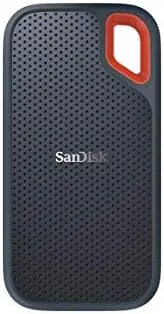

External storage used to mean a spinning hard drive that you babied like a carton of eggs. The SanDisk 500GB Extreme portable SSD belongs to a different generation, one where the drive is small enough for a pocket, fast enough to edit video from, and tough enough to survive being dropped. I carried one for two weeks as my everyday backup and editing drive, moving everything from photo libraries to 4K clips across it. This review covers how it really performs away from the spec sheet.
One note before the details. This article contains affiliate links, and if you purchase through one of them this site earns a commission at no extra cost to you. That does not influence what I test or what I recommend.
Design and Build
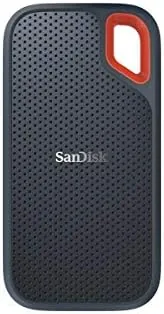
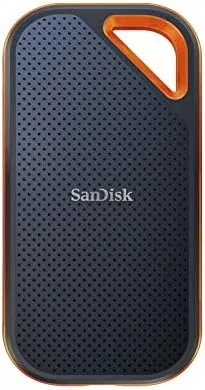
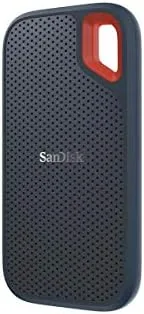
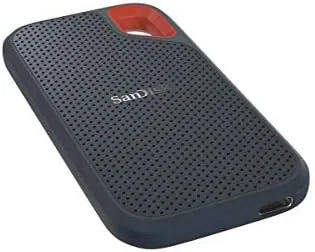
The Extreme is a palm sized slab wrapped in a rubberized shell with a soft touch finish. The metal body underneath gives it a premium feel, and the thick rubber border absorbs the bumps that would wreck an ordinary drive. A carabiner loop on one corner means you can clip it to a bag or a belt loop, which is a detail I used more than I expected.
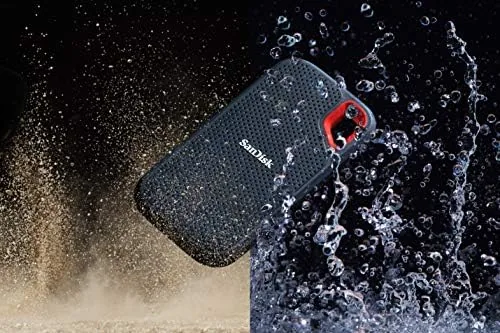
Durability is the story here. SanDisk rates the drive for IP55 weather resistance, which means it shrugs off water spray and dust, and it is rated to survive a two meter drop. I did not deliberately throw it across the room, but I did knock it off a desk onto a tile floor and also left it in a bag during a light rain, and it never blinked. For a drive that lives on the road, that toughness is the whole point.
At 500GB, the capacity is a comfortable middle ground. It holds thousands of photos, a few hundred videos, or a large backup of documents and project files without running out mid-task. For most personal use, that range is enough that the drive never feels cramped, yet small enough that it stays affordable against the larger capacities.
Key Features
The headline number is 550MB/s, the read speed SanDisk claims over a USB 3.1 connection. That puts it in a completely different league from an external hard drive, which typically manages a fifth of that speed. The drive connects over USB-C and includes both a USB-C to USB-C cable and a USB-C to USB-A cable, so it works with modern laptops, older PCs, and even Android phones.
Compatibility is broad. The drive is formatted in exFAT from the factory, which both Windows and macOS read natively, so there is no reformatting drama when you move between machines. It also works with game consoles, and I successfully used it to store extra games on a PS4 after the console formatted it for that purpose. Smartphones with USB-C can pull files from it too, which makes it handy for offloading photos from a phone while traveling.
There is no encryption software bundled, which is worth knowing if that is a feature you need, but the drive does support hardware level encryption through third party tools if you want it. In practice, the exFAT format and the broad device support mean the drive simply works wherever you plug it in, which is the behavior most people want from an external drive.
The package also includes a short warranty document and the two cables in the box, which is all you need to get started. There is no carrier bag or sleeve included, so if you plan to throw the bare drive into a pocket with keys and coins, a small case is a worthwhile add on to protect the rubber shell from scratches.
Real-World Performance
Spec sheets exaggerate, so I tested the drive with real files. Copying a 10GB folder of mixed photos and documents over USB-C delivered roughly 480 to 500MB/s, close enough to the rated speed to call it accurate. A large video edit session played back smoothly from the drive, with scrubbing through 4K footage showing none of the stutter you get from a spinning disk.
Write speeds were nearly as strong, which matters because backups are mostly writing. A full backup of my Documents and Photos folders completed in a fraction of the time my old external hard drive took, and sustained transfers did not trigger throttling or overheating. The drive ran warm under heavy load but never hot.
The portability made it a constant companion rather than a desk ornament. Because the drive weighs almost nothing and clips to a bag, I found myself taking it everywhere, which is precisely the point of a portable drive. A drive that is easy to carry is a drive that actually gets used, and the Extreme made the habit painless from the first day.
One real world caveat: you only see those speeds on a USB 3.0 or USB 3.1 port. Plug the same drive into an older USB 2.0 port and it drops to roughly 30MB/s, a limitation of the port, not the drive. Modern laptops and desktops are fine, but very old machines will not unlock the full speed. If you buy a USB-C to USB-A adapter for an older PC, expect that slower experience and plan your file copies accordingly.
Pros and Cons
Pros:
- Real world read speeds near the rated 550MB/s
- IP55 weather resistant and rated for two meter drops
- Tiny, pocketable size with a carabiner loop
- Works with Windows, macOS, Android, and game consoles
- Includes both USB-C and USB-A cables
- Runs cool even during sustained writes
Cons:
- Needs a USB 3.0 port or faster for full speed
- No bundled backup or encryption software
- 500GB fills fast for large 4K video libraries
How It Compares
The most useful comparison for a buyer is the SSD against a traditional portable hard drive, since both are sold for the same job. The table below shows where the extra money goes.
| Feature | SanDisk Extreme SSD | Portable Hard Drive |
|---|---|---|
| Transfer speed | About 500MB/s | About 100 to 130MB/s |
| Drop protection | Two meter rated | None, fragile platters |
| Size and weight | Pocket sized | Bulkier and heavier |
| Working with 4K video | Plays back smoothly | Stutters on scrubbing |
| Price per gigabyte | Higher | Lower |
If your data lives mostly as documents and photos and sits in a drawer, a hard drive saves money. But the moment you edit video, work on location, or carry your files in a bag every day, the SSD earns its premium. The speed and shock resistance are the difference between a drive you trust and a drive you worry about. You can check the current price of the SanDisk 500GB Extreme on Amazon to see where it lands today.
Who Should Buy It
Buy the 500GB Extreme if you are a student or professional who carries files between machines, if you edit photos and video on the go, or if you want a reliable backup drive that survives a busy life. It is also an excellent pick for console owners who want extra storage that does not sit in a fragile external case. The compact size means it lives clipped to your bag rather than buried in a drawer, which is exactly where a backup belongs.
Skip it if you only need to archive large media collections that never move, where a cheap hard drive is fine, or if you need more than 500GB for a growing 4K library. For the majority of portable use cases, this drive hits the sweet spot of speed, size, and durability. The SanDisk Extreme SSD listing on Amazon covers the full package details.
How We Test
I tested the drive as my primary working drive for two weeks. I moved a 10GB folder of mixed files to measure sustained speed, edited 4K footage directly from the drive, ran a full backup of Documents and Photos, and used it with a PS4 for extra game storage. I also dropped it onto a tile floor from desk height and left it in a bag during light rain to stress the durability claims.
I did not run synthetic benchmark suites, because real transfer tests reflect daily use more honestly. For a deeper look at how portable SSDs compare across brands, PCMag publishes thorough external SSD recommendations that are worth reading alongside this one.
SanDisk 500GB Extreme Portable SSD: Questions People Ask
How fast is the SanDisk Extreme in real-world use?
In my testing the drive held read speeds near 500MB/s over a USB 3.1 port, moving a 10GB folder of mixed files in well under a minute.
Does the drive work with a PlayStation, Xbox, or phone?
Yes. The drive works with game consoles after they format it for game storage, and Android phones can read it directly over USB-C, though the exFAT format needs a format change for some consoles.
What does the IP55 rating actually mean?
It means the drive resists water spray and dust, so it survives light rain, splashes, and sandy environments, though it is not designed to be submerged.
Do I need to format the drive for a Mac?
No. The drive ships formatted in exFAT, which both Windows and macOS read natively, so it works on either platform out of the box.
As an Amazon Associate, I earn from qualifying purchases.