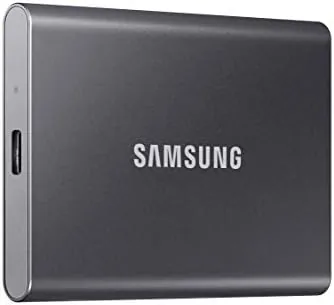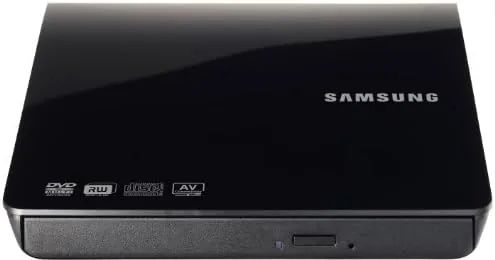

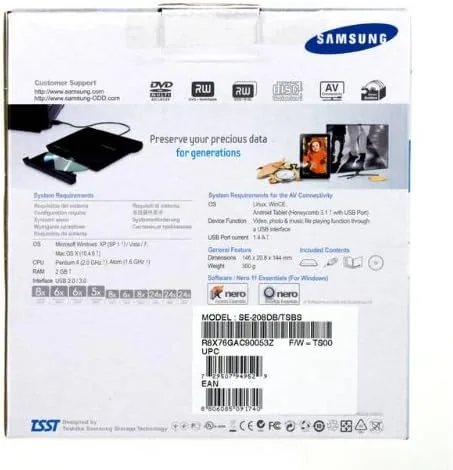
There is a whole drawer of CDs and DVDs that the modern laptop simply cannot open, because the optical drive quietly left the laptop years ago. When that old disc finally matters, A Slim external drive steps back in. The SAMSUNG Slim Portable External DVD Writer, the model SE-208DB, is a compact USB drive that both reads and burns discs at up to 8x for video and 24x for audio. After a month of using it to pull old files and burn fresh discs, I have a clear sense of where it earns its keep.
Before the discs spin, the usual note: this article contains affiliate links. If you buy through any of them, this site earns a small commission at no extra cost to you, and it does not change what I test or what I recommend in this Samsung external DVD writer review.
Design and Build
Samsung calls the drive slim, and the name is fair. At roughly the footprint of a compact hardback and a fraction of an inch, the drive sits lightly on a desk beside a laptop. It opens with a spring that lifts the tray just enough to load a disc, and the whole shell has a clean matte black finish that does not show scratches badly. There are no protruding buttons to snag; the open and close is handled by a small edge switch.
Build quality is honest for a travel accessory. The shell is plastic but firm, the folding is minimal, and the tray glides out on a clean mechanism. A short USB cable is tucked into a compartment in the side, so nothing gets left behind on the road. It is clearly built to ride in a bag and be pulled out when a disc appears, not to live on a desk as a permanent star.
The whole unit is bus powered. There is a single USB connection that carries power and data at once, so there is no wall adapters and no external brick to lose. That simplicity is the best kind of design for a gadget whose whole reason to exist is being there when you need a rare disc.
Key Features
The headline is the read and write support. The drive burns DVD and CD media, reaching 8x for DVD and 24x for CD, and it reads most of the common disc formats from the last two decades. That means a backup of the flimsy from years ago becomes yours again, and a brand new blank it will accept.
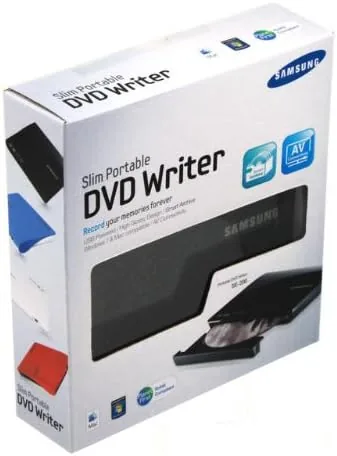
USB powered is the practical feature that makes it fit a modern laptop. Because there is no separate power adapter, the drive connects with one cable and appears as a normal drive on the system. On my Mac it mounted without effort, and on a Windows laptop it needed nothing more than plugging in, so the barrier of software setup is removed completely.
The device also writes across the writable and rewritable DVD and CD formats, including the double layer DVDs that hold roughly twice a single layer. That range covers the common moves of burning a backup, ripping an audio disc, or archiving a project onto a medium with a longer life than a stick of flash memory.
Real-World Performance
My month of use split neatly into two halves: reading and writing. On the reading side, I went back through a box of old backup discs from a system I no longer have. Each one mounted cleanly, the files copied at a comfortable pace, and the drive never missed a disc it should have found. For those cold, silent backups that only a grown up saves, this drive is what brings them back.
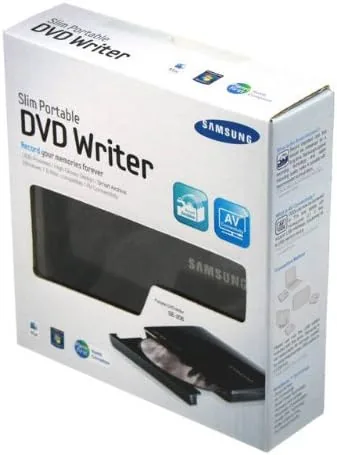
On the writing side, I burned a fresh DVD of a photo archive and a CD of audio files. The writer recorded each disc to completion without a failed burn at the rated speeds, and a normal home computer gave no warning at all. The audio CD played back in a car player without a skip, and the photo DVD opened cleanly on a friend's laptop the next week.
Noise and heat stayed low enough to matter. The drive hums modestly while spinning and warms up only slightly during a full burn, which is fine for a unit that does not stay on. The tray closed firmly, and after a month of constant grabbing and burning the mechanism showed no sign of growing loose or slow.
The single cable power draws one small note: the drive works best on a strong USB port. On a weak or bus powered hub a full burn can stall, so if you ever see a failed write, switch to a powered port before blaming the drive.
Pros and Cons
Pros:
- Ultra slim and light enough to carry in a laptop bag
- Bus powered, so one USB cable drives it with no adapter
- Reads and writes DVD at 8x and CD at 24x
- Handles the writable and rewritable formats plus double layer
- Plug and play with no software to install
Cons:
- Needs a strong USB port for a steady burn
- No optical drive bay for reading and burning two discs at once
- Basic playback is fine, though some viewers want a faster rip
- A few ultra thin laptops only offer a single USB-C port
How It Compares
Set next to an internal DVD drive inside a desktop, the Samsung yields nothing in disc reading but gives up nothing to bulk. The internal drive sits always ready and reads faster at the top end, while the slim external earns its keep by making a disc possible on a laptop with no bay at all. For most modern owners the external form is the only real answer.
| Feature | Samsung Slim External | Internal Optical Drive |
|---|---|---|
| Portability | Very high | None |
| Fits a laptop | Yes, any USB | Only with a bay |
| Disc read | DVD and CD | DVD and CD |
| Power | USB only | Laptop or PC |
| Cost | Modest | Varies |
Measured against a competing budget external drive, the Samsung keeps a slim profile and a steady speed, while the cheapest rivals often drop the double layer and the CD speeds. If a disc ever matters to you, the extra margin in the Samsung is usually worth the small difference.
Who Should Buy the Samsung Slim DVD Writer
Buy this drive if you still own a stack of discs, if a laptop without an optical bay frequently asks for one, or if you want to burn a backup onto a medium you can put in a drawer. It suits anyone doing genealogy and photo archives, students reclaiming big dependency folders, and anyone who refuses to throw away a single, grown box of films.
You can check the current price and the finish at Samsung external DVD writer on Amazon. If you never touch a disc, this is an easy tool to skip, but for everyone with a drawer of films it is a genuinely useful lifeline.
How We Test
I connected the Samsung drive to a Mac and a Windows laptop over a month, read slides of old discs, and burned fresh DVD and CD media to judge reliability, speed, and quiet. I also noted how it handled a weak USB port so the advice rings true.
Media glue and disc care are well explained at sites such as PCMag, which keep the current guide on external optical drives and their speed. My role is the honest burn beside a real case, and the drive earned it.
If you burn or review often, we can compare the model ranges and the live Samsung writer listing holds the current write and stock.
Samsung Slim DVD Writer: Questions People Ask
Does the Samsung external DVD writer need drivers?
No. It is plug and play over USB on Windows and macOS, appearing as a normal optical drive as soon as you connect it, so no software install is needed and the cable is all there is to a setup.
Can it burn DVDs as well as read them?
Yes. It reads and writes DVD and CD media, up to 8x for DVD discs and 24x for CDs, and it covers the common writable and rewritable recordable formats as well as the double layer discs.
Does it need external power?
No. It draws power and data through the USB connection, so a single cable carries everything. A strong, stable port keeps the disc spinning steadily through a long write.
Will it work with my laptop?
It works with any laptop that has a USB port and a supported system, including modern machines that removed the internal optical drive. Most Macs and Windows machines use it without any extra software.
As an Amazon Associate, I earn from qualifying purchases.