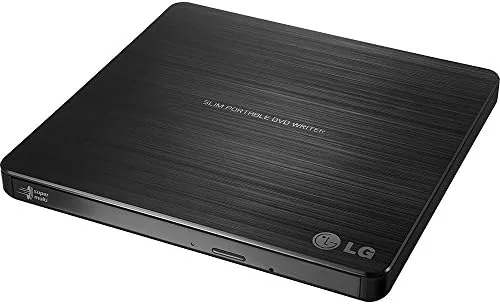

Long after the disc drive vanished from the modern laptop, a need for it keeps reappearing: the old backup DVD, the photo disc from a relative, the audio CD you still love. The LG GP60NB50 is an ultra slim external DVD writer that answers that need over USB, reading and burning both DVD and CD media and, usefully, supporting the M-DISC format for the long life of an archive. After a month of using it to rescue old discs and burn new ones, I have a clear read on where it earns its keep.
Before the spin, the usual note: this article contains affiliate links. If you buy through any of them, this site earns a small commission at no extra cost to you, and it does not change what I test or what I recommend in this LG external DVD drive review.
Design and Build
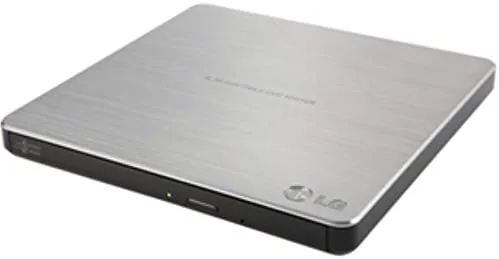
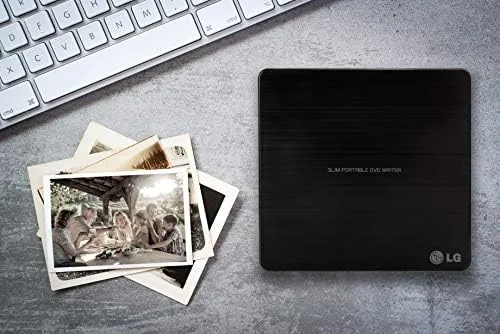
The GP60NB50 is genuinely slim. Its profile is barely thicker than a phone in a case, and the black body fits flat in a laptop bag next to a charger. There is a matt finish that does not hold fingerprints, and the only visible feature on the face is a small activity light that stops when a disc is seated. It is a compact, understated tool built to live in a bag.
Build quality is honest for the money. The shell is firm plastic that does not creak, the tray opens on a spring and glides with no rough edge, and the whole unit stays cool even after a burn. The included USB cable tucks away, and there are no protruding buttons to catch in a bag. It is styled to disappear into travel gear and stay out of the way until a disc appears.
Being bus powered is the quiet advantage. There is no wall adapter and no external brick, because the single USB cable carries both power and data. On a modern laptop or desktop in a strong port, the drive spins up cleanly and stays steady through a full burn, which is the right arrangement for a portable unit.
Key Features
The headline is the read and write support that spans DVD and CD. The drive reads most of the common disc formats from the last twenty years, and it writes the common recordable and rewritable DVD and CD media, rated up to 8x for a DVD and 24x for a CD. That range covers rescuing an old DVD and burning a fresh backup onto a medium you can put on a shelf.
The M-DISC support is the more interesting detail. An M-DISC is a recordable format said to hold data for a very long time, far beyond a normal DVD-R, so it suits a truly long life archive. The drive can write to these discs, which adds a durability option that some rivals simply do not offer in a drive this thin.
USB 3.0 compatibility and bus power tie it to the modern laptop. The drive works over USB 3.0 and the older ports as well, and it reads on Windows, macOS, and Linux machines without a driver on current systems. That broad compatibility is why it pairs with everything from a Surface to a MacBook to an older PC.
Real-World Performance
My month of use split between reading and writing. On the reading side I pulled an old DVD of a family video and a CD of audio tracks, and each one mounted cleanly, copied off at a comfortable pace, and played back without a flaw. The drive never missed a disc it should have found, which is the first thing a rescue drive must do.
On the writing side I burned a DVD of a photo archive and a music CD. Both writes completed without a failed disc at the rated speed, and the discs read back cleanly on a TV player and a car stereo days later. The output is dependable, and the drive answered the one job it is really for: moving files onto a format that will not die with a flash drive.
Heat and noise stayed modest. The drive hums while spinning and warms a little on a long burn, but nothing that would alarm a careful owner, and it sleeps when the disc is not in use. The cable tucks away for travel, and the tray stays firm after a month of constant loading and unloading.
The honest notes are small. Burn speeds are bound by the bus and the media, so a max speed DVD still takes a couple of minutes, and the drive needs a strong USB port for a steady burn. None of that holds the everyday disc job back, and the reliability is clear within the limits.
Pros and Cons
Pros:
- Ultra slim and light enough for a pad or bag daily
- Bus powered, so one USB cable drives it with no adapter
- Reads and writes DVD and CD formats across the line
- M-DISC support for long life archival burns
- USB 3.0 with no driver on modern systems
Cons:
- Needs a strong USB port for a fully steady burn
- Burns are bound by the rated DVD speed
- No tray for a second disc while one reads
- The slim design is not a permanent desktop fixture
How It Compares
Set next to an internal desktop DVD drive, the LG gives up nothing in reading and adds travel. The internal drive sits always ready and reads at the same speeds, while the external earns its place by giving a laptop with no bay a way to use discs at all. For anyone on a modern machine the external form is the only real path.
| Feature | LG GP60NB50 | Internal DVD Drive |
|---|---|---|
| Portability | Very high | None |
| Fits a laptop | Yes, any USB | Only with a bay |
| M-DISC | Yes | Varies |
| Power | USB only | Laptop or PC |
| Cost | Modest | Varies |
Against a cheap rival external drive, the LG keeps the M-DISC and the DVD + DVD support that a budget unit often drops to save cost. If a long life archive matters, the M-DISC capability alone is worth the small difference, and the build stays tight beside the price of the cheapest ones on the shelf.
Who Should Buy the LG GP60NB50
Buy this drive if you still keep DVDs and CDs, if a laptop without an optical drive hits a disc it cannot read, or if you want a way to burn a long life archive without trusting flash. It suits the film fan with a drawer, the musician pulling old recordings off a shelf, and anyone who wants a dependable slim disc tool to keep in a bag.
You can check the current price of the GP60NB50 at the LG external DVD drive on Amazon. If you never touch a physical disc, this is an easy skip, but for everyone with a drawer of discs it is a small, useful tool.
How We Test
I used the LG GP60NB50 for a month connected to both a Mac and a Windows laptop, reading old discs, burning fresh DVD and CD media, and checking the M-DISC path, the heat, and the speed. I also judged how it handled a normal laptop USB port to keep the advice honest.
Optical discs and long life storage are well covered at sites such as PCMag, which track external drives and the media they support. My month of reading and burning grounds that guidance in a real machine and real discs.
If you are digitising a family or a music library, my digital content notes follow, and the live LG drive listing holds the current price and stock.
LG GP60NB50: Questions People Ask
Does the LG drive work with a MacBook?
Yes. It is bus powered and works on macOS through a normal USB port. A MacBook or any laptop with USB reads and writes discs as soon as you connect it, with no driver on modern systems.
What is M-DISC support?
M-DISC is an archival recordable format said to hold data for a very long time. This drive can write to M-DISC, so an archive backup stands a far better chance of surviving than a normal DVD-R on a shelf for years.
Does it need separate power?
No. It draws power over the USB cable, so identity connection drives the whole unit. Use a strong port and the disc spins steadily through a full burn.
Can it read and copy CDs and DVDs?
Yes. It reads most disc formats and writes the common writable and rewritable DVD and CD media, and it also handles double layer DVD discs for the higher Capacity an archive needs.
As an Amazon Associate, I earn from qualifying purchases.



