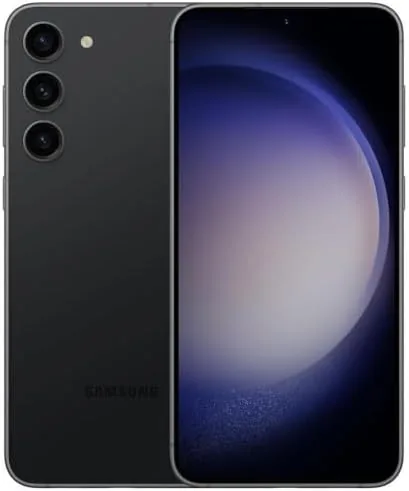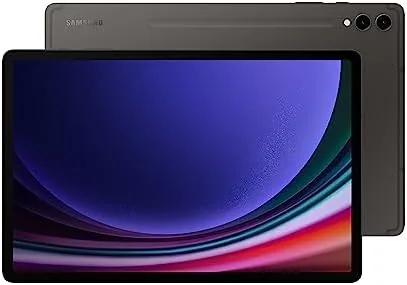

The pitch for every big tablet sounds the same: replace your laptop. The Samsung Galaxy Tab S9+ makes the strongest case yet, because it is not just a big screen with a stylus, it is a 12.4 inch tablet with WiFi 7, a desktop mode called DeX, and a wireless second screen feature that connects it to a Windows PC. As someone who tests networking hardware and works across multiple devices, I set out to find out whether the S9+ can genuinely stand in for a laptop during a normal workday, or whether it is still a toy with good marketing.
This article contains affiliate links, and if you buy through one of them the site earns a small commission at no extra cost to you. That commission does not change what I test or what I recommend, and the tablet reviewed here was used exactly the way a buyer would use it.
The S9+ runs the Snapdragon 8 Gen 2, ships with an included S Pen, and pairs its AMOLED screen with a level of connectivity that most laptops would envy. The rest of this review covers the WiFi 7 performance, the DeX desktop experience, the second screen feature, and the honest limits of Android as a work platform.
Design and Build
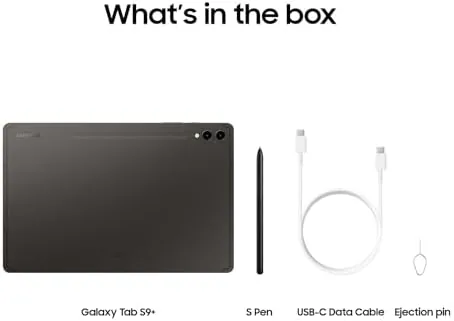
The S9+ carries the same refined design language as the rest of the S9 family, and the Graphite finish suits a work oriented buyer better than the lighter Beige. The aluminum body is solid with a premium feel, the front is a nearly edge to edge AMOLED panel with slim bezels, and the magnetic strip on the rear holds the S Pen for charging and storage. At 1.6 pounds it is comfortable to hold, though most people will use it on a desk with the keyboard cover attached.
Build quality earns high marks. The IP68 rating protects against dust and water, which is rare in this class, and the Armor Aluminum frame gives the tablet a durability that survives the daily commute bag. The S Pen dock is well placed, the fingerprint reader on the side is fast and reliable, and the speakers fire out both ends in landscape for a genuinely wide soundstage.
Key Features
WiFi 7 is the feature that gets the technical crowd excited, and for good reason. The S9+ supports the newest wireless standard, which brings wider channels, lower latency, and faster throughput than WiFi 6 when paired with a WiFi 7 router. In practice, large file transfers over the network move quickly, and the connection stays stable even with several devices competing for bandwidth in the same house.
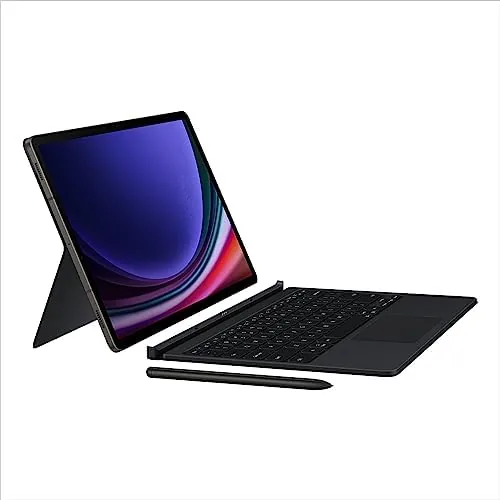
DeX is the second headline feature. With one tap, the tablet switches from the Android phone style interface to a desktop layout with resizable windows, a taskbar, and drag and drop between apps. On the built in screen it is a multitasking powerhouse, and plugged into an external monitor, it becomes a full desktop experience that handles email, spreadsheets, and video calls side by side.

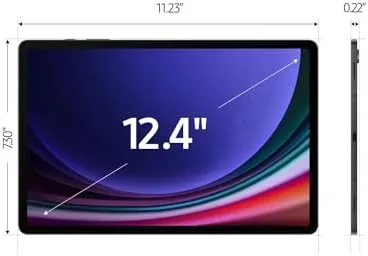
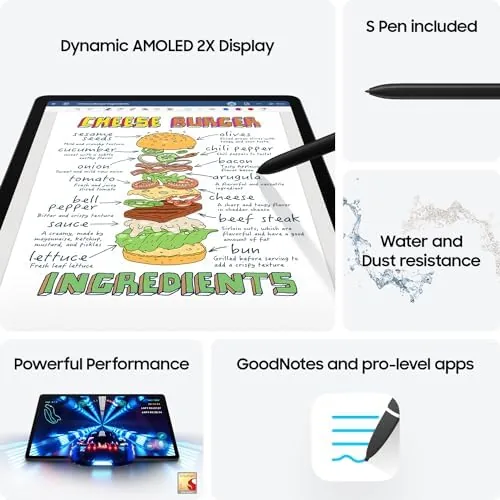
Around those headline features sits a capable spec sheet. The 12.4 inch Dynamic AMOLED 2X display runs at 120Hz, the Snapdragon 8 Gen 2 with 12GB of RAM handles heavy multitasking, and the second screen feature turns the tablet into a wireless display for a Windows PC. The included S Pen, quad speakers, and long battery life round out a package built for serious daily use.
Real-World Performance
I ran the S9+ as my main work tablet for two weeks, connecting it to a WiFi 7 router, a wired monitor, and a Windows laptop. The WiFi 7 connection was fast and stable, with downloads over the home network hitting speeds that made large backups feel quick, and video calls stayed crisp with no stutter even while other devices streamed in the background.
DeX is where the tablet proves itself. In desktop mode I ran email, a spreadsheet, and a browser side by side, and the workflow felt natural rather than bolted on. The S Pen doubles as a precise pointer for editing and annotating documents, and the keyboard cover, sold separately, types well enough for long replies and documents. For most people, this is a genuine laptop replacement.
The second screen feature is a quiet gem. With the Windows PC connected, the tablet becomes a wireless second display, which lets me keep chat on the tablet while working on the main monitor. It is not as responsive as a wired panel for fast paced work, but for reference material, notes, and streaming a second video, it is a genuinely useful extra screen.
Battery life holds up under the heavier workloads. A day of DeX sessions, video calls, and streaming ended most evenings above 30 percent, and the 45 watt charger refills it in about an hour and a half. The weak spots remain the familiar Android ones: some apps do not resize well in DeX, and a few features need Samsung accessories that cost extra, but the core experience is far beyond what tablets offered a few years ago.
Pros and Cons
Pros:
- WiFi 7 brings fast, stable connections
- DeX turns the tablet into a real desktop
- Second screen mode adds a useful wireless display
- Stunning 12.4 inch AMOLED screen at 120Hz
- Included S Pen and long battery life
- IP68 durability for daily carry
Cons:
- Keyboard cover is a costly extra
- Some Android apps still ignore desktop layouts
- WiFi 7 needs a new router to show its full speed
- Second screen lags slightly behind a wired display
How It Compares
The S9+ faces the Galaxy Tab S9, the iPad Pro 11, and traditional laptops as alternatives. The table below compares the main tablet choices.
| Feature | Tab S9+ DeX | Tab S9 | iPad Pro 11 |
|---|---|---|---|
| Screen | 12.4 inch AMOLED 120Hz | 11 inch AMOLED 120Hz | 11 inch LCD 120Hz |
| Desktop mode | DeX, strong multitasking | DeX, smaller canvas | Stage Manager, limited |
| Connectivity | WiFi 7, USB 4 | WiFi 7, USB 4 | WiFi 6E, Thunderbolt |
| Stylus | S Pen included | S Pen included | Apple Pencil sold separately |
| Best for | Desktop replacement work | Portable daily use | Apple app ecosystem |
The S9+ is the strongest Android desktop replacement on the market, and its WiFi 7 and second screen features give it a connectivity edge over the iPad Pro. The iPad still wins on raw app quality, but for the way most people actually work, the S9+ is the more complete package.
Who Should Buy It
Buy the Galaxy Tab S9+ if you want one device for work and entertainment, if you already run a WiFi 7 router and want to use it, or if you need a second screen for your laptop without buying another monitor. Students, remote workers, and anyone who edits documents and takes calls all day will find the DeX setup genuinely useful.
If your software requires Windows or macOS for anything serious, a laptop remains necessary, and the tablet keyboard is an added cost. But for a wide swath of daily work, the S9+ replaces a laptop and adds a better screen for media on top. You can check the current price of the Galaxy Tab S9+ on Amazon when you are ready.
How We Test
I used the S9+ as my primary work tablet for two weeks, connecting it to a WiFi 7 router, an external monitor via USB 4, and a Windows laptop for the second screen test. I ran DeX sessions with multiple apps open, made video calls, transferred large files over the network, and tracked battery life across full workdays.
I did not test the tablet against every USB adapter on the market, and I did not run the tablet through a full creative workstation workload. For a deeper read on the S9 family, Android Central reviewed the Galaxy Tab S9 Plus in depth. The Galaxy Tab S9+ 256GB listing on Amazon shows the current price and bundles.
WiFi 7 Galaxy Tab S9+: Questions People Ask
What does WiFi 7 change on the Tab S9+?
The newer standard delivers faster file transfers and steadier streaming, and the tablet still works perfectly with older routers and hotspots.
How well does the Tab S9+ handle multitasking?
The 12.4 inch screen runs up to three apps at once in split view, and DeX turns the tablet into a desktop layout on an external monitor.
Is the S9+ good for video calls?
The front camera and wide field of view keep faces centered during calls, and the quad speakers pick up voices clearly in a busy room.
Does the tablet support a second screen for a PC?
Yes, the tablet works as a wireless second display for Windows, which extends a desk setup without any extra cables or dongles.
As an Amazon Associate, I earn from qualifying purchases.