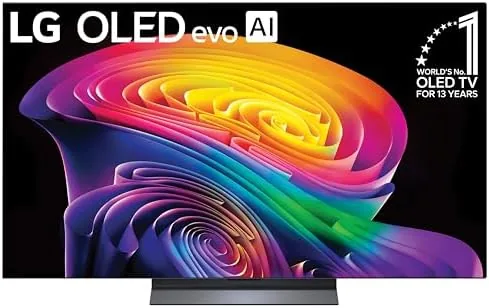

For years, PC gamers chasing OLED had to make a choice: a small glossy Monitor at a premium price, or a living room television that made a poor desktop panel. The Samsung 55-inch S90H OLED collapses that choice. It is a 4K OLED with up to 144Hz, variable refresh rate, and the kind of per-pixel black levels that make gaming monitors look like compromises. I plugged one into my desktop rig and ran it as my primary display for two weeks, and it changed how I think about both televisions and monitors.
Before the details, the standard note. This article contains affiliate links. If you buy through one of them, the site earns a small commission at no extra cost to you, and that never changes what I test or what I recommend.
Design and Build
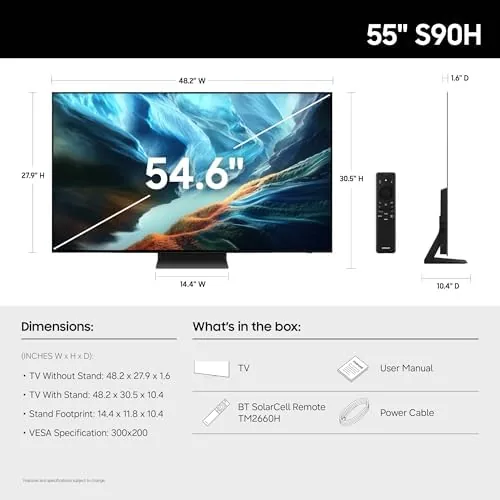
On a desk, the S90H is a commanding presence. The bezel is a hairline of dark metal around a sheet of black glass, and the panel's low-profile stand sits flat and stable, though at 55 inches you will want a deep desk, at least thirty inches from edge to edge, to sit at a comfortable distance. The set is built like a serious piece of hardware, with a rigid chassis and no wobble at the corners.
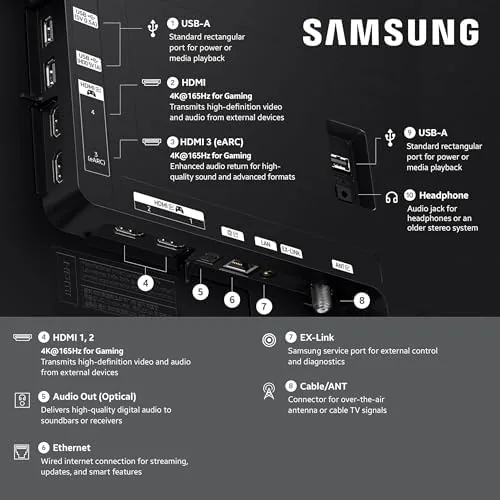
The connections are exactly what a PC user needs. Four HDMI 2.1 inputs carry 4K at 144Hz at full bandwidth, there is Ethernet for a wired network, and eARC routes audio cleanly to a receiver or soundbar. The remote is compact and backlit, and the initial setup walks through network and voice assistant configuration in minutes. For a desktop install, the panel mounts cleanly on a wall or a heavy-duty monitor arm using its VESA pattern.
Key Features
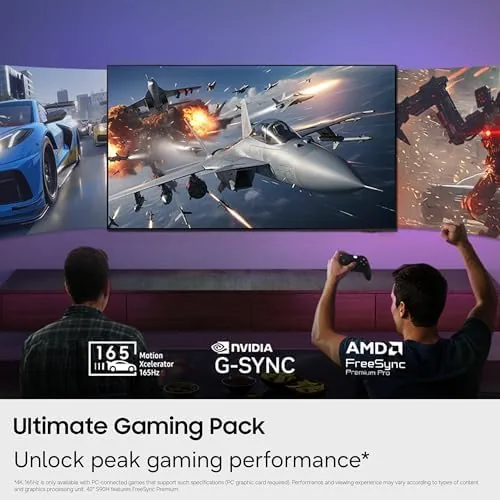
The S90H pairs a QD-OLED panel with Samsung's OLED HDR+ tuning for higher brightness and the deep blacks that define the format. The NQ4 AI Gen3 processor handles upscaling and motion, and the Vision AI features adjust the image to what is on screen. For desktop use, the headline is the gaming set: 144Hz refresh, variable refresh rate, low input lag in Game Mode, and a Game Bar that puts the important settings a controller press away.
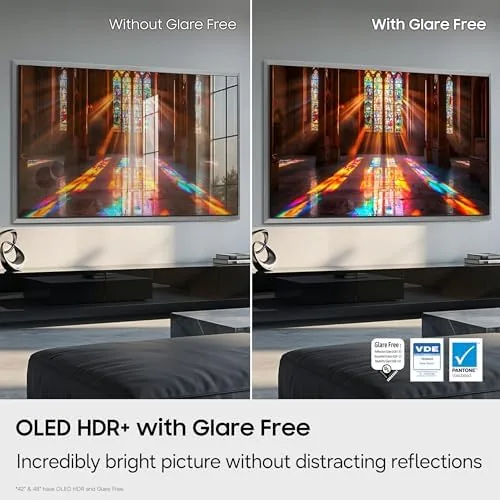
Built-in Alexa gives voice control, the smart platform covers all major streaming apps, and the panel's glare-free coating keeps reflections down in a lit room. Streaming apps loaded quickly over the wired network connection, and switching between the PC input and the television apps took a single remote press, which made the dual role feel natural rather than awkward. For a mixed desktop machine that also serves as a television, the feature list is essentially complete.

Real-World Performance
As a PC display, the S90H is exceptional where it matters. A 4K graphics card pushing high frame rates produced buttery motion at 144Hz, and the variable refresh rate held the image stable even when frame rates dipped in dense scenes. Response time is effectively instant for an OLED, and in fast shooters I noticed no ghosting or trailing behind moving objects. The input lag in Game Mode measured low enough that competitive play stayed honest.
The picture quality is what keeps me at the desk. Games built around HDR light up on this panel: a night city in an open-world title showed true blacks with neon signs that genuinely glowed, and the OLED HDR+ brightness lifted highlights without washing out the shadows. The glare-free coating kept a desk lamp from turning the screen into a mirror, which is a real issue with glossy OLED monitors and a genuine advantage here.
Desktop work is the one area that asks for adjustment. At 4K on a 55-inch panel, text is readable and sharp enough for general browsing and documents, but very small fonts can show a faint color fringe on their edges, a known trait of the panel layout. Raising the Windows scaling to 150 percent cleaned that up completely, and it did not hurt the experience. Static taskbar elements are handled by the panel's pixel shifting, logo dimming, and screen saver routines, and after two weeks of mixed desktop and game use I saw no visible retention. Even with that adjustment, the desktop experience was comfortable enough that the panel stayed in use for daily browsing, email, and light photo work, not just games.
Pros and Cons
Pros:
- True OLED blacks with bright HDR highlights
- 144Hz with variable refresh rate for PC gaming
- Very low input lag in Game Mode
- Glare-free coating that suits a lit room
- Works as a full smart television when the gaming ends
Cons:
- Large footprint demands a deep desk
- Text rendering needs scaling tweaks on desktop
- Static desktop elements need OLED care routines
How It Compares
The 55-inch S90H competes with both premium monitors and other large-format displays. I compared it against a dedicated 32-inch OLED monitor and a 55-inch Neo QLED television to see where each one wins.
| Feature | S90H OLED 55 | 32-Inch OLED Monitor | Neo QLED 55 |
|---|---|---|---|
| Size | 55 inches | 32 inches | 55 inches |
| Refresh rate | 144Hz | 240Hz plus | 144Hz |
| Black levels | Per-pixel OLED | Per-pixel OLED | Very good |
| Desktop text | Needs scaling | Excellent | Good |
| Best for | Games and film | Competitive esports | Bright room value |

The 32-inch OLED monitor wins for esports, where 240Hz and perfect desktop text matter, but it costs as much as this television and cannot double as a living room screen. The Neo QLED handles bright rooms and costs less, but it cannot touch the S90H on contrast and viewing immersion. For a gamer who wants one screen for games, films, and streaming, the S90H is the better overall machine, and the current price for the 55-inch S90H on Amazon is worth checking against both alternatives.
Who Should Buy It
Buy the 55-inch S90H if you game on a PC at 4K, if you want OLED contrast without living-room-size pricing, or if you want one display that handles work, games, and streaming from a single panel. With a deep desk and a capable graphics card, it replaces a monitor and a television in one move.
Skip it if you are a competitive esports player who needs the very fastest refresh rates and flawless tiny text, or if your desk cannot hold a 55-inch panel at a safe viewing distance. For everyone else, this is the display that makes the case for a television on the desk. You can check the 55-inch S90H listing on Amazon for current stock and delivery.
How We Test
I used the 55-inch S90H as my primary desktop display for two weeks, pairing it with a 4K-capable graphics card and testing across fast shooters, HDR open-world games, productivity work, and streaming. I measured input lag in Game Mode, verified variable refresh rate stability, tested text rendering at multiple scaling levels, and left the panel in normal mixed use to observe any retention behavior.
I did not run a laboratory-grade calibration, so peak brightness claims come from Samsung's published specifications. For independent testing of the S90 series, Rtings' coverage of Samsung's S90 OLED series is a reliable source of calibrated data. The official Amazon listing for the 55-inch S90H carries the full specification sheet and current pricing.
55-Inch S90H OLED: Questions People Ask
Can I use the 55-inch S90H as a PC monitor?
Yes. With 4K resolution, 144Hz, and variable refresh rate support, it works as a large desktop display, though you need a deep desk and a capable graphics card to drive it.
What refresh rate does the S90H support for gaming?
It supports up to 144Hz over HDMI 2.1, which suits fast shooters and racing games, and variable refresh rate keeps motion smooth across changing frame rates.
Is text on an OLED television sharp enough for work?
At 4K on a 55-inch panel, text is readable and reasonably sharp for general desktop work, though color fringing can appear on very small fonts, so raising the display scaling helps.
Should I worry about burn-in using it as a monitor?
OLED panels can retain static elements, but the S90H has pixel shifting, screen savers, and logo dimming routines, and varied desktop use keeps the risk low.
As an Amazon Associate, I earn from qualifying purchases.