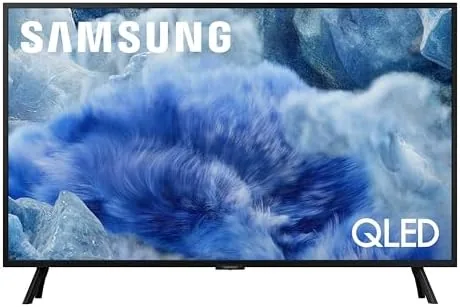

Most big televisions are built around the idea that the living room is the only room that matters. The 32 inch Samsung QLED Q8F flips that thinking by aiming at the bedroom, the den, the kitchen counter, and any other spot where a full size screen does not fit. It packs a 4K UHD Quantum Dot panel, a Q4 AI processor, and Samsung Vision AI into a compact AirSlim body, and it throws in a large lineup of free content through Samsung TV Plus. I spent two weeks living with it in a bedroom and a small den to see whether small screens still deserve premium features.
Before the details, the standard disclosure. This article contains affiliate links, and if you buy through one of them the site earns a small commission at no extra cost to you. That commission never changes what I test or what I recommend.
Design and Build
The Q8F is built around the AirSlim design language, and it shows. The panel is noticeably thin, far slimmer than a budget 32 inch TV, and the bezels are narrow enough that the screen feels larger than its physical size. The two small feet keep the set stable on a dresser or media shelf, and the TV can also be wall mounted if you want a clean floating look.
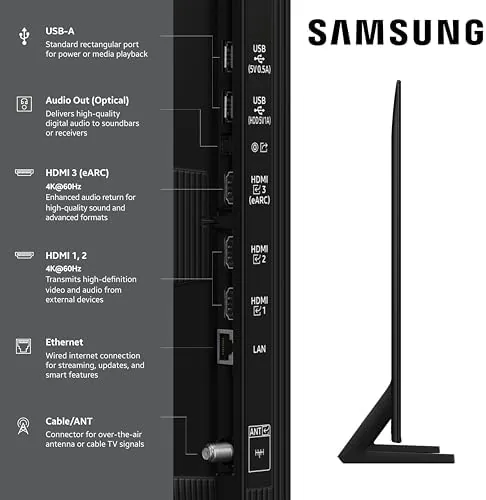
The back panel keeps things tidy with all ports facing outward for easy cable access: two HDMI, one USB, Ethernet, and an optical out. The remote is the slim Samsung controller with dedicated buttons for Streaming services and a built in mic for voice search. Nothing about the build feels cheap, which is a pleasant surprise at this screen size, and the compact stand lets the TV sit on furniture with little clearance without blocking the ports.
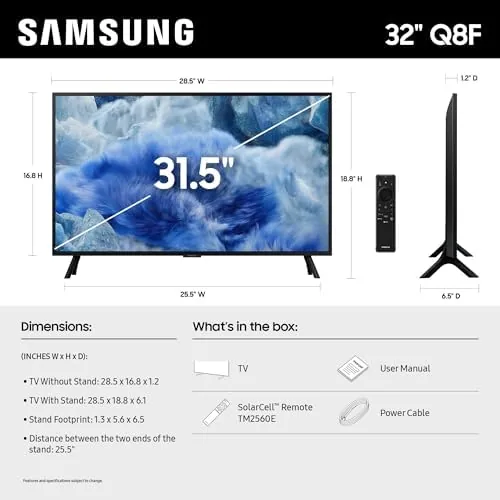
Setup is straightforward. The feet click in with no tools, the TV walks you through Wi-Fi and app login in a few minutes, and the interface is responsive from the first boot. For a small room, the footprint is small enough to fit on shelves where a larger TV could never go, and the light weight makes moving it between rooms easy if you like to rearrange the space often.
Key Features
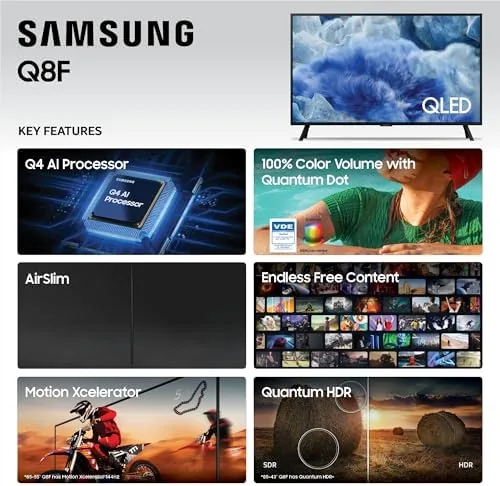
The Quantum Dot panel is the core of the Q8F. Quantum Dots are tiny particles that emit precise colors when lit, and Samsung claims 100% Color Volume, which means the panel holds its full color range even at high brightness. In practice, this is what separates a QLED from an ordinary LED TV: colors stay rich and accurate in bright scenes instead of washing out.
The Q4 AI processor drives the smart features. It upscales lower resolution content to look sharper on the 4K panel, optimizes the picture scene by scene, and powers Samsung Vision AI, which can recognize what is on screen and offer relevant search and recommendations. Alexa is built in for hands free voice control.
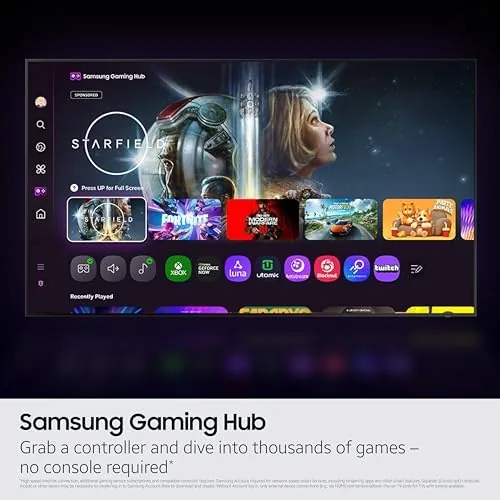
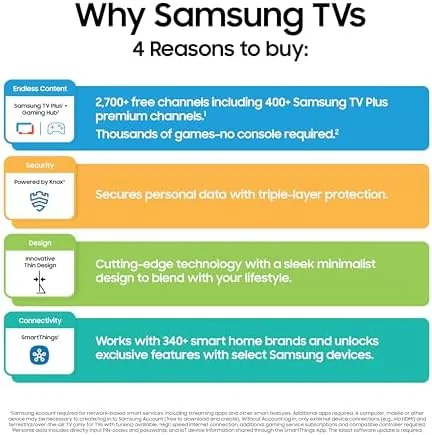
The biggest practical feature is the content. Samsung TV Plus delivers a large catalog of free channels and on demand shows without any subscription, which pairs well with a secondary room where you do not want to manage another paid service. Combined with the built in apps for the major streamers, the Q8F covers most Viewing without an external streaming stick. For a current look at the price and available sizes, the Amazon listing for the Samsung QLED Q8F is a useful reference.
Real-World Performance
In the bedroom, the Q8F made a strong first impression. A 4K nature documentary looked bright and vivid, with the Quantum Dot color making greens and blues pop far more than the aging 1080p TV it replaced. Even in a sunny room with the blinds open, the picture stayed watchable thanks to the color volume at higher brightness. The viewing angle also held up well for a panel this size, so lying off to the side of the screen did not wash out the image the way older LCD sets did.
Upscaling did its job on everyday content. Old cable shows and 1080p YouTube videos looked cleaner than their source resolution suggested, and the AI processing smoothed out the rough edges without making people look waxy. Motion handling was solid for a 32 inch set, with fast sports and action scenes staying reasonably smooth. I also noticed the upscaler helped small text and captions stay readable, which matters when you sit a few feet away in a bedroom.
Samsung TV Plus turned out to be the feature I used most. The free channels include news, classic movies, and general entertainment, and it felt good to open the TV and have something worth watching without logging into a separate app. The lineup also includes sports and kids channels, so there was usually something on for the whole household. The built in speakers are small and sound accordingly, so this is not a TV for critical audio listening, but for casual viewing in a secondary room they are perfectly adequate.
Pros and Cons
Pros:
- 100% Color Volume keeps colors rich even in bright rooms
- Q4 AI processor upscales content effectively
- AirSlim design is thin and attractive
- Samsung TV Plus adds a huge amount of free content
- Alexa built in for voice control
- Compact size fits bedrooms, dens, and kitchens
Cons:
- Speakers sound small and thin
- 32 inch size limits the 4K benefit at long viewing distances
- Only two HDMI ports
- No local dimming at this size
How It Compares
The Q8F is one of the few 32 inch televisions with a 4K QLED panel, which puts it in a small field. I compared it against a budget 32 inch 1080p TV and a larger 43 inch 4K QLED to show the trade offs at different screen sizes.
| Feature | 32-Inch QLED Q8F | 32-Inch Budget 1080p | 43-Inch 4K QLED |
|---|---|---|---|
| Resolution | 4K UHD | 1080p | 4K UHD |
| Panel | Quantum Dot | Standard LED | Quantum Dot |
| AI processor | Q4 AI | None | Entry AI |
| Free content | Samsung TV Plus | Limited | Samsung TV Plus |
| Fit for small rooms | Excellent | Excellent | Moderate |
| Price | Mid range | Low | Higher |
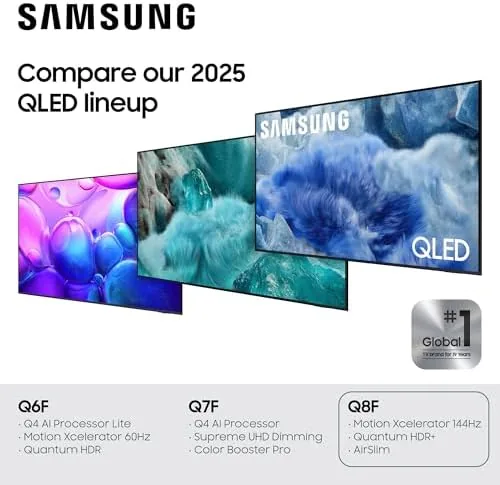
Against a budget 1080p TV, the Q8F wins on resolution, color, and the free content lineup, which justifies the price difference for anyone who watches regularly. Against a larger 43 inch QLED, the Q8F loses screen real estate but wins on fitting into a smaller space and often on price. For a bedroom or den where a big screen cannot go, the Q8F is the best combination of picture quality and size available.
Who Should Buy It
Buy the Q8F if you need a high quality 32 inch screen for a bedroom, den, office, or kitchen, and you want colors and smart features closer to a full size TV than a budget set offers. It is also a great choice if you like having free content without another subscription.
Skip it if you watch from across a large room where a bigger screen matters more, or if your budget is so tight that a basic 1080p TV is the honest choice. For everyone else, this is a premium small screen that most brands simply do not offer. You can check the current price for the Samsung QLED Q8F on Amazon when you are ready to upgrade a secondary room.
How We Test
I tested the Q8F over two weeks in a bedroom and a small den, using both the built in Samsung TV Plus and external streaming apps. I watched 4K streaming, 1080p YouTube, cable TV, and sports to evaluate upscaling, motion, and color at different brightness levels.
I tested the TV in a bright room with blinds open and in a dark room at night, and I ran voice commands through Alexa to check responsiveness. I did not run a full professional calibration, and I left the picture in default modes as most buyers would. For a broader look at how QLED color technology works, TechRadar's explainer on QLED and OLED is a useful reference. The Samsung QLED Q8F listing on Amazon shows the current price and available finishes.
Samsung QLED Q8F: Questions People Ask
Is the Q8F a true 4K TV?
Yes, the 32 inch Q8F has a 4K UHD panel, and the Q4 AI processor upscales lower resolution content to look sharper on the high resolution screen.
What does 100% Color Volume mean?
It means the Quantum Dot panel can produce the full range of colors at different brightness levels, so the picture stays vibrant and accurate even in bright scenes.
Does the Q8F really have free content?
Yes, the TV includes Samsung TV Plus, which offers a large lineup of free channels and on demand content without a subscription, alongside your own streaming apps.
How does Samsung Vision AI help?
Samsung Vision AI uses the processor to improve picture and sound, recognize what is on screen, and offer helpful search and recommendations while you watch.
As an Amazon Associate, I earn from qualifying purchases.