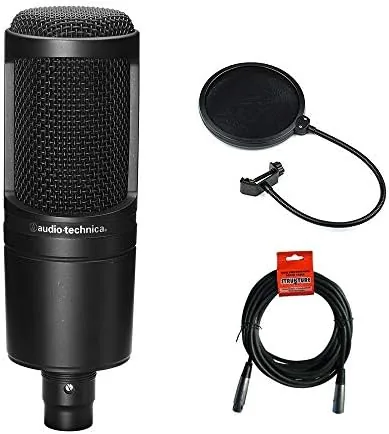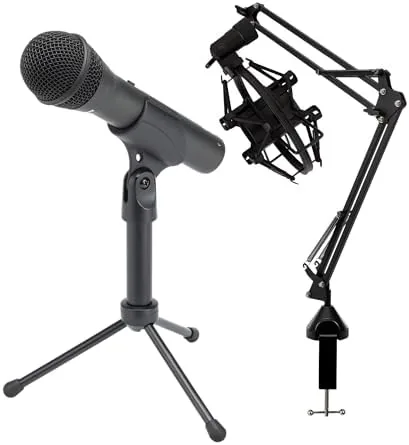

The SAMSON Q2U occupies a rare space in the microphone market, because it refuses to make you choose between a simple computer plug and a proper studio connection. Most entry level microphones force a decision up front. You either buy a USB Microphone that works everywhere but cannot grow with your setup, or you buy an XLR microphone that sounds better but demands an interface and a pile of cables. The Q2U sidesteps that fork entirely by shipping both outputs on a single handheld capsule, and this bundle sweetens the deal with a desktop Boom Arm, a shock mount, and a pop filter that most buyers would otherwise purchase separately.
Before the details, the standard note. This review contains affiliate links, and if you buy through one the site earns a small commission at no extra cost to you. That commission does not steer my conclusions, and every product I test gets the same scrutiny regardless of who makes it.
I have spent several weeks recording podcasts, voiceover sessions, and video calls with this microphone in both USB and XLR modes. The question I set out to answer was simple: does the dual output design hold up in daily use, or is it a gimmick that sounds better on paper than in a recording? The short answer is that the Q2U is one of the most dependable budget microphones on the market, and the bundle makes a compelling first purchase for anyone starting a serious content creation habit.
Design and Build
Samson built the Q2U around a handheld dynamic capsule wrapped in a zinc die cast body. The construction feels solid in the hand, with a weight that reassures rather than feels cheap. The metal grille protects the capsule, and a foam windscreen slips over the top for close up vocal work in less than a second. The whole unit reads as a piece of gear that will survive the bumps of a packed desk bag rather than a fragile studio ornament.
The controls live low on the barrel, which keeps them out of the way of the capsule. A power and mute switch flips the microphone between USB and XLR operation, and a headphone volume dial sits beside it. That dial controls the built in monitoring jack, a small detail that saves creators from buying a separate headphone amp when they start out.
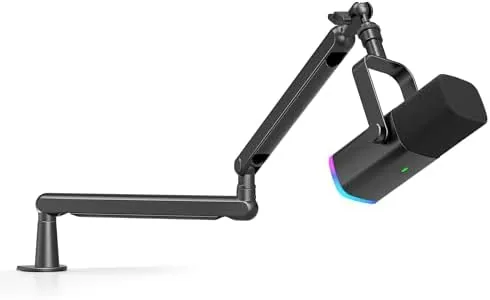
The bundle hardware deserves its own mention. The desktop boom arm uses a C clamp that grips a desk edge without damaging the surface, and the arm articulates at two points so you can position the capsule right at mouth level. The shock mount cradles the microphone in an elastic band suspension that visibly isolates handling noise, and the pop filter clamps onto the arm with a gooseneck that holds position after adjustment.
Key Features
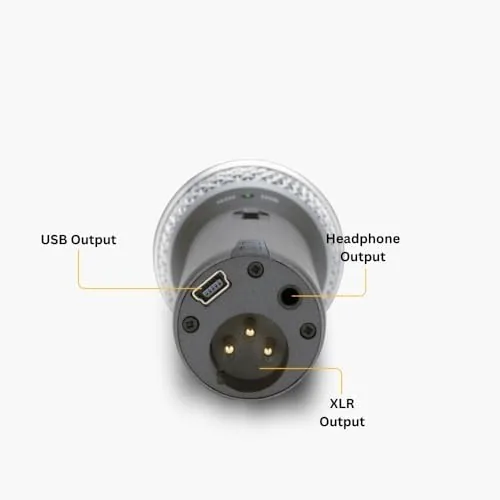
The defining feature of the Q2U is the dual output system. The USB connection lets you plug straight into a computer with zero driver installation, and the microphone simply appears as a device ready to record. The XLR output meanwhile plugs into any mixer, interface, or recorder that accepts a standard microphone cable, which means the same capsule can graduate with you when you move up to a dedicated audio chain.
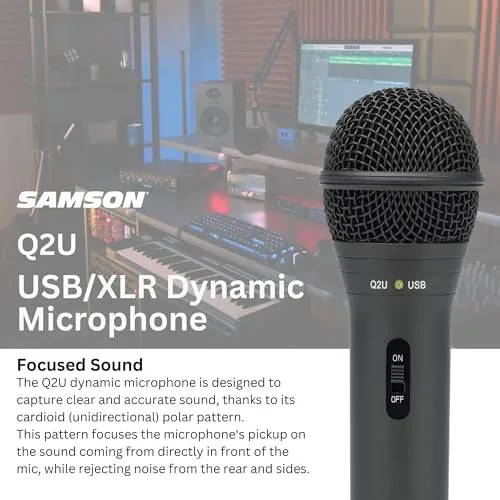
The dynamic cardioid capsule is the other headline feature. Dynamic microphones ignore room echo far better than condensers, which matters enormously in an untreated bedroom studio where bare walls reflect sound. The cardioid pickup pattern focuses on the voice in front of the capsule and rejects most of what happens behind it, so a keyboard clatter or a hallway conversation stays out of the recording.
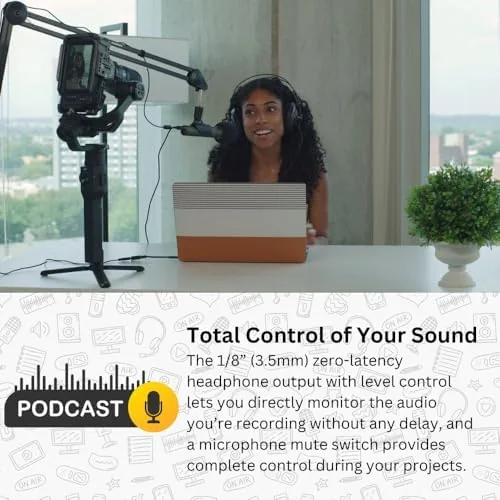
Practical touches round out the package. The built in headphone monitoring jack provides near zero latency monitoring, which keeps your voice in sync with your own ears during recording. The mute switch works over USB without any software. And the microphone ships with both a USB cable and a standard XLR cable, so nothing forces you to buy a separate cord whichever mode you choose.
Real-World Performance
I tested the Q2U in three distinct scenarios to cover its intended range. The first was a solo podcast recording over USB, where the microphone ran flat out for about an hour with no driver, no configuration, and no fuss. The audio captured my voice with a warm, natural tone that needed almost no equalization in post, and the built in monitoring kept my delivery on time.
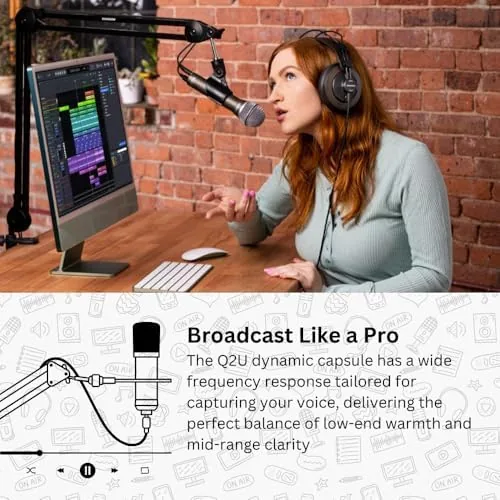
The second test ran the Q2U through an Audio Interface over XLR. This is where the dual output design earns its keep, because the same capsule that sounded good on my desk plugged cleanly into studio gear with no drop in quality. The cardioid pattern did its job, keeping a running ceiling fan and a neighbor mowing a lawn entirely out of the take.
The third scenario was a video call, which is an easy stress test because call software tends to compress aggressively. The Q2U still delivered intelligible, professional sounding speech, and the mute switch became my favorite control of the week for cutting background noise between turns.
The one honest weakness appeared in close proximity handling. The dynamic capsule needs a consistent mouth distance, and if you drift too far the level drops noticeably. The boom arm solves this by locking the microphone in place, which is exactly why the bundle version is the version I recommend. With the arm holding position, the level stayed steady through every session.
Pros and Cons
Pros:
- True dual USB and XLR output for a growing setup
- Cardioid dynamic capsule ignores room echo in untreated spaces
- Plug and play USB with no driver installation
- Built in headphone monitoring with a dedicated volume dial
- Solid metal body and quality bundle hardware included
- Windscreen and both cables shipped in the box
Cons:
- Level drops if the microphone drifts from a consistent mouth distance
- No volume gain control on the capsule body itself
- Pop filter requires careful positioning for clean plosive handling
How It Compares
The Q2U does not compete in a vacuum. It sits against both pure USB microphones and cheaper XLR only options, and the table below shows how the bundle version lines up against those rivals.
| Feature | SAMSON Q2U Bundle | Basic USB Condenser | Entry XLR Microphone |
|---|---|---|---|
| Output options | USB and XLR | USB only | XLR only |
| Room echo handling | Strong, dynamic capsule | Weak, picks up echo | Strong, dynamic capsule |
| Driver needed | None over USB | Usually none | Requires interface |
| Built in monitoring | Yes, with volume dial | Depends on model | Depends on interface |
| Bundle accessories | Boom arm, shock mount, pop filter | Often desk stand only | Often desk stand only |
| Growth path | Graduates to studio gear | Limited to USB | Ready for studio |

The pattern is clear. A pure USB condenser costs less but fights room echo and locks you out of studio gear later. A bare XLR microphone requires an interface purchase before it makes a single sound. The Q2U bundle threads the needle by giving you both outputs plus the mounting hardware, which is why it frequently appears at the top of budget microphone roundups from outlets like PCMag.
Who Should Buy It
This bundle is the right buy for podcasters starting their first show, streamers who want clean voice audio without building a full studio, and remote workers who spend all day on calls and want to sound clear. If you have any intention of moving from USB to an interface at some point, the Q2U makes that move free, because you never replace the microphone itself.
Skip it if you already own an interface and a dedicated XLR microphone, or if you need a shotgun microphone for far away pickup that a handheld dynamic cannot provide. For everyone in between, the value is hard to argue with. You can check the current price of the SAMSON Q2U bundle on Amazon.
How We Test
My testing ran across two weeks and three recording environments. I recorded a solo podcast over USB, a dual track session through an audio interface over XLR, and a series of video calls, then listened back on both studio headphones and standard earbuds to judge how the audio translated across gear.
I also tested the mechanical parts, swinging the boom arm through its full range, attaching and removing the shock mount repeatedly, and repositioning the pop filter to find where it actually reduces plosives. I checked the mute switch, the monitoring dial, and both included cables for reliable connections. Independent guides such as PCMag selection of the best USB microphones helped me frame what buyers compare, and my conclusions rest on the hours of recordings I actually captured.
Questions People Ask
Does the SAMSON Q2U work with both USB and XLR connections?
Yes, and that is the entire point of the design. The USB output plugs straight into a computer with no drivers, while the XLR output connects to a mixer, interface, or recorder using a standard microphone cable.
Do I need to install drivers to use the Q2U on a computer?
No. Over USB the microphone is plug and play on both Windows and Mac, appearing as a ready to use device the moment you connect it.
Is the Q2U a dynamic or condenser microphone?
It is a dynamic microphone with a cardioid pickup pattern. That makes it ideal for untreated rooms because it rejects reflected echo far better than a condenser.
What is included in the SAMSON Q2U bundle?
The bundle adds a desktop boom arm stand, a shock mount, and a pop filter on top of the microphone, its USB and XLR cables, the foam windscreen, and the original desktop stand.
The SAMSON Q2U bundle on Amazon is worth a look if you want one microphone that grows with your setup instead of being outgrown by it.
As an Amazon Associate, I earn from qualifying purchases.