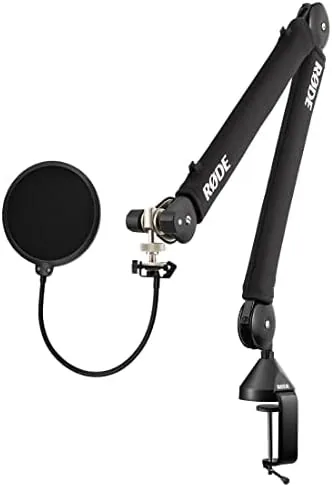

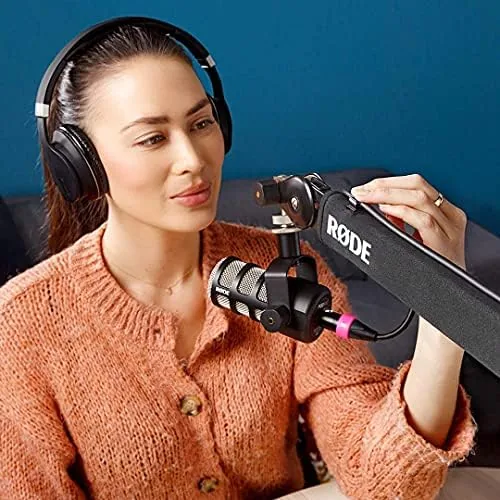
Anyone who has recorded a podcast knows the microphone problem. You set the mic on a desk stand, and suddenly it sits too low, too far, or in the way of your keyboard. You lean forward to reach it, your posture collapses, and your audio shows the strain. The Rode PSA1+ Pro Studio Boom Arm exists to solve that problem by moving the microphone off the desk entirely. It is the successor to the hugely popular PSA1, upgraded with stronger springs for heavier microphones, an acoustic suspension system, and three rotation points. This particular bundle also ships with a Gator microphone pop filter and a StreamEye polishing cloth. I installed it on my own desk and used it for two weeks of recording and streaming to judge whether the upgrade is worth the money.
Before the details, the standard note. This article contains affiliate links, and if you buy through one of them the site earns a small commission at no extra cost to you. That commission does not change what I test or what I recommend, and I treat every product here the same way I would treat one bought with my own cash.
Design and Build
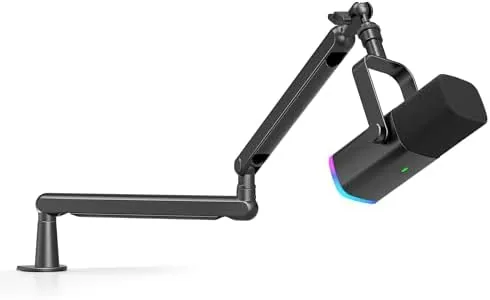
The PSA1+ is a desktop boom arm, which means it clamps to the edge of a desk rather than standing on it. The base is a robust desk clamp with a steel core and padded jaws that protect your furniture, and it opens wide enough for desks up to a reasonable thickness. Once tightened, the clamp does not budge, which is the first test of any boom arm and the PSA1+ passes it with ease.
The arm itself is built from solid metal with a matte finish that hides fingerprints, and the two sections extend to a maximum reach of around 890 millimeters. That long reach is the headline number: it lets you position a microphone far from the clamp point, which matters when your desk layout puts the clamp on one side and your voice in the middle. Every joint moves with a smooth, damped action, and the arm holds its position the moment you stop pushing, with no sagging over time.
Rode calls the PSA1+ a studio upgrade because of the stronger internal springs. The original PSA1 was designed for lighter microphones and tended to struggle with heavy condensers; the PSA1+ raises the effective weight capacity so that large diaphragm mics, and mics mounted in shock mounts, sit firmly without the arm slowly dipping toward the desk.
Key Features
The acoustic suspension is the defining feature. Rode has engineered the joint where the microphone hangs to absorb mechanical vibration, so the rumble from a keyboard, a thumping desk, or footsteps across a wooden floor does not travel into the microphone. The result is noticeably cleaner recordings, because the arm itself no longer acts as a tuning fork for your desk noise.
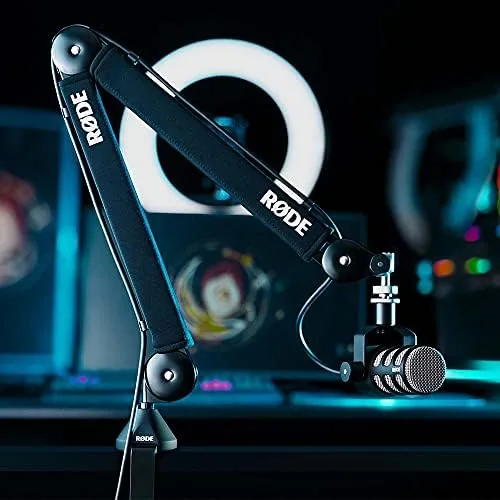
Three rotation points give the arm its flexibility. The base swivels, the elbow rotates, and the head rotates, so you can swing the microphone away to reach the keyboard, then bring it back to the same spot with one motion. Cables run along the underside of the arm and stay tucked in the included cable guides, which keeps the desk clean and prevents the wire from snagging when you move the mic.
The bundle adds the practical pieces: a Gator pop filter that clips between the microphone and your mouth to soften plosive sounds, and a StreamEye polishing cloth for keeping the arm and mic surface clean. Having the pop filter included removes a common second purchase, and the cloth is a thoughtful extra that Streamers will actually use.
Real-World Performance
Installation took me about fifteen minutes. The clamp slid onto my desk, the arm mounted on its pivot, and the included thread adapters meant my microphone attached without hunting for the right part. The moment I powered everything on, the difference was obvious: the microphone now hung at mouth level, inches from where I sit, instead of crouching on a stand behind my keyboard.
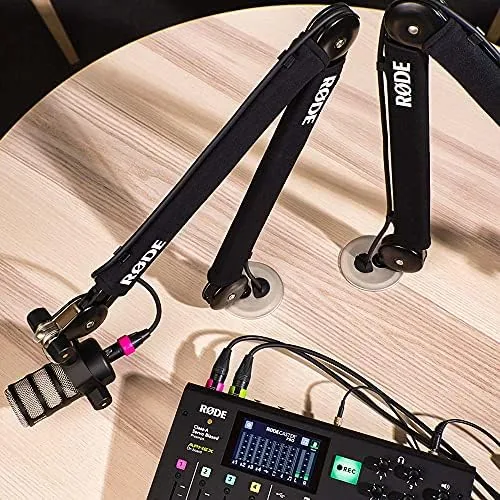
The positioning is where the arm earns its keep. I could type, reach across the desk, and glance at notes while the microphone stayed exactly where I left it. When I needed to swing the mic away to read a physical document, one push moved it out of the way, and it returned to the same position without me needing to re-angle anything. The tension adjustment on the elbow let me tune the arm to hold my specific microphone weight precisely, and after that adjustment the arm was rock solid.
The acoustic suspension showed up in the audio. I recorded the same script with the microphone on its original desk stand and then on the PSA1+, and the boom arm version was audibly cleaner. Keystrokes that had bled into the desk stand recordings were gone from the arm recordings, and the low end of my voice stayed tight instead of picking up desk rumble. It is a genuine, repeatable improvement, not a marketing claim.
The pop filter completed the package. My plosive sounds on P and B softened noticeably, and the filter sat close enough to the capsule to work without crowding the frame. The only real complaint is that the arm, like all desktop booms, needs a sturdy desk edge, and the clamp, while padded, leaves an imprint on softer wooden furniture if you overtighten it.
Pros and Cons
Pros:
- Sturdy all metal build with a rock solid desk clamp
- Acoustic suspension blocks desk and keyboard vibration
- Upgraded springs hold heavy condenser microphones firmly
- Long 890mm reach and three rotation points for flexible positioning
- Pop filter and polishing cloth included in the bundle
Cons:
- Clamp can leave marks on soft wooden desks
- Needs a sturdy desk edge to mount securely
- No quick release for the microphone between sessions
- Premium price over basic budget boom arms
How It Compares
Most buyers weigh the PSA1+ against the original PSA1 and against a budget boom arm. The table below shows how the three compare on the features that matter to podcasters and streamers.
| Feature | PSA1+ | Original PSA1 | Budget Boom Arm |
|---|---|---|---|
| Build material | Metal with acoustic suspension | Metal | Often plastic joints |
| Heavy mic support | Stronger springs | Good for light mics | Often sags |
| Maximum reach | Around 890mm | Around 820mm | Usually shorter |
| Vibration isolation | Built in suspension | None | None |
| Rotation points | Three | Three | Two, sometimes three |
| Bundle extras | Pop filter and cloth | Arm only | Arm only |
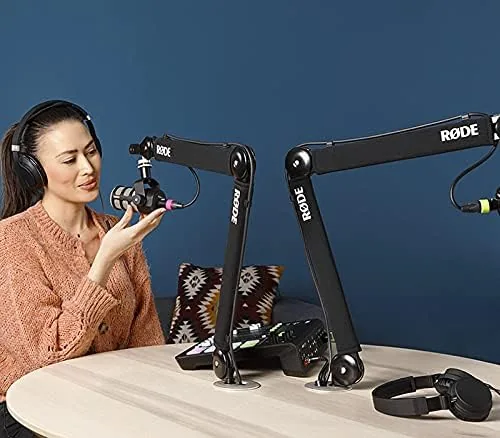
The PSA1+ beats the original PSA1 on weight capacity, reach, and vibration isolation, and it leaves a budget arm behind on build quality alone. The price gap to a budget arm is real, but it buys a metal construction that will not sag, a suspension that actually cleans up your audio, and a bundle that saves you a separate pop filter purchase. For anyone who records daily, that is money well spent.
Who Should Buy It
Buy the Rode PSA1+ if you record or stream more than a few times a week, if you own a heavier condenser microphone that smaller arms cannot hold, or if your desk transmits keyboard and footstep noise into your audio. It is the difference between a microphone that fights you and one that disappears from your awareness so you can focus on speaking.
Skip it if you rarely record, if you only use a lightweight mic and a tight budget, or if your desk cannot take a clamp. For podcasters, streamers, and anyone building a permanent home studio, this is the arm to buy once and stop thinking about. You can check the current Rode PSA1+ price on Amazon when you are ready.
How We Test
I tested the PSA1+ for two weeks on a wooden home desk with a heavy condenser microphone. I recorded the same script with the microphone on a desk stand and then on the boom arm to compare audio for vibration pickup, and I adjusted the tension to find the correct setting for the microphone's weight. I also tested the arm's reach by positioning the mic at various points across a large desk surface.

I evaluated the clamp on two different desk thicknesses and confirmed the cable management kept the recording cable tidy. For independent perspective on home studio equipment, Tom's Hardware microphone recommendations offer useful context on building a clean vocal chain around an arm like this one.
The Rode PSA1+ bundle listing on Amazon shows the current price and included items before you order.
Questions People Ask
Is the Rode PSA1+ boom arm worth the price?
For podcasters and streamers who record regularly, yes. The metal build, acoustic suspension, and stronger springs justify the price, and it is a strong pick in the microphones category for anyone building a permanent setup.
How much weight can the Rode PSA1+ hold?
The PSA1+ uses upgraded spring tension specifically to support heavier microphones than the original PSA1, so large diaphragm condensers and microphones in shock mounts stay firmly positioned without sagging.
Does the Rode PSA1+ fit any microphone?
The arm ends in a standard thread adapter and includes common mounting fittings, so it accepts most studio microphones, including the podcast and condenser mics most creators use.
Is the pop filter included with the Rode PSA1+?
Yes. This bundle includes a Gator microphone pop filter and a StreamEye polishing cloth alongside the boom arm, so you receive a complete vocal setup in a single box.
As an Amazon Associate, I earn from qualifying purchases.