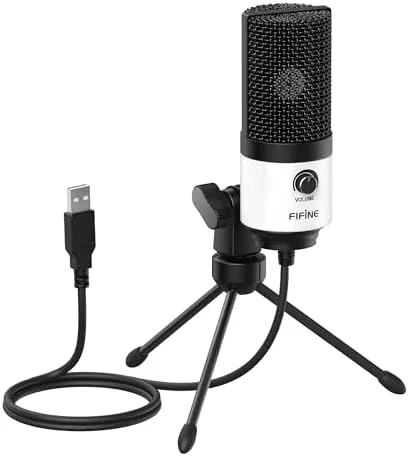

There is a moment in every new home studio setup when the buyer realizes the laptop microphone is the weak link. Voices sound hollow, rooms echo, and the person on the other side of a call keeps asking you to repeat yourself. The FIFINE K669 White exists for exactly that moment. It is a USB condenser microphone with a cardioid pickup pattern, a bottom volume knob, and a metal tripod stand, all in a white finish that fits a bright desk setup, and all at a price that makes the upgrade almost impulsive.
I used the K669 for three weeks across online meetings, podcast recordings, and voice-over takes. This review contains affiliate links, and if you purchase through one, the site earns a small commission at no extra cost to you. That never changes my assessment.
The white body is clean and compact, and the microphone reads as a proper piece of studio equipment rather than a toy. For the price, the first impression is strong, and the sound does the same trick once you plug it in.
Design and Build
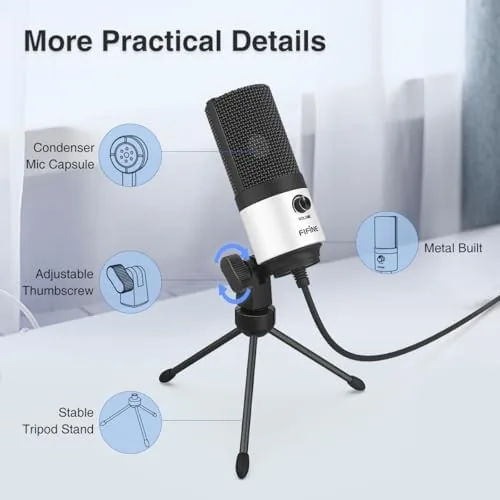
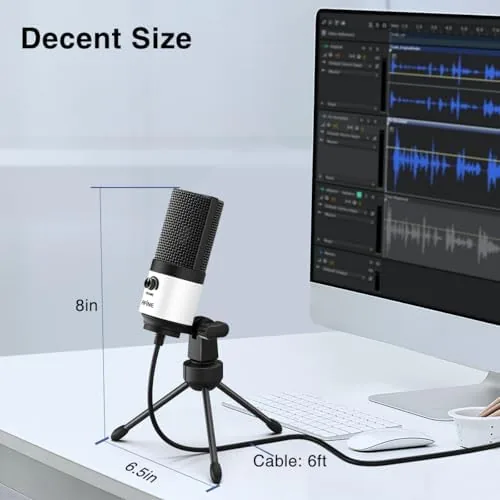
The K669 is built around a metal body with a grille on top and a smooth white finish. The base is a tripod stand that folds flat for storage and opens wide enough to sit steadily on a desk, and the microphone mounts to it with an adjustable angle joint so you can aim the capsule toward your voice. The whole assembly feels sturdier than the price suggests.
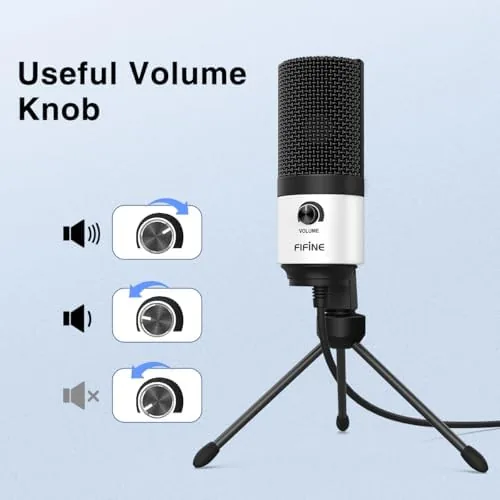
The controls are minimal, which is a feature rather than a shortcoming. A volume knob sits on the underside of the body and adjusts the microphone output level, so you can balance input without digging through system settings. There are no mute buttons, no gain meters, and nothing to learn, and for the target buyer that simplicity is exactly right.
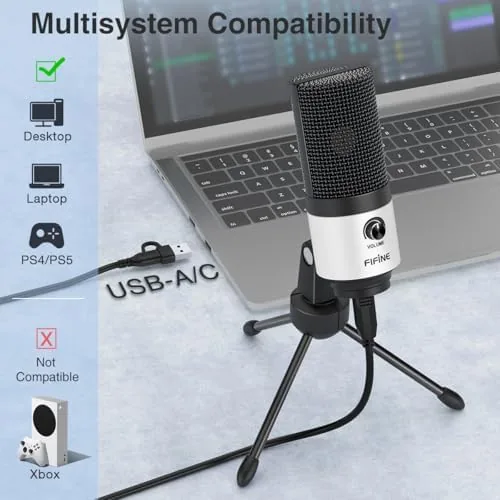
The USB connection is fixed, which means the cable cannot be swapped for a longer one, and the tripod, while steady, does not offer the reach of a boom arm. Those are the two honest limits of the design. For a desktop microphone that stays in one place, neither became a real problem during my testing.
Key Features
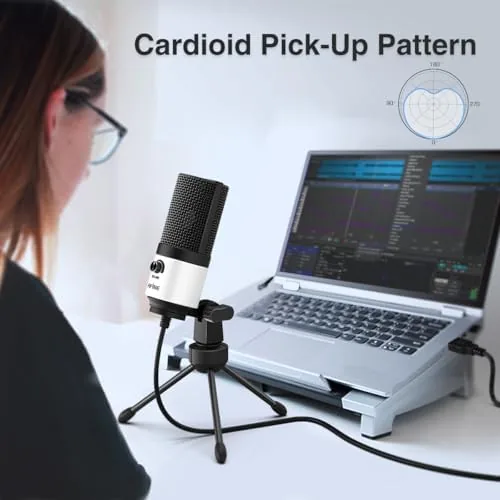
The Cardioid pickup pattern is the heart of the design. A cardioid microphone captures sound from the front and largely rejects sound from the sides and rear, which is the reason this mic flatters the voice in a real room. Keyboards, fans, and family noise behind the mic stay quiet, and your voice stays full and forward.
The plug and play USB connection needs no drivers. The microphone works as a class compliant device on Windows, macOS, and Linux, and most systems recognize it instantly. For meetings and quick recordings, that means the setup is literally plug in, select the mic, and talk.
The kit includes the metal tripod stand, a USB cable, and a small manual, and the microphone records at a standard 48 kilohertz sample rate with 16 bit depth, which is more than adequate for speech, meetings, and voice-over. The white finish is the distinguishing detail, matching the growing number of white keyboards and desks in modern home offices.
Placement matters more than it seems. The cardioid pickup means the microphone should sit within about a hand span of your mouth, aimed toward your face, and the adjustable joint on the tripod makes that easy to achieve. Point the grille at your voice and keep the back of the microphone toward the room noise, and the K669 rewards you with clean, consistent levels that need little treatment in editing.
Real-World Performance
The sound quality is the reason to buy this microphone. On calls, colleagues immediately noticed the difference, describing my voice as clearer and more present, and I stopped having to repeat myself. On a podcast episode, the K669 captured warm, intelligible speech with none of the thin, boxy tone of a laptop mic, and the cardioid pattern kept the room echo out of the track.
The volume knob proved genuinely useful. When a call partner said I was quiet, I nudged the knob up mid conversation instead of hunting through the sound settings, and the instant feedback made level matching easy. The knob adjusts the mic output rather than a headphone monitor, so there is no latency to worry about, just a simple level control.
Voice-over work was the strongest test. I recorded narration takes for a short video, and the K669 produced clean, dry vocals that took compression and equalization well in editing. It is not a broadcast microphone, and it will not rival a dynamic mic in a noisy room, but for a budget home studio it punches far above its price.
For online meetings specifically, the K669 is close to ideal. The cardioid pattern keeps the microphone focused on you, so a colleague hears your voice rather than the clatter of a shared office, and the volume knob gives an instant fix when a meeting platform lowers its own software level. Across dozens of calls, I never had to adjust my speaking distance or repeat a sentence, which is more than I can say for the last three laptops I used for work.
Pros and Cons
Pros:
- Clean, warm voice capture for a budget price
- Cardioid pickup rejects room and keyboard noise
- True plug and play with no drivers to install
- Handy volume knob on the body
- Sturdy metal build with a folding tripod stand
- White finish matches modern desk setups
Cons:
- Fixed USB cable cannot be replaced
- No mute button or headphone monitoring
- Tripod offers less positioning range than a boom arm
- Not the best choice for very noisy rooms
How It Compares
The K669 sits at the entry point of the USB microphone market, so the comparison is against the other common budget options and the next step up.
| Feature | FIFINE K669 | Typical Budget USB | Pro USB Dynamic |
|---|---|---|---|
| Pickup pattern | Cardioid | Cardioid | Dynamic cardioid |
| Setup | Plug and play | Plug and play | Plug and play |
| Controls | Volume knob | Varies | Mute and gain |
| Noise rejection | Good | Good | Excellent |
| Accessories | Tripod stand | Stand or clips | Often a mount |
| Price | Lowest | Low | Mid |
Every Budget USB mic captures the voice decently, and the K669 differentiates itself with clean build quality, the useful volume knob, and a finish that looks more expensive than it is. The step up to a dynamic USB mic buys better rejection of background noise for louder rooms, but it also costs noticeably more. For a quiet home office, the K669 is the sensible value pick.
Who Should Buy It
Buy the FIFINE K669 if you are starting a podcast, hosting meetings from home, recording voice-overs, or building a first home studio and want professional sounding audio without a professional budget. It is also a thoughtful first upgrade for students recording lectures or creators starting a YouTube channel. You can check the current price of the FIFINE K669 on Amazon.
The K669 is also a fine gift for a student, a colleague, or anyone whose video calls suffer from a poor built-in microphone. It removes the single biggest obstacle to sounding professional on camera, and it does so at a price that does not demand a second thought. For the money, few upgrades in a home office change the daily experience as much as this one does.
Skip it if you record in a loud, echoey room, where a dynamic microphone would serve you better, or if you need mute buttons and headphone monitoring for live streaming. For straightforward voice recording, the K669 delivers more than its price suggests.
How We Test
I used the K669 for three weeks across daily meetings, a podcast recording session, and voice-over takes for a short video. I compared it against a laptop microphone and a more expensive dynamic USB mic, tested the volume knob during live calls, and evaluated the tripod and build over sustained use. I also confirmed that it worked without drivers on both Windows and macOS.
For independent guidance on budget microphones, the Wirecutter guide to the best USB microphones is a useful reference for how these mics compare across price points.
FIFINE K669: Questions People Ask
Is the FIFINE K669 plug and play?
Yes, the K669 connects over USB and works immediately with Windows, macOS, and most devices without installing drivers.
What does the volume knob on the K669 do?
The knob on the underside of the body adjusts the microphone output level, so you can fine tune input volume without opening system settings.
Is the K669 good for voice over and podcasting?
Yes, the cardioid pickup focuses on your voice and rejects background noise, which makes it well suited to voice-over, podcasting, and online meetings.
Does the K669 come with a stand?
Yes, the kit includes a sturdy metal tripod stand that folds for storage and holds the microphone at a comfortable height on a desk.
You can see the current price and options for the FIFINE K669 on Amazon if your next meeting deserves a better microphone.
As an Amazon Associate, I earn from qualifying purchases.