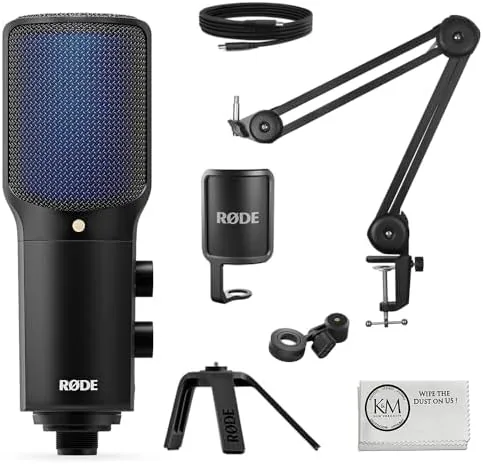

There was a time when a serious microphone meant an XLR cable, an audio interface, and a growing pile of gear on your desk. USB microphones have quietly changed that equation, and the Rode NT-USB+ is one of the strongest arguments for the change. It is a professional condenser microphone that plugs straight into a computer, carries its own high quality analog to digital conversion, and in this bundle arrives with a broadcast arm and a cloth cover so the kit covers placement and protection out of the box. I recorded podcasts, voiceovers, and vocals with it for two weeks to test whether a USB mic can genuinely replace an interface based setup.
This review covers the design, the key features, the recording results, and the honest trade-offs of choosing a USB microphone over an XLR rig.
This article contains affiliate links. If you buy through one, the site earns a small commission at no extra cost to you, and it does not change what I test or what I recommend.
Design and Build
The NT-USB+ carries the clean, professional look Rode is known for. The body is a matte black metal shell with a prominent studio brand badge, a grille that protects the condenser capsule, and a set of controls that sit where you can reach them while recording. It mounts on the included arm, which clamps to the desk and positions the mic in front of you without taking up desk space.
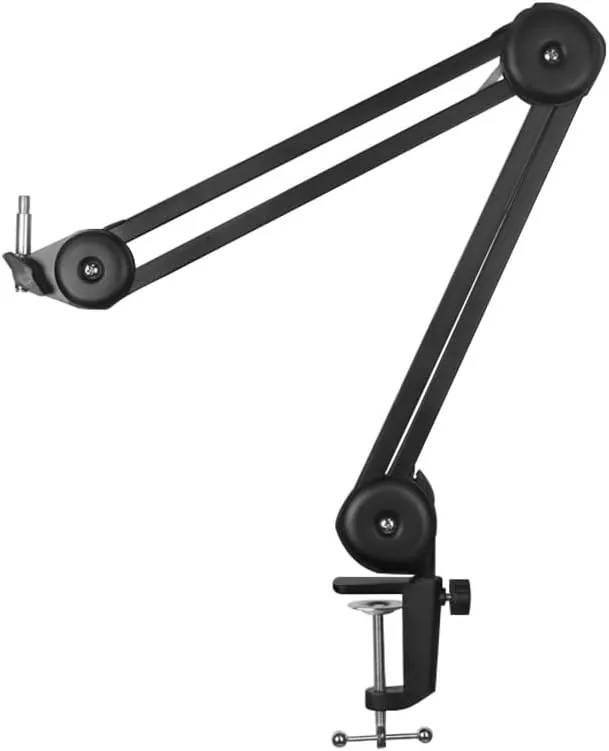
The build quality is exactly what you expect from Rode. The metal shell feels durable, the grille is robust, and the arm is a proper broadcast style unit with smooth adjustment that holds position once you set it. The cloth cover fits over the grille to reduce plosives and wind noise, and together the three items form a complete desk recording setup that needs nothing else on the desk but your computer.
Key Features
The headline feature is the built in audio processing. The NT-USB+ has its own high resolution analog to digital converter, so the sound is digitized cleanly inside the microphone rather than through a cheap interface. It also includes a gain control, so you set the input level right on the mic, and a high pass filter that cuts low rumble for a cleaner voice.
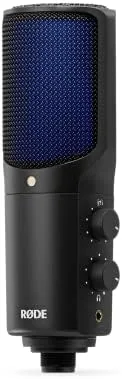
The Cardioid polar pattern focuses the pickup on your voice and rejects sound from the sides and rear, which is essential in a home office with a keyboard, a fan, or a second person. The microphone also has a headphone output with real time monitoring, so you hear yourself with no latency while you record, which matters more than most beginners realize for pacing and delivery.
The bundled arm is a feature in its own right. A microphone on a desk stand picks up desk vibrations and sits too far away for a natural voice tone. The arm lets you place the capsule close to your mouth and out of the way of your monitor, and the cloth cover tames the pops that hit the first consonant of every sentence.
Connectivity is genuinely simple. The microphone connects over USB to a Mac or Windows computer, shows up as a standard audio device, and works with any recording app immediately. That ease of use is the whole point of the USB category, and the NT-USB+ delivers it without sacrificing sound quality.
Real-World Performance
I started with a podcast style conversation recorded with a co-host on a second mic, and the NT-USB+ captured my voice with a clean, present tone that needed very little processing afterward. The high pass filter removed the low end room noise, and the cardioid pattern kept my co-host audio from bleeding into my track. In the final mix, my voice sat forward and clear without any of the boxy tone that plagues budget USB mics.
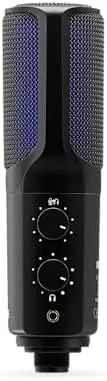
For voiceover work, the results were equally strong. The microphone handled a variety of reads from conversational to energetic without harshness, and the built in gain let me dial in a strong level without clipping. I compared a take against a track from an interface and XLR condenser setup, and while the XLR rig had a hair more low end body, the NT-USB+ was remarkably close, which is a strong result for a USB mic at this price.
The monitoring loop was the quiet star. Recording with real time headphone monitoring meant I caught pacing and breath issues while I spoke instead of discovering them in the edit, and the zero latency monitoring worked flawlessly across my tests. The cloth cover did its job too, cutting plosive pops on hard consonants to almost nothing.
The honest limits are worth stating. A USB condenser mic like this is best for a single voice close to the capsule, so it is not the tool for recording a room full of people. It also lives on the desk, so it lacks the flexible mic placement of a handheld or lavalier for movement. And while the bundled arm is good, it is a broadcast style arm that suits a fixed recording position rather than a camera rig.
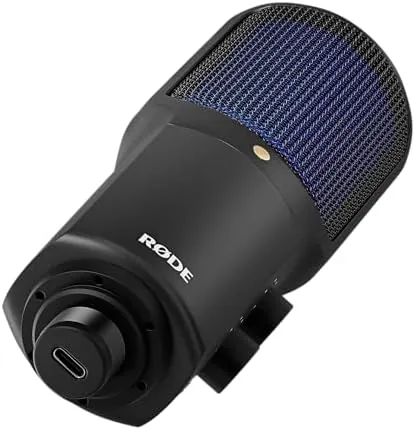
Across two weeks the microphone proved reliable with every app I threw at it, from a video call platform to a full multitrack editor. There were no driver issues, no dropped connections, and no surprises in the recorded audio. For a creator who records from a fixed desk position, this bundle removes the last excuses between a hobby setup and a professional one.
Pros and Cons
Pros:
- Studio quality voice capture without an audio interface
- Built in gain control and high pass filter
- Real time headphone monitoring with zero latency
- Cardioid pattern rejects room and keyboard noise
- Complete bundle with arm and cloth cover
- Plug and play on Mac and Windows
Cons:
- Best suited to a single voice near the capsule
- Fixed desk position rather than handheld flexibility
- USB mics cannot be expanded with more inputs later
- Arm is sized for a static desk setup
How It Compares
The NT-USB+ competes with budget USB mics and with an interface plus XLR mic setup. The table below shows how the three approaches stack up for a typical solo creator.
| Feature | Rode NT-USB+ | Budget USB Mic | XLR Mic and Interface |
|---|---|---|---|
| Setup | Plug in over USB | Plug in over USB | Cable, interface, power |
| Sound quality | Studio grade | Good for the price | Studio grade |
| Gain control | On the mic | Often none | On the interface |
| Monitoring | Zero latency output | Often none | Zero latency |
| Expansion | Single mic only | Single mic only | Adds inputs later |
| Bundle | Arm and cloth included | Mic only often | Sold separately |
| Typical price | Moderate | Low | High |
Against A Budget USB Mic, the NT-USB+ wins clearly on sound quality, control, and monitoring. Against an XLR rig, it loses the ability to add more microphones later but saves money, space, and setup time, while producing sound close enough that most listeners could not tell the difference. For a solo podcaster or streamer, the Rode NT-USB+ bundle on Amazon is the practical middle ground.
Who Should Buy It
Buy the Rode NT-USB+ bundle if you record a podcast, stream, or do voiceover work from a fixed desk position, if you want studio sound without learning an interface, or if you want a complete kit with the arm and cover included. It is a natural upgrade from a gaming headset or a budget USB mic when your voice starts to matter.
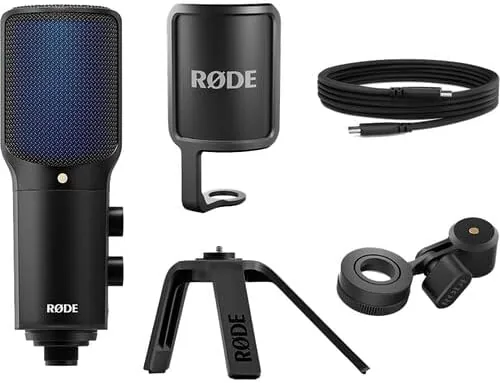
Skip it if you need to record a full band or a room full of people, or if you already own a good interface and XLR mic. for Everyone else, the Rode NT-USB+ microphone kit on Amazon is a complete recording setup in one box.
How We Test
I recorded with the Rode NT-USB+ for two weeks across podcast conversations, voiceover reads, and vocal takes, using the bundled arm and cloth cover for every session. I compared takes against a reference interface and XLR condenser setup, and I checked the gain control, high pass filter, and headphone monitoring across different voices and room conditions.
I tested plug and play behavior on both Mac and Windows, and I evaluated the pop reduction from the cloth cover on plosive heavy copy. For a broader grounding on choosing a first professional microphone, the buying guidance at SoundGuys is a useful reference for the USB category.
The Rode NT-USB+ bundle listing on Amazon has the current price and the full list of included items.
Rode NT-USB+ Microphone: Questions People Ask
Does the Rode NT-USB+ need an audio interface?
No. The microphone connects directly to a computer over USB and includes its own high resolution analog to digital conversion, gain control, and headphone monitoring.
Is the Rode NT-USB+ good for podcasting?
Yes. It has a cardioid polar pattern that focuses on your voice, a pop shield built into the bundle, and headphone monitoring for latency free recording, which suits solo and duo podcasts.
What comes in the 3 item bundle?
The package includes the NT-USB+ microphone, a broadcast style microphone arm for flexible placement, and a cloth cover, so the kit covers positioning and protection.
Does the microphone work on Mac and Windows?
Yes. It is plug and play on both operating systems through USB, and it worked with my recording software on each without extra drivers.
As an Amazon Associate, I earn from qualifying purchases.